If you share a room, sleep in a dorm, or travel on overnight trains, you already know the problem. Someone else is always there. Watching a movie with the volume up is not an option. A projector needs a wall and darkness. A tablet screen is too small and too bright for the person sleeping next to you.
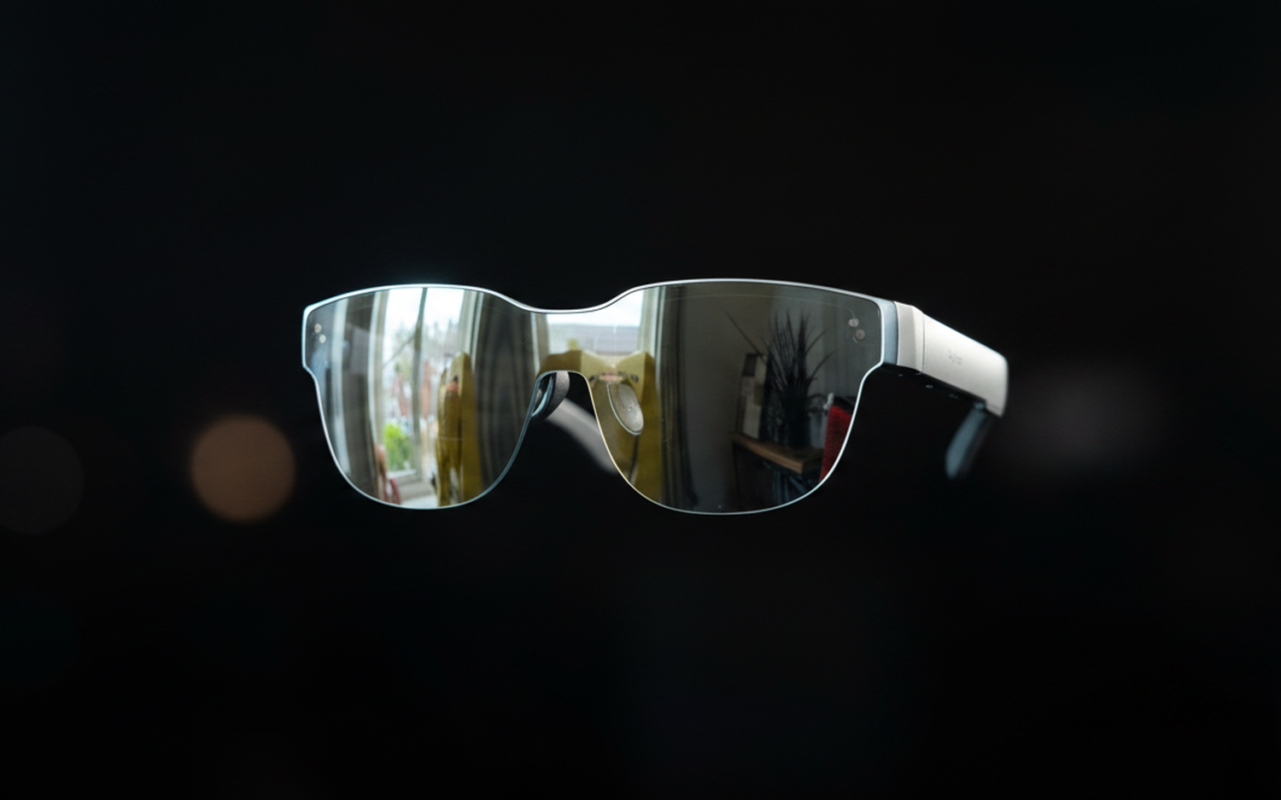
The RayNeo Air 3s is not a science-fiction AR headset. It does not project holograms onto walls or overlay directions on your commute. It is a wearable 201-inch monitor that weighs 72 grams, folds into a glasses case, and plugs into your phone via USB-C. That narrow use case is exactly where it excels.
What Is the RayNeo Air 3? Specs and What You Actually Get
The “Air 3” name covers a product family. The original RayNeo Air 3 launched in late 2024. The Air 3s (reviewed here) arrived at MWC 2025 with a brighter panel and improved audio. The Air 3s Pro followed with a 1,200-nit display for outdoor and flight use. This review focuses on the standard Air 3s, with notes on when the Pro variant is worth the premium.
Display Technology: HueView Micro-OLED Explained
The Air 3s uses dual HueView micro-OLED panels, one per eye, each running at 1920×1080. The combined effect simulates a 201-inch screen at a fixed reference distance, which translates to a 46-degree field of view in practice.
OLED matters here for one reason: black levels. When the panel displays black, it simply turns off those pixels. Dark scenes in films, particularly anything shot with cinematic shadow work, look genuinely different compared to LCD alternatives. According to the official spec sheet (corroborated by Tom’s Hardware, 2025), the contrast ratio is 200,000:1, double what the previous Air 2s achieved.
Brightness sits at 650 nits, which covers dimly lit rooms and most indoor environments. It is not enough for window-seat use on a sunny afternoon flight. The Air 3s Pro addresses this with 1,200 nits.
The panel runs at 60Hz by default and switches to 120Hz in Game Mode, which matters for Nintendo Switch and Steam Deck use. The 3,840 Hz DC+PWM dimming (OptiCare technology) carries TÜV SÜD certification for low blue light and flicker-free output. For a device designed for 2-hour viewing sessions, that certification is not just marketing.
Key Specs at a Glance
| Specification | RayNeo Air 3s | RayNeo Air 3s Pro |
|---|---|---|
| Display | HueView micro-OLED | HueView 2.0 micro-OLED |
| Resolution | 1080p per eye | 1080p per eye |
| Brightness | 650 nits | 1,200 nits |
| Contrast | 200,000:1 | 200,000:1 |
| Refresh Rate | 60Hz / 120Hz | 60Hz / 120Hz |
| FoV | 46 degrees | 46 degrees |
| Weight | 72g | 76g |
| Connection | USB-C wired | USB-C wired |
| IPD Range | 56-70mm | 56-70mm |
| Price | $269 | ~$299-$349 |
| Source | Official specs | Official specs |
Design and Comfort – Can You Actually Wear These for 2 Hours?
Weight and Fit for Extended Sessions
72 grams is lighter than most over-ear headphones. For reference, a standard pair of AirPods Max weighs 385 grams. The Air 3s sits noticeably light on the nose.
The air nose pad design distributes the weight across a wider contact area than standard glasses. Most users report a short adaptation period of several days before extended use feels natural. After that period, 2-hour sessions are realistic for the majority of users. Three hours is the upper limit before eye fatigue sets in for most people, regardless of the TÜV SÜD certification.
One hard constraint: the interpupillary distance (IPD) range is 56-70mm. Users outside this range cannot achieve proper screen alignment. If you fall below 56mm, the Air 3s is not compatible.
Prescription Lens Support
Users with myopia or astigmatism have an official path: RayNeo’s optical partner Lensology manufactures custom prescription inserts compatible with the Air 3s. The supported range covers 0 to -10.00D myopia and 0 to -2.00D astigmatism. Air 2s prescription inserts are cross-compatible, which matters if you are upgrading.
There is no built-in diopter adjustment dial. Inserts are the only option for corrected vision.
Heat and Build Quality
The right temple runs warm after 30 to 40 minutes of use. In summer, this becomes noticeable. The heat is generated by the display driver electronics concentrated in that temple. It does not reach uncomfortable levels under standard conditions, but it is present.
The chassis is plastic throughout. This keeps weight down but the build does not feel premium in hand. The glasses are light and functional, not luxurious.

Real-World Movie Watching Performance
Dark Environments vs. Bright Rooms
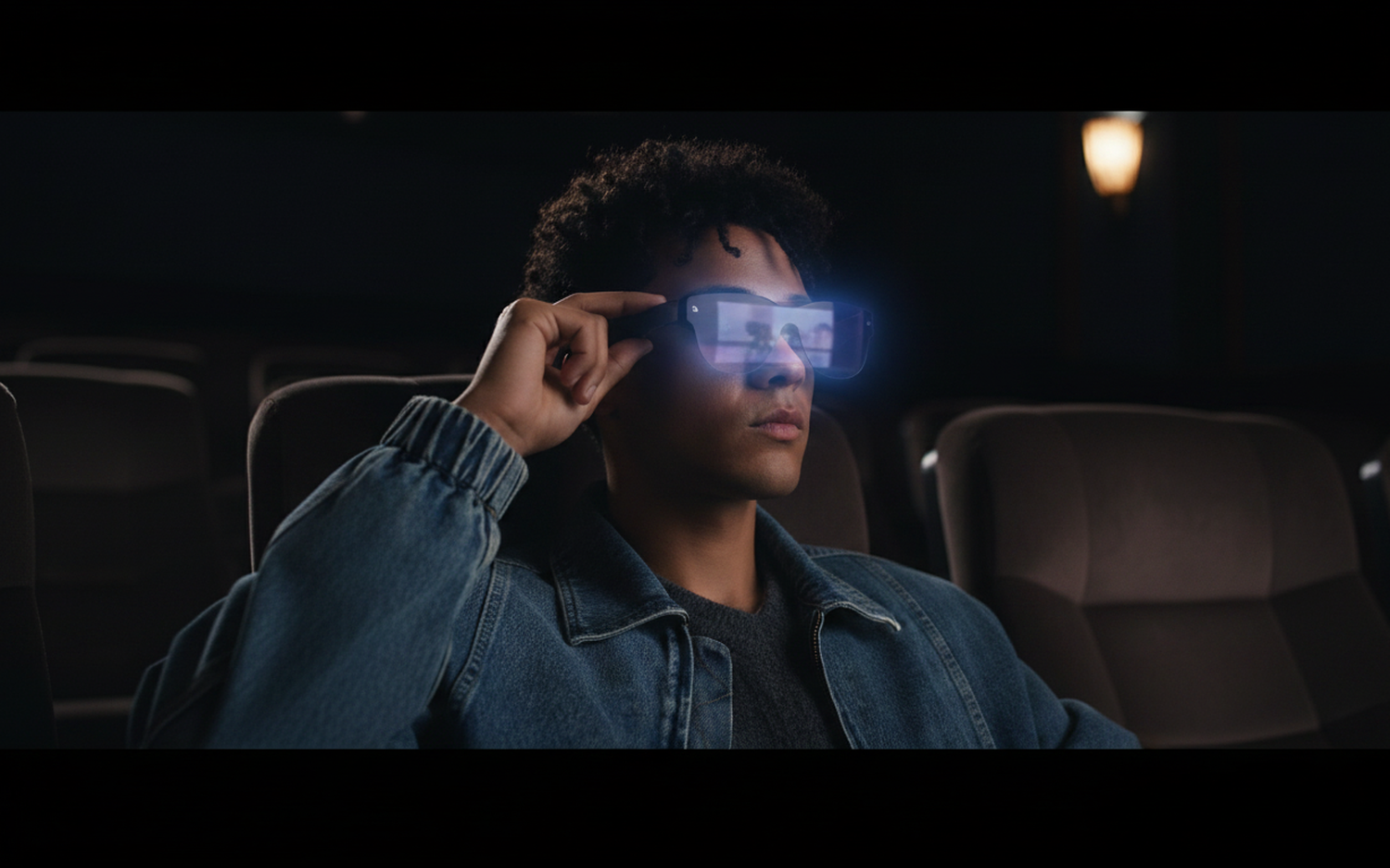
The Air 3s performs best in a dark or dimly lit room. OLED black levels make letterbox bars in widescreen films disappear entirely. The floating image effect, with no visible screen border, is the most compelling aspect of the viewing experience. Dark-room cinematic content at 650 nits looks genuinely impressive.
In ambient indoor lighting, the lenses produce visible reflections. You can see your torso and surroundings reflected back to you, which breaks immersion. In rooms with moderate overhead lighting, this is consistent and distracting.
On aircraft with window seats in daylight, the display is nearly unwatchable without pulling the window shade down. This is where the Air 3s Pro’s 1,200 nits becomes relevant.
Audio – The Underrated Differentiator
The Air 3s includes four open-ear speakers, two in each temple arm. The system uses RayNeo’s Whisper Mode 2.0 algorithm to direct audio toward the wearer while minimizing outward leakage.
In practice, at 50% volume in a quiet room, the audio remains private. Reviewers at MonarchXR confirmed this in 2025 testing. At higher volumes in silent environments, leakage becomes audible to someone seated nearby. For a dormitory or shared office, keep the volume at or below 60%.
The audio quality itself is a genuine step up from prior RayNeo generations. Tom’s Hardware described it in 2025 as a significant improvement, noting that the quad-speaker setup produces adequate bass, midtones, and high-frequency response. Compared to built-in phone or tablet speakers, it sounds substantially better. If audio privacy is a core requirement, pairing with a dedicated earbud like the Redmi Buds 8 Pro via the source device’s Bluetooth remains the more reliable option for genuinely silent environments.
Text and Edge Sharpness
Movie content renders sharp across the central portion of the display. The peripheral edges of the 46-degree field of view show softness, particularly with fine text. This is not a defect but a property of the optics at this price tier.
The practical implication: do not buy the Air 3s for document work, spreadsheets, or coding sessions. Subtitles in standard size are readable. Dense text in a browser window at the edges is not.
Device Compatibility – What Can You Actually Connect?
The Air 3s requires a USB-C port with DisplayPort Alternate Mode support. Not every USB-C port qualifies, and this is the most common source of buyer frustration.
Direct plug-and-play (no adapter needed):
– Most Android flagships (Samsung Galaxy S-series, Google Pixel 6+, OnePlus 10+)
– MacBook (all USB-C models)
– Steam Deck
– iPad Pro (USB-C models, 2018+)
– iPhone 15 and later with USB-C
Requires adapter:
– iPhone 14 and earlier: certified Lightning-to-HDMI adapter required
– Nintendo Switch: RayNeo JoyDock adapter (sold separately)
– PlayStation 4/5 and Xbox: HDMI adapter required
The Air 3s has no wireless capability. The connection is wired USB-C only. For someone planning to use these alongside an OPPO Find N6 or similar foldable phone as a portable cinema setup, the cable is simply part of the experience.
RayNeo Air 3 vs. the Competition – How Does It Compare?
The Air 3s competes with three alternatives at a similar price tier in 2026.
| Feature | RayNeo Air 3s | Xreal One Pro | Rokid AR Lite | RayNeo Air 3s Pro |
|---|---|---|---|---|
| Display | micro-OLED 1080p | micro-OLED | Sony micro-OLED 1200p | micro-OLED 1080p |
| Brightness | 650 nits | Not specified | 600 nits | 1,200 nits |
| Weight | 72g | ~80g (estimated) | Not specified | 76g |
| FoV | 46 degrees | Not published | Not published | 46 degrees |
| Head Tracking | None | 3DoF (X1 chip) | Yes | None |
| HDR10 | No | No | No | No |
| Audio | Quad speakers + Whisper Mode 2.0 | Not specified | Dual speakers | Quad speakers |
| Price | $269 | ~$399 | ~$299 | ~$299-$349 |
| Source/Confidence | Official specs | Estimated | Official specs | Official specs |
Who Should Choose the Xreal One Pro Instead?
The Xreal One Pro adds a custom X1 chip with 3DoF head tracking. The screen stays fixed in space even as you move your head, removing the image drift that affects the Air 3s. For stationary dark-room viewing, this difference is irrelevant. For use on moving transport or in contexts where you frequently turn your head, it is significant. The trade-off is approximately $130 more in price and, per third-party comparisons, weaker audio.
Is the RayNeo Air 3s Pro Worth the Upgrade?
The jump from 650 to 1,200 nits is meaningful in two scenarios: flights with window seats and outdoor use. In a dark room, you will not notice the difference. The Pro adds roughly $30 to $80 over the standard Air 3s depending on current pricing. If your primary use is travel entertainment, the Pro is the correct choice.
Final Verdict – Who Should Buy the RayNeo Air 3?
The RayNeo Air 3s does one thing well: it gives you a large, private screen in a space where a monitor does not fit. At 72 grams and $269, it delivers this at a price that competing products have not matched as of April 2026.
Buy the Air 3s if: You share a room and need a private viewing setup. You travel frequently and want in-flight entertainment without exposing your screen to the seat next to you. You use a Steam Deck or Switch and want a larger display. Your primary content is video, not text.
Skip it if: You already have a private room with a large monitor. Head tracking is a requirement. You plan extended document or coding work. Your primary use is outdoors or in bright aircraft cabins.
Consider the Air 3s Pro if: Flights with window seats are your main use case or you need usability in moderately lit rooms.
The core technology here – OLED display glasses at this weight and price – is genuinely useful for the specific population it serves. It is a niche product solving a real problem. At $269, it is the most complete budget AR glasses for movie watching available in 2026.
- OLED black levels deliver a genuinely cinematic dark-room experience
- 72g weight is lighter than most over-ear headphones
- Quad speakers with Whisper Mode 2.0 keep audio private at 50% volume
- Compatible with Android, MacBook, Steam Deck, Switch (with adapter), and iPhone 15+
- TÜV SÜD certified low blue light and flicker-free for extended sessions
- Prescription lens inserts available via Lensology
- No 3DoF/6DoF head tracking – screen drifts with head movement
- Visible lens reflections in ambient light break immersion
- Right temple runs warm after 30-40 minutes of use
- 650 nits insufficient for window-seat flights or sunlit rooms
- Wired USB-C only, no wireless connectivity
- Edge softness makes text-heavy tasks impractical
Frequently Asked Questions

- RayNeo Air 3s Review: Best AR Glasses for Watching Movies in 2026 - April 13, 2026
- Xiaomi MiMo AI API Pricing & Token Usage: The Developer’s Guide (2026) - April 12, 2026
- Google AI Edge Eloquent Review: On-Device Speech Recognition - April 11, 2026