1. The Production Bottleneck That the eufyMake E1 Targets
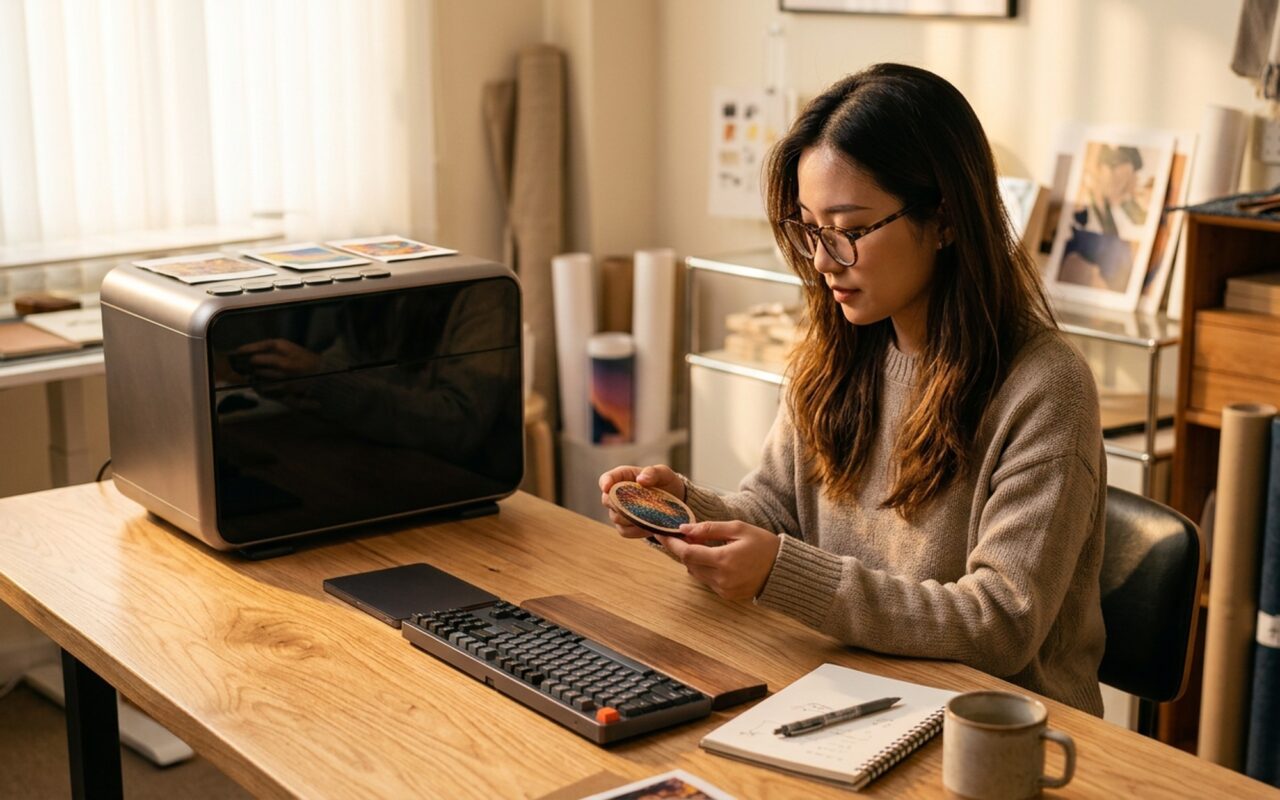
For years, if you wanted a customized phone case with an embossed texture, a personalized wooden coaster with a raised logo, or a leather wallet printed with a tactile pattern, you had two options. You could send the project to a third-party production house and wait three to five business days for a sample, or you could invest six figures in an industrial UV flatbed printer that weighs more than a refrigerator.
Neither path works for an independent creator, a boutique merchandise brand, or a product designer iterating on prototypes. The eufyMake E1 is built specifically to close that gap: a desktop UV printer designed to produce professional-quality, textured, multi-material prints from a standard worktable, without requiring specialized training or industrial infrastructure.
The Kickstarter response confirmed pent-up demand. The campaign exceeded $46 million in pledges, making it one of the largest hardware crowdfunding campaigns in the printing category. This review examines whether the product delivers on that promise for working creators.
2. Who Actually Needs a Desktop UV Printer?
The eufyMake E1 targets a specific class of operator: creative professionals who are currently outsourcing short-run custom production and losing control of lead times, margins, and iteration speed.
The core use cases break into three groups:
- Merchandise creators and Etsy sellers producing custom phone cases, keychains, coasters, and personalized gifts who currently depend on print-on-demand vendors
- Small product studios and designers who need rapid tactile prototypes – packaging mock-ups, branded accessories, material samples – without vendor queues
- Workshop and makerspace operators offering UV customization as an on-site service for walk-in clients
The E1 is not positioned as a replacement for commercial-scale production. It does not have the throughput of a Roland flatbed, nor the chemical durability options of a Mimaki industrial system. Its value proposition is speed, accessibility, and in-house creative control for sub-industrial volumes.
3. Hard Features Breakdown: AI Texture Printing in Practice
The defining capability of the eufyMake E1 – and the feature that separates it from generic desktop UV units – is its AI texture printing system.
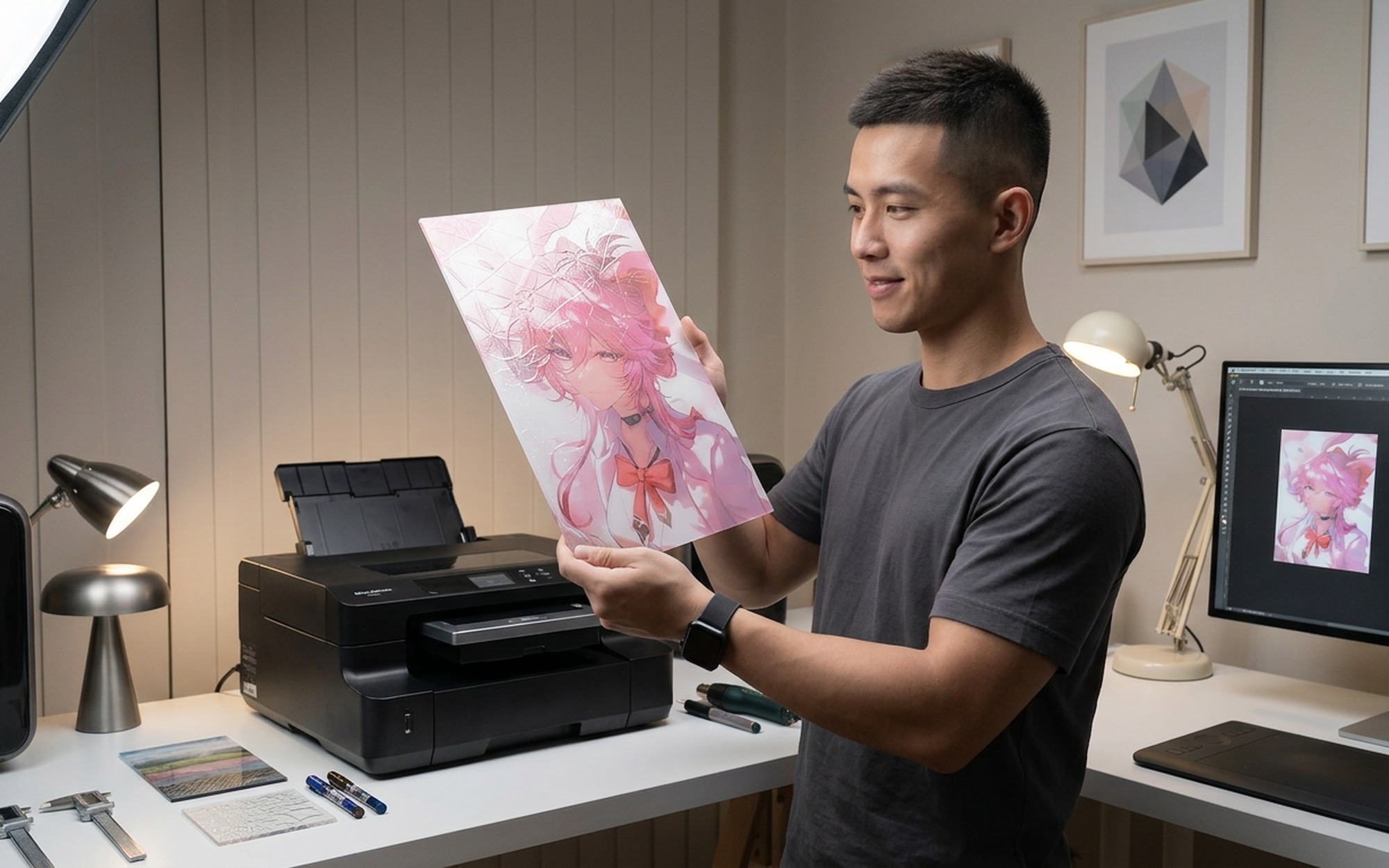
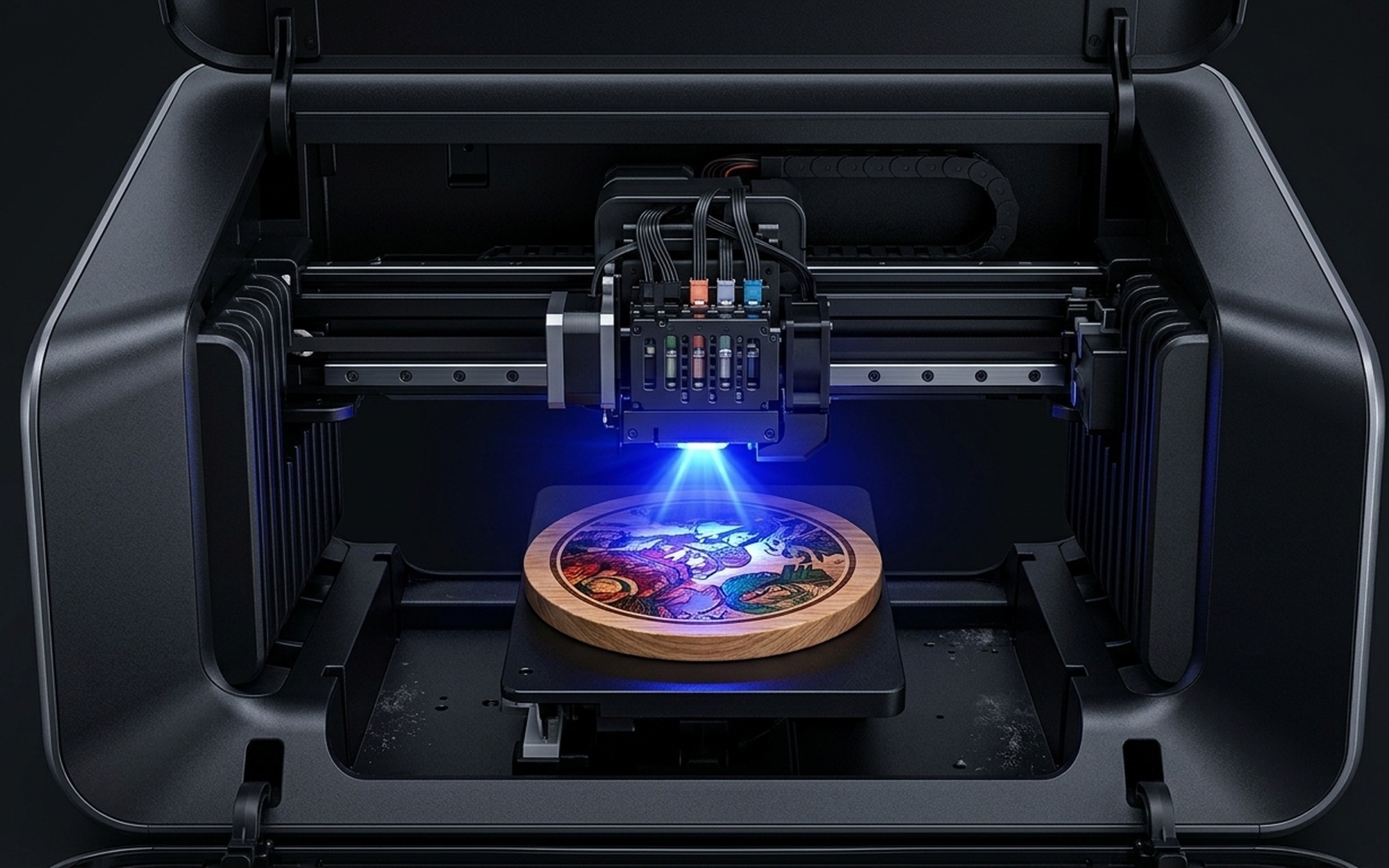
Standard UV printers apply flat color layers. The E1 adds a depth prediction layer on top. A custom-trained AI model analyzes any input image and generates a grayscale depth map, assigning elevation values to different areas of the composition. The printer then deposits multiple passes of white UV ink – curing each pass instantly under UV LED – to build a physical raised base before printing the final color layer on top.
The result is a tactile, embossed print with relief depth up to 2mm. A dragon scale design does not just look three-dimensional – it is physically raised under your fingertip. A wood grain texture has actual ridges. A brand logo stands off the surface of the substrate.
The algorithm behind this process is proprietary. eufy developed a custom halftoning method for color separation rather than licensing standard commercial printing algorithms, which they claim improves color accuracy in the final UV-cured output.
A second hardware differentiator is the automated internal cleaning system. UV print heads are sensitive: uncured ink left in the nozzle channel can cause clogging that takes hours to resolve manually. The E1 is the first desktop UV printer to include an automated flush cycle – the system runs cleaning solution through the print heads automatically, without requiring the operator to disassemble the unit or run manual purge patterns.
- Technology: UV LED inkjet with AI-generated depth layer
- Max Texture Depth: 2mm raised relief
- Supported Materials: Wood, glass, metal, acrylic, leather, resin, rigid plastics
- Cleaning System: Automated internal flush (industry-first)
- Design Library: 15,000+ free commercial-use templates
- Ink Cost: Approx. $140 per cartridge set
4. Multi-Material Performance: What the E1 Actually Sticks To
UV ink adheres via a photopolymer reaction: the liquid ink hardens on contact with UV light rather than soaking into the substrate, which means material porosity does not determine print quality the way it does in inkjet or sublimation printing. This gives the E1 its broad substrate range.
In practice, the materials that perform best share one property: they are flat and rigid enough to maintain a consistent gap between the surface and the print head. Wood plaques, glass tiles, metal card holders, acrylic sheets, and hard-shell phone cases all fall into this category and deliver sharp, high-contrast output.
Leather is a workable substrate but requires attention to surface preparation. Textured or heavily pebbled leather grain can create uneven print head clearance, resulting in soft edges on fine detail work. Smooth vegetable-tanned leather performs predictably.
The most significant material limitation is curved geometry. Bottles, cylindrical mugs, and irregular sculptural objects cause the print head to lose its calibrated distance to the surface, which results in ink scatter and reduced resolution. eufy recommends a sticker-transfer method for these applications – printing the design on a flat transfer medium first, then applying it to the curved surface – which adds an extra step and limits precision compared to direct printing.
5. Real-World Limits: Where the E1 Asks More From the Operator
The eufyMake E1 is marketed around an intuitive, low-threshold workflow. The engineering team’s internal benchmark for success was whether users could operate the machine without reading a manual. In flat-surface, template-based workflows, that goal is largely achieved.
Beyond the template library, the learning curve steepens. Custom file preparation – converting original designs into properly formatted print-ready files with accurate depth maps – requires understanding how the AI depth model interprets image values. High-contrast line art behaves differently from photographic gradients. Operators who want to push the E1’s texture capabilities fully will spend time calibrating file exports before achieving consistent results.
The operating environment also requires planning. UV curing is a chemical process: the photoinitiators in UV ink off-gas during curing, producing a distinct solvent-adjacent odor. eufy specifies a minimum 10–15 square meters of ventilated workspace. For a home studio without a dedicated window or exhaust system, the optional exhaust accessory becomes effectively mandatory rather than optional.
Ink cost is the third operational consideration. At approximately $140 per cartridge set, the E1’s running cost is substantially higher than consumer inkjet printing. For creators pricing custom products with significant texture coverage, ink cost per unit needs to be factored explicitly into pricing to maintain margin.
These are not disqualifying limitations. They are the real-world trade-offs of desktop UV printing that any prospective buyer should understand before committing.
6. Competitor Comparison: eufyMake E1 vs. the Desktop UV Printer Field
How does the eufyMake E1 compare to the alternatives available to creators in 2026?
| Printer | Technology | Max Texture | Approx. Price | Best For |
|---|---|---|---|---|
| eufyMake E1 | UV LED + AI depth layer | 2mm raised relief | ~$999 | Creators and SMBs needing in-house UV texture printing at desktop scale. |
| VEVOR Desktop UV Printer | UV LED flatbed, no AI | Flat color only | ~$400–600 | Budget entry-level color printing; no texture capability. |
| Roland LEF2-20 | Professional UV flatbed | Up to 2mm gloss layer | ~$8,000+ | Professional boutique shops and print studios requiring industrial reliability. |
| Mimaki UJF-3042 MkII | Industrial UV inkjet | Multi-layer 3D structure | ~$20,000+ | High-volume production environments with dedicated operator staff. |
The eufyMake E1 occupies a unique position. Budget UV printers at the $400–600 range do not offer AI texture depth. Professional flatbeds from Roland and Mimaki deliver greater reliability and throughput but require capital expenditure that is out of reach for most independent creators. The E1 is the only desktop UV printer for creators that combines automated texture generation, automated head cleaning, and a sub-$1,000 entry price.
For context on how AI-driven hardware tools are expanding creator accessibility across product categories, see our review of the Xiaomi Book Pro 14 (2025) – another device built around AI-assisted workflows for creative professionals.
7. Final Verdict: The Right Desktop UV Printer for Creators Who Are Ready to Own Their Production
The eufyMake E1 is a credible tool for creators who have been waiting for desktop UV printing to reach this capability threshold. The AI texture system delivers genuinely tactile, embossed output that was previously only achievable on equipment costing eight to twenty times more. The automated cleaning system removes the most persistent maintenance headache from the UV printing workflow. The materials list is broad enough to serve the majority of custom merchandise and prototyping use cases.
The machine asks something real in return. Curved surfaces remain an unsolved problem for direct UV printing at this price point. Ventilation requirements are non-trivial. Ink costs require disciplined project pricing. And operators who want to work beyond the template library will invest time learning file preparation.
For a freelance product designer, a merchandise creator scaling toward in-house production, or a makerspace adding a UV printing station, the eufyMake E1 represents a meaningful shift in what desktop manufacturing tools can do. For a casual hobbyist printing one item per month, the running costs and environmental requirements may not justify the investment.
The $46 million Kickstarter response reflects a real gap the E1 is filling. For the right operator, it fills it well.
The eufyMake E1 is the most accessible AI texture UV printer for creators available today. If you print primarily on flat rigid substrates and need to eliminate the vendor queue from your production workflow, it earns a clear recommendation. If curved surfaces or high daily volumes are central to your use case, evaluate your requirements against its constraints before committing.
- AI depth model generates tactile 3D textures up to 2mm relief
- Prints on wood, glass, metal, leather, acrylic, and resin
- Industry-first automated internal print head cleaning system
- Compact desktop footprint versus bulky industrial UV flatbeds
- 15,000+ free commercial design templates included in the app
- Precision drops significantly on curved or irregular surfaces
- Ink cartridge replacement cost is high (~$140 per set)
- UV curing produces odors — ventilation or an exhaust accessory is required
- Material parameters and file prep have a noticeable learning curve
Frequently Asked Questions
What materials can the eufyMake E1 UV printer print on?
The eufyMake E1 supports any flat or placement-ready object, including wood, metal, glass, acrylic, leather, resin, phone cases, coasters, and tiles. Performance drops on curved or highly irregular surfaces, where a sticker-transfer method is recommended as a workaround.
How does AI texture printing work on the eufyMake E1?
The E1 uses a custom AI-trained depth prediction model that analyzes any source image and generates a grayscale depth map. The printer then builds layers of white UV ink as a raised base before applying color, producing tactile 3D textures up to 2mm in height. The process is fully automated inside the eufyMake app.
How much does the eufyMake E1 cost to run?
The main ongoing cost is ink. A full cartridge set is priced at approximately $140 USD. Ink consumption varies widely by print coverage and texture depth, so high-volume creators printing large relief areas should factor this cost into their pricing models.
Does the eufyMake E1 require ventilation?
Yes. UV curing produces noticeable fumes during operation. eufy recommends using the printer in a well-ventilated space of at least 10–15 square meters. An optional exhaust accessory is sold separately for enclosed studio environments.
How does the eufyMake E1 compare to industrial UV printers?
Industrial UV flatbed printers from Roland or Mimaki typically weigh over 110 kg, cost anywhere from $8,000 to $25,000+, and require dedicated floor space. The eufyMake E1 is a desktop unit designed for creators who need in-house UV production capability without the capital investment or physical footprint of professional-grade equipment.

- eufyMake E1 Review: Desktop UV Printer for Creators with AI Texture Printing - April 16, 2026
- Motrix Next Review: Best Open Source IDM Alternative? - April 15, 2026
- Huawei Mate 80 Pro Max Wind Edition Review: Turbofan Inside - April 14, 2026