Most AR glasses fail the same way. You put them on, start moving, and the virtual screen floats, drifts, and lags behind your head like a screen tied to a slow balloon. The effect ranges from mildly annoying to actively nauseating. The XREAL 1S was designed to solve exactly this problem – and it largely succeeds.

The differentiator is the XREAL X1 chip: a purpose-built spatial intelligence processor that lives on the glasses themselves, not on your phone. At 3ms motion-to-photon latency, it keeps the virtual display locked in space with a stability that no software-side solution has matched at this price point.
This review covers everything you need to know: how the X1 chip works, what the Sony Micro-OLED display is actually like, which display mode to use and when, and whether the XREAL 1S is worth it for your specific use case.
Full Specifications
| Spec | Detail |
|---|---|
| Display | Sony 0.68″ Micro-OLED per eye |
| Resolution | 1200p HD per eye |
| Refresh Rate | Up to 120Hz |
| Peak Brightness | 700 nits |
| Color Gamut | 108% sRGB |
| Color Accuracy | ΔE\<3 |
| Chip | XREAL X1 (dedicated spatial processor) |
| M2P Latency | 3ms |
| Audio | Bose-tuned, Spatial Sound 4.0, multi-mic array |
| Weight | 82g |
| Connectivity | USB-C with DisplayPort Alt Mode |
| Display Modes | Anchor, Follow, Ultra-wide |
| Special Features | Glasses-side 2D-to-3D conversion, adaptive transparency |
The X1 Chip: Why Hardware Stabilization Changes Everything
Screen stabilization for AR glasses is not a new idea. XREAL’s previous products – the Air 2 and Air 2 Pro – attempted software-side stabilization by using the connected device’s gyroscope data. The lag was unavoidable. By the time your phone detected your head movement, processed it, and updated the display, the screen had already shifted.
The X1 chip eliminates that round-trip. It tracks three degrees of freedom (pitch, yaw, roll) on-device and corrects the display position in under 3 milliseconds. That 3ms figure is critical: it sits below the threshold where human vision registers lag as motion, which is why the screen genuinely feels stationary rather than just slow-to-drift.
The chip also handles intelligent frame generation and line-by-line parallel image correction – meaning sharper edges and fewer artifacts at the display boundaries. This is not just marketing language: it is visible in use, particularly when reading small text in documents or subtitles.
Three Display Modes: Which One to Use
The XREAL 1S ships with three distinct display modes, selectable via the physical button on the frame:
Anchor Mode locks the virtual display to a fixed point in space. If you look away, the screen stays where it was – like a physical monitor. This is the best mode for focused work: writing, reading, or coding. The screen will not follow your head if you glance around.
Follow Mode behaves like a gimbal-stabilized screen. It floats smoothly with your general head direction but absorbs small jitters and vibrations. This is the mode for commuting – it keeps the display in your field of view on a moving train without drifting or shaking.
Ultra-wide Mode expands the virtual workspace for multitasking. It is useful for running multiple app windows side by side. The wider frame reduces the perceived narrowness of the 52-degree field of view.
The physical recentering button is worth calling out: a single press snaps the display back to center at any time. It becomes muscle memory within an hour of use.
Sony Micro-OLED: The Display You Actually See
The XREAL 1S uses Sony’s 0.68-inch Micro-OLED panel – the same display technology used in professional broadcast monitors and the Apple Vision Pro. At 700 nits peak brightness and 108% sRGB color gamut, it is one of the brightest and most color-accurate displays in consumer AR glasses.
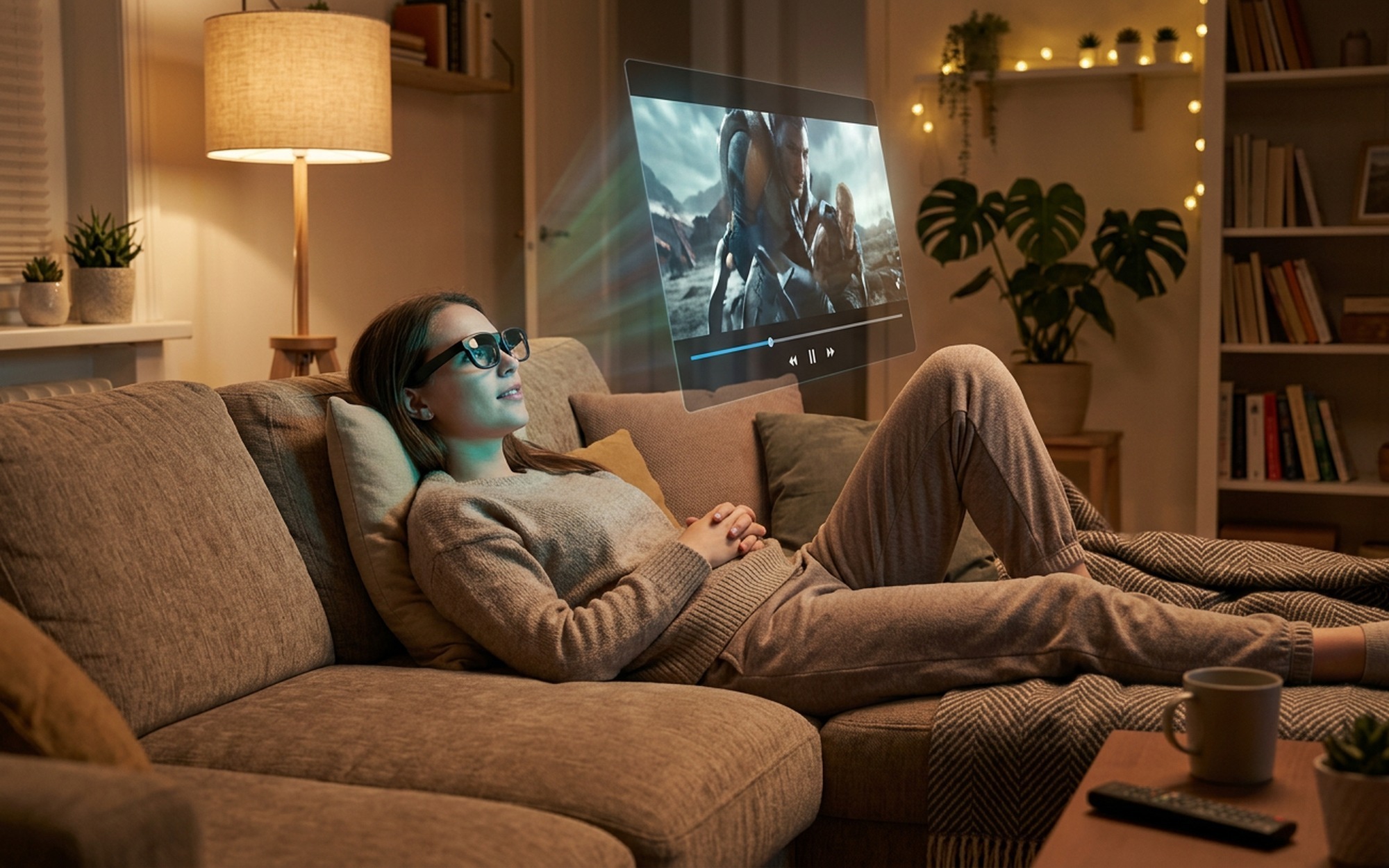
In practice, 700 nits means the display holds up in bright environments. On a plane with the window shade open, or at a café with afternoon sun, the image remains readable. Sub-400-nit displays – common in first-generation AR glasses – wash out completely in those conditions.
OLED’s inherent black level advantage is also significant here. Watching video content at night, the contrast feels close to a high-end TV rather than a backlit LCD. Dark scenes in films retain shadow detail instead of collapsing into grey.
The 52-degree FOV is the honest limitation. It is not immersive – it feels more like a large computer monitor at normal viewing distance than a wraparound cinema. XREAL’s marketing claim of a “500-inch equivalent screen” is technically accurate only at a specific conceptual viewing distance. For productivity and video consumption, the FOV is sufficient. For immersive gaming or spatial experiences, it falls short.
Bose Audio: More Than a Branding Exercise
Bose’s involvement in the XREAL 1S goes beyond a logo on the frame. The dual linear speakers use a dedicated noise-cancellation algorithm tuned specifically for open-air listening at close range to the ear. A multi-microphone array handles voice pickup for calls.
Spatial Sound 4.0 positions audio relative to the virtual screen location, so sound appears to come from where the display is rather than from two points beside your temples. In practice, this is most noticeable with cinematic content – dialogue feels anchored to the on-screen speaker rather than floating in a vague stereo field.
For commuters concerned about audio leakage: the speaker placement is directional, but open-frame glasses always leak some sound. In a quiet library or meeting room, people nearby will hear your audio. In a train or plane, ambient noise masks it effectively.
Real-World Test: Commuting, Travel, and Work
The XREAL 1S was tested across three primary use cases over several weeks:
Commuting by train: Follow Mode kept the display readable through vibration and jostling. Reading-length articles and short video content were manageable without eye fatigue. Longer sessions (45+ minutes) showed mild discomfort from the 52-degree FOV edge – not nausea, but a perceptual awareness of the display boundary.
Long-haul flights: The combination of Follow Mode for video and Anchor Mode for document work proved practical. The adaptive transparency lenses automatically cleared when looking at the cabin, then dimmed when refocusing on the virtual display – a small feature that matters over a six-hour flight.
Laptop productivity: Paired with a MacBook Pro, Anchor Mode creates a functional second screen. Typical workflow: main work on the laptop, reference documents or a communication app on the virtual display. The lack of an onboard battery means the glasses draw power from the USB-C connection – on a MacBook with sufficient battery, this is a non-issue.
XREAL 1S vs. the Competition
The AR glasses market in 2026 sits between two extremes: cheap passthrough displays with no stabilization, and enterprise headsets that cost thousands. The XREAL 1S occupies a specific position in that gap.
vs. XREAL Air 2 Pro: The Air 2 Pro lacks the X1 chip. Stabilization is software-side, with visible lag on fast head movements. The 1S is the meaningful upgrade for anyone who tried the Air 2 series and experienced drift.
vs. RayNeo X2: The RayNeo X2 runs Android onboard (no host device required), but its display is dimmer and the stabilization less refined. Better for standalone use; worse for connected productivity.
vs. Ray-Ban Meta: Ray-Ban Meta has no display at all – it is an audio and camera wearable. A completely different product category despite the “smart glasses” label.
For more context on where AR glasses are heading as a category, Tom’s Guide’s AR glasses overview covers the full market landscape.
2D-to-3D: A Genuine First, With Caveats
The X1 chip enables what XREAL calls the world’s first glasses-side 2D-to-3D conversion. Any 2D video source can be rendered with simulated depth, processed entirely on the glasses without requiring software support from the host device.
In practice, the effect varies significantly by content type. Nature documentaries and films with clear foreground/background separation look genuinely three-dimensional. Fast-cut action scenes and content with complex overlapping elements produce artifacts. It is an impressive technical achievement – and a feature that will improve with firmware updates – but not a replacement for native 3D content.
Who Should Buy the XREAL 1S
The XREAL 1S earns a recommendation for a specific type of user: someone who works or consumes media on the move and has a compatible device.
Buy it if: You commute regularly, travel frequently for work, want a portable second screen for laptop use, or tried first-generation AR glasses and were put off by display drift. The X1 chip’s stabilization is a genuine step change – not incremental.
Wait or skip if: You want an immersive gaming or spatial computing experience (the FOV limits this), you use an iPhone as your primary device (compatibility is restricted), or you need completely standalone operation without a connected device.
At approximately $400, the XREAL 1S is the most technically resolved consumer AR glasses available in its price tier. The display drift that made earlier products impractical for serious use is gone. For commuters and mobile professionals, this is the pair to buy in 2026.
For full compatibility details and the latest pricing, visit the official XREAL 1S product page.
- X1 chip delivers hardware-level screen stabilization with 3ms latency
- Sony Micro-OLED display hits 700 nits — genuinely usable in bright environments
- Bose-tuned spatial audio with active noise cancellation
- Three display modes (Anchor, Follow, Ultra-wide) for different workflows
- World’s first glasses-side 2D-to-3D conversion
- 82g lightweight build with adjustable temples and medical-grade silicone pads
- 52-degree FOV feels narrow for immersive content
- Requires USB-C with DisplayPort Alt Mode — older phones need an adapter
- No onboard battery; fully dependent on the connected device
- Still looks conspicuous in public settings
Frequently Asked Questions
What makes the XREAL 1S different from other AR glasses?
The XREAL 1S is the only AR glasses in its price range with a dedicated onboard stabilization chip — the XREAL X1. While most AR glasses render the display on your connected device and stream it to the lenses, the X1 chip processes 3DoF head-tracking locally at 3ms motion-to-photon latency. This means the virtual screen stays locked in place even during fast head movements, eliminating the floating or drifting display that causes eye strain and nausea in competing products. It also supports three display modes (Anchor, Follow, and Ultra-wide), Bose-tuned spatial audio, and the world’s first glasses-side 2D-to-3D conversion.
Does the XREAL 1S reduce screen drift and motion sickness?
Yes — this is the core design goal of the XREAL 1S. The onboard X1 chip tracks head movement and adjusts the display position in under 3 milliseconds. In practice, this means the virtual screen behaves like a physical monitor mounted in space rather than a floating image tethered to your head. Testers consistently report being able to watch video and read text on moving trains and planes without the visual fatigue or nausea common with first-generation AR glasses like the XREAL Air 2 or RayNeo X2.
Is the XREAL 1S good for commuting, travel, or working on the go?
The XREAL 1S is arguably the best AR glasses available for mobile productivity in 2026. Its stabilized display means you can read documents or watch video on a train or plane without motion discomfort. The 700-nit Sony Micro-OLED display is bright enough for window-lit environments. At 82g, it is light enough to wear for multi-hour sessions. The main limitation is USB-C dependency — you need a compatible phone or laptop with DisplayPort Alt Mode, and there is no onboard battery. For laptop users and modern Android flagship owners, it works seamlessly.
What devices is the XREAL 1S compatible with?
The XREAL 1S connects via USB-C and requires DisplayPort Alt Mode support on the host device. This includes most recent Android flagships (Samsung Galaxy S23 and later, OnePlus 12, Xiaomi 14 series), MacBooks with M-series chips, and Windows laptops with USB-C DP output. iPhones are not compatible natively without a Lightning-to-USB-C adapter that supports video output. XREAL recommends checking their official compatibility list before purchasing.
How does the XREAL X1 chip work?
The X1 is a purpose-built spatial intelligence chip that runs entirely on the glasses — not on your phone or laptop. It uses a 3DoF (three degrees of freedom) inertial measurement unit to track pitch, yaw, and roll at sub-3ms latency. Instead of sending sensor data to your phone for processing and back, the X1 adjusts the display rendering in real time on the glasses themselves. This eliminates the processing round-trip delay that causes visible lag and screen drift in competing products. The chip also handles intelligent frame generation and line-by-line image correction for sharper visuals.