
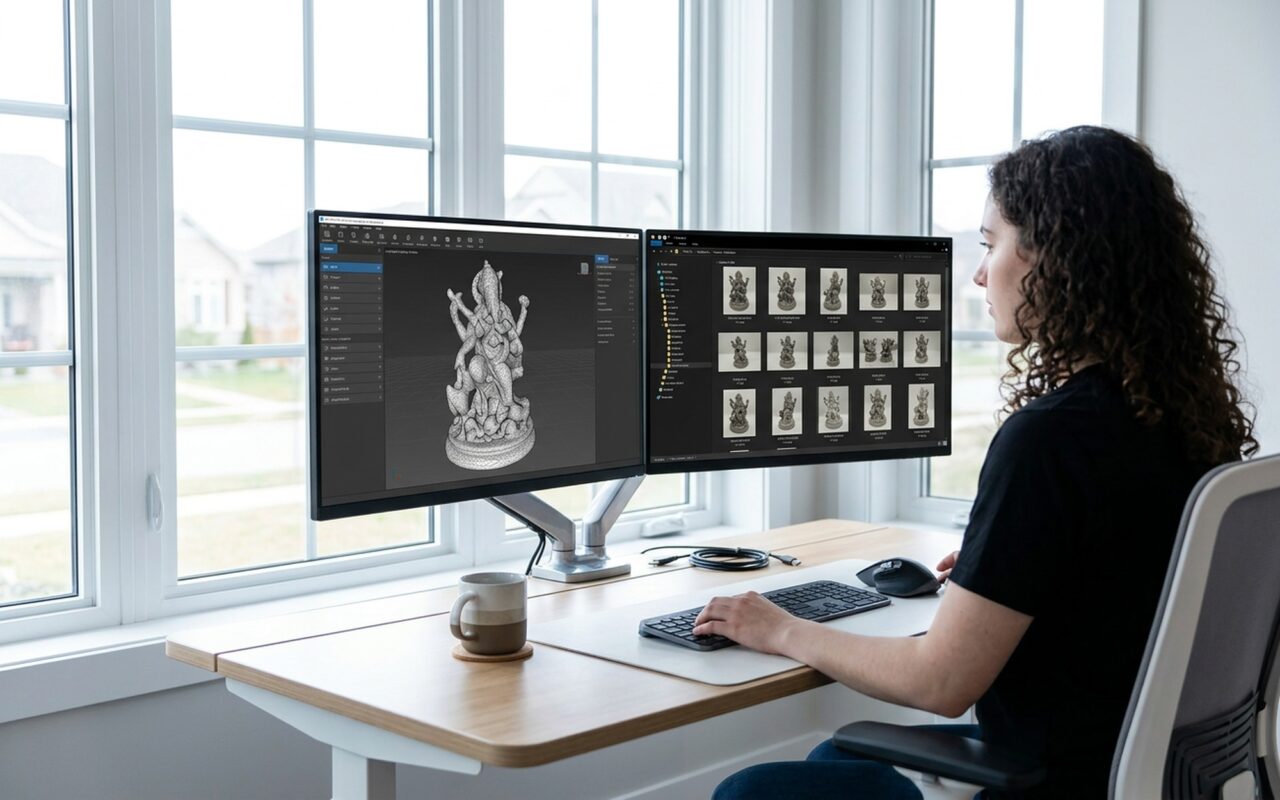
If you’ve searched for 123D Catch recently, you already know the answer: it’s gone. Autodesk discontinued its entire 123D product line in March 2017, taking down the app that introduced thousands of hobbyists to photogrammetry. The cloud servers are permanently offline, and no official download exists anywhere.
The good news is that photogrammetry has advanced dramatically since 2017. The tools available today are more accurate, faster to use, and many are still completely free. This guide covers the five best free alternatives and a step-by-step tutorial to help you create your first 3D model from photos in under an hour.
What Was 123D Catch?
Launched by Autodesk around 2011, 123D Catch was one of the first consumer-friendly photogrammetry apps. You would walk around an object taking 20 to 40 photos from different angles, upload them to Autodesk’s cloud servers, and receive a textured 3D model back within minutes. For its time, it was genuinely innovative.
The key innovation was cloud processing: Autodesk’s servers handled the heavy computation that would have taken hours on a home PC. When the 123D line was discontinued, that cloud infrastructure went offline and the app became completely non-functional. There is no workaround or unofficial server replacement that can bring it back.
What Is Photogrammetry?
Photogrammetry is the science of extracting 3D geometric information from photographs. Software analyzes multiple overlapping images, identifies matching points across them, and calculates the exact position of those points in 3D space. The result is a mesh model with texture that closely resembles the real-world object.
Unlike 3D scanning hardware, which uses laser beams or structured light, photogrammetry works with any standard camera or smartphone. This makes it the most accessible way to digitize physical objects without buying specialized equipment.

The 5 Best Free 123D Catch Alternatives in 2026
1. Meshroom – Best Free Desktop App
Meshroom by AliceVision is the most powerful free photogrammetry software available. It is open-source, runs entirely on your local computer with no cloud required, and produces high-quality results when you supply enough photographs.
Best for: Serious hobbyists and makers who want the highest output quality
Platform: Windows, Linux
GPU requirement: NVIDIA GPU strongly recommended (CUDA-accelerated pipeline)
Photo limit: None
Export formats: OBJ, STL, FBX, ABC
The node-based pipeline editor looks intimidating at first glance, but the default pipeline runs automatically without any configuration. Drag your photos into the app, click Start, and wait 30 to 90 minutes for a completed model. For most hobbyist use cases, the defaults produce excellent results straight out of the box.
Verdict: The gold standard for free desktop photogrammetry. Use this when quality is the priority.
2. KIRI Engine – Best Free Mobile App
KIRI Engine is the closest modern equivalent to what 123D Catch offered: a simple, fast mobile app that creates 3D models from photos using cloud processing. It runs on iOS and Android, guides you through the capture process with real-time coverage feedback, and delivers results within minutes.
Best for: Beginners who want the fastest path to results
Platform: iOS, Android, Web
Free tier: Several free scans per month, OBJ and GLB export
Standout feature: Real-time coverage indicator shows which angles still need photos
KIRI Engine also supports LiDAR scanning on compatible iPhones, which bypasses photogrammetry entirely and produces clean, fast scans of rooms and large objects.
Verdict: The best replacement for 123D Catch’s simplicity. Ideal for beginners.
3. Polycam – Great for iOS and iPad Users
Polycam excels on Apple devices, particularly iPads and iPhones with LiDAR sensors. The free tier allows photo-mode scanning with limited exports. Models tend to have clean geometry and attractive texture quality, and the interface is polished and easy to navigate.
Best for: iPhone and iPad users, interior space scanning
Platform: iOS, Android, Web
Free tier: Limited photo-mode scans per month
Standout feature: LiDAR room scanning on iPhone 12 Pro and later models
Verdict: Best for Apple hardware users, especially for architectural or room-scale scanning.
4. 3DF Zephyr Free – Best Guided Desktop Experience
3DF Zephyr Free is the free edition of the professional 3DF Zephyr software. It limits projects to 50 photos, which is sufficient for most small objects. The interface features a step-by-step wizard that walks you through each stage of the reconstruction process, making it more approachable than Meshroom for Windows users.
Best for: Windows users who find Meshroom’s interface overwhelming
Platform: Windows only
GPU requirement: Any modern GPU
Photo limit: 50 photos per project on the free tier
Export formats: OBJ, PLY, FBX (STL requires the paid version)
Verdict: The most user-friendly free desktop option for Windows.
5. RealityCapture – Professional Grade, Now Free for Non-Commercial Use
RealityCapture by Capturing Reality, acquired by Epic Games and repriced in 2023, is arguably the fastest and most accurate photogrammetry software in the world. It is now free for non-commercial users earning under one million US dollars annually from their 3D work.
Best for: Makers who demand the highest possible scan accuracy
Platform: Windows only
GPU requirement: NVIDIA GPU required
Photo limit: None
Free tier terms: Full processing and export for non-commercial projects
Verdict: Overkill for casual experimentation, but unmatched in quality for serious hobbyist work.
How to Create a 3D Model from Photos Using KIRI Engine
KIRI Engine is the easiest starting point for anyone new to photogrammetry. Here is a complete walkthrough.
What you need: A smartphone, a small solid object (a shoe, a figurine, or a hand tool works well), and a matte, non-reflective surface to place it on.
Step 1: Prepare your subject
Place the object on a plain surface under consistent lighting. Natural window light or a ring light works well. Avoid direct harsh flash, which creates blown-out highlights that confuse the reconstruction algorithm. For your first attempt, choose an object with visible texture and no transparent or shiny surfaces.
Step 2: Download KIRI Engine and create a free account
Install KIRI Engine from the App Store or Google Play. Registration takes under a minute. The free tier provides enough scans to complete this tutorial and learn the full workflow.
Step 3: Start a new Photo Mode scan
Tap the capture button and select Photo Mode. The app displays a guidance overlay that highlights which areas of the object have been covered.
Step 4: Take 40 to 60 overlapping photos
Walk slowly around the object, keeping it centered in the frame. Capture photos at three distinct height levels: eye level, 45 degrees looking down, and nearly overhead. The coverage indicator turns green as each zone is captured. Each photo should overlap the adjacent one by at least 60 percent.
Step 5: Upload and process
Tap Process. KIRI Engine uploads your photos and processes them on its cloud servers. Results typically arrive within 5 to 10 minutes depending on your photo count and server load.
Step 6: Export and clean up
Download the OBJ file. If the model includes unwanted background geometry, open it in Meshmixer to remove excess mesh, fill holes, and prepare the model for printing. Meshmixer is purpose-built for exactly this kind of post-processing cleanup.

6 Tips for Better Photogrammetry Results
These techniques apply regardless of which software you use.
1. Maximize overlap between shots
Each photo should share at least 60 to 70 percent of its frame with adjacent photos. More overlap produces more matching feature points, which improves reconstruction accuracy. It is better to take 60 overlapping photos than 30 spread out ones.
2. Avoid reflective, transparent, and uniformly colored surfaces
Glass, chrome, and mirror surfaces defeat photogrammetry because the algorithm needs consistent visual texture to match points across photos. Matte spray coatings like Aesub Orange temporarily dull reflective surfaces for scanning without leaving residue.
3. Use stable, consistent lighting
Shoot indoors under stable artificial light, or outdoors on an overcast day. Moving shadows between shots create inconsistencies that confuse feature matching. Avoid shooting near windows with changing sunlight.
4. Move the camera, not the object
Walk around the object rather than rotating it on a turntable. Rotating the object changes the background between shots and can cause the algorithm to fail. Keep everything stationary except your camera position.
5. Shoot at the highest quality your device allows
JPEG compression artifacts reduce accuracy. Use the highest resolution and quality setting your camera or phone offers. If your phone supports RAW capture, use it.
6. Avoid motion blur
Blurred photos destroy the feature points the algorithm needs. Hold your phone steady for each shot, or use burst mode and select the sharpest frames before uploading.
Once you have a clean mesh, you can further modify it using OpenSCAD for precise dimensional adjustments or scaling before exporting the final file to your slicer.
Quick Comparison: Which Tool Fits Your Situation?
| Tool | Platform | Photo Limit | GPU Required | Best Use Case |
|---|---|---|---|---|
| KIRI Engine | iOS / Android / Web | Free tier available | No (cloud) | Mobile beginners |
| Meshroom | Windows / Linux | Unlimited | Yes (NVIDIA) | Best quality desktop |
| 3DF Zephyr Free | Windows | 50 per project | Recommended | Guided desktop workflow |
| Polycam | iOS / Android / Web | Free tier limited | No (cloud) | iPad and LiDAR users |
| RealityCapture | Windows | Unlimited | Yes (NVIDIA) | Maximum accuracy |
123D Catch may be gone, but its legacy is a generation of makers who discovered that turning real objects into digital 3D models requires nothing more than a phone and patience. The 2026 tools on this list are faster, more accurate, and in most cases easier to use. Start with KIRI Engine to learn the workflow, then graduate to Meshroom when you want production-quality results without spending anything.
- KIRI Engine processes 40 photos into a clean 3D model in under 10 minutes with no PC required
- Meshroom produces high-quality results with unlimited photos, completely free and open-source
- RealityCapture is now free for non-commercial users, delivering professional-grade accuracy
- Works with any smartphone camera, no specialized scanning hardware needed
- Exports to OBJ, STL, or FBX for direct use in slicers like PrusaSlicer or Bambu Studio
- Meshroom requires an NVIDIA GPU, making it inaccessible on many laptops and integrated graphics systems
- Free mobile tiers on KIRI Engine and Polycam limit monthly scan count and export formats
- Reflective, transparent, or uniformly colored objects produce poor results with all photogrammetry tools
- Processing a full photo set in Meshroom can take 60 to 90 minutes on a desktop PC
Frequently Asked Questions
Is 123D Catch still available to download in 2026?
No. Autodesk discontinued the entire 123D product line in March 2017. The app is no longer available for download, and its cloud processing servers are permanently offline. Any unofficial download claiming to be 123D Catch will not function because the required backend no longer exists. The best modern replacements are KIRI Engine for mobile use and Meshroom for desktop use.
What is the easiest free photogrammetry app for beginners in 2026?
KIRI Engine is the most beginner-friendly option. It runs on iOS and Android, guides you through capturing photos with a real-time coverage indicator, and processes everything in the cloud. You do not need a powerful PC or any technical knowledge. The free tier allows several scans per month with OBJ export, which is enough to learn the workflow.
Can I use photogrammetry to create models for 3D printing?
Yes, photogrammetry is a popular method for digitizing real objects for 3D printing. After generating a mesh in Meshroom or KIRI Engine, you typically need to clean it up first. Tools like Meshmixer handle mesh repair, hole-filling, and hollowing before you export the final STL file to your slicer. Simple objects like figurines or tools scan well; avoid transparent or mirrored surfaces.
Does Meshroom work without an NVIDIA GPU?
Meshroom can run without an NVIDIA GPU, but most of its processing steps require CUDA, which is exclusive to NVIDIA cards. Without a compatible GPU, the pipeline will fall back to CPU-only mode, which is significantly slower and may take many hours to complete. If you do not have an NVIDIA GPU, KIRI Engine or 3DF Zephyr Free are better alternatives.
What is the difference between photogrammetry and 3D scanning?
Photogrammetry reconstructs 3D geometry by analyzing overlapping photographs, using software to calculate the position of matching points across images. Hardware 3D scanning uses laser beams, structured light, or LiDAR sensors to directly measure depth. Photogrammetry works with any camera and costs nothing, but struggles with shiny or transparent surfaces. Hardware scanners are faster and handle difficult materials better but cost hundreds to thousands of dollars.
Is RealityCapture really free in 2026?
Yes. Since Epic Games acquired Capturing Reality in 2021 and relaunched the pricing model in 2023, RealityCapture is free to download, process, and export for non-commercial users earning less than one million US dollars per year from their 3D work. You pay only if you use it for commercial projects above that revenue threshold. This makes it by far the most powerful free photogrammetry tool available for hobbyists and makers.