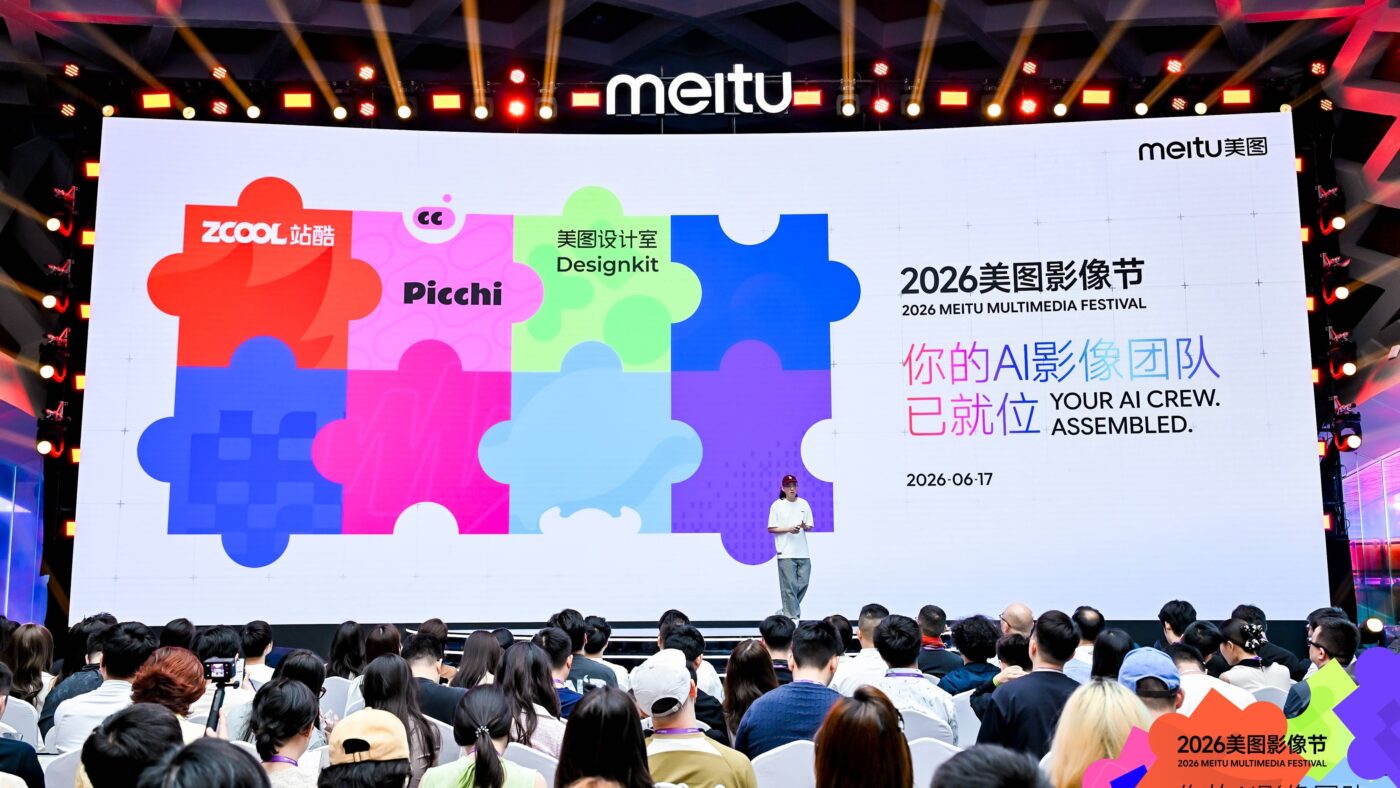
On June 17, 2026, Meitu gathered the industry in Xiamen for its annual Multimedia Festival and put a banner over the whole event: “Your AI Crew Assembled.” Behind the slogan was a strategic bet. According to Meitu’s launch announcement, the company is no longer selling editing features. It is selling finished outcomes, produced by a team of specialized AI agents that each own one job in the content pipeline.
That reframing matters more than any single product. For years, Meitu was the company that put one-tap beauty filters on hundreds of millions of phones. The 2026 lineup is an attempt to move up the value chain, from a tool you operate to a crew that delivers. This article walks through what Meitu AI actually is in 2026, how its eight products fit together, and where the approach genuinely beats Adobe Firefly and Canva AI, versus where it is still catching up.
What Meitu AI Is, and Why “Delivery-Based AI” Is the Real Story
The phrase Meitu kept repeating at the festival was delivery-based AI. It is worth slowing down on, because it is the organizing idea behind every product on stage.
Most generative tools today are generation-based. You write a prompt, the model produces a candidate, and you spend the next twenty minutes fixing hands, re-rolling, upscaling, and cropping until something is usable. The work of turning a generation into a deliverable stays with you. Meitu’s argument is that this is the wrong default for people who use these tools to make a living. Its chief product officer framed the goal bluntly at launch: the point is to help users earn money with results they can ship, not to win a demo with an impressive single image.
What is delivery-based AI in content creation?
Delivery-based AI returns a finished, ready-to-use asset rather than a raw generation you still have to repair. The software adapts to your goal instead of forcing you to adapt to its controls.
The unit of work is the deliverable (a poster set, a music video, a retouched portrait), not a single image candidate.
Specialized AI agents handle scripting, casting, art, and editing, the way a real production crew divides labor.
Each product targets one money task, such as e-commerce posters or short drama, rather than general prompt-to-image.
The pitch is reliability you can ship to a client, which Meitu measures by whether users make money, not by demo wow.
In our view, this is the most defensible position Meitu could have taken. It cannot out-research OpenAI or Google on raw model capability, but it owns deep workflow knowledge in retouching, e-commerce imagery, and short video, the exact places where “almost right” still costs hours of human cleanup.
The Engine Room: MiracleVision V6
Every product in the lineup sits on top of MiracleVision V6, the new version of Meitu’s in-house foundation model. Meitu describes V6 as a mixture-of-experts (MoE) architecture that accepts multimodal input across text, images, video, and audio, and routes each task dynamically to the expert network best suited to it.
The MoE choice is the standout technical decision here. Rather than running one dense model for every request, an MoE system activates only the relevant expert sub-networks per task, which keeps quality high on specialized jobs (skin retouching versus beat-matched video cuts are very different problems) without paying the full compute cost on every call. For a company shipping eight consumer and commercial products on shared infrastructure, that efficiency is not a vanity metric, it is what makes a free or low-cost tier viable at scale. Worth noting: these are Meitu’s own architectural claims from the keynote, not independently benchmarked figures, so treat the model comparisons accordingly until third-party tests appear.
Picchi: A Retouching Agent That Learns Your Taste
Picchi is the clearest demonstration of the delivery-based idea, and the product most relevant to anyone searching for AI portrait retouching software. It attacks the single hardest problem in retouching automation: taste is personal, and a filter that looks great on one photographer’s work looks wrong on another’s.
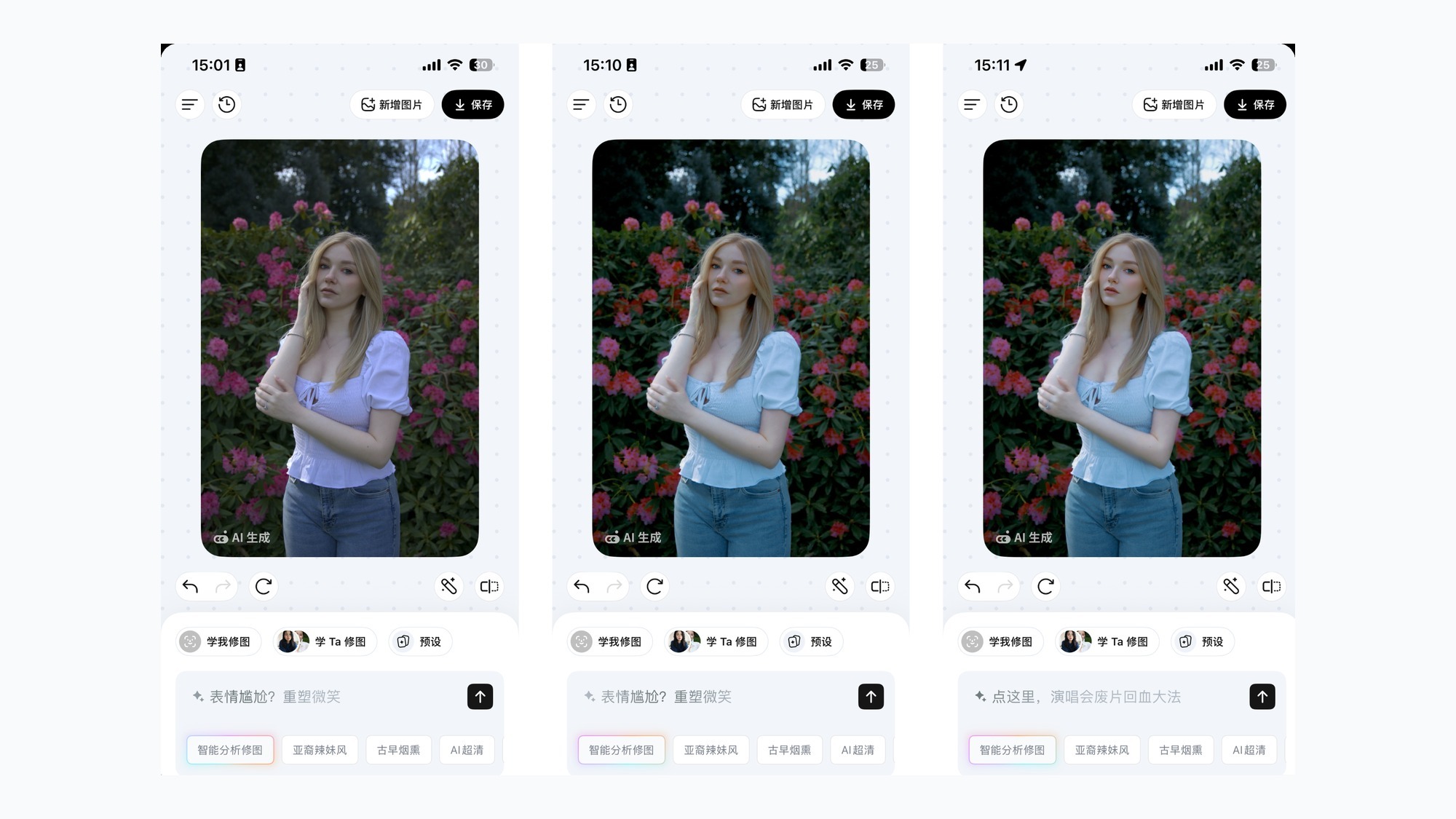
Picchi offers two routes. The first is borrowing a named editor’s aesthetic, the app ships with curated style profiles (Hana, Iris, and others) that reproduce a specific professional look. The second, and more novel, is Learn My Editing: you feed Picchi between 3 and 10 of your own before-and-after pairs, and it trains a personal model that learns how you retouch, then applies that judgment to new photos automatically. You can then layer a plain-language mood description on top (“warm late-afternoon film tone”) to nudge the result.
At the launch demo, a photographer rated Picchi’s match to their personal editing style at 90 out of 100, a figure reported in ifanr’s hands-on coverage of the event. That number is a staged demo result rather than independent testing, so the honest read is that it signals intent (style fidelity is the design goal) more than it proves a benchmark. Still, training on a handful of paired examples is a surprisingly different mechanism from the preset-filter approach most consumer apps stop at, and it outperforms a generic filter precisely because it encodes a specific human’s judgment, and it is the feature most likely to matter to working retouchers.
The Eight-Product Crew, Mapped to a Real Production Team
The cleverest part of the 2026 positioning is the metaphor. Instead of presenting eight disconnected apps, Meitu framed them as the departments of a content studio. Here is how the lineup maps onto the roles of an actual crew.
How the eight Meitu AI products divide the work
Four new products joined four upgraded ones, each owning a stage of production the way a studio splits roles across departments.
Learns a personal portrait-editing style from a few sample pairs and applies it automatically.
Reads a song’s structure, beats, and emotion to assemble a finished MV.
Turns a product into a talking-head marketing video with subtitles and BGM handled.
Simulates screenwriter, casting, and director agents with reusable characters and sets.
Takes one product photo to market analysis, scene images, copy, and multi-size posters.
Concept video, a 20-year design asset library, and the platform layer that connects everything.
MeituHub is the piece that makes this more than a marketing metaphor. It is the infrastructure layer that connects the models, tools, and assets so a business can deploy a custom AI imaging production line through a web app or an API. Meitu has said MeituHub opens to developers on August 5, 2026, which is the date to watch if you care about integrating any of this into an existing pipeline rather than using the consumer apps.
Meitu AI vs Adobe Firefly vs Canva AI for Commercial Design
This is the comparison most commercial users will actually run, so it deserves a direct table rather than hand-waving. The three tools are not really competing on the same axis, which is the key insight.
| Dimension | Meitu AI | Adobe Firefly | Canva AI |
|---|---|---|---|
| Core model | Pitch is a finished deliverable from a vertical workflow | Generic prompt-to-image, deep Photoshop and Illustrator integration | Magic Studio inside an all-in-one template editor |
| Best at | Portrait retouching, e-commerce posters, music and short video | High-fidelity image generation, layer-based editing | Fast social and template design for non-designers |
| Commercial-safety guarantee | Not yet published | Trained on licensed stock, IP indemnification for enterprise | Commercial rights on Pro, no indemnification |
| Entry price | Mostly free consumer apps at launch, China-first | About $5/mo standalone, $59.99/mo via Creative Cloud All Apps | About $14.99/mo for Pro with 500 AI credits |
| Who it suits | Sellers and creators who need a finished asset, not a canvas | Professionals already inside Adobe Creative Cloud | Teams living in templates and social content |
The honest framing: if your priority is legal cover for commercial work, Adobe Firefly is still the safe pick because its licensed-content training and indemnification are things Meitu has not matched on paper. If you want one familiar app for social graphics, Canva AI is hard to beat on convenience. Meitu AI is the right tool when the job is a specific, repeatable deliverable, a month of product posters, a batch of retouched headshots, an MV for a track, where the delivery-based model removes the finishing work the other two leave on your plate.
Making a Music Video Without a Production Budget
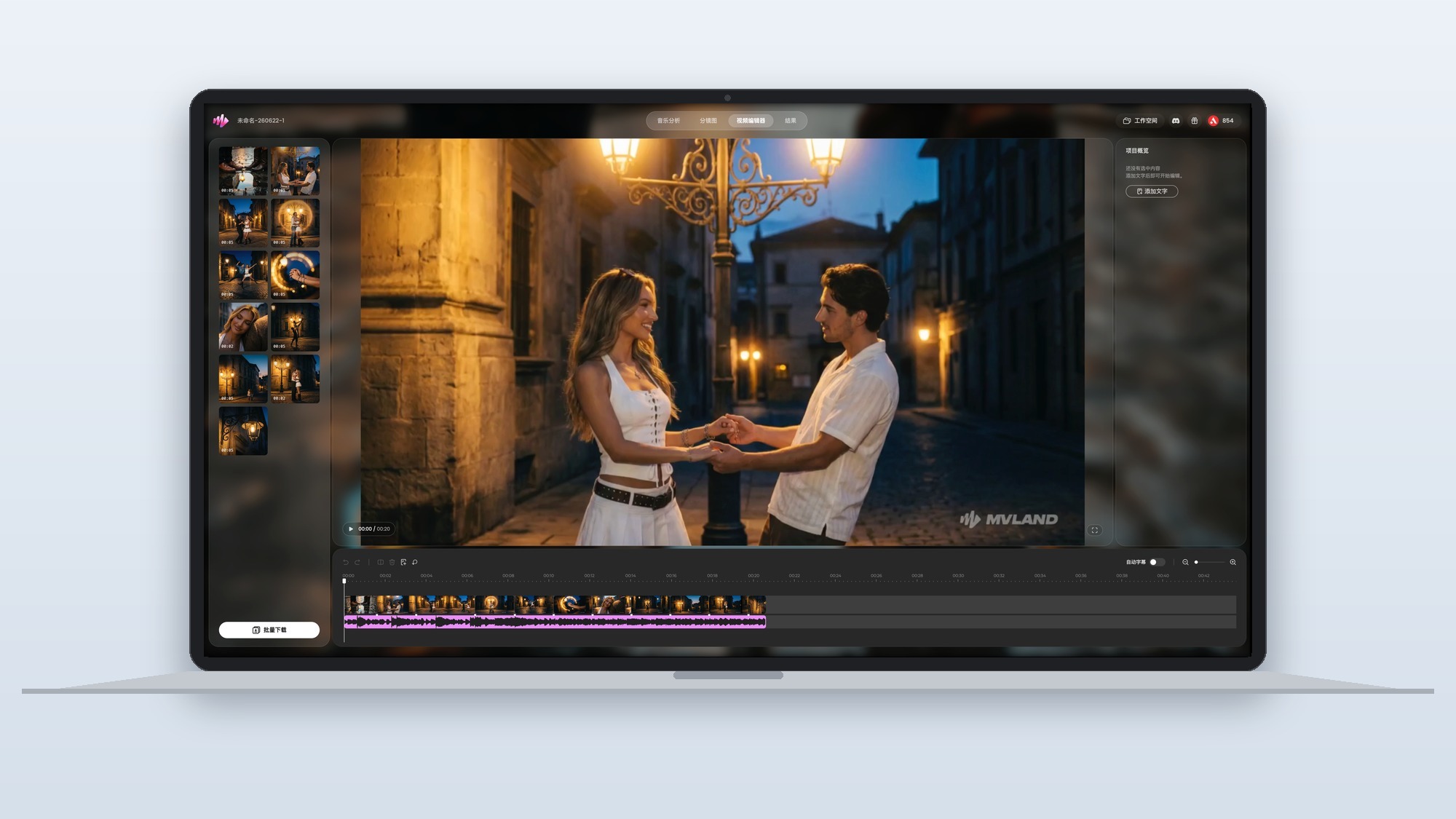
MVLAND is the product that best dramatizes what delivery-based AI looks like in motion. It analyzes a track’s structure, beat map, and emotional arc, then assembles a music video matched to it, complete with a canvas-style editing interface Meitu calls an industry first.
The problem it targets is real and specific. Meitu cited at launch that roughly 80% of young listeners now discover new songs through video, yet most songs never get a video because production is expensive. MVLAND’s pitch is to collapse that gap: a launch demo showed an MV that would take about three hours with generic tools coming together in around 10 minutes. As always, that is a staged figure, but the direction is what matters. For an independent musician, the choice today is often no video at all, so even a rough automated MV changes the math. This is the clearest example in the lineup of the best AI tools for creating music videos without a production budget actually being a viable category in 2026, rather than a novelty.
Kaipai and Meitu Design Studio: AI Built for Small-Business Storefronts
If MVLAND is the showpiece, Kaipai and Meitu Design Studio are the workhorses, and they are where the small-business case for AI content creation agents is strongest.
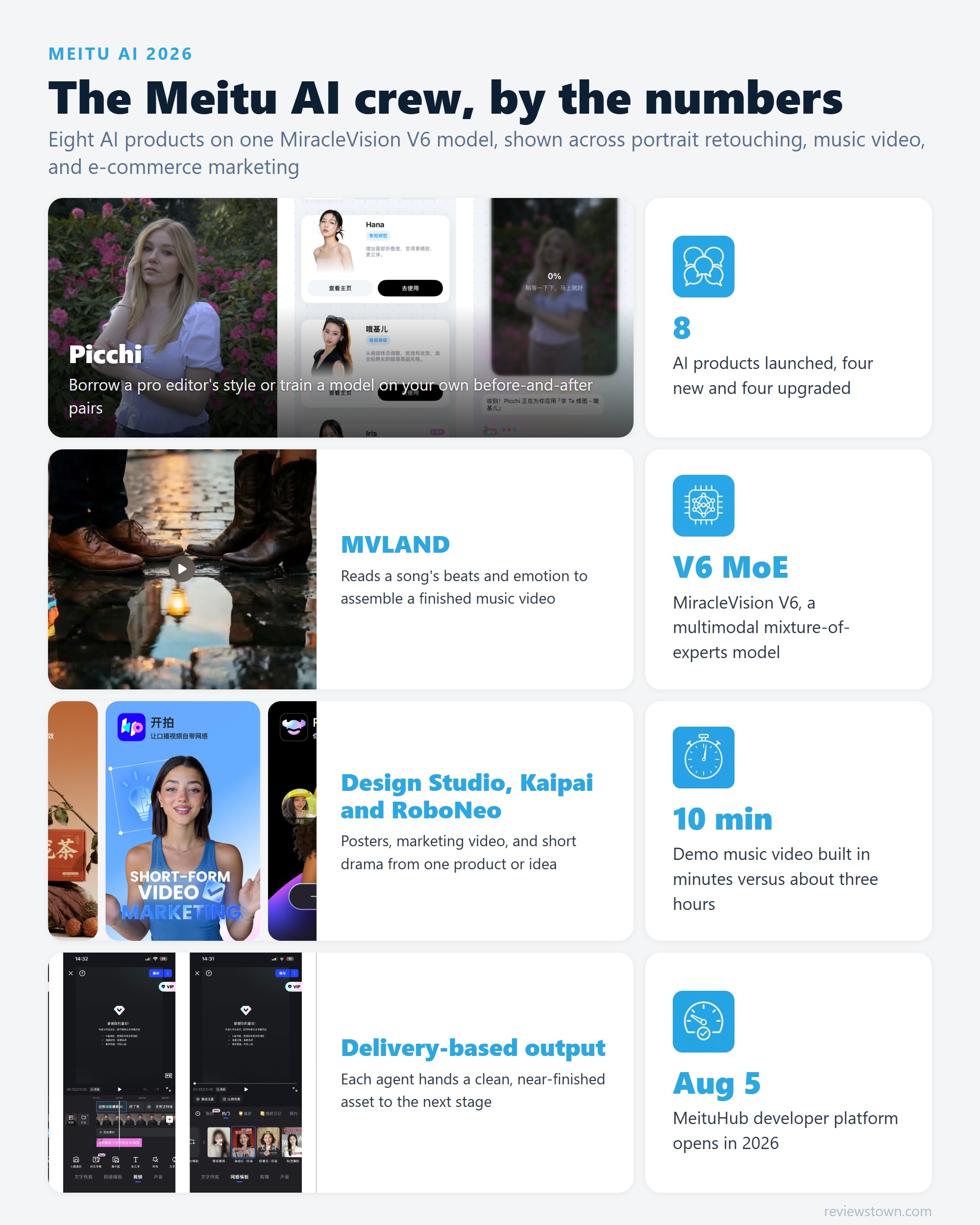
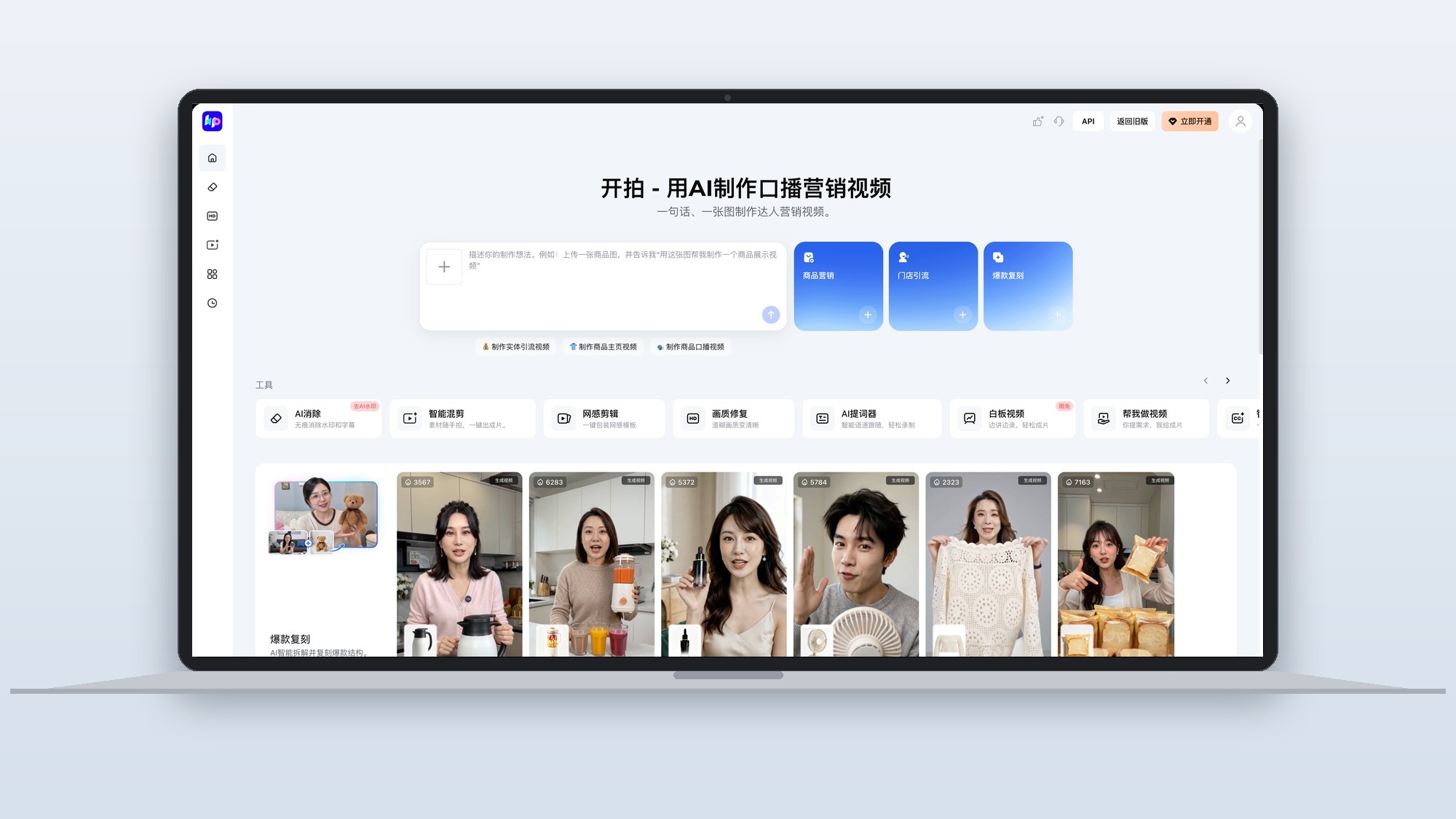
Kaipai (开拍) automates the unglamorous middle of e-commerce video: it removes on-screen captions, adds subtitles, drops in background music, and handles the final edit, turning a single line of intent into a finished spokesperson-style marketing clip. Meitu showed a documented case where a creator’s workflow of 5 minutes filming plus 5 hours editing collapsed to about 10 minutes total, and a shop owner whose output increase drove a reported 2.5x revenue lift. Those are Meitu’s own staged numbers, not audited results, but the underlying friction (editing, not filming, is the bottleneck for small sellers) is genuine and well documented across the creator economy.
Meitu Design Studio attacks the same audience from the still-image side. Feed it one product photo and it returns a package: a short market analysis, generated scene imagery, sales copy, and posters resized for every channel. For a solo seller who cannot afford a designer, that is the difference between listing today and listing next week. This is also the heart of how AI imaging agents are changing content production workflows for small businesses: the win is not a single better image, it is compressing a multi-role, multi-day process into one session.
Common Myths About AI Photo Editing, for Beginners
Because Meitu AI lowers the skill floor so far, it also invites a set of misconceptions. Clearing these up early saves beginners from disappointing results.
- Myth: AI replaces taste. It does not. Picchi’s whole design concedes this, it learns your taste from examples, because a model with no reference style produces generic output. The editor’s judgment is still the input that matters most.
- Myth: one click is always flawless. Realistic retouching still drifts. Skin can look plastic, and identity can subtly shift across a batch. Review remains part of the job, even when the heavy lifting is automated.
- Myth: AI images are automatically safe to sell. Commercial safety depends entirely on what the model was trained on and the platform’s licensing terms. This is exactly where Adobe Firefly’s licensed-content guarantee is a real differentiator and where Meitu has not yet published a policy.
- Myth: more prompting equals more control. With delivery-based tools, over-specifying often fights the system. The better lever is a strong reference (a style sample or a clean source photo), not a longer prompt.
Best Practices for Putting AI in a Professional Photography Workflow
For working photographers, the question is not whether to use AI but where it belongs. A few practices keep the quality bar where clients expect it.
- Use AI for volume, not for the hero shot. Let Picchi handle a 200-image event gallery to a consistent baseline, then hand-finish the 10 portfolio selects. The economics work because the tedious middle is where the hours hide.
- Train on your own edits, not a generic preset. A personal style model built from your real before-and-after pairs protects your visual signature far better than a borrowed filter.
- Keep a human review gate before delivery. Treat AI output as a first pass from an assistant: check skin texture, color accuracy, and identity consistency before anything reaches the client.
- Keep the product truthful in e-commerce work. Generate the background and mood with AI, but keep the actual product render faithful to the real item to avoid returns and platform penalties.
- Track what you can legally ship. Until a tool publishes clear commercial-use and training-data terms, reserve it for internal comps rather than client deliverables.
AI-Generated vs Human-Edited Images for E-commerce: The Real Trade-Offs
The pros and cons here are not abstract for anyone running a storefront, so it is worth being concrete about both sides rather than cheerleading for automation.
The case for AI-generated imagery is speed and cost at volume. A tool like Meitu Design Studio can turn one product photo into a full set of channel-ready posters in a single session, which for a solo seller is the difference between launching this week and waiting on a freelancer’s queue. It also makes A/B testing cheap: generating ten background variations to see which converts is trivial when each costs cents instead of a shoot.
However, the case for human editing is trust and accuracy, the two things that actually drive e-commerce returns. A human editor knows that a sofa’s exact fabric texture or a phone’s true color is the detail a customer will hold you to, and that a hallucinated reflection or a subtly wrong proportion erodes credibility fast. The pragmatic answer most sellers land on is a hybrid: AI for the lifestyle context and backgrounds, a faithful render for the product itself, and a human eye on the final composite before it goes live. Delivery-based tools fit this hybrid well precisely because they output a near-finished asset that a person can sanity-check, rather than a raw generation that needs rebuilding.
What the Launch Cases and Early Reaction Actually Show
Because the products are new and largely China-first, there is not yet a deep pool of independent English-language user reviews. What we do have are the documented adoption cases Meitu put on stage, and they cluster around one clear pattern: the people reporting the biggest gains are not artists chasing a perfect frame, they are operators with a repetitive, deadline-driven output problem. The shop owner whose content cadence reportedly lifted revenue 2.5x, the creator who cut a 5-hour edit to minutes, the musician who can finally afford any video at all, these are workflow wins, not craft wins.
That maps to a recurring, healthy skepticism in the wider community around tools like this: the loudest concern about AI portrait and product imaging is not capability but authenticity, the worry that over-retouched, AI-perfected faces and too-good-to-be-true product shots train audiences to distrust images altogether. It is a fair critique, and it is the strongest argument for keeping a human review gate in the loop. The tools that win long-term will likely be the ones that make realistic, honest output easy, not the ones that make the most dramatic transformation.
The Future of Delivery-Based AI Content Platforms
Meitu’s 2026 bet is that the next phase of creative AI is not better single images but better finished work, delivered by coordinated agents. That is a different race than the one the foundation-model labs are running, and it plays to Meitu’s actual strength: years of domain knowledge about what “done” looks like in retouching, e-commerce, and short video.
The open questions are the ones to watch over the next year. Whether MeituHub’s August 5 developer launch turns the suite into real infrastructure or stays a walled garden. Whether Meitu publishes the commercial-safety and training-data terms that serious business users now expect, the bar Adobe Firefly set. And whether the delivery-based model holds up outside staged demos once independent reviewers stress-test it. The broader industry is clearly moving toward agentic, outcome-oriented tools, a shift visible everywhere from agentic AI browsers like Tabbit to on-device multimodal generation in Apple Intelligence.
For now, the honest verdict is this: Meitu AI is the most coherent expression yet of delivery-based creative AI, and for sellers and creators with a repeatable output problem, it is already worth trying. For professionals who need legal certainty or pixel-level control, it is a powerful assistant, not yet a full replacement, and the smart move is to put it to work on the volume tasks while keeping your judgment on the deliverables that matter most.
- Delivery-based design means the AI returns finished, commercially usable assets, not just raw generations you still have to fix
- Eight products cover a full content pipeline: portrait retouching, music video, short drama, e-commerce posters, and concept video
- Picchi learns your personal editing style from 3 to 10 before-and-after photo pairs, rare among consumer retouching tools
- MiracleVision V6 is a multimodal mixture-of-experts model handling text, image, video, and audio in one routing system
- Vertical workflows target specific money-making tasks for small businesses rather than generic prompt-to-image output
- Most products launched first in Chinese, so English-market availability and pricing are still thin as of June 2026
- Launch demo figures like a 2.5x revenue lift come from Meitu’s own staged cases, not independent testing
- Delivery-based output trades fine-grained manual control for speed, which professional retouchers may resist
- No published IP indemnification policy yet, unlike Adobe Firefly’s commercially-safe training guarantee
- MeituHub, the infrastructure layer that ties the suite together, only opens to developers from August 5, 2026
Frequently Asked Questions
What is Meitu AI and what products does it offer?
Meitu AI is the imaging product suite Meitu unveiled at its 2026 Multimedia Festival on June 17, 2026. It spans eight products: four new ones (Picchi for portrait retouching, MVLAND for music video, Artflo for concept video, and the MeituHub developer platform) and four upgraded ones (ZCOOL, Meitu Design Studio, Kaipai for marketing video, and RoboNeo for short drama). All of them run on Meitu’s MiracleVision V6 model.
What is delivery-based AI in content creation?
Delivery-based AI is Meitu’s framing for tools that hand back a finished, ready-to-use result rather than raw generation that the user still has to refine. Instead of adapting yourself to the software’s controls, the software adapts to your goal and delivers the deliverable. In Meitu’s words, the aim is to help users earn money with reliable outputs, not just to produce impressive demos.
How do you use Meitu Picchi for AI portrait retouching?
Picchi works in two main ways. You can borrow a preset aesthetic from a named professional editor’s style, or you can use Learn My Editing, which trains a personal retouching model from 3 to 10 of your own before-and-after photo pairs. Once trained, the model applies your taste automatically to new photos, and you can layer natural-language mood descriptions on top to fine-tune the look.
How does Meitu AI compare to Adobe Firefly and Canva AI for commercial design?
Adobe Firefly leads on legal safety, with training on licensed Adobe Stock content and IP indemnification for enterprise users. Canva AI wins on accessible all-in-one templates at a flat price. Meitu AI competes on a different axis: vertical, delivery-based workflows that take a single product photo to finished posters, marketing videos, or a music video, rather than offering general prompt-to-image tools.
What are common myths about AI photo editing beginners should know?
The biggest myth is that AI editing replaces taste; in practice the output is only as good as the reference style and source photo you feed it. A second myth is that one click gives a flawless result, when realistic retouching still needs review for skin texture and identity drift. A third is that AI images are automatically safe for commercial use, which depends entirely on the model’s training data and licensing terms.
Are AI-generated images safe to use for e-commerce product listings?
It depends on the tool. Some platforms train only on licensed content and offer commercial-use guarantees, while others leave licensing ambiguous. For product listings, the bigger practical risk is accuracy: an AI scene that misrepresents color, size, or material can trigger returns and platform penalties. The safest approach is to use AI for backgrounds and lifestyle context while keeping the actual product render true to the real item.