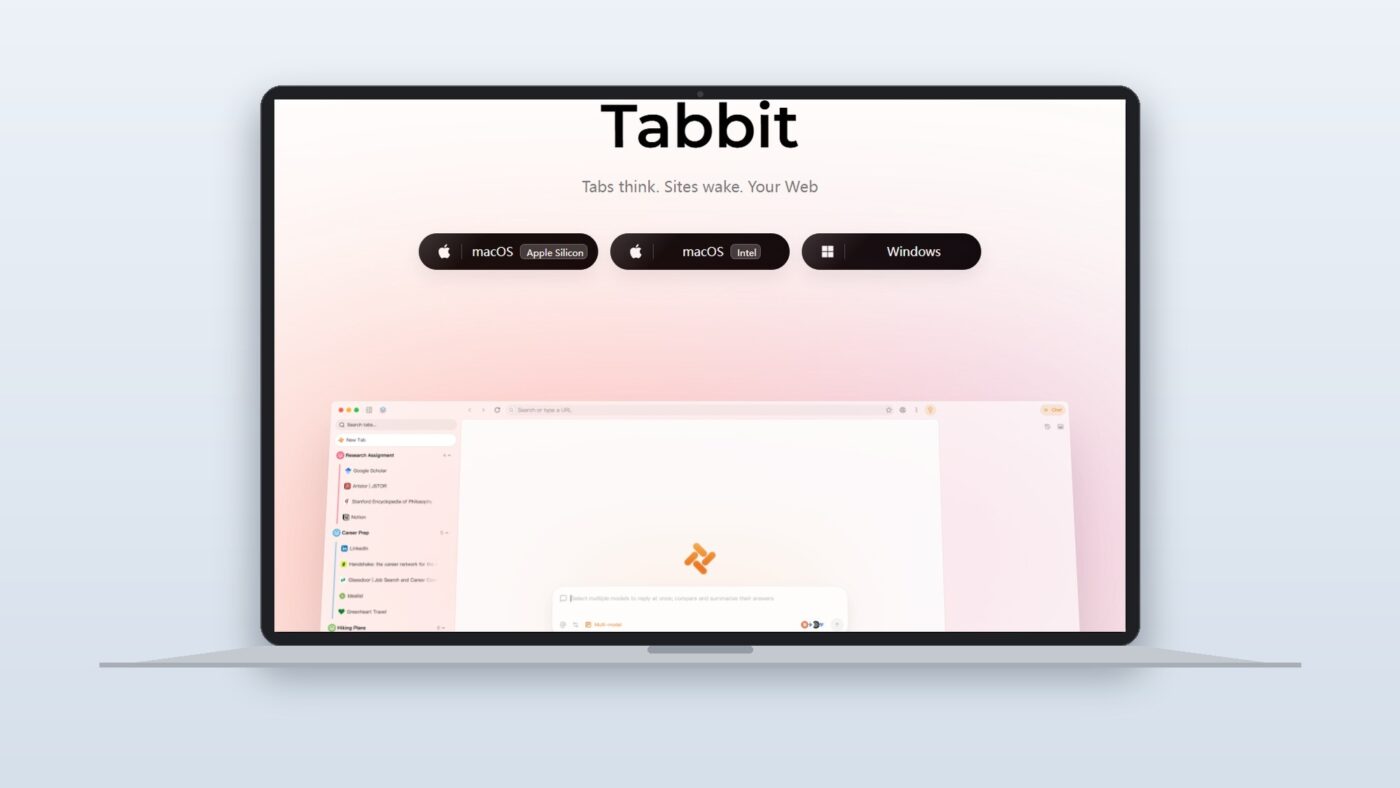
When Meituan, the Chinese tech conglomerate best known for food delivery and local services, launched Tabbit in June 2026, it entered a category that didn’t exist two years ago: the AI-native browser. Tabbit isn’t a chatbot plugin bolted onto Chromium. It’s a browser built from scratch around the premise that your LLM should know what you’re looking at, remember what you’ve researched before, and take action on your behalf without you switching to a separate tool.
After the 100-day public beta that wrapped up on June 9, 2026, Tabbit V1.0 is now available as a full desktop release on Windows, with iOS and Android versions in beta. Here is what it actually does, who it’s for, and where the limits are.
What Is Tabbit AI Browser?
What makes an AI browser different from a regular browser with an AI plugin?
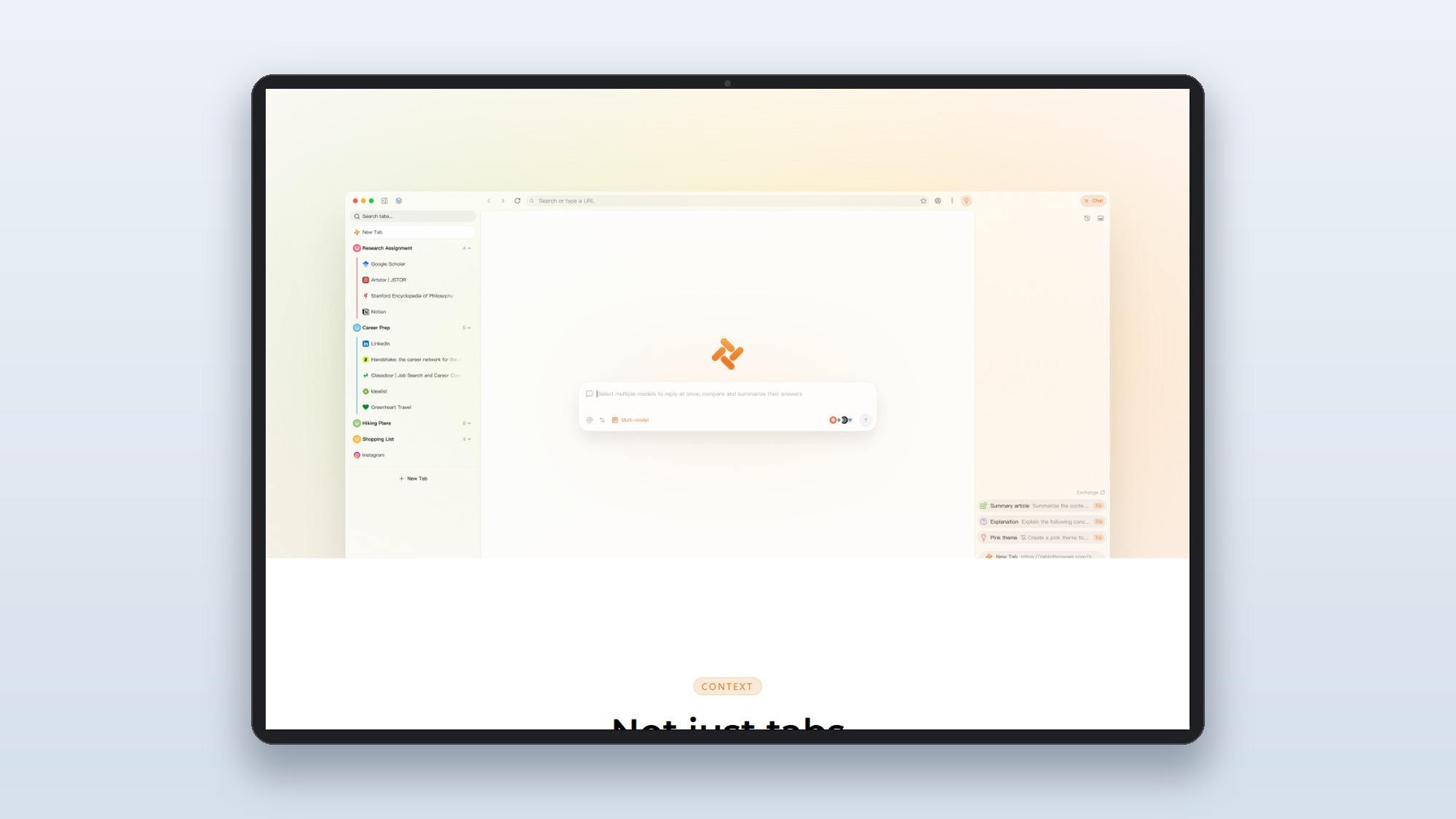
An AI-native browser bakes large language model access, browsing context awareness, and autonomous agent execution into the core browser architecture rather than adding them as external extensions.
The AI reads your open tabs, bookmarks, and browsing history as live context, so it understands your project without you summarizing it each session.
Instead of generating instructions for you to follow, the browser executes multi-step tasks directly: filling forms, clicking buttons, aggregating data across pages.
Query GPT-5.5, Claude 4.7, and DeepSeek V4 from a single interface, including side-by-side comparison across up to 5 models simultaneously.
Long-term memory stores research context across conversations, so you can pick up a weeks-old thread without re-pasting your source documents.
Tabbit was built by Meituan’s GN06 team, an internal research group that previously operated under the name “Light Year Beyond.” The browser entered public beta on March 2, 2026, and went through 12 version iterations and 100 days of testing before the V1.0 launch on June 9, 2026.
LLM Roster: 10+ Models, Updated Within 12 Hours of Launch
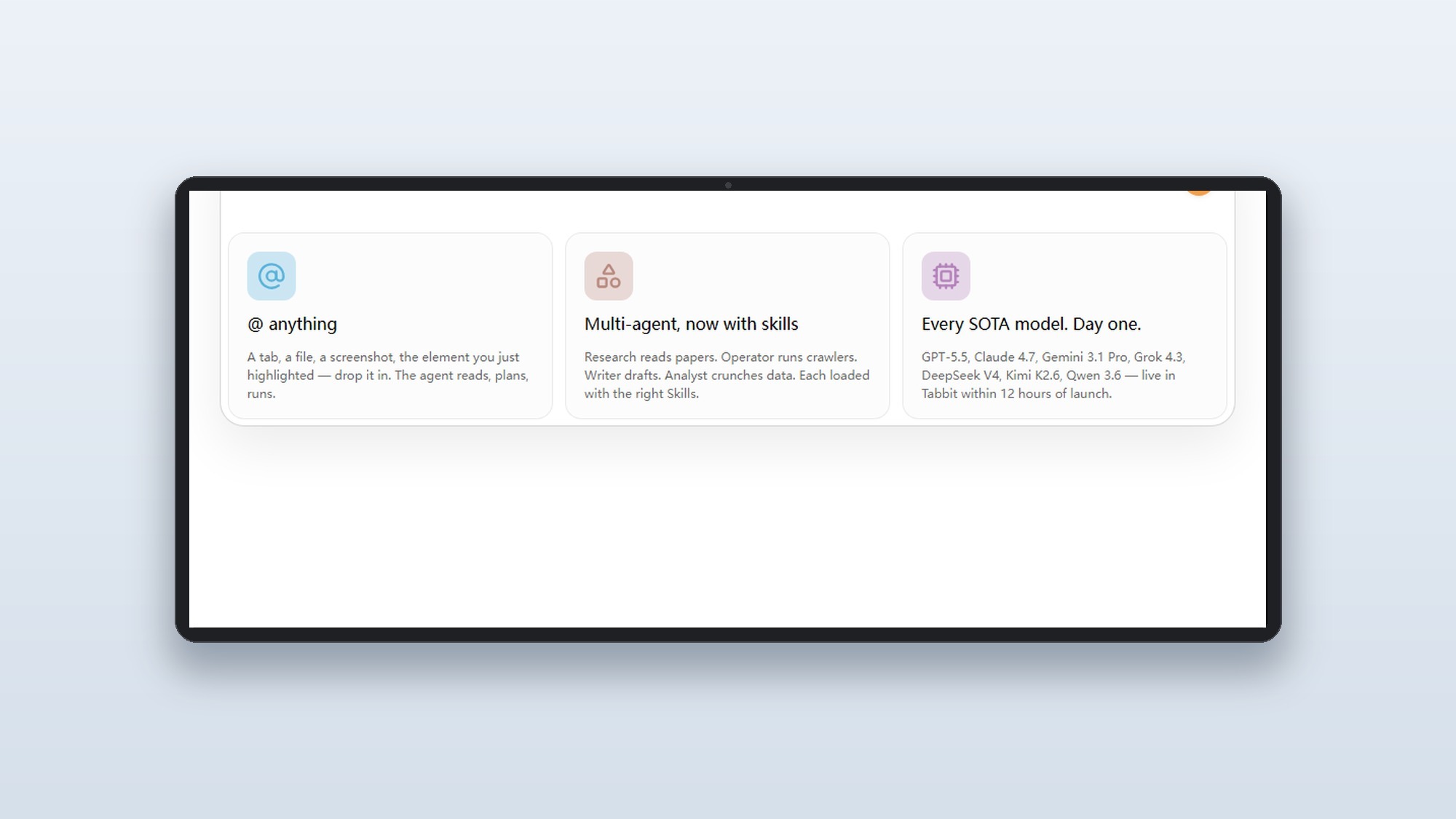
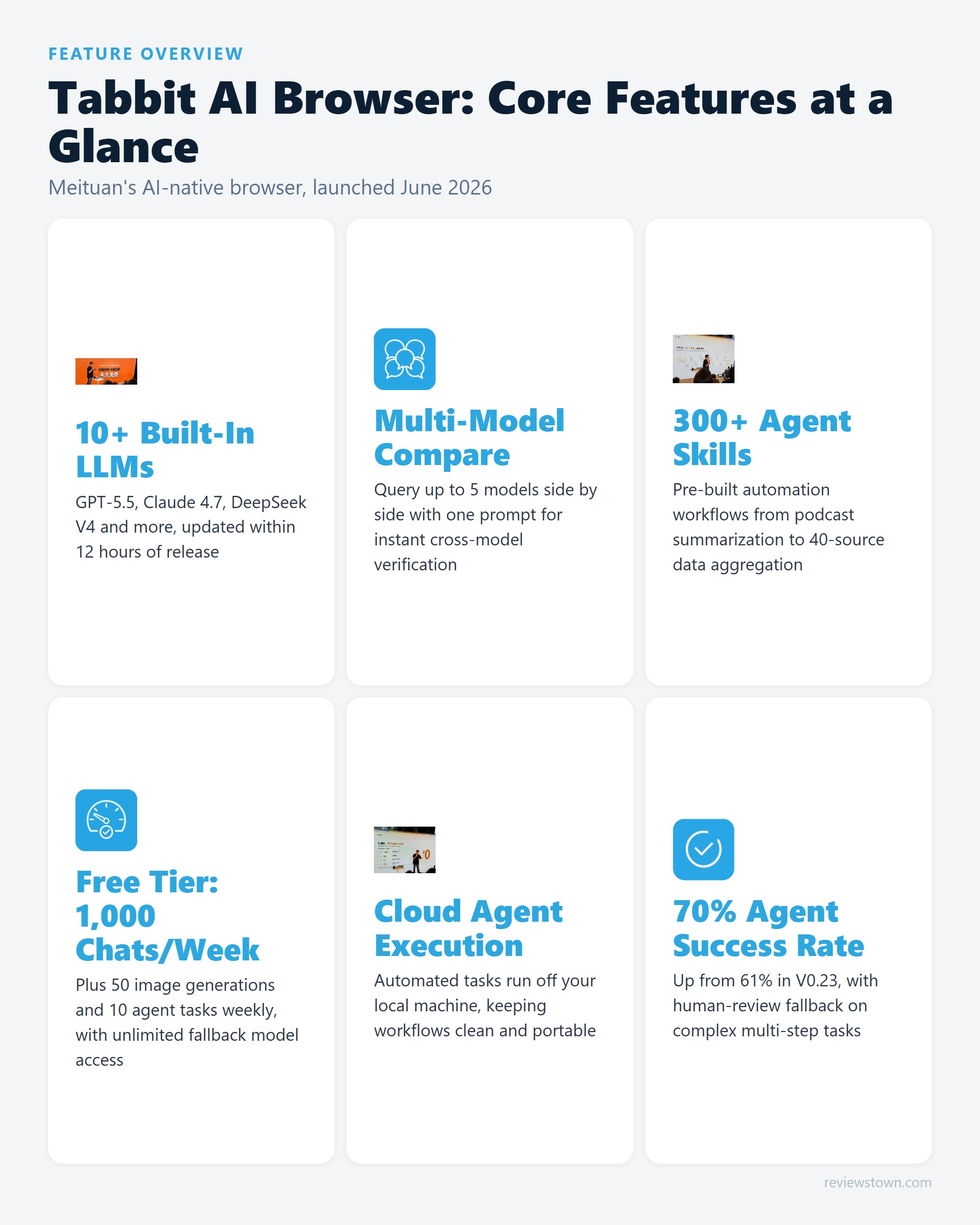
The model lineup as of Tabbit V1.0 includes GPT-5.5, Claude 4.7, Gemini 3.1 Pro, Grok 4.3, DeepSeek V4, Kimi K2.6, Qwen 3.6, MiniMax M3, and LongCat-Flash, alongside several smaller specialized models. According to Tabbit’s official product page, new frontier models are typically integrated within 12 hours of their public release, which means major model launches show up in the browser before most standalone tools have updated their routing.
The multi-model comparison feature is the most distinctive interface element and, in practice, the one that outperforms what any standalone chatbot can offer. Select up to 5 models simultaneously, submit a single query, and the browser renders their answers in parallel columns. For research tasks where you want to cross-check a factual claim, or for writing tasks where you want to sense-check tone across multiple models, this eliminates the tab-switching overhead that defines the typical multi-tool workflow.
Tabbit also supports MCP (Model Context Protocol), which means third-party model integrations are possible beyond the built-in roster. This is particularly relevant for teams running private or fine-tuned models that aren’t on the public API roster.
Agent Skills: Where the Productivity Claims Get Specific
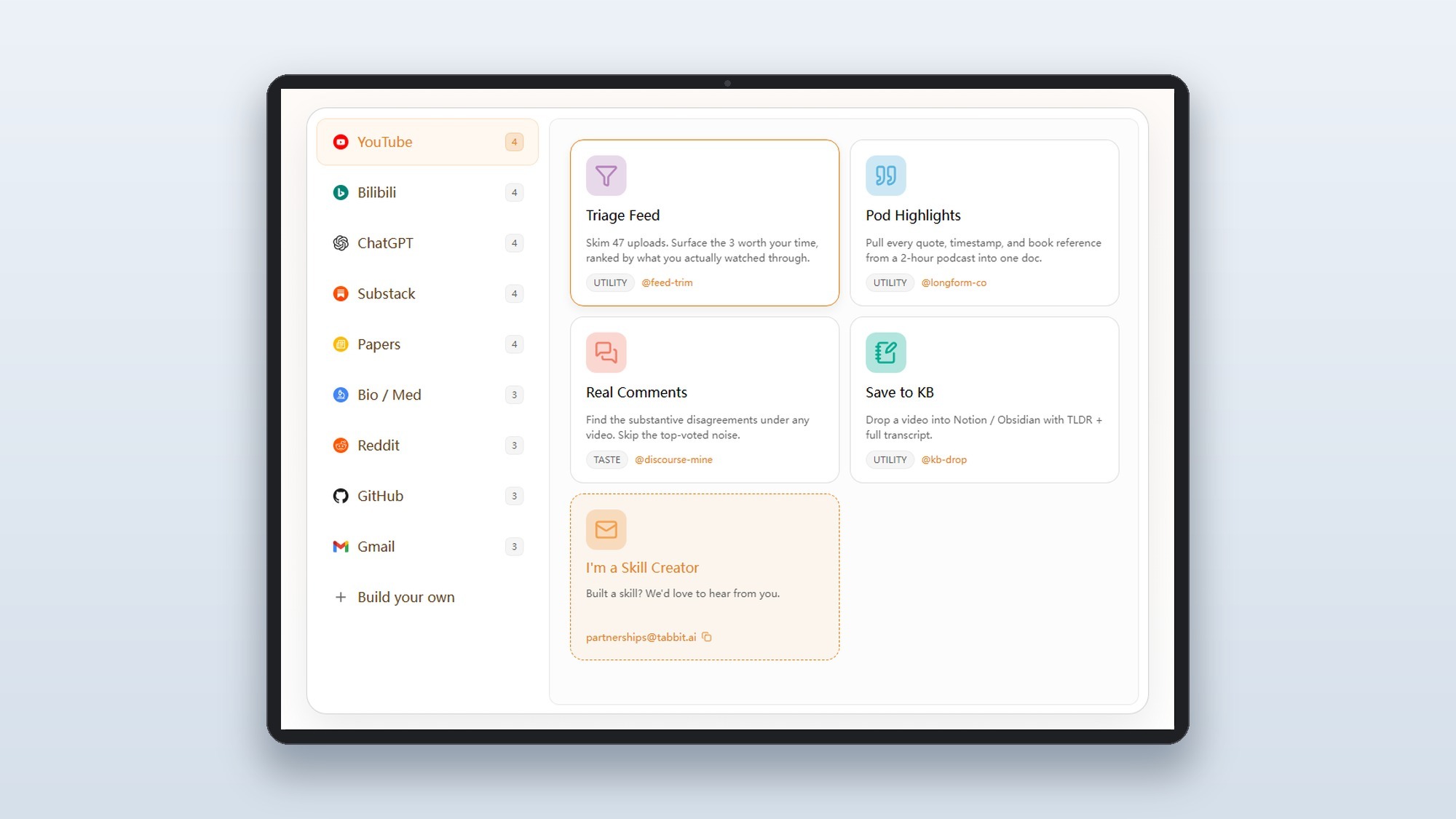
Tabbit’s 300+ pre-built skills are the most concrete expression of its agent capability, and they’re what separates it from browser extensions that merely surface an LLM sidebar. Each skill bundles a multi-step automated workflow into a single command. A few representative examples from the skills marketplace illustrate the range:
- @feed-trim Pod Highlights: Pulls every quote, timestamp, and book reference from a two-hour podcast into one formatted document.
- @cc-bridge Highlight Reel: Auto-cuts relevant clips from a two-hour video stream into a five-minute reel.
- Data aggregation: A construction engineer documented aggregating procurement data from 40+ separate municipal platforms, a task that previously required four person-days, down to automated execution.
Skills run in a cloud environment rather than locally. This matters for two reasons: automation doesn’t create file clutter on your machine, and the tasks can run while you do other things without occupying browser resources. Custom skills are buildable and saveable, so recurring personal workflows can be packaged into one-click commands.
The V1.0 agent success rate sits at 70% for autonomous web operation tasks, up from 61% in V0.23. That 30% failure rate is honest: the team publishes it, and the fallback is human review of the task before completion. For comparison, TechCrunch reported in May 2026 that competing agentic browsers including Perplexity’s Comet and The Browser Company’s Dia are operating in the same autonomous-task space. In practice, 70% positions Tabbit credibly in the category for well-defined repetitive tasks, though it falls short of the reliability threshold needed for unsupervised deployment on complex, multi-condition workflows.
Real-World Use Cases: Three Documented Scenarios
Meituan published three detailed adoption cases from the V1.0 beta cohort, and they’re more specific than the typical “save time on research” talking points:
Academic research: An art history graduate student used Tabbit’s contextual AI to work through thesis research, submitting the completed dissertation in one month and receiving an excellent rating. The key capability was persistent memory across research sessions: the AI retained context from previous reading sessions without requiring document re-uploads.
HR workflow: A recruiter used multi-model analysis with organizational context injected into the browser’s memory to clarify ambiguous hiring requirements. The ability to feed internal company context to multiple models simultaneously, and compare their interpretations, replaced what had been a manual brief-writing process.
Engineering data collection: A construction engineer automated aggregation from 40+ municipal procurement platforms. This is the clearest productivity number in the Tabbit launch materials: a four-person-day task reduced to automated execution. It’s also the use case that best illustrates why native browser agent capability matters: the data sources were websites, not APIs, so traditional automation tools would require brittle web scraping scripts.
Pricing and Free Tier: What You Actually Get at Zero Cost
Tabbit’s pricing model is notable because the free tier is generous by current AI tool standards. The permanent free plan covers approximately 1,000 AI conversations, 50 image generations, 10 automated agent tasks, or 100 long-form document generations per week. Once you exhaust the quota for premium models, the browser falls back to unlimited access on one cost-efficient model, so functionality doesn’t drop to zero at the quota wall.
The Pro plan costs 9.9 yuan per week (roughly $5 to $6 USD at current exchange rates, not the $19 figure that appeared on some pricing pages, which may reflect a monthly rate or regional pricing). Pro delivers 10x the quota across all categories.
For context: a weekly quota of 1,000 AI conversations works out to roughly 142 per day. For light-to-moderate knowledge work, this is a usable daily driver without paying. Heavy users running multiple multi-model comparisons per hour will hit the ceiling, but the escalation path to Pro is relatively low-cost compared to maintaining separate subscriptions to each model.
Early beta participants receive recognition cards and Pro benefits calibrated to their participation duration, a community loyalty structure similar to what established Chinese tech platforms use for early adopter programs.
What Users Actually Report
Tabbit’s presence on YouTube is larger than its Google search volume suggests: the Android Authority review surfaced a consistent pattern in the comment section. The most upvoted critical comment raised data privacy directly: “all these browsers with AI built in are just huge privacy red flags. Where is the data going, how is your behaviour being aggregated into a profile?” This concern is recurring across multiple browsers in this category, not unique to Tabbit, but it’s the dominant hesitation among technically aware users.
On the positive side, a skeptical early adopter noted: “I was skeptical about another AI browser, but Tabbit is actually legit. The workspace feature alone saved my messy tab habits. It doesn’t force the AI on you, but having it in the sidebar for quick summaries is way more useful than I thought.” Several comments from users testing the tool for academic literature review specifically called out the free model-switching as the practical differentiator from a standalone chatbot.
The pattern that emerges from community feedback: users who have a specific high-volume repeating research task (literature review, procurement aggregation, competitive monitoring) report the clearest productivity return. Users who approach it as a general-purpose AI chat upgrade to Chrome report more mixed results, because the core browsing UX differences are modest.
Privacy and TOS: The Trust Trade-Off to Understand Before You Install
Tabbit’s agent functionality creates a privacy dependency that is different in kind from a chatbot plugin. To operate websites on your behalf, the agent needs permission to log into sites, fill out forms, click buttons, and in some cases complete payments. The TOS scope for this is broad by design: autonomous browser operation cannot function with narrow, task-specific permissions.
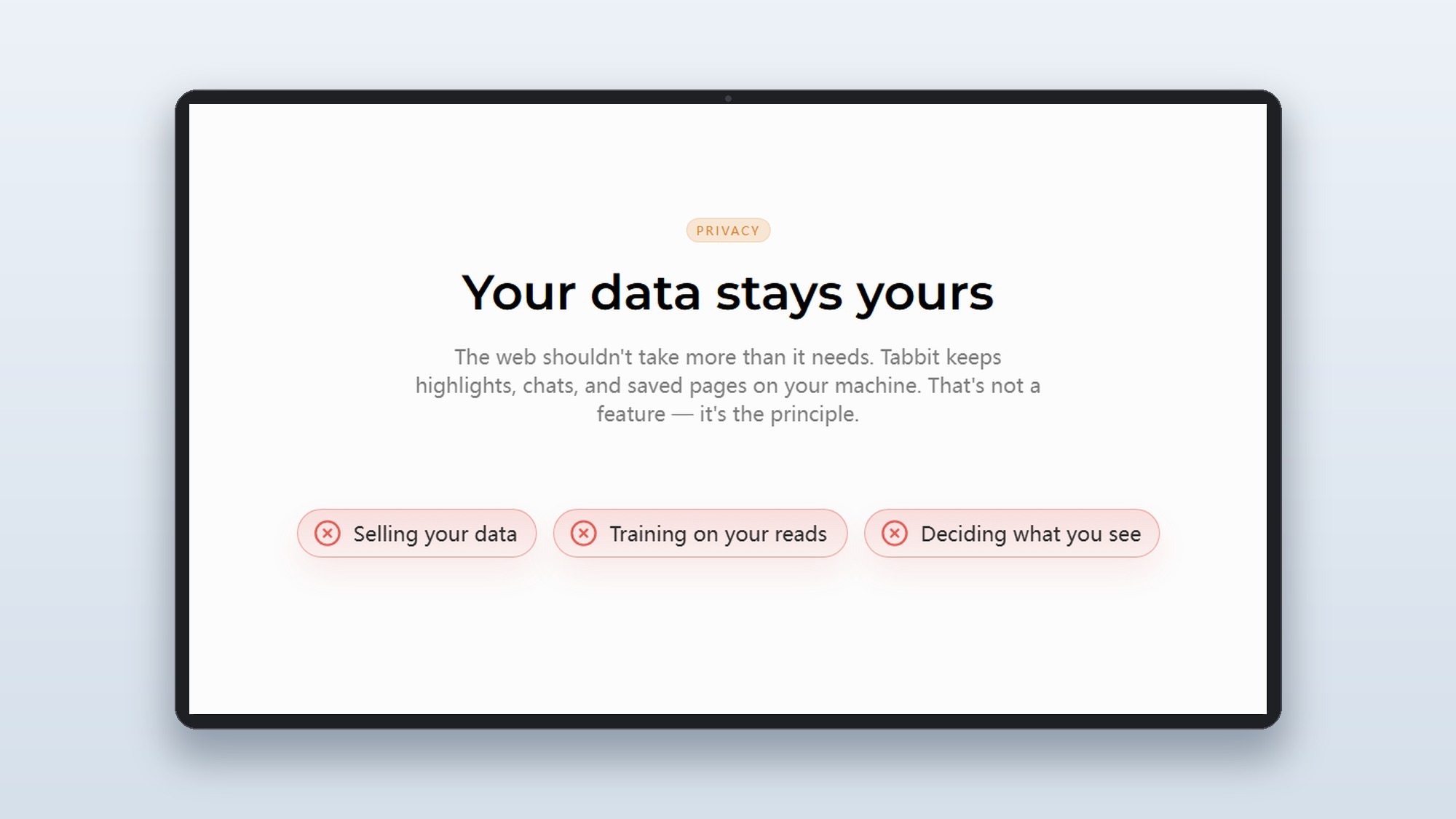
Tabbit’s website states that user data remains private and is not used to train models. What is not yet available: independent third-party audits of this claim, or a published data retention timeline that specifies how long browsing context and task histories are stored on Meituan’s infrastructure. For personal productivity use with non-sensitive workflows, the risk profile is comparable to any cloud-based AI tool. For enterprise use involving proprietary data or regulated information, the absence of a third-party audit is a meaningful gap.
In our view, the right mental model for evaluating this is the same one you’d apply to any agentic tool: the power of autonomous execution scales directly with the trust you extend. Tabbit earns that trust through transparent pricing and honest agent success rate disclosure. The privacy audit piece is the gap that needs to close before it’s a reasonable choice for sensitive professional contexts.
Tabbit vs. Chrome: When the Switch Makes Sense
The honest comparison is not “is Tabbit better than Chrome” but “does your workflow benefit from native AI integration enough to justify switching.”
| Capability | Chrome + Extension | Tabbit Native |
|---|---|---|
| LLM access | Via Copilot, Gemini sidebar | 10+ models, multi-compare |
| Browsing context | Manual paste | Auto-reads tabs, bookmarks, history |
| Agent execution | Separate tools required | Native, cloud-executed |
| Memory across sessions | None by default | Long-term memory built in |
| Privacy audit | Google’s published policies | Meituan’s stated policy, no third-party audit yet |
| Platform | Windows, Mac, Linux, mobile | Windows full; iOS/Android beta |
The switch makes the most sense if you regularly: run multi-source research tasks that span 10+ tabs, compare outputs across multiple AI models, or have a recurring workflow that maps to one of the 300+ pre-built skills. For general browsing with occasional AI questions, the friction of switching browsers probably outweighs the native integration benefit.
For more on how AI agents are reshaping productivity tools beyond the browser, see our coverage of Google Gemini Spark AI Agent and the broader OpenAI Codex enterprise agent platform.
Final Verdict
Tabbit V1.0 is the strongest version of the agentic browser concept that’s publicly available as of June 2026. The model roster is genuinely comprehensive, updated faster than any standalone aggregator tool. The skills marketplace addresses the gap between “AI can do this” and “I have a workflow that reliably does this,” which is the practical productivity gap most AI tools leave open. The free tier is honest and genuinely usable.
The 70% agent success rate and the privacy audit gap are the two things to hold in mind. Neither is a dealbreaker for personal use, but both require that you engage with the tool’s limitations rather than treating it as a fully autonomous system. For heavy knowledge workers who already use 3 or more AI tools in parallel, consolidating that into a single browser interface with persistent context is a compelling trade. For casual users, the benefit is real but modest.
- Supports 10+ frontier LLMs simultaneously, including GPT-5.5 and Claude 4.7, updated within 12 hours of each model launch
- 300+ pre-built agent skills cover real workflows: podcast summarization, data aggregation from 40+ sources, document generation
- Free tier is genuinely usable at roughly 1,000 conversations per week before hitting limits
- Multi-model comparison mode lets you query 5 models at once and compare answers side by side
- Cloud-based agent execution keeps automated tasks off your local machine entirely
- Agent TOS grants broad permissions including logging into sites and completing payments, a real trust dependency for new users
- Agent task success rate is 70% as of V1.0, meaning roughly 3 in 10 autonomous tasks require human intervention
- Pro plan pricing of 9.9 yuan per week (~$19/month equivalent) adds up alongside existing LLM subscriptions
- Windows-first; iOS and Android versions are still in beta as of June 2026
- Meituan’s Chinese roots may create hesitation around data sovereignty in enterprise contexts
Frequently Asked Questions
What is Tabbit AI browser and who developed it?
Tabbit is an AI-native browser built by Meituan’s GN06 team (formerly named Light Year Beyond). It launched publicly on June 9, 2026, after a 100-day beta testing period with 12 version iterations. Unlike add-on AI assistants bolted onto Chrome, Tabbit is built from the ground up with LLM integration and autonomous agent execution as core browser functions.
Is Tabbit AI browser free, and what are the usage limits?
Tabbit offers a permanently free standard tier that covers approximately 1,000 AI conversations, 50 image generations, 10 automated agent tasks, or 100 long-form document generations per week. Once you exhaust the quota, the browser falls back to unlimited access on one cost-efficient model. The Pro plan costs 9.9 yuan per week (roughly $5-6 USD) for 10x the quota across all categories.
How do Tabbit agent skills and automation workflows work?
Tabbit skills are pre-configured agent workflows stored in a marketplace of 300+ templates. Each skill bundles a multi-step browser task, such as pulling every quote from a two-hour podcast into a formatted document, or aggregating procurement data from 40 separate websites into a spreadsheet, into a single command. Crucially, skills run in a cloud environment, so automation executes off your local machine without creating file clutter. You can also build and save custom skills for recurring personal workflows.
How does Tabbit compare to using Chrome with a separate AI assistant?
The core difference is context: Tabbit’s AI has read access to your open tabs, bookmarks, and browsing history, so it understands what you’re working on without you summarizing it. Chrome with a sidebar chatbot treats every conversation as a fresh, isolated session. The agent capability is also native: Tabbit can operate websites on your behalf directly in the browser, whereas external tools typically require a separate setup layer. The trade-off is that this deeper integration requires trusting the platform with broader permissions than a standalone chat window.
Which LLMs does Tabbit support, and how quickly are new models added?
As of launch, Tabbit supports GPT-5.5, Claude 4.7, Gemini 3.1 Pro, Grok 4.3, DeepSeek V4, Kimi K2.6, Qwen 3.6, MiniMax M3, LongCat-Flash, and several others. According to Tabbit’s own product page, new frontier models are typically integrated within 12 hours of their release. The browser also supports MCP (Model Context Protocol) tools, allowing third-party model integrations beyond the built-in roster.
What are the main privacy and security concerns with AI browsers like Tabbit?
The primary concern flagged by security-conscious users is the agent TOS: Tabbit’s autonomous mode can log into websites, fill out forms, click buttons, and complete payments on your behalf, which requires granting the browser significant access credentials. A second concern is behavioral data: LLM query history, browsing context, and workflow patterns are processed through Meituan’s infrastructure. Tabbit’s website states that user data stays private and is not used to train models, but independent third-party audits of this claim are not yet available. For non-sensitive personal productivity use, the risk profile is similar to using any cloud-based AI tool.