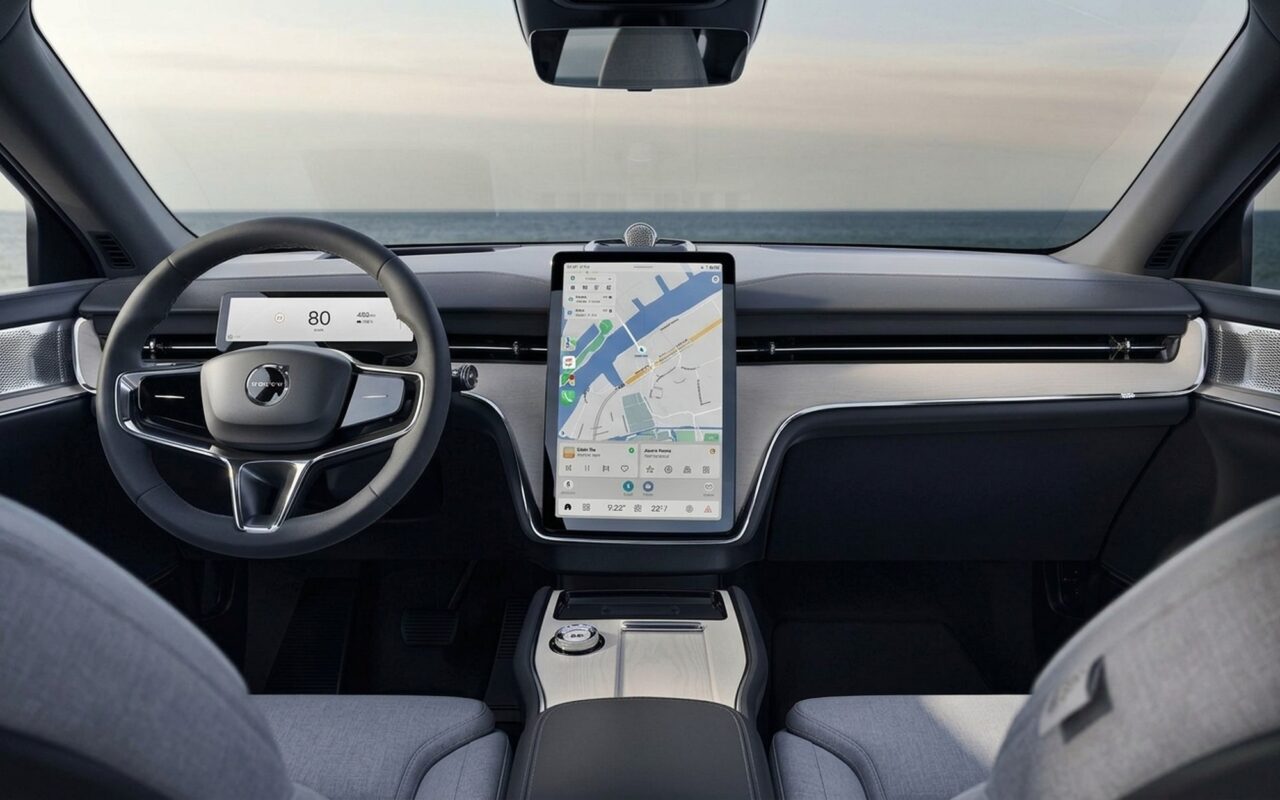
Google announced the most comprehensive overhaul of Android Auto at Google I/O 2026, covering every layer of the platform: a new design language that works on any screen shape, a Google Maps experience billed as the biggest in-car navigation update in over a decade, a new Gemini AI feature called Magic Cue, Full HD video streaming when parked, and Dolby Atmos spatial audio on select vehicles. The updates reach over 2.5 billion compatible Android Auto vehicles globally, rolling out throughout 2026.
Here is everything that was announced, what each feature actually does, and – crucially – which cars support which features.
Material 3 Expressive: New Design and Adaptive Screen Support
The visual foundation of Android Auto changes entirely in 2026. Google is bringing its Material 3 Expressive design language from phones to car screens – redesigned typography, smoother animations, and wallpaper support that makes the in-car interface feel cohesive with the broader Android ecosystem.
The more practically significant change is Adaptive Screen Support. Android Auto previously worked well on standard landscape rectangles but struggled on unconventional display shapes. The 2026 update natively handles:
- Standard horizontal (landscape) infotainment screens
- Vertical (portrait) centre-stack tablets
- Ultra-wide panoramic displays
- Circular OLED screens on MINI vehicles
- Rhombus and hexagonal screens on BMW Neue Klasse models
This closes a real fragmentation problem. MINI and BMW’s newer vehicles use non-rectangular screen formats that earlier Android Auto versions could not fill properly – the adaptive engine now renders the UI correctly on any shape without driver configuration.
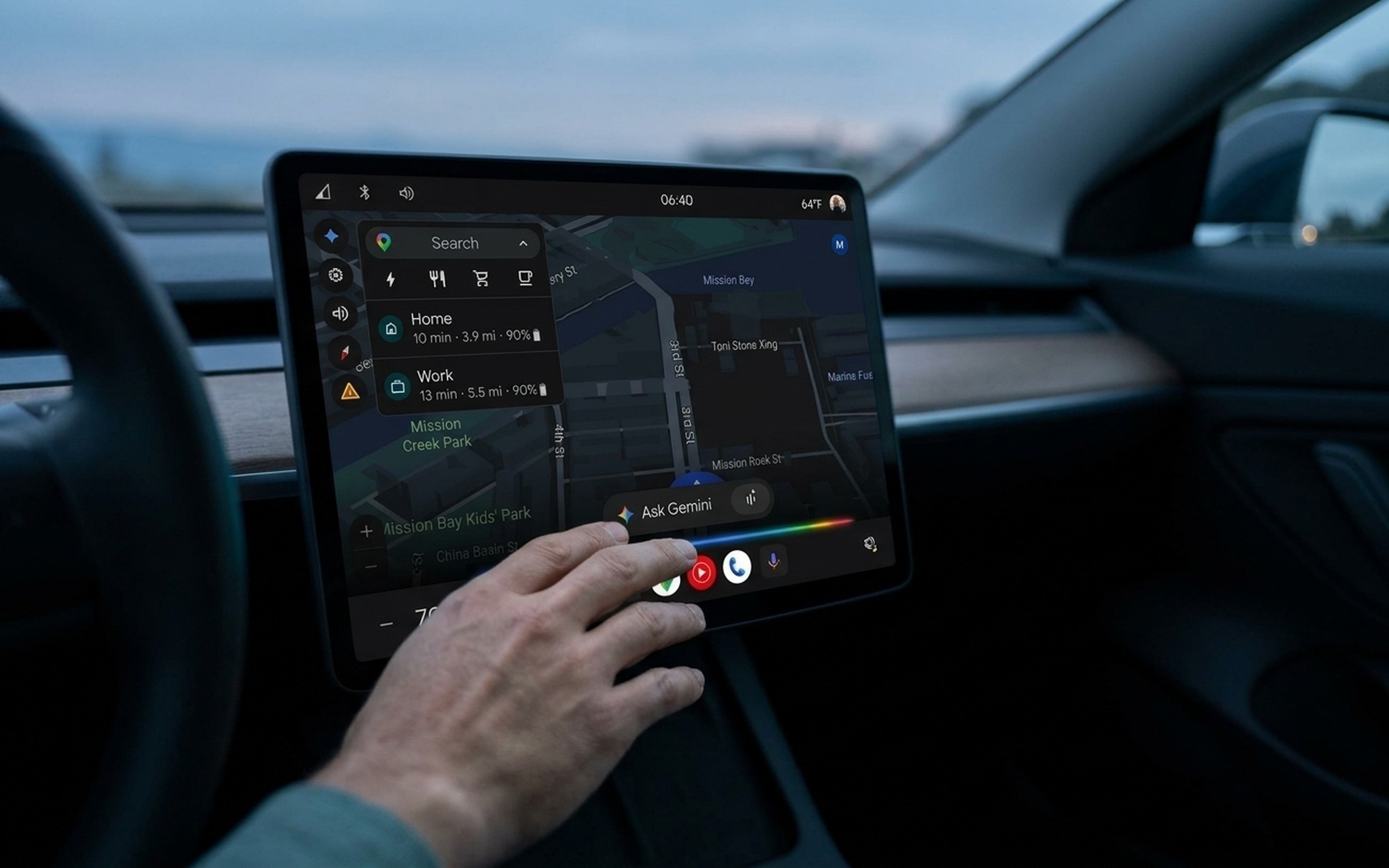
The 2026 update also introduces Global Widgets – a customisable home screen layer that lets drivers surface frequently needed information alongside navigation. Available widgets include contacts, weather, garage door controls, smart home shortcuts, clocks, and photos. Drivers can also create custom widgets entirely by voice: describe what you want to Gemini and it builds the widget without requiring menu navigation.
Spotify and YouTube Music receive dedicated visual redesigns optimised for the new interface, with larger album art and touch controls better suited to glancing interaction while driving.
Google Maps Immersive Navigation: The Biggest In-Car Update in Over a Decade
Google describes the 2026 Maps update for Android Auto as “the most significant Google Maps car experience update in over a decade” – a claim backed by Car and Driver’s breakdown of the I/O 2026 announcements, which notes the overhaul touches every layer of the platform simultaneously.
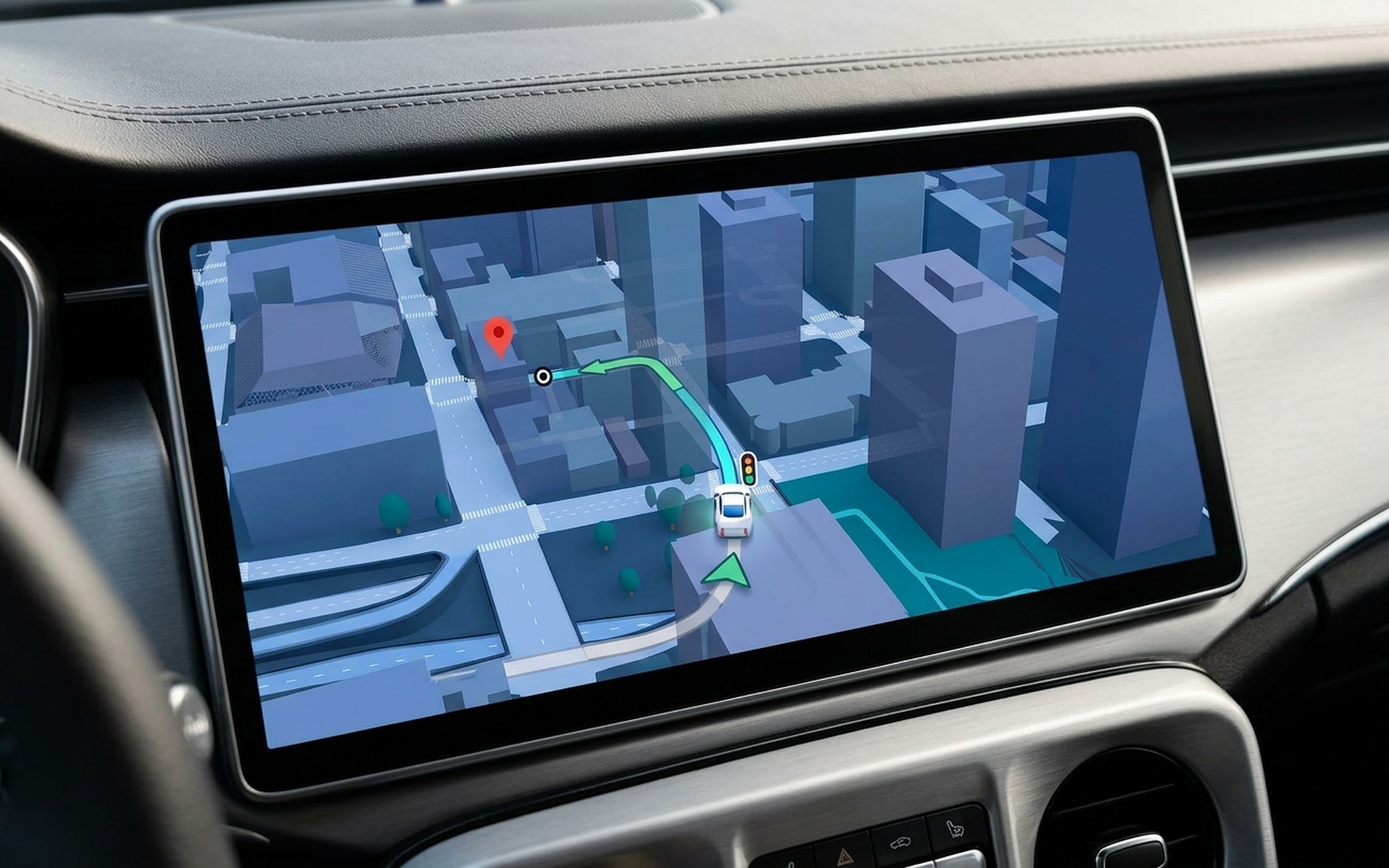
3D Immersive View replaces flat tile-based map rendering with full elevation data. Buildings, highway overpasses, terrain contours, and urban landmarks are modelled in three dimensions. In cities with complete 3D building data – major metros across the US, UK, Germany, Japan, and expanding markets – the map reads as a spatial environment rather than a diagram. Recognisable structures serve as natural waypoint anchors, and highway geometry becomes visually obvious rather than requiring close attention to text labels under driving conditions.
Lane Guidance (available on standard Android Auto) enhances intersection navigation by highlighting lane markings, traffic light positions, and stop sign locations at complex junctions. When approaching a multi-lane turn or a confusing intersection, the map overlays colour-coded indicators showing exactly which lane to occupy for the next manoeuvre.
There is an important distinction between standard Lane Guidance and the more advanced Live Lane Guidance: Live Lane Guidance uses the vehicle’s forward-facing camera to detect the driver’s actual current lane and suggest real-time repositioning. This camera-based system is exclusive to Google Built-In vehicles – it is not available on phone-projection Android Auto. It is one of the clearest capability gaps between the two systems in 2026.
Gemini AI: Magic Cue, Voice Commands, and Smart Suggestions
Gemini’s integration into Android Auto introduces a new feature category: proactive AI that acts without being invoked. The flagship capability is Magic Cue – a system that reads incoming texts, emails, and calendar events in the background and surfaces relevant, actionable suggestions as tappable cards on the home screen.
Where earlier voice assistants waited for a trigger word, Magic Cue extracts intent from your communications automatically. A text confirming a dinner address generates a navigation card for that location. A calendar event with a meeting venue produces a one-tap route start. An incoming message with an implied need for a reply surfaces a draft suggestion. These appear before the driver has to think about them, reducing the impulse to reach for the phone.
Other confirmed Gemini capabilities for Android Auto in 2026:
- Voice-drafted replies: Compose and send text message responses entirely by voice while driving
- Vehicle-specific questions: Ask about dashboard warning lights, cargo dimensions, or trailer towing compatibility – Gemini draws on vehicle data to answer
- Voice ordering: Order food through DoorDash by voice without opening or navigating the app
- Custom widget creation: Describe a desired widget in natural language and Gemini builds it on the home screen
One distinction matters here: the deepest Gemini integrations – vehicle data queries, hardware sensor access – are available on Google Built-In vehicles where Gemini connects directly to the car’s systems. On phone-projection Android Auto, Gemini operates through the phone and cannot reach vehicle-layer data. The breadth of what Gemini can do in the car is meaningfully wider when the car itself runs Google’s OS.
YouTube and Full HD Video When Parked: Which Cars Support It
In-car video streaming arrives in Android Auto with a more technically robust parking detection than most users will expect. Rather than relying on a single gear position signal, Android Auto uses a combination of the phone’s GPS and signals from the car to confirm the vehicle is stationary before enabling video. This dual-confirmation approach extends support to a wider range of vehicles, including some where the gear position signal is not directly accessible to Android Auto.
Video specifications:
– Resolution: Full HD
– Frame rate: 60fps
– Transition behaviour: When you shift from park into drive, video automatically switches to audio-only – the soundtrack continues and playback controls remain visible on screen
According to The Drive’s coverage of the feature rollout, confirmed car brands at launch include:
BMW · Ford · Genesis · Hyundai · Kia · Mahindra · Mercedes-Benz · Renault · Skoda · Tata · Volvo
Additional manufacturers are expected to enable the feature as the 2026 rollout continues. Support requires per-automaker integration and certification – deployment timelines vary by brand, and not all models within a supported brand will necessarily qualify on the same date.
Dolby Atmos Spatial Audio: Which Cars Get It
Android Auto gains Dolby Atmos support in 2026, passing spatial audio metadata to compatible car audio systems. Atmos playback delivers a wider soundstage, more precise instrument positioning, and a sense of vertical dimension that standard stereo cannot replicate.
Confirmed launch brands: BMW, Genesis, Mercedes-Benz, Volvo
This is a more restricted rollout than the video feature, because Dolby Atmos requires two conditions simultaneously: the streaming app must support Atmos output (Apple Music and Amazon Music currently do; Spotify does not yet), and the car’s audio processor must be Dolby-certified. That certification is currently found in premium audio configurations – Bang & Olufsen, Burmester, and similar packages within the four supported brands.
Drivers in non-certified vehicles continue to receive standard stereo output. The dependency on dedicated car hardware means Atmos will not arrive as a pure software update across all vehicles – it requires the physical decoder to already be in the car.
Android Auto vs. Apple CarPlay in 2026: Where Each Platform Stands
The comparison between Android Auto and Apple CarPlay in 2026 has shifted in Android Auto’s favour across several key dimensions, particularly AI capability and entertainment breadth.
| Capability | Android Auto 2026 | Apple CarPlay |
|---|---|---|
| AI assistant | Gemini Magic Cue (proactive + conversational) | Siri (command-based) |
| Navigation | Google Maps 3D + Lane Guidance | Apple Maps or Google Maps |
| In-car video when parked | Full HD 60fps (11 brands) | Limited third-party apps |
| Adaptive screen shapes | Circular, rhombus, ultra-wide, standard | Standard landscape |
| Widget home screen | Global Widgets + Gemini voice creation | Limited widgets |
| Spatial audio | Dolby Atmos (BMW, Genesis, MB, Volvo) | Dolby Atmos via Apple Music |
| Vehicle data integration | Full (Google Built-In) / Limited (projection) | Limited |
Apple CarPlay’s strengths remain real: deep iOS ecosystem cohesion, strong instrument cluster integration on select 2025–2026 vehicle models, and consistent reliability across a large vehicle install base. For iPhone-first users who do not rely heavily on Google services, CarPlay’s experience is polished and well-integrated.
For Android users – particularly those using Google Maps, Gmail, and Google Calendar heavily – the 2026 Android Auto update builds a meaningful AI and entertainment advantage that CarPlay cannot currently match. If you use both platforms across different devices, our guide to transferring files between iPhone and Android covers the data migration paths most relevant to mixed-OS households.
Google Built-In vs. Android Auto: Why the Distinction Matters More in 2026
The gap between Google Built-In (Android Automotive OS installed natively in the car) and phone-projection Android Auto became more pronounced at I/O 2026. Live Lane Guidance – the camera-based lane detection feature – is exclusive to Built-In vehicles. So is the deepest tier of Gemini’s vehicle-data integration.
The core distinction:
– Android Auto: Your phone runs the apps; the car screen displays them. Works in any compatible car; requires the phone to be present and connected.
– Google Built-In: The car’s native operating system. Navigation, streaming, and AI run on the vehicle’s hardware without a phone. Updates push to the car directly.
Google Built-In vehicles as of 2026 include Volvo, Polestar, Renault, Honda, Acura, and General Motors models (Cadillac, Chevrolet, Buick). There are now over 50 native Built-In car models on the market, and GM alone estimates the 2026 update will reach approximately 4 million Cadillac, Chevrolet, and Buick vehicles.
For users choosing between a Built-In vehicle and one relying on phone projection, the 2026 feature gaps – Live Lane Guidance, full vehicle-data Gemini access – are worth factoring into that decision. Google’s pattern suggests these exclusive Built-In features eventually migrate to standard Android Auto, but with a lag measured in years rather than months.
For broader context on how Google is applying the same Gemini-first approach across its entire device family, the Ultimate Guide to Android Wear covers the parallel rollout happening on the wearables platform.
How to Update Android Auto and When to Expect the New Features
Android Auto updates automatically through the Google Play Store – it is a standard app, not a system component requiring a firmware flash. Most users will receive the 2026 features without taking any action.
To check your version and force an update:
1. Open the Google Play Store on your Android phone
2. Tap your profile photo → Manage apps & device
3. Search for Android Auto in the updates list and tap Update if available
4. To check your current version: open Android Auto on your phone → three-dot overflow menu → About
Google has stated the 2026 features roll out “throughout the year” – this is not a single simultaneous activation. The rollout sequence follows three dependencies: the Android Auto app update (via Play Store), per-automaker certification for features like video and Dolby Atmos, and regional availability for Gemini AI features. Gemini capabilities are launching in the US first with broader regional expansion to follow.
Troubleshooting the two most common post-update issues:
- Wired connection fails after update: Android Auto’s newer versions apply stricter USB handshake requirements. Try a different cable first – this resolves the majority of wired connection failures after an update without requiring any other action.
- Wireless Android Auto drops: Toggle airplane mode on, wait three seconds, then off again. This resets the Bluetooth and Wi-Fi handshake and restores connection in most cases without a full device restart.
All 2026 Android Auto features arrive through Play Store app updates. You do not need to buy a new vehicle – the design overhaul, Gemini Magic Cue, 3D navigation, and Global Widgets deploy to any compatible Android Auto car. Video and Dolby Atmos additionally require your car brand to be on the supported list.
- Material 3 Expressive design adapts natively to MINI circular screens and BMW Neue Klasse rhombus displays
- Gemini Magic Cue proactively reads texts, emails, and calendar to surface one-tap smart actions while driving
- Full HD 60fps YouTube and video when parked, with seamless audio-only transition when driving resumes
- 3D immersive Google Maps — Google’s biggest in-car Maps update in over a decade
- Dolby Atmos spatial audio available on BMW, Genesis, Mercedes-Benz, and Volvo models
- Live Lane Guidance (front-camera lane detection) is Google Built-In exclusive — not available via phone projection
- Full HD video is limited to 11 car brands at launch; other manufacturers need per-automaker certification
- Dolby Atmos requires a certified car audio system — currently only four brands at launch
- Gemini’s deepest vehicle-data queries remain exclusive to Google Built-In vehicles
- Most features roll out ‘throughout 2026’ with no single activation date
Frequently Asked Questions
How do I update my Android Auto?
Android Auto updates automatically through the Google Play Store like any other app. To force a manual check, open the Play Store, tap your profile photo, go to ‘Manage apps & device,’ and look for Android Auto in the available updates list. The 2026 Gemini and widget features require a recent version — tap Update if one is available.
Does Android Auto update automatically?
Yes. Android Auto is a standard Play Store app and auto-updates by default, the same as any other Android app. You do not need to do anything manually — as long as auto-updates are enabled in Play Store settings, your version stays current. The 2026 features arrive through these automatic Play Store updates, not through a car firmware flash.
What is Gemini Magic Cue in Android Auto?
Magic Cue is Gemini’s proactive AI feature for Android Auto. Rather than waiting to be invoked, it reads your incoming texts, emails, and calendar events in the background and surfaces relevant suggestions as tappable cards — for example, a navigation card when a text confirms a meeting address, or a reply prompt when a message needs a response. It reduces the need to interact with your phone while driving.
Does Android Auto support YouTube while driving?
No. Video playback is only available when the vehicle is confirmed to be parked. Android Auto uses a combination of the phone’s GPS and signals from the car itself to verify the vehicle is stationary before enabling video. When you shift back into drive, the video automatically switches to audio-only mode and playback controls stay visible on screen.
Which cars support Android Auto video streaming in 2026?
At the initial 2026 rollout, video streaming when parked is supported on vehicles from BMW, Ford, Genesis, Hyundai, Kia, Mahindra, Mercedes-Benz, Renault, Skoda, Tata, and Volvo. Additional manufacturers are expected to enable the feature through the year. Support requires per-automaker certification, so not every model from these brands may qualify on day one.
What is Live Lane Guidance and which cars get it?
Live Lane Guidance uses the vehicle’s forward-facing camera to detect exactly which lane you are currently in, and suggests real-time lane changes based on your navigation route. This is more advanced than standard Lane Guidance (which highlights lane markings on the map). Importantly, Live Lane Guidance is exclusive to Google Built-In vehicles — cars with the Android Automotive OS installed natively. It is not available on phone-projection Android Auto.
Which cars support Dolby Atmos in Android Auto?
Dolby Atmos in Android Auto launches on BMW, Genesis, Mercedes-Benz, and Volvo models equipped with certified audio systems. It requires both a compatible streaming app (Apple Music and Amazon Music are confirmed; Spotify is not yet supported) and a Dolby-certified audio processor in the car. Standard vehicles with non-certified stereo systems receive high-quality stereo output as before.