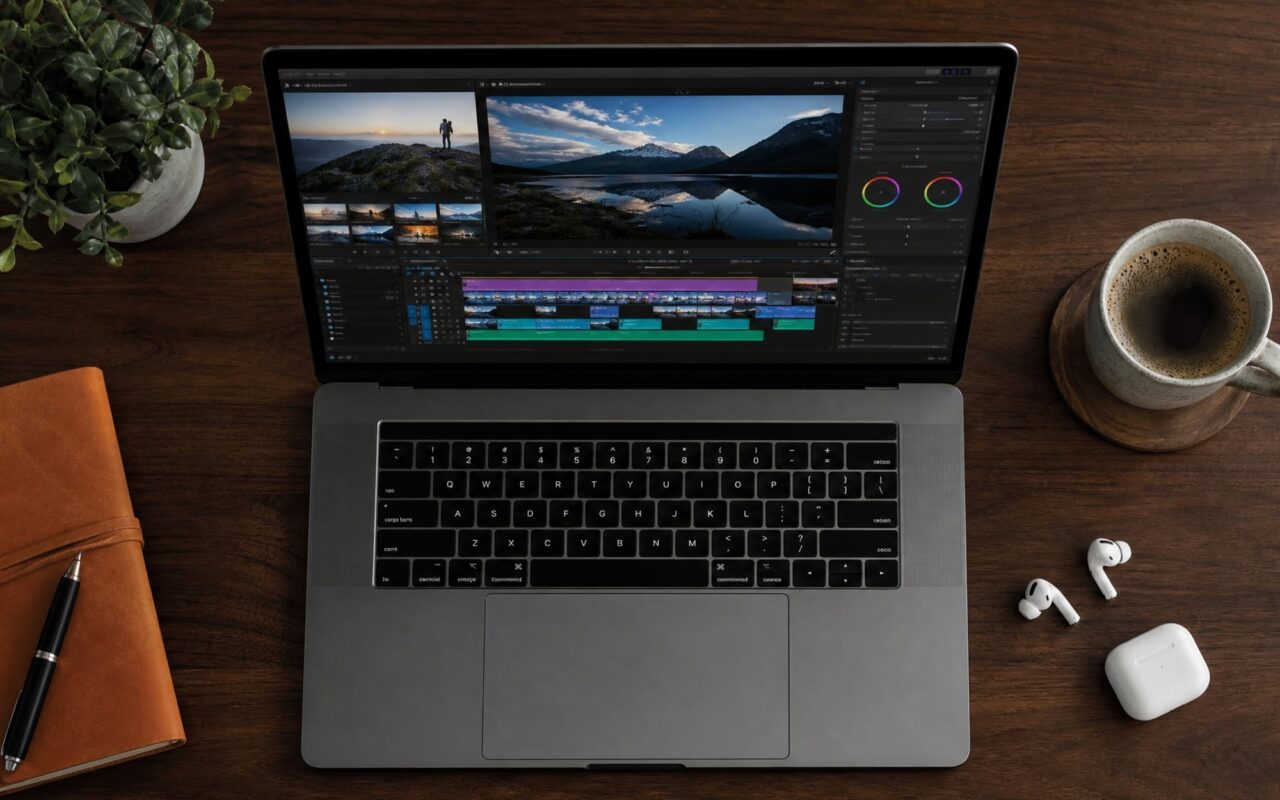
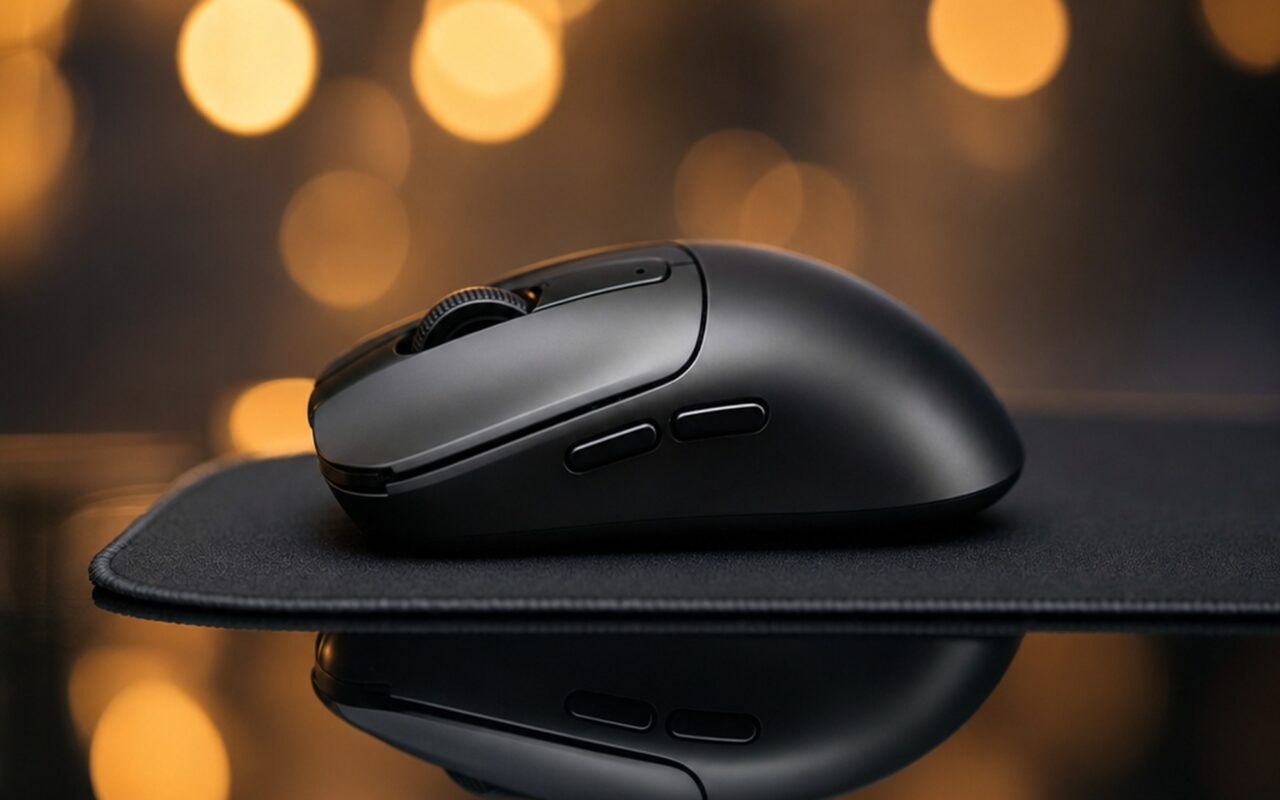
Xiaomi’s gaming peripherals have historically offered respectable specs at aggressive prices, but the brand’s first gaming mouse never fully broke into serious esports consideration. The Xiaomi Gaming Mouse 2 changes that calculus entirely. Launching at CNY 349 (~$48) through Xiaomi Youpin crowdfunding in May 2026, this 58-gram wireless mouse pairs the PixArt PAW3955XM – currently the top-tier sensor in competitive gaming – with a native 8,000Hz polling rate that even premium competitors haven’t uniformly adopted. Whether this represents genuine flagship-tier value or spec-sheet theater requires a closer look.
Design and Build: 58 Grams via Umbrella Skeleton Engineering
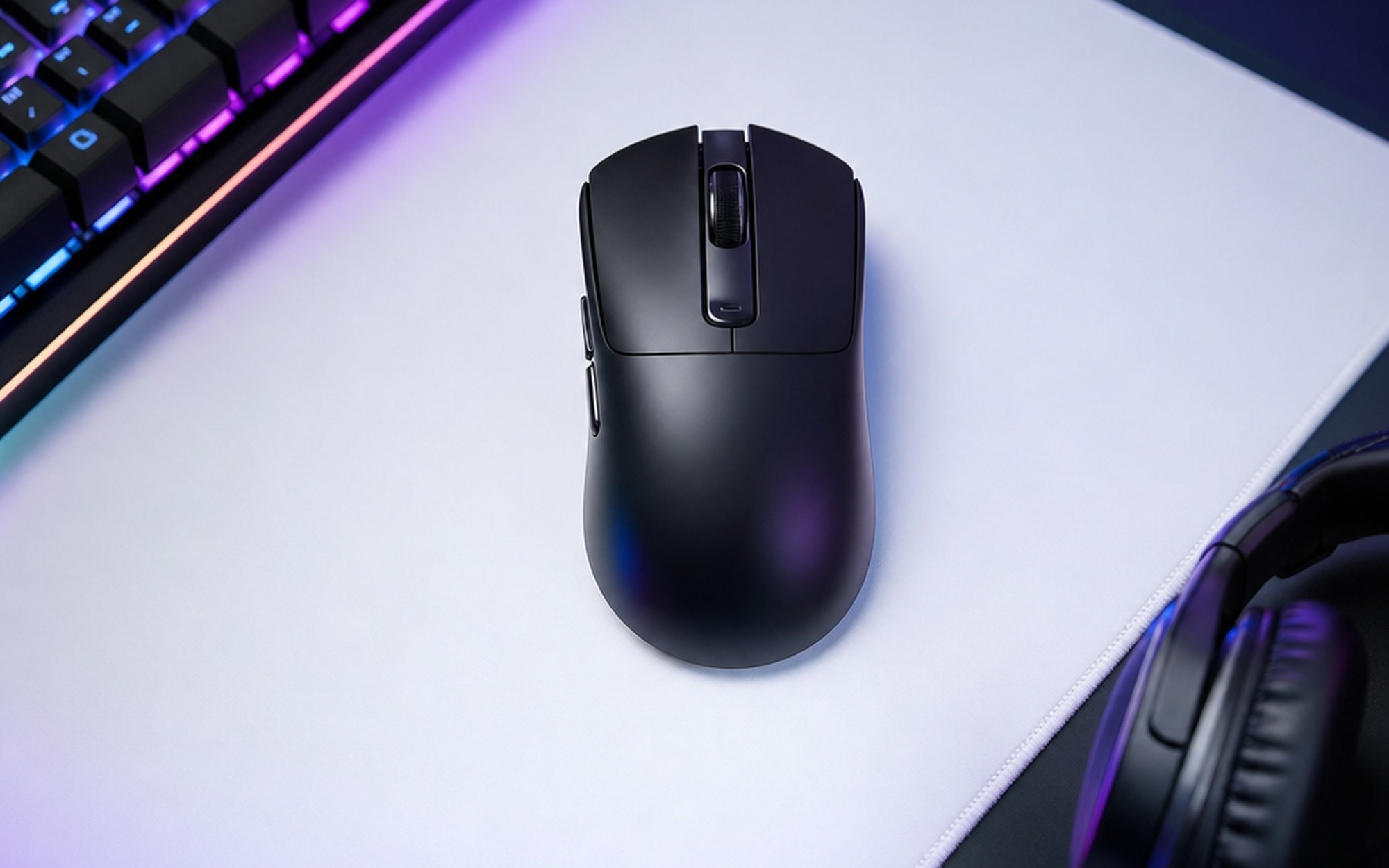
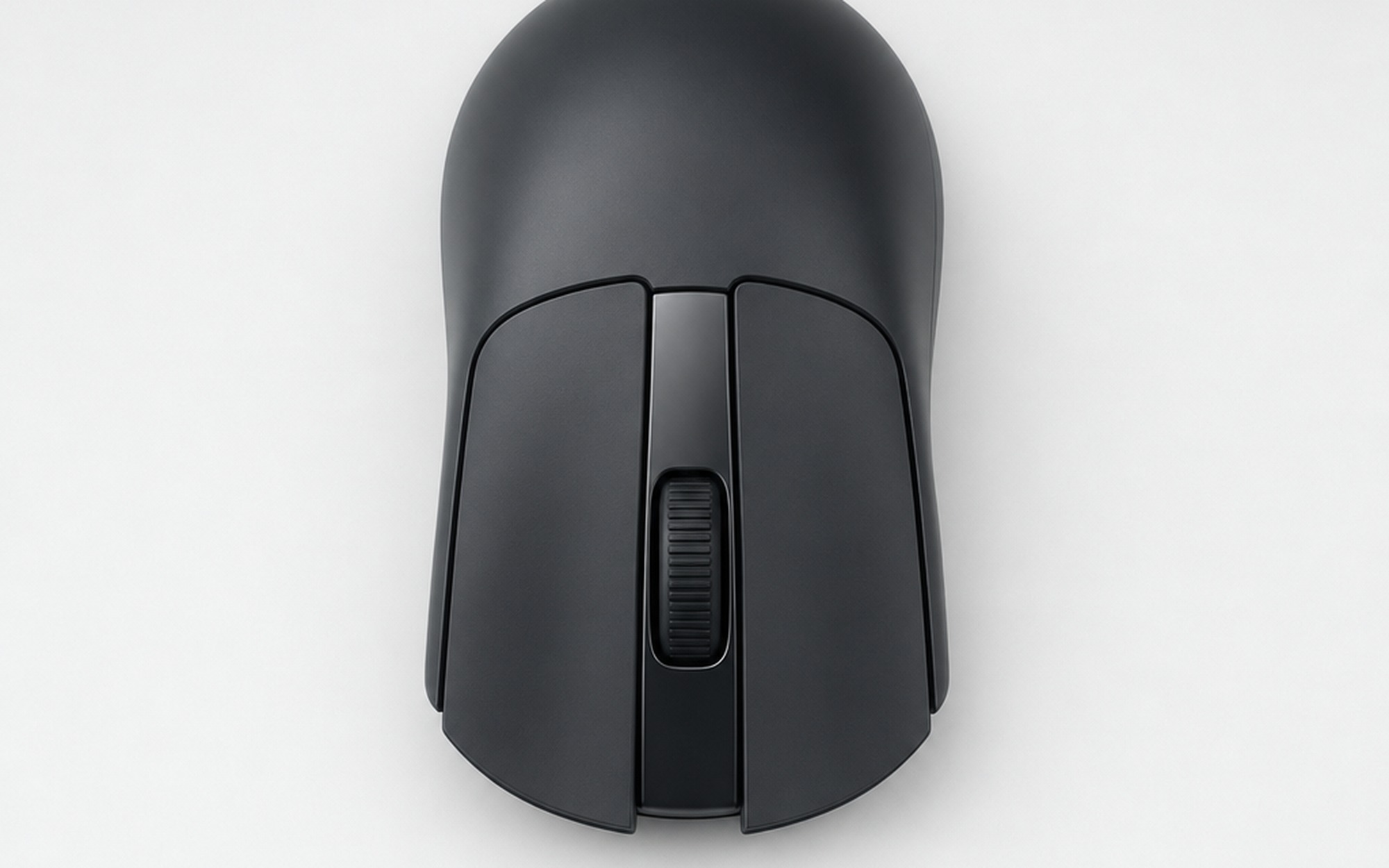
At 125.5mm × 63.5mm × 40mm with a 1:1 front-to-rear weight distribution, the Gaming Mouse 2 is sized for competitive grip styles. According to Xiaomi, hand measurements and grip data from professional esports players informed the shell curvature, producing a symmetrical form that handles claw, fingertip, and palm grip comfortably. Like most symmetrical designs, it is optimized for right-handed use.
The 58-gram figure comes from internal “umbrella skeleton” construction: a structural frame with hexagonal weight-reduction cutouts in the housing base, a technique borrowed from aerospace and high-end chassis engineering. High-purity PTFE feet on the underside deliver low-friction glide across both cloth and hard-surface pads. The shell is available in black and white variants with no RGB lighting – a deliberate choice that preserves battery life and keeps the weight below 60 grams without resorting to a honeycomb perforated shell.
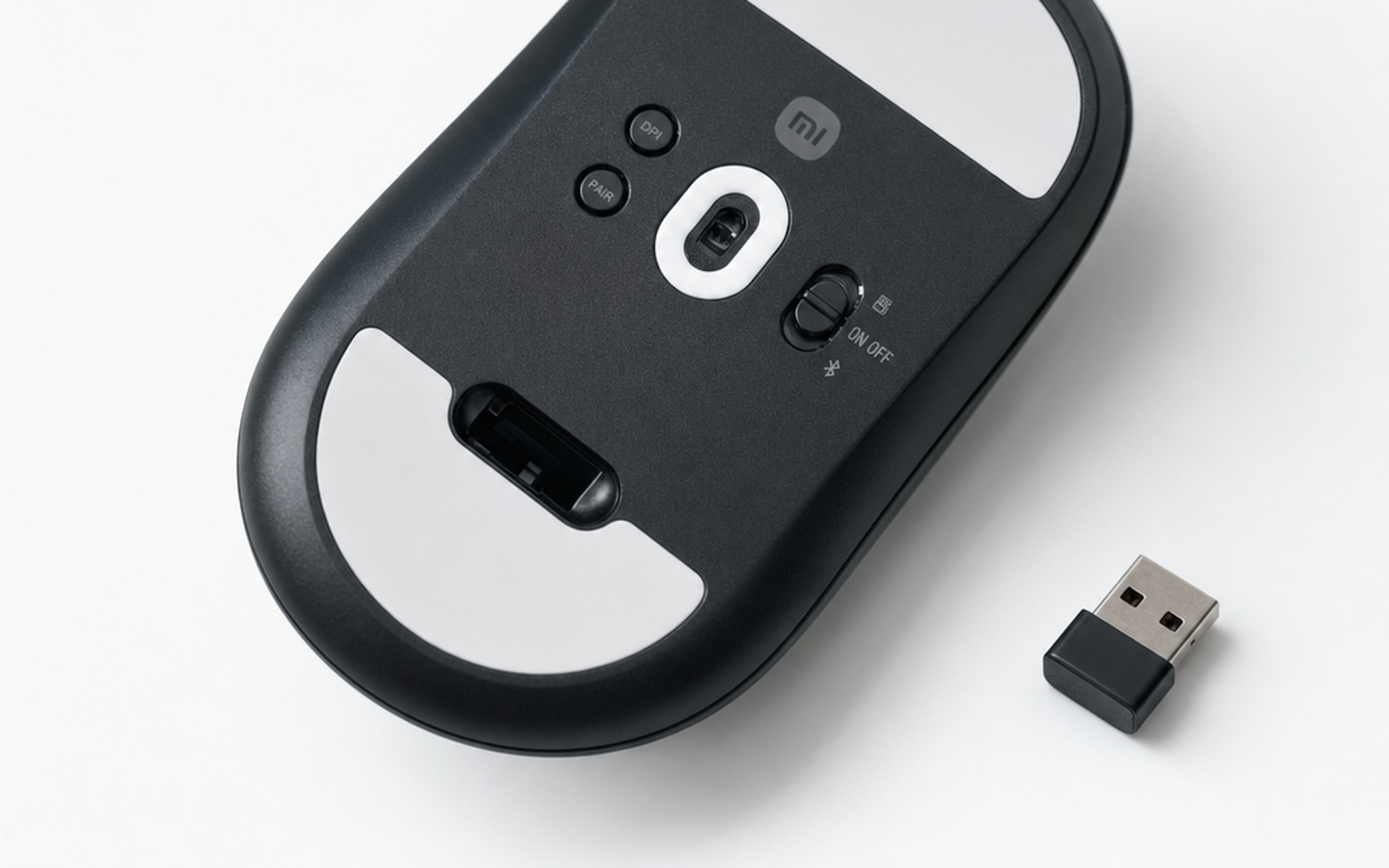
A three-position physical switch on the underside toggles between 2.4GHz wireless, Bluetooth 6.1, and off. The USB-C port at the front edge handles both wired play and charging. One design detail worth noting: the nano USB dongle stores directly in a recessed compartment in the mouse base, eliminating the common problem of losing the receiver during LAN events or travel.
The PAW3955XM Sensor: PixArt’s Flagship Chip
The PAW3955XM is PixArt’s current top-tier sensor, positioned above the PAW3950 that powered many 2024 flagships. According to Xiaomi’s specification documentation and reporting by NotebookCheck, the sensor delivers 750 IPS maximum tracking speed at 60G acceleration, with a scan frame rate exceeding 20,000 FPS in esports mode. More practically significant: factory calibration brings DPI error rate below one percent, meaning the sensor consistently delivers exactly the sensitivity the software configures.
The sensor also tracks on glass surfaces thicker than 4mm – a feature that broadens pad compatibility for users with glass desk protectors. The 40,000 DPI ceiling is a marketing specification rather than a practical recommendation; competitive players typically operate at 400–1,600 DPI. Five onboard DPI presets are fully customizable, and the sensor’s low-speed precision at those practical settings is what matters for in-game accuracy.
PAW3955XM vs. PAW3950: The PAW3955XM extends maximum tracking speed by approximately 15%, reduces DPI deviation error, and supports the native dual-channel 8K polling architecture. For players already satisfied with PAW3950 accuracy at standard DPI settings, the tracking difference is minimal. The polling rate capability is the more substantive upgrade, and it’s where the Gaming Mouse 2 separates from its predecessors.
8K Polling Rate: What It Actually Means and How to Enable It
Polling rate measures how many times per second a mouse reports its position to the host computer. At 1,000Hz – the gaming standard for over a decade – the mouse sends 1,000 position updates per second, with up to 1ms of maximum input lag from motion to report. At 8,000Hz, that ceiling drops to 0.125ms.
The measurable benefit at 8K versus 1K polling is genuinely disputed in the esports community. At 1,000Hz, motion-to-report lag is already below human perception thresholds in most scenarios. The real advantage emerges during rapid flick shots where motion sampling granularity – how many data points the system captures during a fast movement – becomes relevant. The Gaming Mouse 2 implements Motion Sync, which aligns the sensor’s sampling timing with each polling cycle. Without it, sensor reads and host PC queries can fall out of phase, injecting fractional asynchronous lag. With Motion Sync enabled, every transmitted packet contains data freshly sampled within that polling window.
How to enable 8K polling rate: Connect via 2.4GHz wireless or USB-C wired mode – Bluetooth is limited to 125Hz maximum due to protocol constraints. Open the Xiaomi G HUB software or the web-based configuration tool at d.mihub.fun. Switch to “Competitive Mode” to activate the 8,000Hz preset. Be aware: enabling 8K polling rate drops battery life from 160 hours to approximately 24 hours per charge. For daily grinding sessions at 1,000Hz, the battery can last weeks between charges.
Whether 8K is worth enabling depends on your setup. On a 240Hz+ display running sub-1600 DPI, the additional motion granularity produces perceptibly smoother cursor tracking during fast movements. On 144Hz displays or for productivity use, 1,000Hz delivers functionally identical results. According to PCMag’s guide to the best gaming mice, high polling rates are most meaningful for competitive FPS players where split-second targeting precision is a direct performance variable.
TTC Optical Micro Switches: Built for Longevity
The left and right main buttons use TTC optical gaming switches. Unlike mechanical switches that close a physical circuit via metal contacts that wear over time, optical switches use a light beam interrupted by the button actuation. This eliminates contact bounce and mechanical wear as failure modes. Xiaomi claims a “theoretically infinite” click lifespan – which, more precisely, means the optical mechanism is not the component that will fail first.
In practice, this means consistent click registration throughout the mouse’s lifespan without the double-click failures that can affect mechanical switches after 30–60 million actuations of heavy daily use. The side buttons use TTC mini switches, and the scroll wheel runs a TTC gold-wheel encoder rated for 2 million cycles with a dustproof enclosure.
Are optical switches actually better for esports? The actuation response of TTC optical switches is marginally faster than high-end mechanical alternatives – the difference is measured in microseconds and is not consciously perceptible in play. The long-term consistency advantage is the real differentiator: optical switches maintain identical click feel throughout the mouse’s lifespan, while mechanical designs accumulate contact wear that manifests as inconsistent actuation force and, eventually, double-click registration errors. For players who log 4–8 hours daily, optical switches extend the reliable lifespan of the primary input mechanism significantly.
Battery Life: The 8K Polling Rate Trade-off
The 530mAh cell is one of the largest batteries in a gaming mouse at this weight class. According to Xiaomi, battery life reaches 160 hours in 2.4GHz mode at 1,000Hz polling rate – an industry-leading figure for a sub-60-gram design. For context, the Logitech G Pro X Superlight 2 manages approximately 95 hours at 1,000Hz with a 95mAh battery, as noted in TechRadar’s gaming mouse coverage. The Xiaomi Gaming Mouse 2’s cell is more than five times larger, which explains the runtime advantage at equivalent polling rates.
Activating 8K Competitive Mode drops runtime to approximately 24 hours, per Xiaomi’s specifications. This is the unavoidable trade-off: multiplying polling rate eightfold multiplies sensor data throughput and proportionally increases power draw. For serious competitive sessions, this means daily charging in 8K mode – or reserving Competitive Mode for tournament play while using 1,000Hz for daily practice.
Charging is via the included 2-meter braided USB-C cable, which also enables wired operation at 8K polling. There is no wireless charging. The USB-C standard means the Gaming Mouse 2 charges from the same cable as most modern smartphones and laptops, which simplifies travel kit.
Xiaomi Gaming Mouse 2 vs. Logitech G Pro X Superlight 2
| Spec | Xiaomi Gaming Mouse 2 | Logitech G Pro X Superlight 2 |
|---|---|---|
| Weight | 58g | 60g |
| Sensor | PixArt PAW3955XM | HERO 25K |
| Max Polling Rate | 8,000Hz (native) | 2,000Hz (LIGHTSPEED) |
| Main Switches | TTC Optical | Mechanical |
| Battery Capacity | 530mAh | 95mAh |
| Battery Life (1kHz) | ~160h (Xiaomi claim) | ~95h |
| Bluetooth | Yes (6.1) | No |
| Connectivity | 2.4GHz + BT 6.1 + USB-C | 2.4GHz + USB-C |
| Price | ~$48 crowdfunding | ~$130–160 |
The Logitech G Pro X Superlight 2 remains the reference point for plug-and-play competitive reliability – it carries professional team endorsements, has a multi-year proven track record, and benefits from Logitech’s LIGHTSPEED wireless stack, which has been refined across multiple generations. The Xiaomi Gaming Mouse 2 closes the specification gap in measurable hardware terms: the PAW3955XM matches or exceeds the HERO 25K in tracking ceiling and polling rate capacity, and the addition of Bluetooth 6.1 expands multi-device use cases the Superlight 2 cannot address.
The legitimate gap is software maturity and competitive ecosystem trust. Xiaomi’s G HUB is functional but comparatively young, and the brand has limited history of hardware validation at the professional esports level. For budget-conscious competitive players, however, the Gaming Mouse 2 delivers flagship-tier hardware at a price that removes the primary financial barrier – something that has historically separated mid-tier and elite competitive setups.
Software: Xiaomi G HUB and Web Configuration
Xiaomi provides two configuration paths: a web-based tool at d.mihub.fun and a downloadable Xiaomi G HUB desktop application. Both offer access to DPI preset configuration (5 levels, adjustable from 100 to 40,000 DPI), polling rate switching between presets, lift-off distance adjustment (5 levels), Motion Sync toggle, and angle snapping with one-degree resolution. Onboard memory stores profiles directly on the mouse, meaning custom settings persist when connecting to a tournament PC without needing to install software.
The web-based configuration approach is particularly practical for LAN event attendees: configure at home, carry the settings onboard, and connect to any PC without a driver installation. The downloadable application adds profile import/export for sharing configurations and more granular sensor calibration controls.
An important technical note: the dual-channel wireless architecture sends duplicate data packets across two independent 2.4GHz channels every 125 microseconds, reducing the probability of packet loss from interference – relevant for tournament environments with congested RF conditions.
What Users Actually Report
Early community response across Reddit’s r/MouseReview and r/PHGamers reflects patterns consistent with the hardware profile. Users who switched from mid-range wired mice consistently report stable wireless connection performance and predictable sensor tracking – the PAW3955XM’s consistent factory calibration appears to translate directly to in-game feel. YouTube comments on early hands-on coverage note that the 58-gram weight creates an immediate transition from heavier mice without the overshooting adjustment period common when moving from 80g+ designs.
A thread on r/MouseReview comparing Xiaomi’s gaming peripheral lineup captures a sentiment that recurs across the brand’s devices: “The build quality is excellent and it feels very high quality all around.” This praise originally applied to the Gaming Mouse Lite at sub-$30 pricing, but the pattern of premium build execution at budget-category pricing is central to Xiaomi’s hardware positioning.
Community scepticism centres on two areas: whether Xiaomi’s gaming peripheral support ecosystem will maintain firmware updates over a 3–5 year ownership horizon the way Logitech has, and whether the crowdfunding-only Chinese launch will eventually translate to mainstream international availability at comparable pricing. No manufacturing defect reports or sensor inconsistency complaints surfaced in early adoption coverage, though the product is newly launched and long-term reliability data is limited.
Should You Buy the Xiaomi Gaming Mouse 2?
At CNY 349 (~$48) on Xiaomi Youpin crowdfunding, the Gaming Mouse 2 delivers a specification set that commands $120–160 from Logitech or Razer. The PAW3955XM sensor, native 8K polling rate, TTC optical switches, and 530mAh battery are not compromises – they are current best-in-class components assembled into a 58-gram design with thoughtful engineering details like the integrated dongle storage and umbrella skeleton frame.
The trade-offs are real: 8K Competitive Mode requires daily charging, global availability is limited at launch, and the software ecosystem is younger than its established competitors. According to Tom’s Guide’s analysis of the best gaming mice, premium positioning in this category typically commands a price premium precisely because brand trust and long-term support history are difficult to replicate quickly. Xiaomi has not yet built that history in gaming peripherals.
For players in China or willing to import, these trade-offs are straightforward to accept at this price. For players who prioritize ecosystem support and long-term peace of mind, the Logitech G Pro X Superlight 2’s additional cost buys proven reliability rather than better hardware specifications. If Xiaomi maintains firmware support and expands distribution as they have with the Xiaomi Smart Band 10 Pro and other recent devices, the Gaming Mouse 2 stands to be one of the most consequential gaming peripheral releases of 2026. For building out a full competitive setup, our guide to professional gaming keyboards covers the next piece of the puzzle.
- PixArt PAW3955XM flagship sensor with sub-1% DPI error rate and glass-surface tracking
- Native dual 8,000Hz polling rate in both wired and 2.4GHz wireless modes
- 58g weight via umbrella skeleton frame — lighter than Logitech G Pro X Superlight 2
- TTC optical micro switches with theoretically infinite click lifespan
- 530mAh battery delivers up to 160 hours at 1,000Hz polling in 2.4GHz mode
- Tri-mode connectivity: 2.4GHz wireless, Bluetooth 6.1, USB-C wired
- USB dongle stores in recessed base compartment — no receiver to lose
- Priced at CNY 349 (~$48) crowdfunding launch versus $130+ for comparable flagship mice
- 8K polling rate (Competitive Mode) drops battery life from 160 hours to ~24 hours
- Currently only available in China via Xiaomi Youpin crowdfunding at launch
- No RGB lighting — intentional weight/battery trade-off, but limits visual customization
- Software ecosystem less mature than Logitech G HUB or Razer Synapse
Frequently Asked Questions
Which wireless mouse has 8K polling rate?
The Xiaomi Gaming Mouse 2 supports native 8,000Hz polling rate in both 2.4GHz wireless and USB-C wired modes. Other mice with 8K polling include the Razer DeathAdder V3 HyperSpeed and some SteelSeries and Corsair flagship models, though most require a separate high-polling USB dongle. The Xiaomi Gaming Mouse 2 is notable for delivering 8K polling natively in wireless mode at its price point.
Is an 8K polling rate worth it for gaming?
For competitive FPS players on 240Hz+ monitors running sub-1600 DPI, 8K polling can deliver smoother motion tracking during rapid flick shots by reducing the maximum input lag from 1ms (at 1,000Hz) to 0.125ms. For players on 144Hz displays or in casual gaming contexts, the practical difference is imperceptible. The main trade-off on the Xiaomi Gaming Mouse 2 is battery life — 8K mode drops runtime from 160 hours to approximately 24 hours.
How do I enable 8K polling rate on the Xiaomi Gaming Mouse 2?
Connect the Xiaomi Gaming Mouse 2 via 2.4GHz wireless or USB-C cable (Bluetooth is limited to 125Hz maximum). Open the Xiaomi G HUB desktop software or the web-based tool at d.mihub.fun. Switch to ‘Competitive Mode’ to activate the 8,000Hz polling preset. Note that Competitive Mode significantly reduces battery life to approximately 24 hours per charge, down from 160 hours at 1,000Hz.
Are TTC optical micro switches better than mechanical switches for gaming mice?
TTC optical switches eliminate physical metal contact wear, which removes the double-click failure mode that affects mechanical switches after extended use. Optical switches also have marginally faster response times due to the absence of contact debounce delay. The practical advantage for most gamers is long-term consistency — optical switches maintain the same click feel throughout the mouse’s lifespan, whereas mechanical switches can develop play and inconsistency after 30–60 million actuations of heavy daily use.
How long does the Xiaomi Gaming Mouse 2 battery last at 8K polling rate?
According to Xiaomi’s specifications, the Xiaomi Gaming Mouse 2 lasts approximately 24 hours in Competitive Mode (8,000Hz polling) via 2.4GHz wireless. At 1,000Hz polling in 2.4GHz mode, battery life extends to up to 160 hours on the 530mAh cell. In Bluetooth mode, runtime increases further. The USB-C cable enables both wired play and charging, so battery life is only a constraint in wireless 8K mode.
What is Motion Sync in gaming mice and should I enable it?
Motion Sync is a timing feature that aligns the sensor’s sampling cycle with each polling interval. Without it, the sensor can read position data slightly out of phase with when the host PC queries it, introducing fractional asynchronous latency. With Motion Sync enabled, every data packet sent to the computer contains freshly sampled data from within the same polling window. For competitive FPS players at 8K polling, enabling Motion Sync is recommended. At 1,000Hz, the benefit is marginal but zero-cost — leave it on.
How much does the Xiaomi Gaming Mouse 2 cost in 2026?
The Xiaomi Gaming Mouse 2 launched at CNY 349 on Xiaomi Youpin crowdfunding in China in May 2026, roughly equivalent to $48 USD. The standard retail price is CNY 399 (~$55 USD). International pricing and availability had not been confirmed at launch, though Xiaomi’s peripherals have historically reached global markets within 3–6 months of Chinese release.
What is the difference between PAW3955XM and PAW3950 for esports?
The PAW3955XM extends maximum tracking speed from approximately 650 IPS (PAW3950) to 750 IPS, increases the scan frame rate to over 20,000 FPS in esports mode, and supports native dual-channel 8K polling architecture. DPI error rate is factory-calibrated to below 1% on the PAW3955XM. For the vast majority of competitive players, both sensors deliver accurate tracking at standard DPI settings — the PAW3955XM’s primary advantage is its polling rate ceiling and reduced DPI deviation, which matters most at sub-400 DPI precision play.