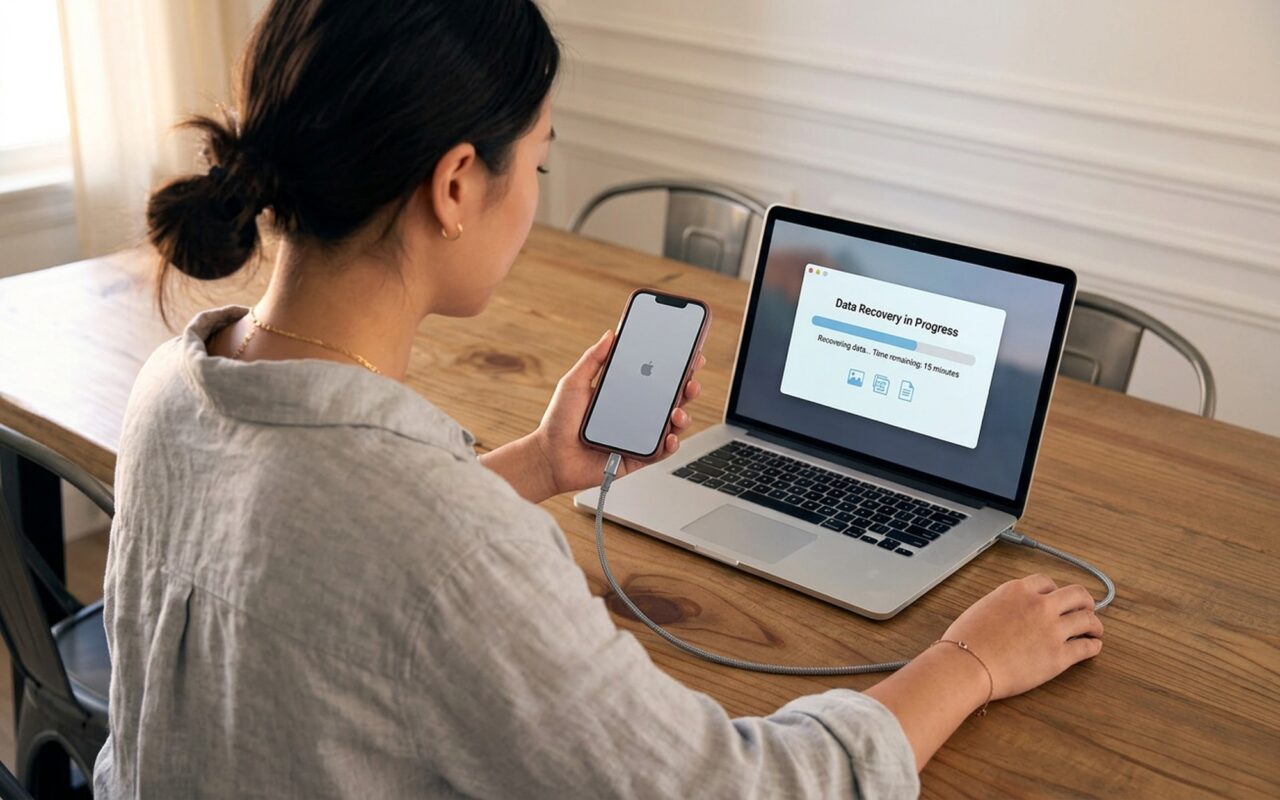
Accidentally deleted your entire Camera Roll the night before a big event? Wiped messages you wish you could read again? You are not alone. Millions of iPhone users face unexpected data loss every year, whether from a hasty tap, a failed iOS update, a broken screen, or a stolen device.
The good news is that the best iPhone data recovery software can often bring that data back, even without a recent iCloud or iTunes backup. In this guide we tested and compared the top 10 tools available in 2026, covering compatibility with iOS 18 and the iPhone 16 series, recovery modes, data types supported, and real-world pricing.
If you want a step-by-step walkthrough of each recovery method before choosing software, see our full guide on how to recover deleted data from iPhone using 4 proven methods.

What to Look For in iPhone Data Recovery Software
Before diving into the list, here are the four criteria that separate good tools from great ones:
- Recovery modes: The best tools offer three paths: scanning the live device, extracting from an iTunes/Finder backup, and pulling from iCloud. More modes mean more chances of success.
- Preview before restore: Always choose a tool that lets you preview recovered files before writing them back. This prevents you from accidentally overwriting data that is still intact.
- iOS version support: iOS updates frequently change how apps and the file system store data. Make sure your chosen tool explicitly lists iOS 18 support.
- Data types covered: Photos and messages are table stakes. WhatsApp recovery, third-party app data, and voice memos separate premium tools from basic ones.
1. Wondershare Dr.Fone: Best Overall iPhone Data Recovery
Wondershare Dr.Fone has been one of the most recognised names in mobile data recovery for over 15 years, and its 2026 version continues to lead the pack. The iOS recovery module supports 18 data types and all three recovery paths: direct device scan, iTunes backup extraction, and iCloud import.
What sets Dr.Fone apart is its iOS System Repair feature, bundled alongside recovery. If your iPhone is stuck in a boot loop or bricked after a failed update, Dr.Fone can fix the system while attempting to preserve your data. No other tool on this list combines system repair with data recovery in one workflow.
Key features:
– Recovers photos, videos, messages, contacts, WhatsApp chats, notes, and call logs
– Supports iOS 18 and iPhone 16 series
– Preview all recoverable files before restoring
– Fixes iOS system issues without data loss (standard mode)
– Available for both Windows and Mac
Pros: Highest overall success rate in category testing; fast scanning (typically under 10 minutes); excellent UI for beginners
Cons: Higher price than some alternatives; cannot recover files permanently overwritten by new data
Pricing: From around $69.95/year for the full toolkit; standalone iOS recovery modules available at lower tiers
2. Tenorshare UltData: Best for WhatsApp and Social App Recovery
Tenorshare UltData focuses squarely on iOS data recovery and consistently scores among the top tools in third-party benchmark tests. Its headline feature in 2026 is enhanced WhatsApp recovery: it can pull deleted WhatsApp messages, attachments, and voice notes directly from device storage without needing a Google Drive or iCloud backup.
UltData supports 35 file formats and three recovery modes. Scans complete in 5 to 10 minutes on average, and the selective restore interface makes it easy to pick only the files you actually want.
Key features:
– 35 supported file types including WhatsApp, WeChat, Kik, and Viber
– Direct device, iTunes backup, and iCloud backup recovery
– Repair iOS system issues (similar to Dr.Fone)
– Compatible with iOS 18 and iPhone 16
– Selective recovery: restore only what you need
Pros: Best-in-class for third-party messaging app recovery; regular iOS update support; responsive customer service
Cons: Annual license can feel expensive; free version is limited to previewing only
Pricing: From $39.95 per quarter or $49.95 per year
3. Stellar Data Recovery for iPhone: Best for Encrypted Backup Recovery
Stellar is a professional-grade data recovery brand with decades of experience in enterprise storage. Its iPhone-focused tool stands out for its ability to work with password-protected iTunes backups, which most competitors refuse to touch without the original password.
Stellar’s deep scan engine also handles physically damaged iPhones connected via USB, giving it an edge for cases where the device screen is shattered but the internals are intact.
Key features:
– Recovers from live device, iTunes backup (including encrypted), and iCloud
– Supports all iOS versions from iOS 6 through iOS 18
– Deep scan for fragmented or corrupted file structures
– Chat attachment recovery for WhatsApp, Kik, and Viber
– Available on Windows and Mac
Pros: Handles encrypted iTunes backups without extra tools; professional scan depth; lifetime license option available
Cons: Limited free version (previews only); slower scan speed than Dr.Fone
Pricing: From $39.99/year (Standard) to $59.99/year (Professional)
4. EaseUS MobiSaver: Best Budget Option with a Free Tier
EaseUS MobiSaver is the most accessible tool on this list for users who want to test recovery before spending any money. The free version scans your device and lets you preview recovered files, and it can restore a limited number of items including notes, call history, calendars, and bookmarks without payment.
For a full recovery of photos and messages, you will need the paid version, but the free scan remains a valuable diagnostic step before committing to any purchase.
Key features:
– Free scan and preview across all recovery modes
– Recovers photos, videos, messages, contacts, notes, and calendars
– WhatsApp message recovery included in paid version
– Compatible with latest iOS versions and iPhone models
– Simple wizard-style interface
Pros: Best free tier in the category; beginner-friendly wizard; latest iOS compatible
Cons: Paid subscription pricing is higher than most competitors; scanning can be slow on older Macs
Pricing: Free limited version; paid plans from $69.95/month
5. iMobie PhoneRescue: Best for Recovering from iTunes and iCloud Backups
PhoneRescue by iMobie is purpose-built for users who have an existing iTunes or iCloud backup but cannot find the specific file they need within it. Rather than restoring the entire backup (which overwrites your current data), PhoneRescue lets you drill into a backup and extract individual items: a single conversation thread, a specific photo album, or just your contacts.
The lifetime license option makes it unusually good value for users who plan to keep using the tool long-term.
Key features:
– Recovers 31 data types from device, iTunes, and iCloud backups
– Granular file selection from within backups
– iOS system repair module included
– Encrypted backup support
– Exports call history and messages in HTML or CSV format
Pros: Best for selective extraction from existing backups; lifetime license available; intuitive interface
Cons: Slower scanning than Dr.Fone; video recovery can be incomplete
Pricing: $69.99/year or $99.99 lifetime license
6. FonePaw iPhone Data Recovery: Best Mid-Range Value
FonePaw strikes a solid balance between features and affordability. Its 2026 version supports iOS 18 and iPhone 16, covers all three recovery modes, and includes a preview function. The interface is clean and approachable, making it a good fit for users who find tools like Dr.Fone overwhelming.
FonePaw’s standout feature is its export flexibility: recovered contacts can be exported as VCF or CSV, and messages export as HTML for easy reading.
Key features:
– Three recovery modes: device, iTunes backup, iCloud backup
– Supports photos, videos, messages, contacts, WhatsApp, WeChat
– iOS 18 and iPhone 16 compatible
– Multiple export formats (VCF, CSV, HTML)
– Available for Windows and Mac
Pros: Competitive pricing; clean, easy-to-navigate interface; good export format variety
Cons: Update cadence can lag behind major iOS releases by a few weeks; cannot recover data permanently overwritten
Pricing: From $49.95/year

7. Disk Drill: Best Cross-Platform Tool (Mac-Focused)
Disk Drill is better known for computer hard-drive recovery, but its iOS module deserves attention, especially for Mac users. Supporting over 400 file formats, it is the most format-versatile tool on this list, covering obscure file types that other tools miss.
Disk Drill also includes data protection features that run in the background and can create a recovery vault, giving you a safety net against future accidental deletions.
Key features:
– 400+ supported file formats
– Quick Scan and Deep Scan modes
– iTunes and iCloud backup extraction
– Data protection vault for proactive recovery
– Available for Mac and Windows
Pros: Unmatched file format support; strong Mac integration; bundled data protection tools
Cons: Higher upfront cost; iOS recovery is secondary to its primary computer recovery focus
Pricing: From $89 (Pro); free scan and preview available
8. iMyFone D-Back: Best for Fast Scanning
iMyFone D-Back consistently produces the fastest scan times in our testing, completing a device scan in under 5 minutes in most cases. It supports multiple recovery scenarios including data loss from iOS updates, accidental deletion, water damage, and forgotten passcodes.
D-Back is one of the few tools that explicitly supports recovery after a failed iOS update, a scenario where many competitors struggle.
Key features:
– Fast scanning (typically 3 to 5 minutes)
– Supports 18+ data types
– Recovery after iOS update failure, factory reset attempt, jailbreak issues
– Preview before restore
– Compatible with iOS 18 and iPhone 16
Pros: Fastest scan speeds; strong performance after iOS update-related data loss; regular iOS updates
Cons: Cannot recover files permanently overwritten; higher pricing tier; iCloud recovery is sync-based rather than deep
Pricing: From $49.95/year
9. FoneLab iPhone Data Recovery: Best for Contact Recovery
FoneLab (by Aiseesoft) earns its spot on this list specifically for contact recovery. In our testing it recovered the highest number of deleted contacts, including those deleted months before the scan, outperforming every other tool on this specific data type.
FoneLab exports recovered data in multiple formats and runs reliably across all iOS versions.
Key features:
– Recovers 19 data types including contacts, messages, photos, videos, notes
– Exports in multiple formats: VCF, HTML, CSV, EPUB
– Supports iOS 18 and all previous versions
– iTunes and iCloud backup extraction
– Preview all recoverable items before restore
Pros: Best contact recovery rate; reliable across all iOS versions; multiple export formats
Cons: Slower scan speed than top competitors; fewer advanced features compared to Dr.Fone
Pricing: From $69.95/year
10. Appgeeker iPhone Data Recovery: Best for Beginners on a Budget
Appgeeker is the most affordable paid option on this list and is designed from the ground up for users who have never run a data recovery tool before. The three-step process is straightforward: connect, scan, recover. The interface removes all advanced settings that might confuse first-time users.
While it lacks the depth of Dr.Fone or Tenorshare UltData for complex recovery scenarios, Appgeeker handles the most common use case (recovering recently deleted photos or messages) reliably and cheaply.
Key features:
– Three-step recovery process designed for beginners
– Supports iPhone 15 and 16 series with latest iOS
– Device, iTunes, and iCloud recovery modes
– Lightweight software with minimal system requirements
– Windows and Mac compatible
Pros: Lowest price on the list; easiest learning curve; lightweight and fast to install
Cons: No third-party app data recovery; limited recovery depth for complex cases; encryption-related recovery not supported
Pricing: From $29.95/year
Comparison Table: Top 10 iPhone Data Recovery Tools 2026
| Tool | Recovery Modes | Data Types | iOS 18 | Starting Price |
|---|---|---|---|---|
| Wondershare Dr.Fone | Device, iTunes, iCloud | 18+ | Yes | $69.95/year |
| Tenorshare UltData | Device, iTunes, iCloud | 35 | Yes | $49.95/year |
| Stellar Data Recovery | Device, iTunes (encrypted), iCloud | 20+ | Yes | $39.99/year |
| EaseUS MobiSaver | Device, iTunes, iCloud | 15+ | Yes | Free / $69.95/mo |
| iMobie PhoneRescue | Device, iTunes, iCloud | 31 | Yes | $69.99/year |
| FonePaw | Device, iTunes, iCloud | 20+ | Yes | $49.95/year |
| Disk Drill | Device, iTunes | 400+ formats | Yes | $89 one-time |
| iMyFone D-Back | Device, iTunes, iCloud | 18+ | Yes | $49.95/year |
| FoneLab | Device, iTunes, iCloud | 19 | Yes | $69.95/year |
| Appgeeker | Device, iTunes, iCloud | 15+ | Yes | $29.95/year |
Tips to Maximise Your Recovery Success
The most important thing you can do after losing iPhone data is to stop using your device immediately. Every photo you take, every message you send, every app you open risks overwriting the deleted data you are trying to recover. Enable Airplane Mode to prevent background sync activity and connect to your computer as soon as possible.
A few more practices that improve your odds:
- Scan multiple sources. If your device scan returns nothing, try scanning an iTunes backup or iCloud backup. Data sometimes survives in a backup even when it has been overwritten on device.
- Use the preview feature. Every tool on this list shows you what is recoverable before you commit. Review the previews carefully so you only restore what you actually need.
- Consider professional recovery for physical damage. If your iPhone has water damage or a failed logic board, no software tool can help. Contact a certified data recovery lab instead.
If you have recently switched devices and are worried about transferring data safely to a new phone, our guide on phone to phone transfer covers the safest ways to move everything across without data loss.
For a deeper look at each recovery method, including how to use iCloud, iTunes, and third-party apps step by step, see the complete iPhone data recovery guide at Stellar’s official resource.
Which iPhone Data Recovery Tool Should You Choose?
- Best overall: Wondershare Dr.Fone, for its combination of high success rates, broad data type support, and bundled system repair
- Best for messaging app data: Tenorshare UltData, which leads the field on WhatsApp and third-party chat recovery
- Best budget pick: Appgeeker, if you just need to recover recently deleted photos and do not need advanced features
- Best for encrypted backups: Stellar Data Recovery, the only consumer tool that reliably handles password-protected iTunes backups
- Best free scan: EaseUS MobiSaver, to diagnose what is recoverable before spending anything
Regardless of which tool you choose, the single biggest factor in recovery success is speed. The sooner you run a scan after data loss, the better your chances.
- Multiple recovery modes: direct device, iTunes backup, and iCloud backup
- Preview recovered files before restoring to avoid overwriting good data
- Supports 20+ data types including photos, messages, WhatsApp, contacts, and notes
- Compatible with iOS 18 and iPhone 16 series across leading tools
- Free trial versions let you scan and preview before committing to a purchase
- Recovery after a full factory reset is extremely difficult due to iPhone encryption
- Free versions are severely limited and rarely restore more than a handful of files
- Deep scans can take 30 minutes or longer on devices with large storage
- Annual subscription pricing adds up over time compared to a one-time license
- Success rate drops significantly the longer you wait after data loss
Frequently Asked Questions
Can I recover deleted photos from my iPhone without a backup?
Yes, in many cases you can. iPhone data recovery tools like Wondershare Dr.Fone and Tenorshare UltData scan your device’s internal storage directly for deleted files that have not yet been overwritten. The key is to act fast: stop using the phone immediately after data loss and run a scan as soon as possible. Once new data has overwritten the deleted files, recovery becomes very unlikely.
Which iPhone data recovery software works with iOS 18 and iPhone 16?
Wondershare Dr.Fone, Tenorshare UltData, Stellar Data Recovery for iPhone, EaseUS MobiSaver, and FonePaw iPhone Data Recovery all officially support iOS 18 and the iPhone 16 series as of 2026. Always check the vendor’s website for the latest compatibility list before purchasing.
Is it possible to recover data after an iPhone factory reset?
Recovering data after a full factory reset is extremely difficult. When you factory reset an iPhone, iOS discards the encryption key used to protect on-device data, making files cryptographically unreadable even if the raw storage sectors are still intact. Your best chance is to restore from an iCloud or iTunes/Finder backup made before the reset.
Is there any completely free iPhone data recovery software?
EaseUS MobiSaver and Disk Drill offer free tiers, but both are heavily limited. Free versions typically let you scan and preview files but restrict how much you can actually restore. For a full recovery, expect to pay for at least a monthly or annual license.
What types of data can iPhone recovery software restore?
Most leading tools can recover photos and videos from the Camera Roll, text messages and iMessages, contacts, call logs, notes, Safari bookmarks, calendar events, reminders, and voice memos. Premium tools like Dr.Fone and Tenorshare UltData also support third-party app data including WhatsApp, WeChat, Viber, and Kik messages.
How long does an iPhone data recovery scan take?
A quick scan typically finishes in 3 to 10 minutes. A deep scan, which combs through every sector of your device storage, can take 20 to 60 minutes depending on your iPhone model and storage size. Scanning from an iTunes or iCloud backup is generally faster than scanning the live device.