
Most AI voice recorders do one thing: they record your voice and hand it off to a transcription engine. The YoooClaw C·ONE does not think in those terms. It is a card-sized physical device that snaps magnetically to the back of your iPhone, captures meeting audio, summarizes your notifications, and listens for your voice commands – all while riding along silently in your pocket. YoooClaw calls it an AI-native physical device, and that framing turns out to be more accurate than marketing copy usually gets.
This review breaks down everything the C·ONE does, who it is built for, and whether it earns a place on the back of your phone.
Design and Build Quality
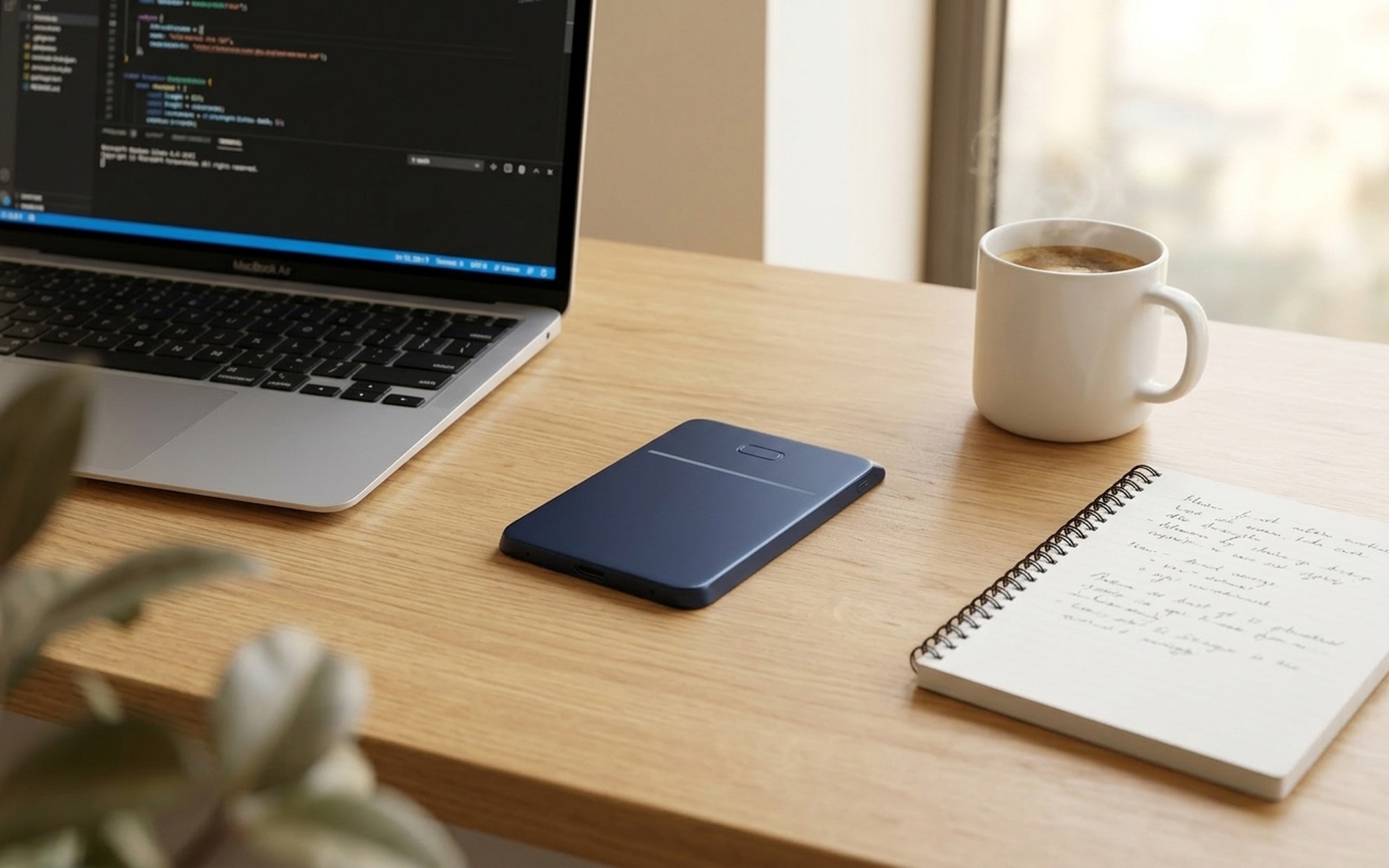
The C·ONE looks like a premium card wallet that has been slightly over-engineered. The body is machined metal, available in silver, graphite gray, and navy blue, and the finish is matte rather than polished – so fingerprints stay where they belong. At roughly credit-card footprint and a few millimeters thick, it disappears behind most modern iPhones rather than adding meaningful bulk.
The face has two design elements: a thin horizontal groove across the center and a capsule-shaped physical button above it. Those two features do most of the interactive work. The edges carry a USB-C charging port and a small microphone array. On the back, a magnetic plate pairs with MagSafe-compatible iPhone cases, holding firmly enough that the device does not wobble during normal handling but releases cleanly when you pull it.
The build quality feels competitive with accessories in a similar price tier. The machined edges meet precisely, and the matte metal resists the kind of micro-scratches that plague plastic housings after a few weeks in a bag.
AI Voice Recording and Meeting Transcription
Press and hold the capsule button to start recording. The C·ONE’s microphone picks up conversational audio across a meeting table without needing to be placed in the center of the room – a practical advantage over dedicated tabletop recorders that demand careful positioning.
When you end the recording, the audio is sent to the cloud via the companion iOS app. The AI returns a structured document containing a full transcript, a summary of key discussion points, and a to-do list extracted from action items mentioned during the conversation. The format is clean and scannable: you are not searching through a wall of text for the three decisions that actually mattered.

The transcription accuracy sits at a level typical of current cloud AI – highly usable for English meetings held in normal acoustic conditions, with occasional errors on proper nouns, technical jargon, and heavily accented speech. The to-do list extraction is where the C·ONE separates itself from simple transcription apps: it reads context well enough to flag implicit commitments, not only explicit ones.
For anyone who runs or attends several meetings a week, this pipeline alone justifies serious attention. The alternative is either manual note-taking during the meeting (which splits your focus) or transcribing everything yourself afterward (which takes time you do not have).
Smart Notification Aggregation
Beyond recording, the C·ONE operates as a persistent notification filter. The companion app connects to WeChat, Feishu, DingTalk, enterprise email, SMS, and other messaging channels, then routes incoming notifications through an AI layer that ranks them by urgency and generates a short digest.
The LED strip on the device face uses programmable lighting patterns to communicate notification priority at a glance – a slow pulse for low-priority messages, a faster pattern for time-sensitive items – without triggering any sound or vibration. In a meeting or a focused work block, this means you can leave your phone face-down and still know whether the incoming message is something that can wait.
This feature is genuinely useful for professionals who receive high message volumes across multiple platforms. The AI prioritization is not perfect – it occasionally elevates a promotional message or misses an urgent one – but it reduces the impulse to check your phone every few minutes, which has real productivity value.
Voice Commands and OpenClaw Integration
The long-press gesture activates the voice command interface. You can dictate reminders, set timers, or trigger automation workflows on the YoooClaw OpenClaw platform – a local and cloud AI agent system the company also develops. Think of it as a hardware remote for an AI agent you have already configured: instead of typing a command into a chatbot, you press a physical button and speak.
For users already inside the OpenClaw ecosystem, this is a significant quality-of-life upgrade. The C·ONE becomes the physical input layer for an AI that can send messages, manage calendar entries, or execute multi-step automation sequences based on a single spoken instruction.
For users not yet using OpenClaw, the voice command features still work for basic tasks like setting reminders, but the integration depth is more limited. The platform has a learning curve; arriving at C·ONE without any existing OpenClaw setup means building that foundation first.
YoooClaw C·ONE vs. Other AI Voice Recorders
The AI voice recorder category has grown crowded in the past two years. The Plaud Note pioneered the credit-card-sized recording form factor and built a following among knowledge workers who want recordings that immediately become searchable text. Otter.ai remains the dominant transcription service, with calendar integrations and collaborative sharing that teams find practical.
What separates the C·ONE from both is scope. Plaud Note and Otter.ai are transcription tools that happen to have hardware; the C·ONE is a physical AI interface that happens to include transcription. The notification management, voice command layer, and OpenClaw automation depth have no direct equivalent in either competing product.
The tradeoff is ecosystem lock-in. Getting the most from the C·ONE means investing in the YoooClaw platform. Users who only need accurate meeting transcripts and are happy with an existing transcription workflow may not need the additional surface area the C·ONE provides.
Who Should Buy the YoooClaw C·ONE?
The C·ONE fits best in the hands of professionals who run their work through AI tools and want those tools to have a physical presence. If you attend multiple meetings weekly, manage notifications across more than two platforms, and have already experimented with AI agents or workflow automation, the C·ONE gives you a hardware shortcut to all of that.
It is less compelling for casual users who want basic meeting notes from an occasional call. In that case, a transcription app on your existing phone may be sufficient without adding another piece of hardware.
Android users will need to wait. The companion app is iOS-only at launch, and YoooClaw has not specified a timeline for Android support. If that describes your situation, the C·ONE is worth watching but not yet worth buying.
Final Verdict
The YoooClaw C·ONE is the most complete attempt to date at turning an AI platform into a wearable, holdable, always-present physical object. The meeting transcription is genuinely good, the notification layer solves a real problem for busy professionals, and the magnetic card form factor is executed with more care than most phone accessories at this size. The iOS-only launch and the reliance on the OpenClaw ecosystem for full functionality are real constraints, but they are the kind that improve with time.
If you have been waiting for AI to stop living entirely inside screens and start occupying the same physical space you do, the YoooClaw C·ONE is a credible first answer to that request.
- Card-sized metal body with magnetic phone attachment — zero extra pocket space
- AI transcription converts meeting recordings into structured notes and action items automatically
- Cross-platform notification aggregation (messaging apps, email, SMS) with AI priority ranking
- Long-press voice command lets you dictate reminders and trigger automations hands-free
- Programmable LED effects deliver silent visual alerts without vibration or sound
- iOS companion app only at launch — Android support is still in development
- AI transcription and notification features require cloud connectivity; no offline processing
- Pricing and general availability have not been officially announced
- OpenClaw automation integration is powerful but adds a learning curve for new users
Frequently Asked Questions
Is the YoooClaw C·ONE an AI voice recorder or an AI assistant?
It is both. The C·ONE captures meeting audio and generates AI transcripts like a voice recorder, while also responding to voice commands, managing smart notifications, and triggering automation workflows like an AI assistant — all in a single card-shaped device that snaps to your phone.
Can the YoooClaw C·ONE create transcripts and to-do lists from meetings?
Yes. After recording a meeting or conversation, the C·ONE sends the audio to the cloud where AI processes it into a structured transcript with speaker-labeled sections, key takeaways, and a prioritized to-do list — delivered directly to the companion iOS app.
What is the best AI voice recorder for meetings in 2025?
The YoooClaw C·ONE is a strong contender for professionals who want more than just transcription. Unlike standalone recorders, it combines AI meeting notes, notification aggregation, and voice commands in one device. Those who need transcription only may also consider dedicated services like Otter.ai alongside their existing hardware.
Does the YoooClaw C·ONE work without a phone nearby?
The C·ONE can record audio independently on-device. However, AI transcription, smart notification aggregation, and voice assistant functionality all require an active Bluetooth connection to a paired iPhone and internet access for cloud AI processing.
What apps does the YoooClaw C·ONE support for notification management?
The iOS companion app currently supports WeChat, Feishu, DingTalk, enterprise messaging platforms, standard email, and SMS. The platform is designed to expand its integration list as YoooClaw develops the OpenClaw ecosystem further.