
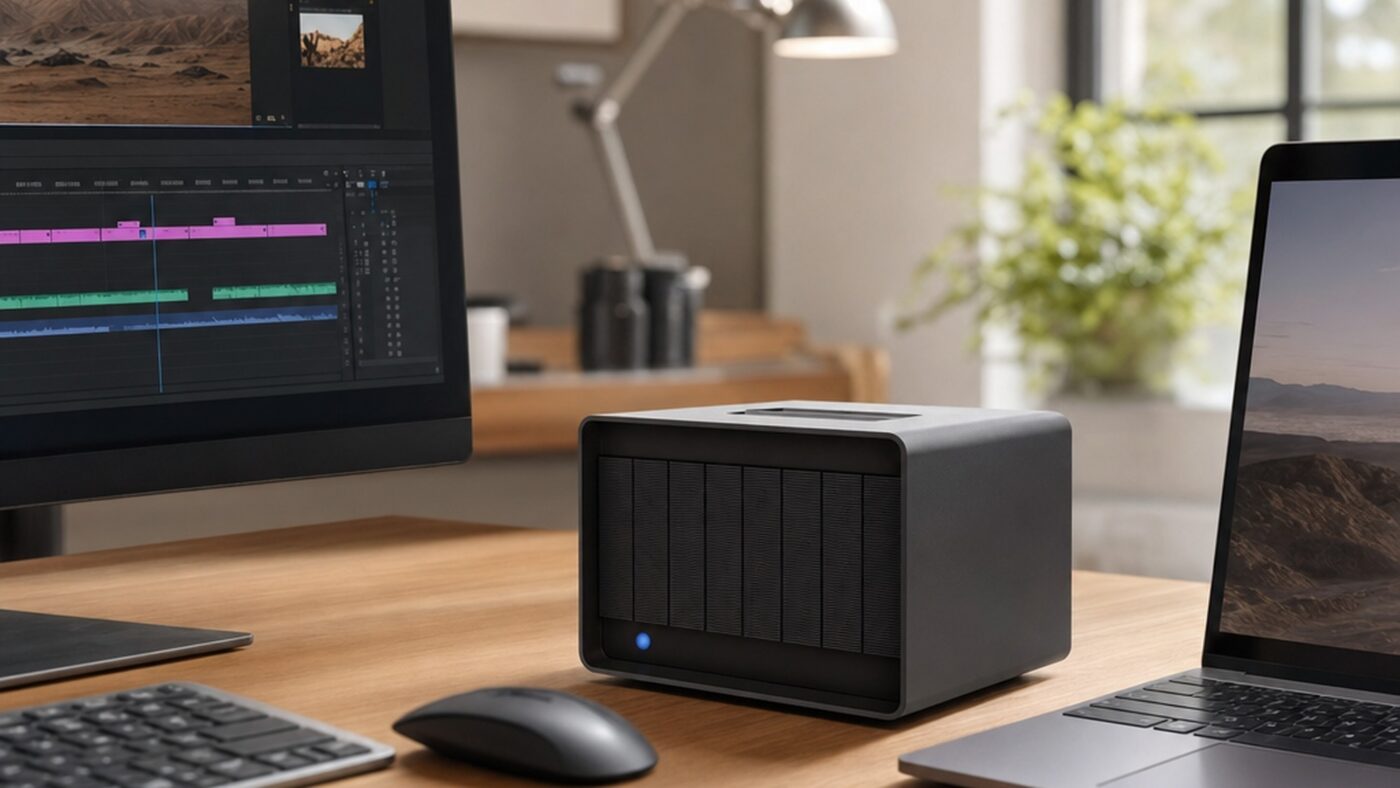
Professional video has a storage problem. A single hour of 8K RAW can swallow more than a terabyte, multi camera shoots multiply that overnight, and the internal SSD in even a maxed out workstation fills up in days. The LaCie 8big Pro5 is Seagate’s answer: an 8-bay desktop RAID array that pairs Thunderbolt 5 with mechanical IronWolf Pro drives to deliver capacity in the hundreds of terabytes at speeds that, until recently, only flash could touch.
The headline question for any editor is simple. Can spinning hard drives really keep up with modern 8K timelines, or is this just a deep archive you offload to overnight? After digging through the test data, the answer is more interesting than either camp expects. This review breaks down what the 8big Pro5 is, how Thunderbolt 5 RAID hits SSD class throughput, the real benchmark numbers across RAID 0, 5 and 6, and how it stacks up against both rival arrays and a traditional NAS.
What the LaCie 8big Pro5 Is and Who It Is For
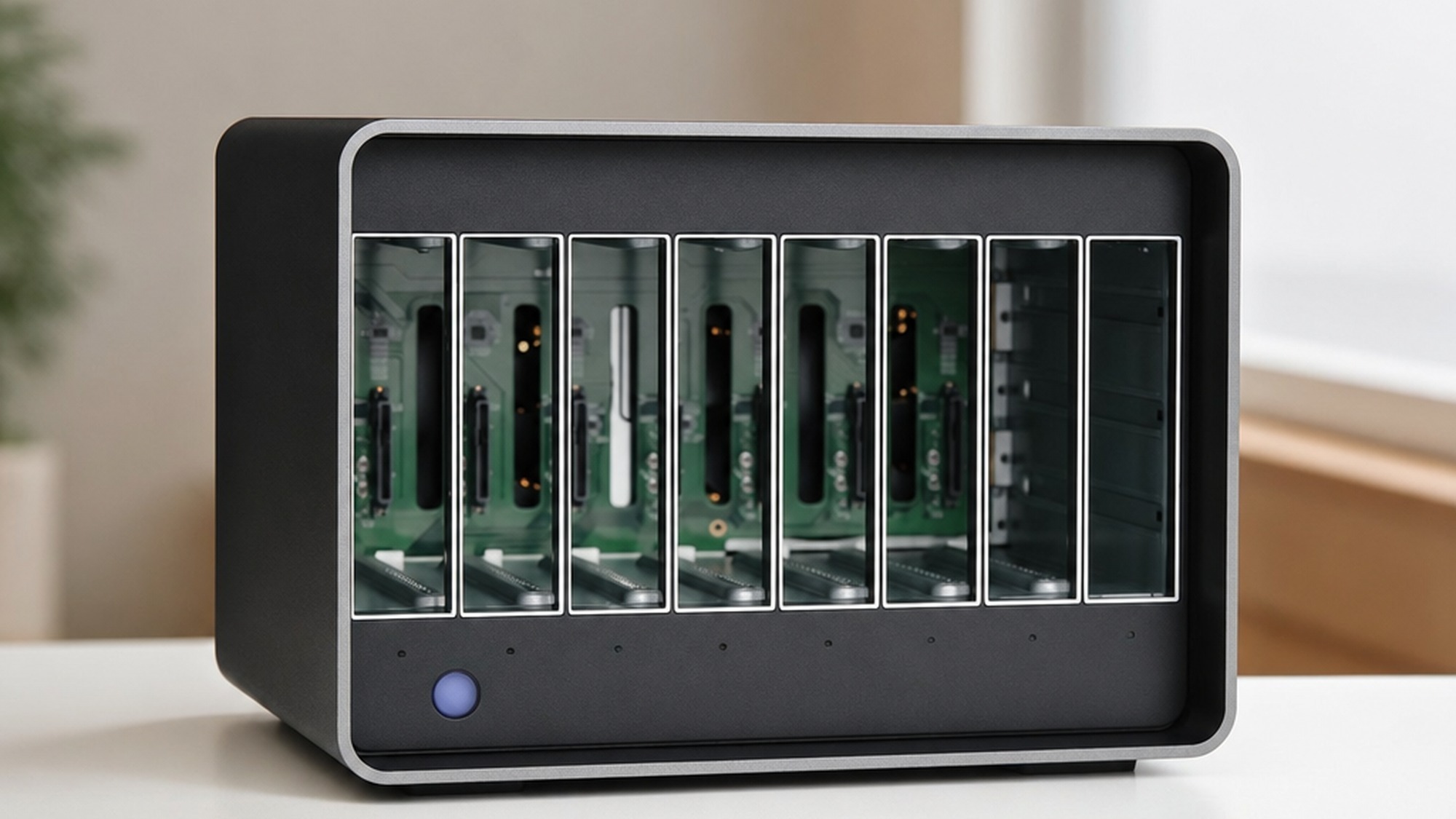
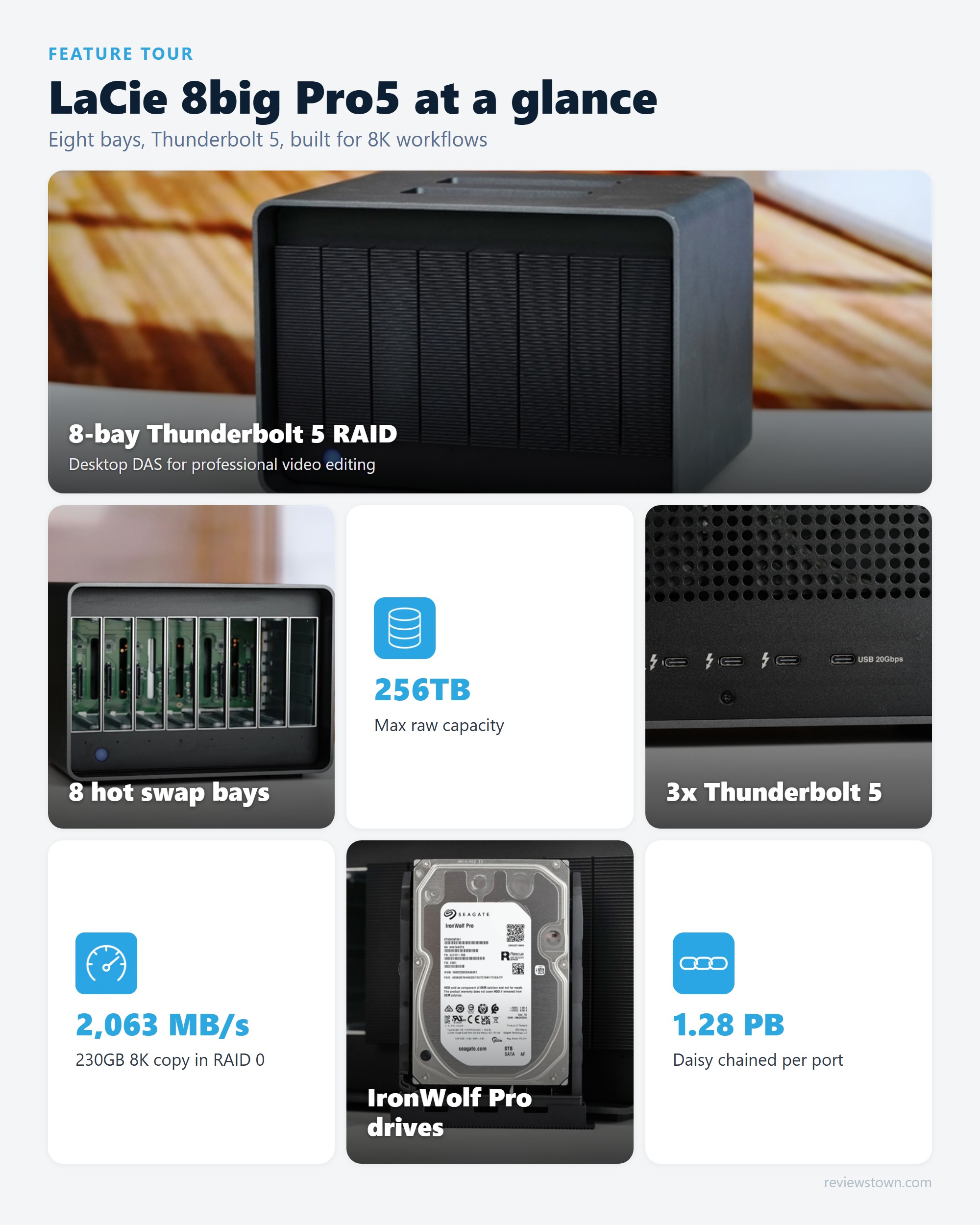
The 8big Pro5 is a direct attached storage device, or DAS, meaning it plugs straight into one computer rather than living on the network. Inside its Neil Poulton designed aluminum shell sit eight hot swappable bays, each holding a 3.5 inch Seagate IronWolf Pro hard drive. Capacity scales from 32TB at the entry point to a remarkable 256TB at the top, the latter using HAMR based 32TB drives that no competing 8-bay enclosure currently matches.
This is not a consumer backup box. It is built for editors and studios cutting multi stream 4K and 8K RAW, photographers managing enormous photogrammetry libraries, and small post houses that need a single fast scratch and project volume. If you shoot on a creator camera like the DJI Pocket 4P or record multi track audio with something like the Insta360 Mic Pro, the 8big Pro5 is the kind of central vault those files eventually land on.
What is a Thunderbolt 5 RAID array?
It is an external box of several hard drives that a controller fuses into one fast, fault tolerant volume, connected to your computer over a single Thunderbolt 5 cable.
It connects to one machine, so there is no network layer or switch to slow transfers down.
An onboard controller handles striping and parity, so your CPU stays free for editing and rendering.
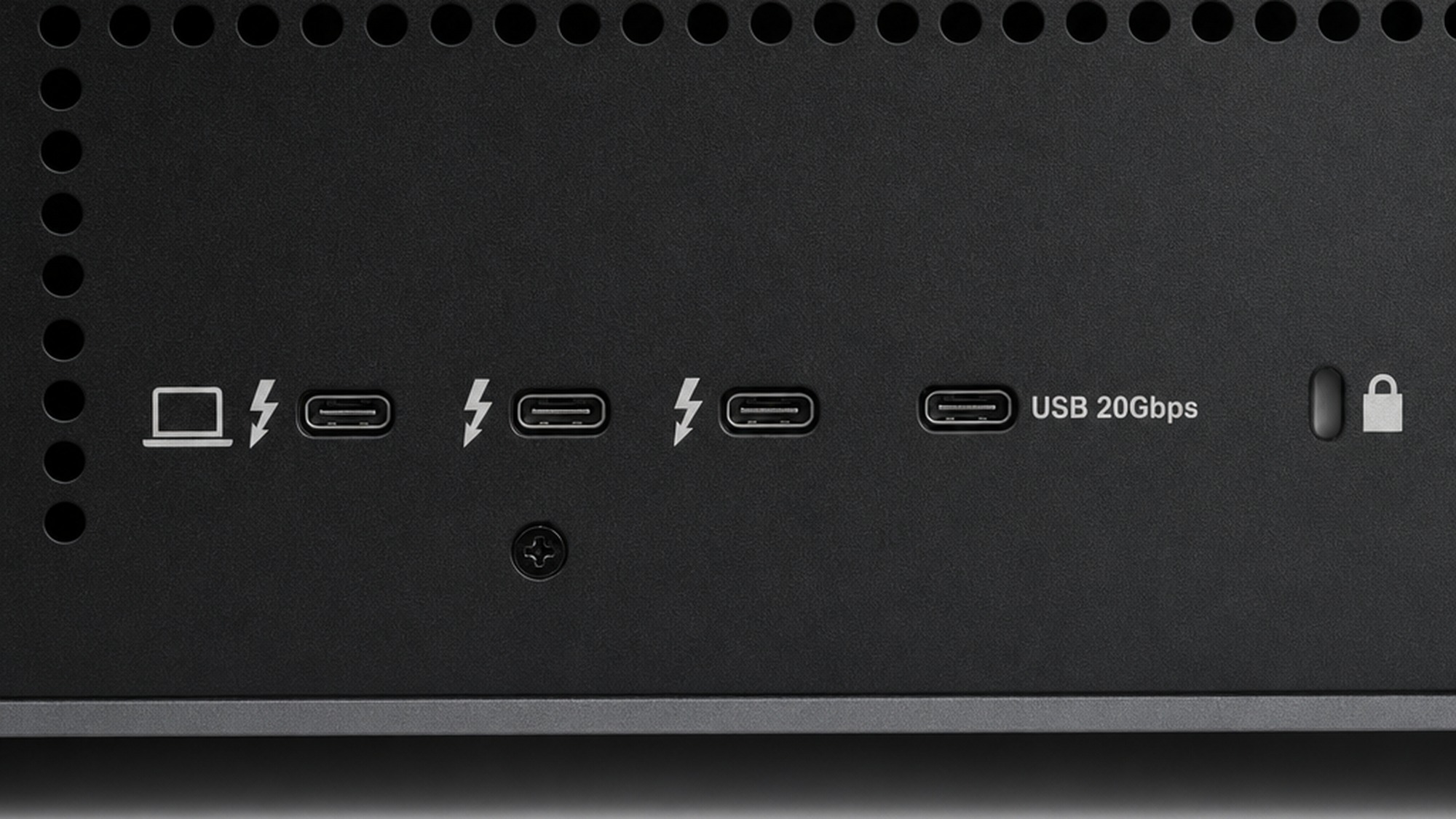
Seagate rates the interface at up to 80Gbps bidirectional, several times the headroom of Thunderbolt 3.
The host port also pushes up to 140W back to a laptop, charging it while the array works.
How Thunderbolt 5 RAID Reaches SSD Class Speeds With Hard Drives
A single IronWolf Pro drive reads and writes at roughly 220 to 250 MB/s. That is glacial next to an NVMe SSD. The trick is parallelism: when eight drives stripe data across the array at once, those modest individual speeds stack. Eight drives at around 250 MB/s give a theoretical ceiling north of 2,000 MB/s, and Thunderbolt 5 finally provides enough bandwidth to let that aggregate throughput actually reach the computer instead of choking at the cable.
This is the part older guides get wrong. On Thunderbolt 3, an 8-bay array could saturate the interface and waste the drives’ combined potential. Thunderbolt 5 changes the math, which is exactly why a box of mechanical disks can now behave like flash for the sequential reads and writes that video editing lives on.
How the bandwidth and daisy chaining actually work
Thunderbolt 5 supplies the pipe, eight striped drives fill it, and spare ports let you keep adding storage on the same chain.
RAID spreads each file across all eight drives, so reads and writes happen eight ways at once.
One host port plus two downstream ports rated at 30W each, alongside a 15W USB 20Gbps port.
You can link up to five units on a single port, stacking arrays without extra host connections.
Five chained 256TB units reach about 1.28PB of raw storage behind one Thunderbolt 5 cable.
IronWolf Pro RAID Performance: The Real Numbers
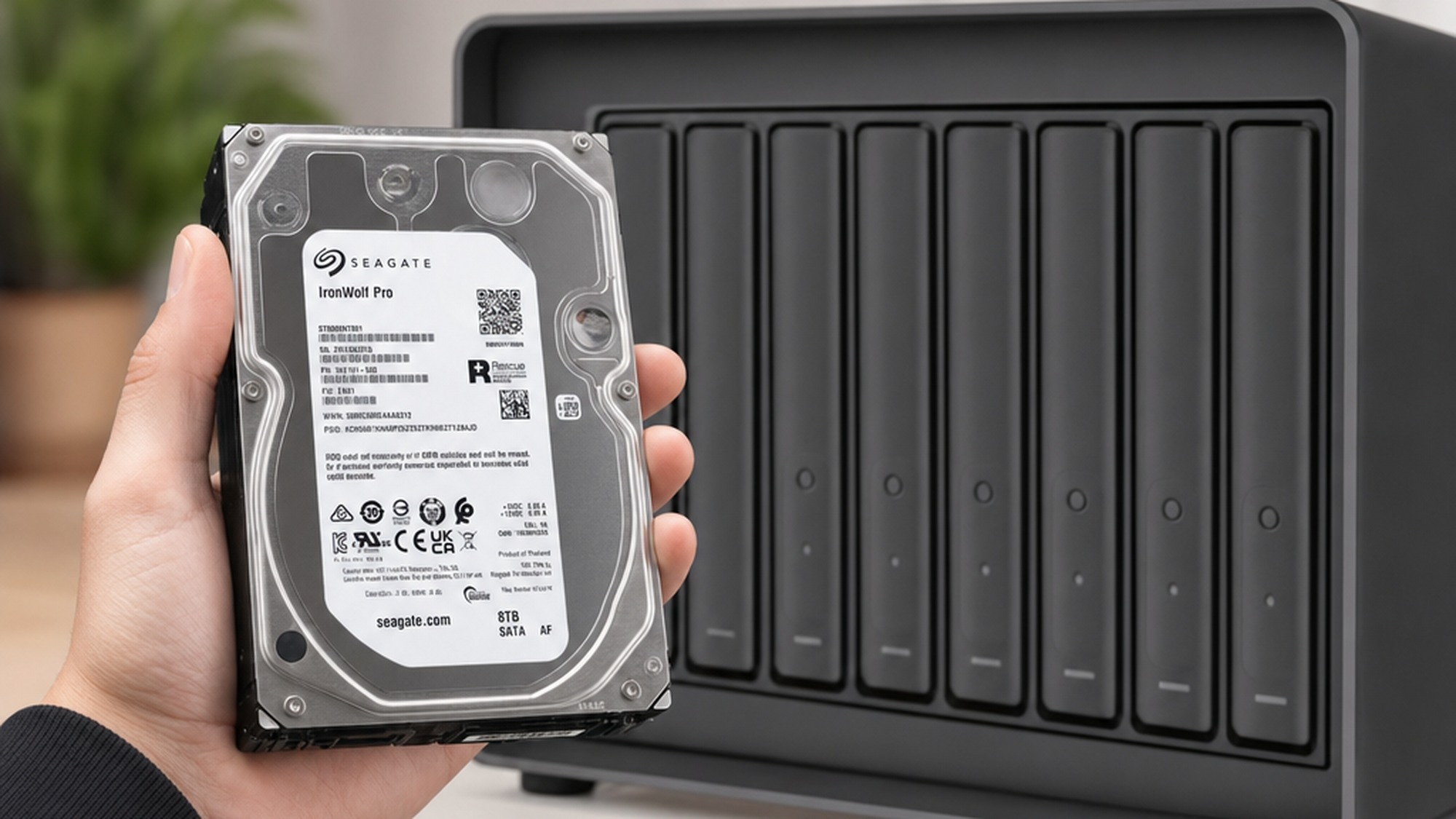
Claims are cheap, so here is the measured data. Seagate officially rates the array at up to 2,800 MB/s in RAID 0 and 2,500 MB/s in RAID 5. Independent testing on a 64TB configuration with eight IronWolf Pro 8TB drives landed close to those figures in the workloads that matter for video.
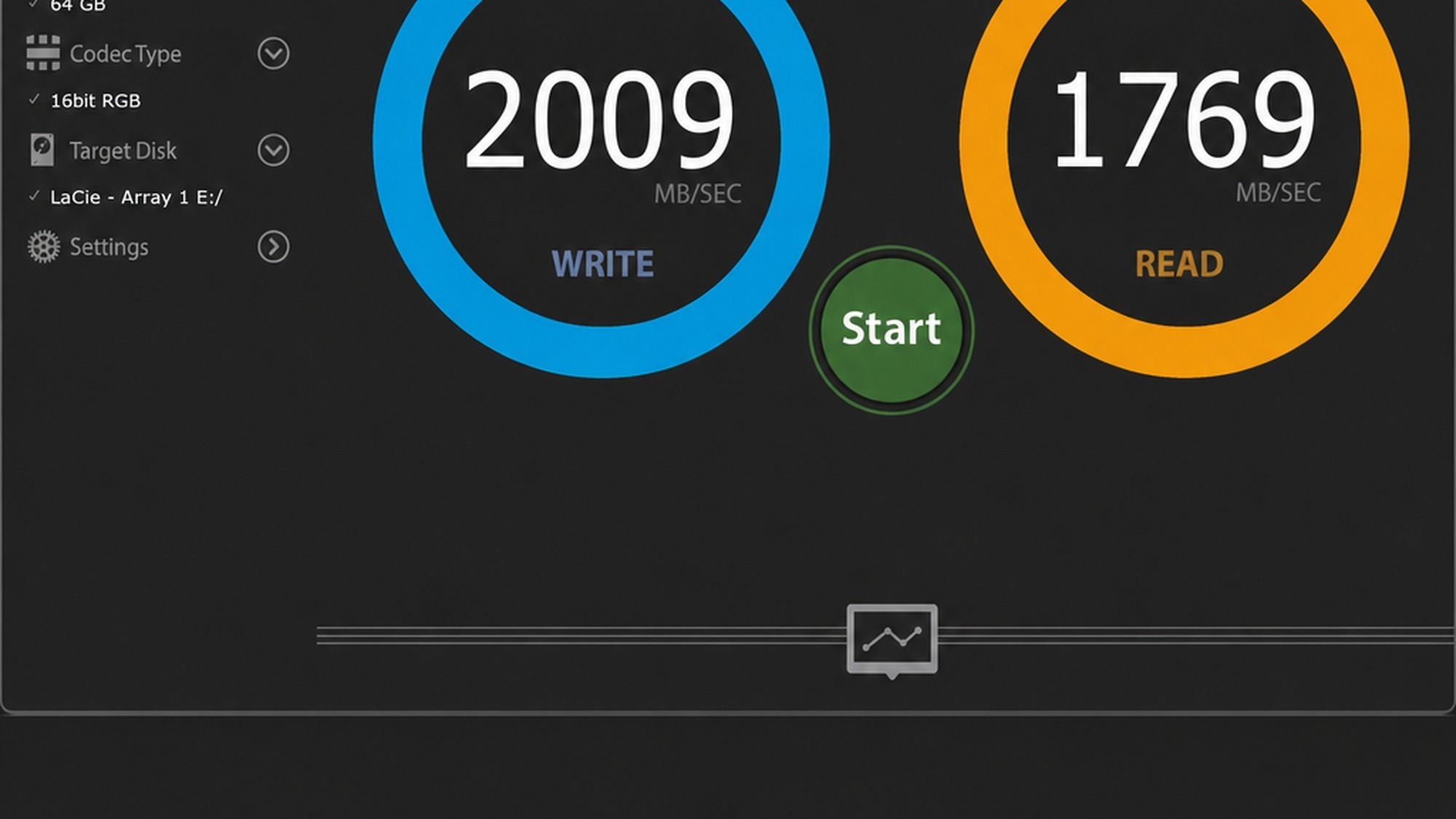
In the AJA System Test, which mimics real video read and write patterns on an 8K file, the array hit 2,009 MB/s write and 1,769 MB/s read in RAID 0. RAID 5 measured 1,737 write and 1,541 read, while RAID 6 came in at 1,508 write and 1,336 read. The ATTO Disk Benchmark pushed peaks higher still, up to 2.41 GB/s write in RAID 0. Most telling was a real world copy of a 230GB 8K video folder: it averaged 2,063 MB/s in RAID 0 and 1,753 MB/s in RAID 5, clearing the whole transfer in roughly two minutes.
That performance demolishes a stubborn myth. The idea that mechanical hard drive RAID is too slow for modern production was true on yesterday’s interfaces, but it does not survive contact with Thunderbolt 5. For sequential editing, scrubbing, and ingest, the 8big Pro5 behaves like a fast SSD. However, where mechanical drives still lag behind flash is in random access and tiny files, so a project full of thousands of small cache files will feel slower than an NVMe scratch disk. For comparison context, StorageReview’s testing of the 256TB HAMR model recorded a PCMark 10 Storage score of 717 in RAID 5, confirming the array holds up under mixed application workloads, not just clean sequential transfers.
Choosing the Right RAID Level for Video Editing
The RAID level you pick is a direct trade between speed, usable space, and how many drive failures you can survive. RAID 0 stripes everything for maximum speed and capacity but offers zero protection: lose one drive and the entire volume is gone. RAID 5 dedicates one drive’s worth of space to parity and survives a single failure. RAID 6 uses two parity drives and survives two simultaneous failures, the safest choice for irreplaceable footage.
| RAID level | Usable capacity (64TB raw) | Read / write (AJA 8K) | Failures survived | Rebuild time |
|---|---|---|---|---|
| RAID 0 | 58.2 TB | 1,769 / 2,009 MB/s | none | not recoverable |
| RAID 5 | 50.9 TB | 1,541 / 1,737 MB/s | 1 drive | about 16 hours |
| RAID 6 | 43.6 TB | 1,336 / 1,508 MB/s | 2 drives | about 32 to 45 hours |
For most editors, RAID 5 is the sensible default: it keeps the array fast, gives up only one drive of capacity, and tolerates a failure without data loss. The best practice argument for RAID 6 grows stronger as drives get larger, and it is worth noting that rebuild times stretch out so far that a second drive can fail during the long recovery window. With the 32TB HAMR drives in the top configuration, a rebuild can run far longer than the 16 hours measured on 8TB disks, so RAID 6 buys crucial insurance. The honest rule is straightforward: if the footage is replaceable, RAID 5 is plenty, but if it is the only copy of a paid shoot, RAID 6 is worth the extra drive.
8-Bay DAS vs NAS for Professional Media Production
The other big decision is architecture. A DAS like the 8big Pro5 connects to one machine and delivers its full speed to that single editor. A NAS lives on the network and serves many users at once, but every transfer passes through Ethernet. Compared to this array, even a fast 10GbE NAS tops out around 1,100 MB/s, well below what the 8big Pro5 delivers locally.
The disadvantages of DAS are real: it cannot share a library across a whole team simultaneously, it has no remote access, and it lacks the always on apps, snapshots, and scheduled cloud backup a NAS provides. The benefits of NAS over DAS come down to collaboration and services rather than raw speed. In practice, for a single colorist or editor who needs every megabyte per second at the workstation, the DAS wins decisively. For a five person studio sharing one media pool, a NAS, or a NAS plus a DAS scratch disk, makes more sense. And yes, a NAS can double as a media server for streaming to clients or playback devices, something a DAS simply cannot do.
LaCie 8big Pro5 vs OWC ThunderBay and G-RAID
Against its closest rivals, the 8big Pro5’s main advantages are interface and capacity. Most competing 8-bay enclosures from OWC and others still ship with Thunderbolt 3 and cap out near 192TB using older PMR drives, while the LaCie reaches 256TB over Thunderbolt 5.
| Spec | LaCie 8big Pro5 | OWC ThunderBay 8 | G-RAID Shuttle |
|---|---|---|---|
| Bays | 8 | 8 | up to 8 |
| Interface | Thunderbolt 5 | Thunderbolt 3 | Thunderbolt 3 |
| Max raw capacity | 256 TB | about 192 TB | about 192 TB |
| RAID type | Hardware (onboard) | Software (SoftRAID) | Hardware on some models |
| Starting price | about 5,979 dollars (32TB) | varies by config | varies by config |
The verdict here is clear for anyone editing 8K RAW today: the 8big Pro5 is the only one of the three that can both store a quarter petabyte and feed it over a current generation interface. The OWC ThunderBay remains a strong value pick and its SoftRAID software is genuinely flexible, but the 8big Pro5 outperforms both rivals on bandwidth and capacity. If your footage is large but not enormous and budget is tight, the rivals are fine. If you are future proofing a high resolution pipeline, the LaCie is in a class of its own.
Hardware RAID vs Software RAID: Is It Worth the Cost
The 8big Pro5 uses hardware RAID, with a dedicated onboard controller managing striping and parity. Software RAID, as used by the OWC ThunderBay through SoftRAID, hands that job to your computer’s CPU instead. Both approaches are reliable today, so the choice is about priorities. Hardware RAID keeps your processor free during heavy edits and renders, presents the array as a single simple volume, and tends to recover more predictably. Software RAID is cheaper, more portable between machines, and often more configurable.
For a professional whose CPU is already pegged exporting 8K timelines, offloading RAID to dedicated silicon is worth paying for, which is part of what the 8big Pro5’s premium buys. For a hobbyist or someone who values moving an array between different computers, software RAID can be the smarter spend. There is no universally correct answer, only the right answer for how hard your workstation is already working.
What Professional Users Report
Feedback from working editors on Reddit and storage forums tracks closely with the test data. Long time LaCie 8big owners praise the line for being a quiet, dependable single volume they can largely forget about, and several note that the move to Thunderbolt 5 finally removes the interface bottleneck they lived with on older units. The recurring caution is about backups: experienced users stress that RAID is redundancy, not a backup, and that even a RAID 6 array needs a separate copy of irreplaceable work. Owners of large drive arrays also flag the long rebuild windows as the real world downside, echoing the multi day RAID 6 recovery times seen in testing.
The Verdict: Will Thunderbolt 5 DAS Replace NAS and Internal SSDs
The LaCie 8big Pro5 is the most convincing argument yet that mechanical RAID still belongs in a modern post production suite. It delivers SSD class sequential speed, capacity no rival can touch, and the convenience of a single Thunderbolt 5 cable that also charges your laptop. The cost of entry is steep and the drives still trail flash on random workloads, but the sustained 8K throughput is genuinely impressive and it does exactly what it promises.
Will it replace the NAS and the internal SSD outright? No, and it is not meant to. The internal SSD stays as the fastest scratch for active small files, the NAS stays for team sharing and services, and the Thunderbolt 5 DAS slots in as the high speed working vault between them. For a solo professional or a small studio, that middle tier is increasingly the most important one, and the 8big Pro5 owns it. As a reference point on where Thunderbolt 5 storage is heading, Tom’s Hardware’s testing of LaCie’s portable Thunderbolt 5 drives shows the same interface delivering record speeds in a pocket sized form, proof the standard is reshaping storage from the studio desk down to the field bag.
- Thunderbolt 5 bandwidth lets eight mechanical drives sustain over 2,000 MB/s, well into SSD territory for sequential work
- Scales from 32TB up to 256TB raw, the highest capacity 8-bay desktop DAS currently shipping
- Onboard hardware RAID supports 0, 1, 5, 6, 10, 50, 60 and JBOD without taxing the host CPU
- Hot swap bays, per drive status LEDs, and a 140W host charge port make it a clean single cable studio hub
- Daisy chains up to five units per Thunderbolt 5 port for over a petabyte on one connection
- Pricing starts near 5,979 dollars for the 32TB model, a serious investment for solo creators
- Mechanical drives still trail NVMe SSDs on random access and small file workloads
- Fully populated the enclosure weighs about 29 pounds and runs two active 120mm fans
- RAID 6 rebuilds on large drives can take well over a full day, leaving the array exposed during recovery
Frequently Asked Questions
Is LaCie made by Seagate?
Yes. LaCie is the premium creative storage brand owned by Seagate, and the 8big Pro5 is the clearest example of that relationship. The enclosure ships with Seagate IronWolf Pro drives inside, the same NAS grade mechanisms Seagate sells separately, paired with LaCie industrial design and the LaCie RAID Manager software.
Is NAS better than DAS for photographers?
It depends on whether you work alone or in a team. A solo photographer editing off one workstation gets faster, simpler performance from a direct attached array like the 8big Pro5. A NAS wins when several people need to reach the same library over the network at once, but it adds latency and network bottlenecks a single editor does not need.
What are the disadvantages of DAS?
A DAS connects to one computer at a time, so it cannot serve a whole team over the network the way a NAS can, and it has no built in remote access. It also lacks the always on apps, snapshots, and scheduled backup services many NAS units include. For a single editor those tradeoffs rarely matter, but for shared workflows they do.
How fast can the LaCie 8big Pro5 transfer 8K video files?
In real world file copy testing, a 230GB folder of 8K footage moved at about 2,063 MB/s in RAID 0 and around 1,753 MB/s in RAID 5. That clears the full 230GB transfer in roughly two minutes, which is why the array can keep up with multi stream 8K timelines without proxies.
How long does a RAID 5 or RAID 6 rebuild take on the 8big Pro5?
In testing, rebuilding a single failed drive in RAID 5 took about 16 hours on the 8TB configuration. A RAID 6 array recovering from a dual drive failure took roughly 32 to 45 hours. Rebuild time scales with drive size, so the 32TB HAMR drives in the top model will take considerably longer.
Does the 8big Pro5 work with both Mac and Windows?
Yes. Thunderbolt 5 is cross platform, and the array works with current Apple silicon Macs and Thunderbolt 5 equipped Windows PCs. The drives ship formatted for quick setup, and LaCie RAID Manager runs on both systems to change RAID levels, monitor drive health, and update firmware.