
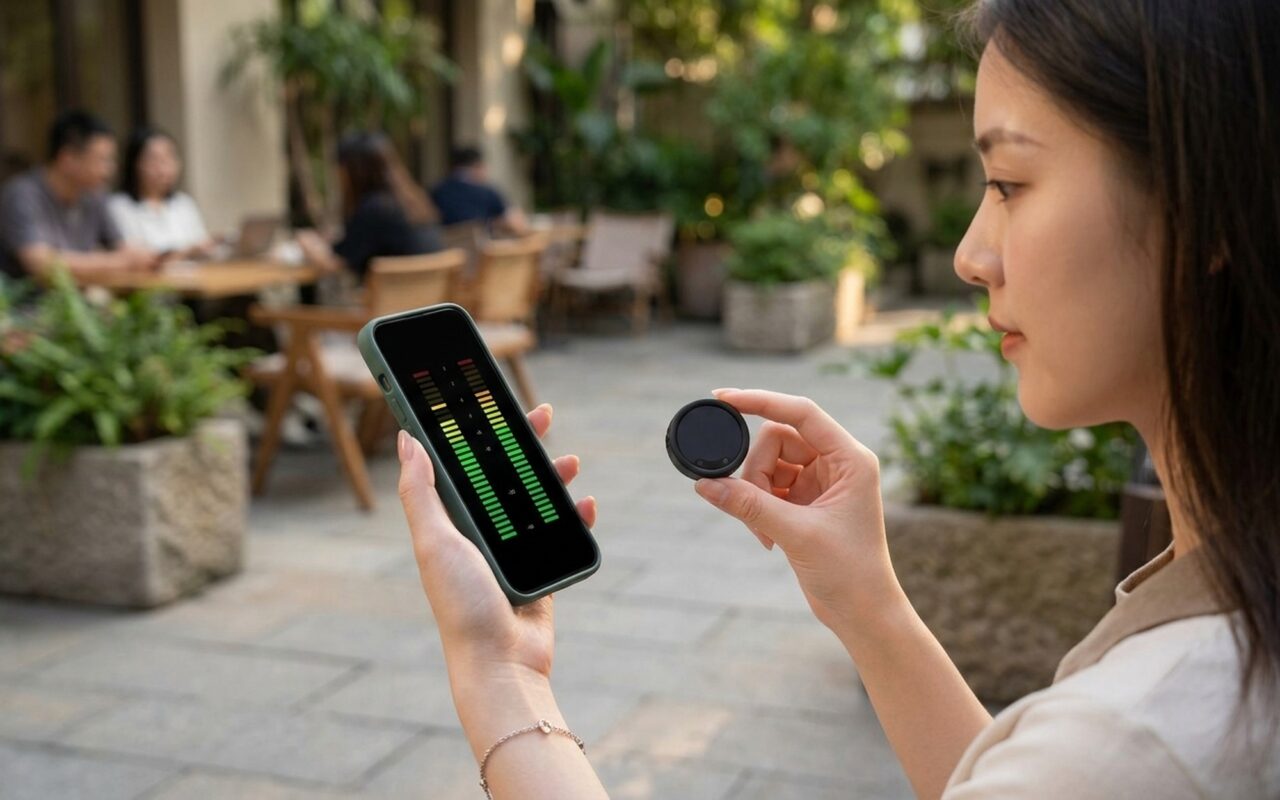
The Insta360 Mic Pro launched on May 19th, 2026, as the most technically ambitious wireless lavalier microphone Insta360 has built – and one of the most capable in its consumer price tier. Equipped with an NPU chip for real-time AI noise cancellation, a six-color e-ink display, four switchable directional pickup modes, and 32GB of on-board backup storage, it targets serious content creators who have been making audio compromises with existing wireless systems. Here is what the hardware actually delivers and who it is built for.
What Is the Insta360 Mic Pro?
The Insta360 Mic Pro is a professional-grade wireless lavalier microphone system shipping as a transmitter (TX) and receiver (RX) pair, with optional dual-TX bundles for two-speaker setups. The transmitter clips onto clothing like a standard lavalier, but the real differentiator is what is packed inside the compact puck-shaped body: a triple-microphone array driven by a dedicated NPU, a customizable color e-ink display, and 32GB of internal flash storage.
Compared to the predecessor Insta360 Mic Air – which uses a single directional mode and a simpler DSP chain – the Mic Pro is the brand’s flagship audio product, built for those who shoot in challenging acoustic environments: crowded event venues, noisy outdoor locations, or multi-speaker interview setups where audio management is non-negotiable. It also offers deep native integration with the latest Insta360 cameras, eliminating the RX unit entirely when paired with the X5, X4 Air, Ace Pro 2, GO Ultra, or Luna.
The Insta360 blog offers a detailed comparison between the Mic Pro and Mic Air for those deciding between the two within the Insta360 ecosystem.
NPU-Powered AI Noise Cancellation: Why It Changes Everything
Most wireless microphones – including the DJI Mic 2 – use DSP (Digital Signal Processor) for noise reduction. DSP applies fixed filter curves to attenuate specific frequency bands. It works reliably against consistent, predictable noise sources, but it cannot adapt in real time when the environment changes: overlapping conversations, variable wind gusts, or sudden bursts of crowd noise all challenge a fixed filter.
The Insta360 Mic Pro’s NPU operates differently. It runs a dedicated neural network model on-chip that continuously classifies the audio environment frame by frame, applying learned suppression patterns to separate speech from non-speech content. The result is noise cancellation that adapts to the scene rather than applying a blunt spectral cut. Insta360 offers two NPU intensity levels – Weak and Strong – selectable via the companion app or physical controls on the unit:
- Weak mode: Appropriate for mild ambient noise – interior spaces, light traffic, controlled interview rooms. Preserves more vocal warmth and naturalness.
- Strong mode: Designed for genuinely loud environments – trade show floors, outdoor events, busy streets. Applies aggressive suppression where the alternative is inaudible dialogue.
This is the first consumer wireless microphone to ship with an NPU. It is a meaningful hardware distinction with real performance implications, not simply a rebranding of existing DSP.
Four Directional Pickup Modes for Every Shooting Scenario
A standard lavalier microphone captures sound in an omnidirectional pattern – it picks up the wearer’s voice and surrounding ambient sound equally. The Mic Pro adds three additional patterns through its triple-microphone array, selectable without swapping hardware:
| Mode | Pattern | Best Use Case |
|---|---|---|
| Omnidirectional | 360° pickup | Natural ambiance, group conversation, controlled interiors |
| Cardioid | Heart-shaped front focus | Solo presenter, moderate noise rejection |
| Supercardioid (Voice Focus) | Narrow front lobe | Loud environments, events, street interviews |
| Figure-8 | Front + rear, null sides | Two-person face-to-face interview from one transmitter |
The figure-8 pattern is particularly notable. It allows a single transmitter worn by one interviewee to capture both parties in a tight face-to-face format, with both voices captured at the front and rear lobes while side rejection removes room noise. For run-and-gun documentary shooting, this eliminates the need for a second TX unit in close-proximity interview scenarios.
The Color E-Ink Screen: Functional Tool, Not a Gimmick
The transmitter’s circular face is covered by a six-color e-ink display – one of the more debated design choices Insta360 made. Critics frame it as a lifestyle feature borrowed from smartwatches; the practical case for it is stronger than it appears.
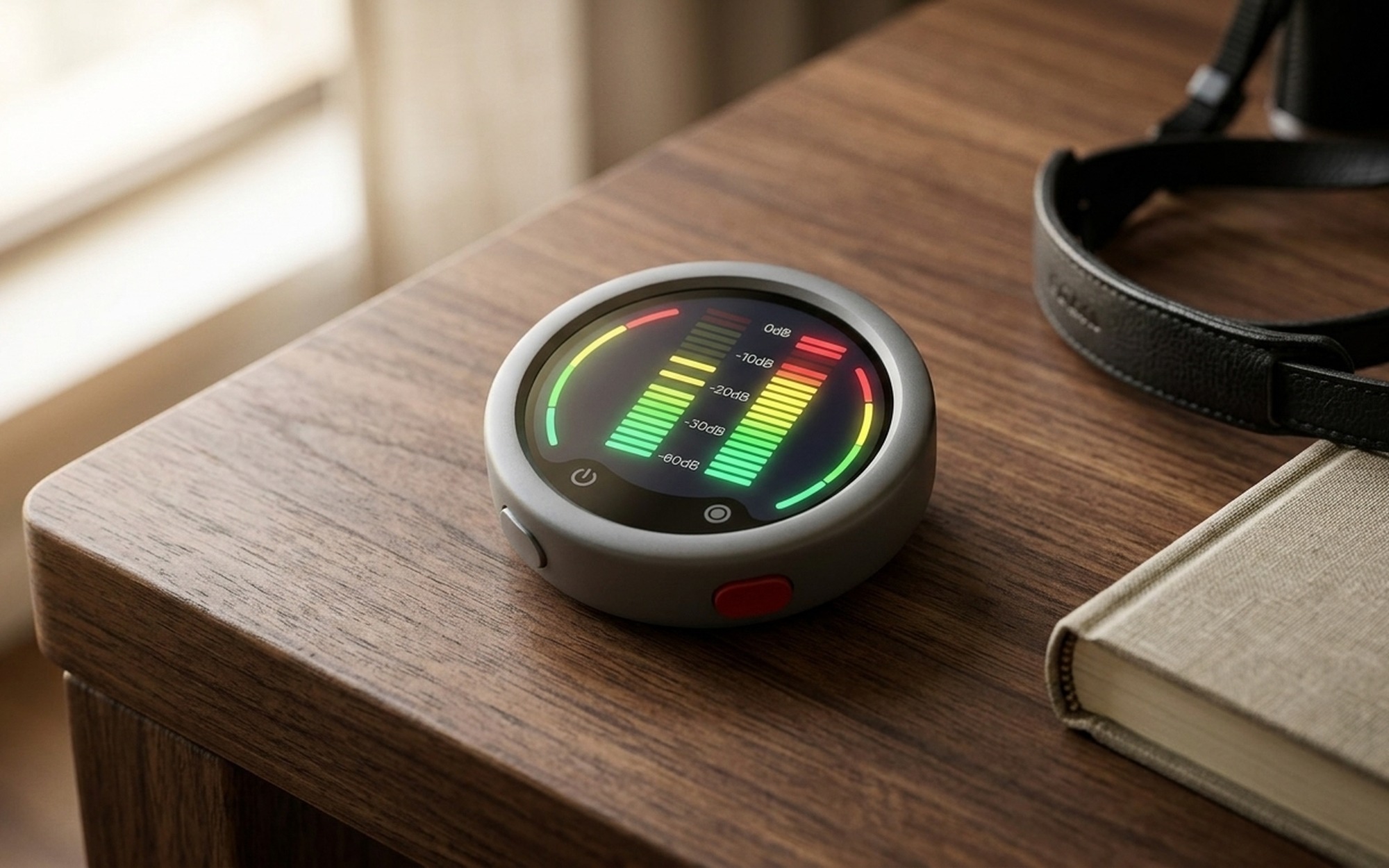
The display shows gain level, battery percentage, active recording mode, noise cancellation intensity, and the selected pickup pattern at a glance – critical status information that previously required pulling out a phone or interpreting clusters of LED indicator lights. More importantly, the display is customizable via the Insta360 app: you can set it to show a channel identifier, a show logo, a social media handle, or a speaker’s name. For live events or multi-camera productions where multiple lavaliers need to be visually identified quickly across a set, this is a genuine operational tool.
The six-color e-ink module (black, white, red, yellow, blue, green) uses a 0.9mm Corning Glass panel with anti-glare and anti-reflective coating, maintaining readability under studio lighting without washed-out colors. The trade-off is refresh speed: e-ink updates are slow compared to OLED, so the display is suitable only for static status information, not fast-changing animations. For a solo vlogger who sets gain once and shoots, the screen’s value is largely aesthetic. For event producers managing four or more TX units simultaneously, it is a workflow-level improvement.
32-Bit Float Recording and 32GB On-Board Storage
The Mic Pro records 32-bit float audio internally as a safety backup whenever the transmitter is active. This matters because 32-bit float has a theoretical dynamic range of 168dB – compared to the 96dB ceiling of standard 16-bit audio. In practice, if a speaker unexpectedly raises their voice, laughs sharply, or a door slams beside the microphone, the internal backup recording captures the transient cleanly even if the wireless output sent to the camera was momentarily distorted or clipped.
The 32GB internal storage holds up to 60 hours of continuous 32-bit float backup recording – enough for multi-day shoots without managing storage between sessions. This gap is significant relative to the DJI Mic 2, which offers 8GB of internal storage translating to roughly 14 hours. For extended fieldwork – multi-day events, expedition filmmaking, conference coverage – the Mic Pro’s storage advantage removes a routine workflow pain point.
Quick charge delivers 1.5 hours of use from a 5-minute charge, useful for situations where a unit runs low between sessions.
Battery Life, Range, and Multi-TX Connectivity
The transmitter delivers 10 hours of continuous use per charge. The included charging case extends total runtime to 30 hours – enough for full-day event coverage or a two-day travel shoot without access to a wall outlet.
The 400-meter line-of-sight range is one of the highest in the consumer wireless microphone segment. Real-world range in Wi-Fi and Bluetooth-dense urban interiors will be lower – typically 100–200 meters before signal degradation – but the headroom provides a meaningful buffer against dropouts in partially obstructed environments.
The multi-TX/RX configuration supports up to 4TX + 1RX (four transmitters feeding one receiver) or 2TX + 4RX (two transmitters broadcasting to four receiver units simultaneously). Built-in timecode synchronization maintains roughly one frame of drift per 24 hours – tight enough for most documentary and narrative edit workflows without requiring external timecode boxes. For creators building out a full production audio kit, our Samsung Galaxy Buds4 Pro review covers one of the better wireless monitoring options for in-ear audio playback on set.
Insta360 Mic Pro vs. DJI Mic 2: Which Should You Choose?
The DJI Mic 2 is the natural comparison point – both are compact wireless lavalier systems aimed at content creators, both offer 32-bit float backup recording, and both sit in the prosumer price bracket.
| Feature | Insta360 Mic Pro | DJI Mic 2 |
|---|---|---|
| AI Noise Cancellation | NPU-based, 2 adaptive modes | DSP-based, fixed filter |
| Directional Modes | 4 patterns | Omnidirectional only |
| Display | Six-color e-ink (customizable) | LED status indicators only |
| Internal Storage | 32GB / ~60 hours | 8GB / ~14 hours |
| Transmission Range | 400 meters | 250 meters |
| Battery: TX + case | 10h + 30h total | 10h + 16h total |
| Max TX per RX | 4 | 2 |
| 32-bit Float Recording | Yes | Yes |
| Timecode Sync | Yes (built-in) | No |
| Native Camera Integration | Insta360 ecosystem | DJI ecosystem |
The Insta360 Mic Pro leads on specifications across the board: more storage, longer range, smarter noise processing, more pickup modes, and better multi-speaker support. The DJI Mic 2 remains compelling for users already invested in the DJI camera ecosystem and for those who prioritize the smallest possible form factor with simpler, one-mode operation.
Choose the Insta360 Mic Pro if you shoot outdoors frequently, cover events with loud ambient noise, need multi-speaker setups, or already use Insta360 cameras.
Choose the DJI Mic 2 if you use DJI action cameras or drones as your primary platform, need the most compact possible system, or are recording in controlled quiet environments where advanced noise processing adds no value.
How to Connect the Insta360 Mic Pro to Cameras and Smartphones
The Mic Pro supports three connection methods depending on your device:
Direct Connect (Insta360 cameras only): On the X5, X4 Air, Ace Pro 2, GO Ultra, and Luna, the TX pairs wirelessly to the camera body without a physical receiver. This eliminates one device from the kit entirely – the camera acts as the RX. It is the cleanest integration path for Insta360 shooters.
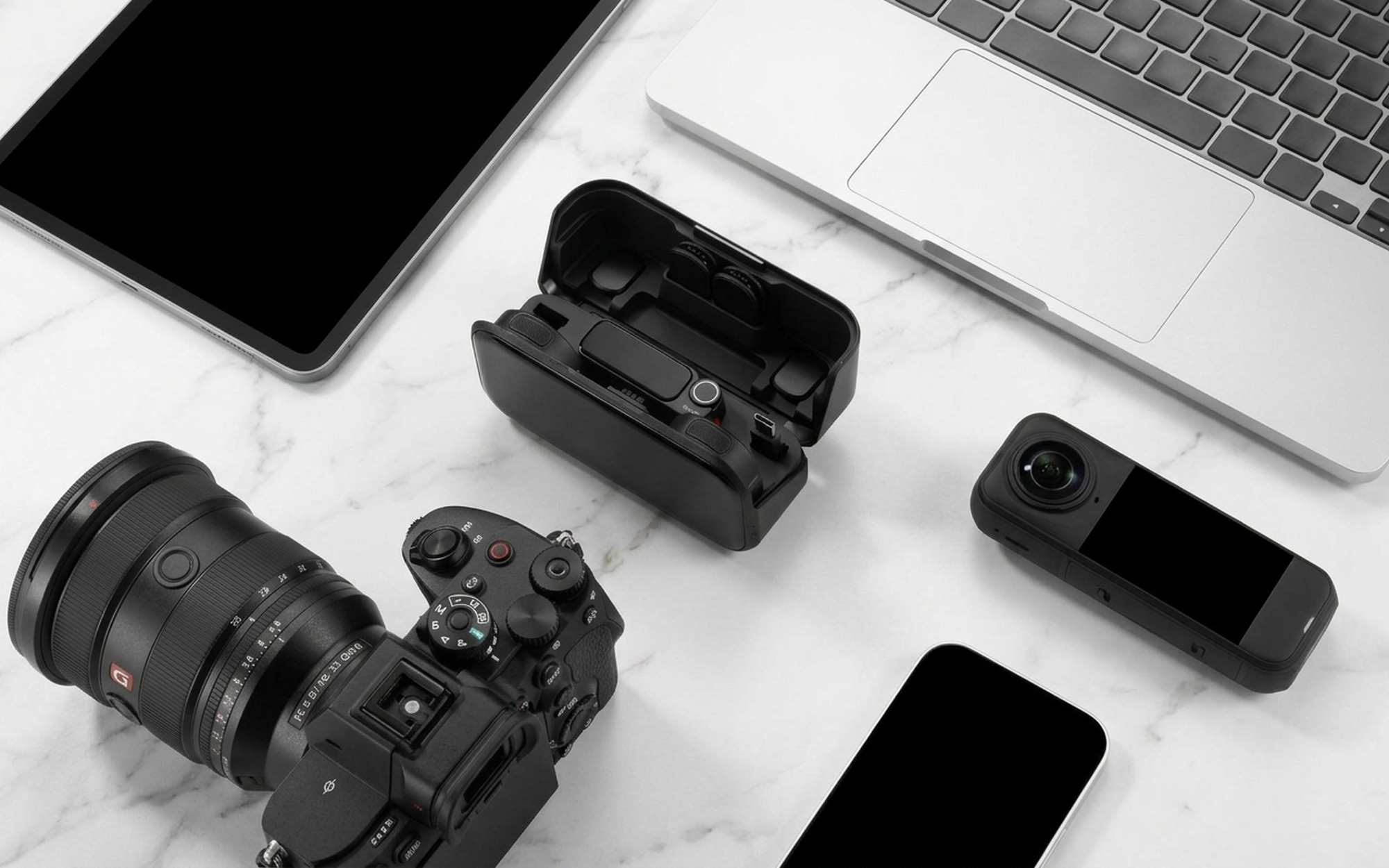
3.5mm jack (mirrorless, DSLR, and hybrid cameras): The RX unit outputs a standard 3.5mm TRS signal, compatible with any camera that accepts an external microphone input. A cold shoe mount adapter is included for attaching the receiver to the camera. This is the standard path for Sony, Canon, Nikon, and Fujifilm mirrorless users.
USB-C / Lightning adapter (smartphones): The RX connects to iOS and Android phones via the appropriate adapter. Bluetooth is available for app control and monitoring but does not carry the full-quality audio signal – recording to a phone requires the physical adapter connection.
The Insta360 companion app (iOS/Android) provides real-time waveform monitoring, gain adjustment from -12dB to +12dB, noise cancellation mode selection, pickup pattern switching, and the e-ink display customization panel.
Best Practices for Clean Audio with the Insta360 Mic Pro
The Mic Pro’s NPU and multiple pickup modes give you significant tools for managing audio quality, but fundamental placement and workflow discipline remain the foundation:
Mic placement: Clip the transmitter 15–20 cm below the chin on the centerline of the chest. Clothing rustle is the most common artifact with lavaliers – secure the TX body so it cannot spin, and run the cable under an inner layer when possible. A small piece of surgical tape or moleskin between the TX and the fabric can eliminate fabric friction noise that AI processing cannot fully recover.
Mode selection: Use Omnidirectional for controlled indoor environments where natural room sound is desirable. Switch to Supercardioid in any location where ambient noise competes with dialogue – outdoor shoots, event floors, busy public spaces. Use Figure-8 only for close face-to-face two-person interviews; it will pick up sounds directly behind the speaker as clearly as sounds in front.
AI noise cancellation settings: Run Weak mode for indoor shoots and controlled environments – it preserves more vocal naturalness and avoids processing artifacts. Reserve Strong mode for genuinely loud locations. Turn AI cancellation off entirely for music recording – the NPU will interpret musical tones as non-speech content and suppress them.
Always activate internal recording: Enable 32-bit float backup recording on every shoot. RF interference and wireless dropouts are rare but recoverable if the internal backup exists. Treat the backup track as mandatory insurance rather than optional redundancy.
Monitor levels before rolling: Use the app to set gain so that normal speech peaks between -12dB and -6dB on the meter, leaving headroom for sudden louder moments. The 32-bit float backup will capture transients above this range cleanly even if the wireless output clips at the camera.
Can the Insta360 Mic Pro Replace a Traditional Shotgun Microphone?
For outdoor documentary and run-and-gun shooting, the answer is increasingly yes – with specific caveats. A traditional shotgun microphone mounted on a camera hot shoe delivers excellent directional rejection but requires the subject to remain within a narrow pickup zone and within several meters of the camera. A lavalier eliminates both constraints: the speaker can move freely, and the microphone maintains consistent proximity to the mouth regardless of camera position.
The Mic Pro’s Supercardioid mode narrows the pickup angle enough to reject significant side and rear ambient noise. It is not as tight as a purpose-built shotgun element at close range, but the practical trade-off reverses beyond a few meters: a shotgun mic on a camera 8 meters from a speaker captures the voice from 8 meters away; the Mic Pro captures the voice from 2 centimeters away regardless of camera distance. For any production where the camera needs to be placed far from the subject – interviews with documentary-style framing, live event coverage, wildlife observation – the lavalier wins on isolation.
Where a shotgun microphone still holds advantages: music and instrument recording (where the NPU would suppress intentional tonal content), narrative filmmaking with a boom operator, ASMR and detailed sound design, and situations where it is not practical to wire a subject with a lavalier. For the broad category of content creator video – interviews, tutorials, travel vlogs, documentary narration, event recaps – the Insta360 Mic Pro is a complete audio solution that removes the fixed-geometry constraints of camera-mounted microphones entirely.
- Industry-first NPU chip delivers adaptive AI noise cancellation that outperforms fixed DSP filters in variable-noise environments
- Four switchable pickup patterns — omnidirectional, cardioid, supercardioid, figure-8 — on a single lavalier transmitter
- 32GB internal storage backs up to 60 hours of 32-bit float audio as insurance against wireless dropouts
- Color e-ink display shows gain, battery, and mode at a glance and is customizable with show branding or channel IDs
- 400-meter line-of-sight range is among the widest in the consumer wireless microphone segment
- Supports up to 4TX + 1RX — conference and multi-speaker setups without additional hardware
- Deep native integration with Insta360 X5, X4 Air, Ace Pro 2, and GO Ultra via direct connect without a physical receiver
- No confirmed international retail price at launch — early pricing based on Chinese launch data only
- Larger form factor than ultra-compact alternatives like the Insta360 Mic Air or DJI Mic Mini
- E-ink display refreshes noticeably slower than OLED — unsuitable for real-time status animation
- Strong AI noise cancellation mode can introduce mild pumping artifacts on consonants in extreme environments
- Deep camera integration only benefits Insta360 ecosystem users; third-party cameras use standard 3.5mm like any other wireless mic
Frequently Asked Questions
What does the NPU chip do in the Insta360 Mic Pro compared to regular DSP?
The NPU (Neural Processing Unit) runs an on-chip neural network that continuously classifies audio in real time, separating speech from background noise based on learned acoustic patterns. Standard DSP applies fixed frequency-band filters. The NPU’s adaptive approach handles variable noise sources — crowd noise, wind changes, overlapping conversations — more naturally, with less tonal coloration than traditional DSP noise reduction.
Is the color screen on the Insta360 Mic Pro useful or just a gimmick?
It is practically useful for anyone managing multiple transmitters. The six-color e-ink display shows battery level, gain, active recording mode, and pickup pattern at a glance without opening the companion app. For solo creators who set and forget, it is optional convenience. For event producers where several TX units are clipped to different speakers, the customizable display — which can show a name, channel number, or show logo — is a genuine operational tool for quick visual identification.
How much battery life and internal storage does the Insta360 Mic Pro have?
The transmitter delivers 10 hours of continuous use on a single charge. The included charging case extends total runtime to 30 hours. A 5-minute quick charge gives 1.5 hours of use. Internal storage is 32GB, supporting up to 60 hours of 32-bit float backup recording — enough for multi-day shoots without offloading files between sessions.
What is the difference between a wireless microphone and a Bluetooth microphone?
Professional wireless microphones use dedicated 2.4GHz radio frequency transmission with error correction protocols designed for low-latency, high-quality audio. Bluetooth microphones use the standard Bluetooth codec — convenient but with higher latency (typically 100–200ms), variable quality, and greater susceptibility to interference in crowded wireless environments. For video recording where audio must stay synchronized with video frames, dedicated wireless mic systems are the correct choice.
Can the Insta360 Mic Pro replace a traditional shotgun microphone?
For people-focused content — interviews, vlogs, event coverage, documentary narration — the answer is increasingly yes. The Supercardioid (Voice Focus) mode rejects side and rear noise effectively, and the 400-meter range lets you place the camera far from the subject while keeping audio close and intimate. Where a shotgun mic still excels: music capture, narrative boom work, and situations where wiring a subject is not possible. For most content creators shooting people-focused video, the Mic Pro is a complete audio solution.
How do I connect the Insta360 Mic Pro to a smartphone or mirrorless camera?
The receiver (RX) connects to Android and iOS smartphones via a USB-C or Lightning adapter. For mirrorless and DSLR cameras, the RX outputs a standard 3.5mm TRS signal and mounts on the cold shoe. Insta360 cameras (X5, X4 Air, Ace Pro 2, GO Ultra, Luna) support Direct Connect — the transmitter pairs wirelessly to the camera body without needing a physical receiver at all. The Insta360 companion app handles gain, pickup mode, and display customization on all configurations.