Lenovo Tianxi Claw: The AI Agent for PC That Actually Ships Without a Setup Guide
Most “AI agents for PC” in 2026 still require a developer to set them up. You need WSL2, a Linux container, a manually configured environment file, and at least one afternoon of troubleshooting before the thing runs a single task. Lenovo’s Tianxi Claw is a direct attack on that problem.
Launched on March 18, 2026, with public beta access opening March 30, Tianxi Claw (联想天禧 Claw) is Lenovo’s attempt to ship a zero-configuration, cross-platform AI agent to mainstream users, not just the technically literate. The setup is four steps: power on your device, open the Tianxi app, log in with your Lenovo account, and start issuing commands. No terminal. No config files. No manual dependency installation.
That is a genuinely different proposition from anything currently on the market.
What Tianxi Claw Actually Is (And What It Is Not)
Before getting into capabilities, the architecture needs to be understood clearly, because it shapes every strength and every limitation of this product.
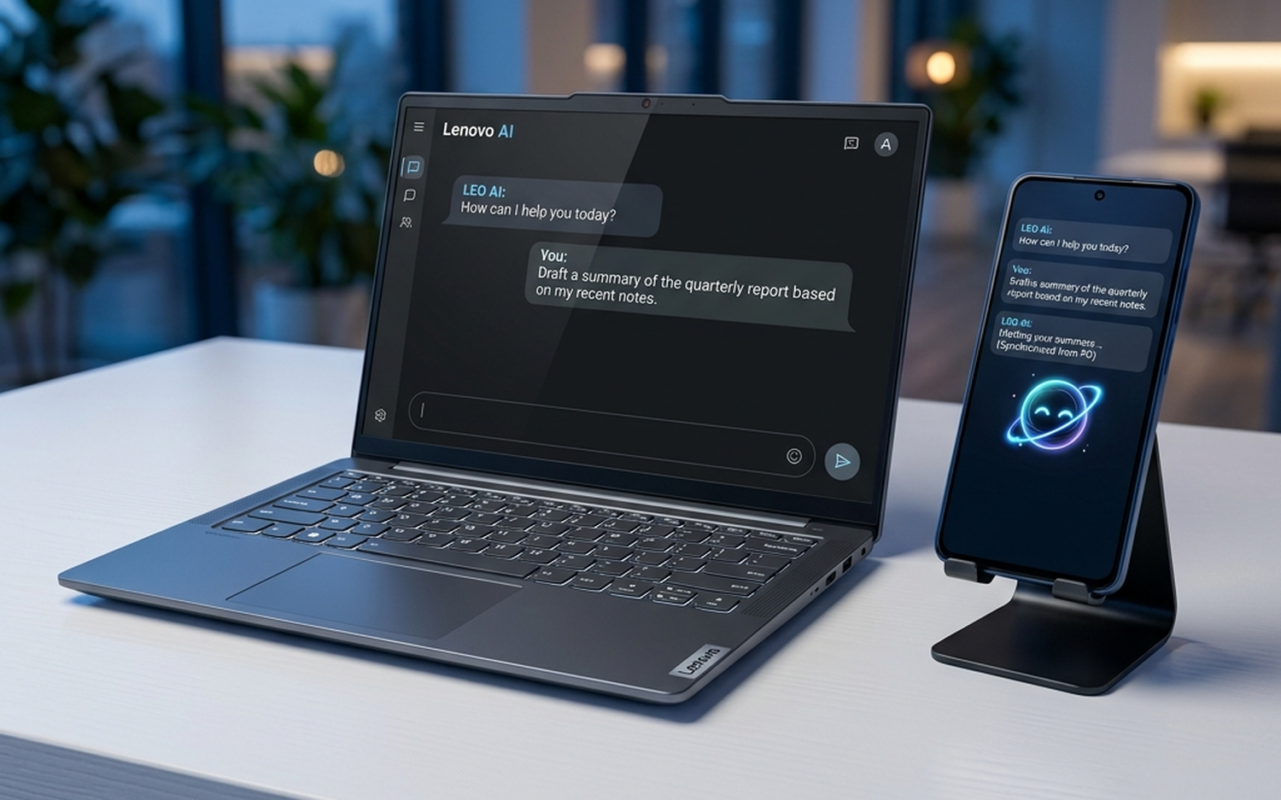
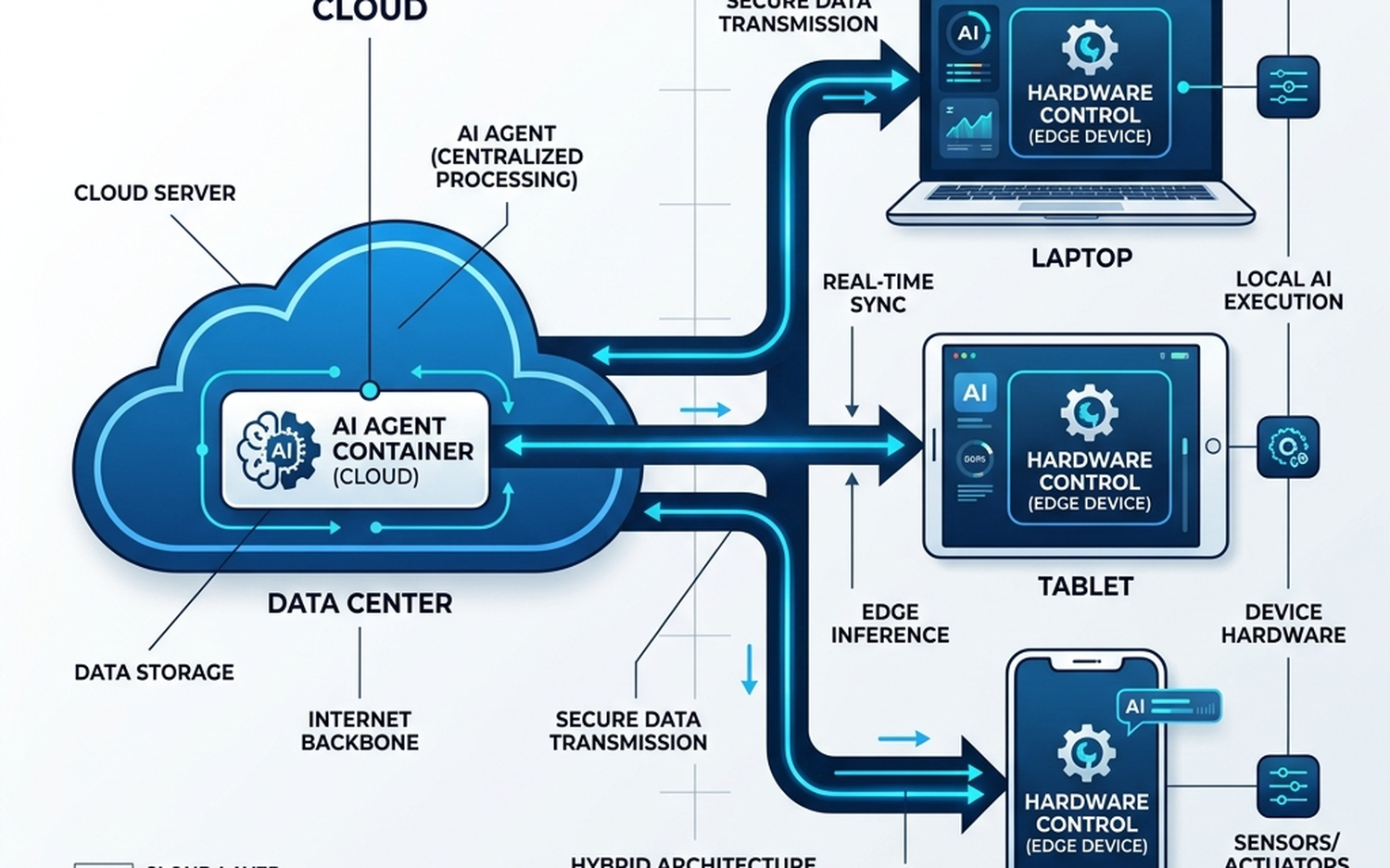
Tianxi Claw is not a locally running AI agent. The Claw agent itself executes inside a virtual container hosted on Lenovo’s cloud servers. What runs on your device, whether that is a Lenovo Windows PC, a Lenovo or Motorola tablet, or a Motorola smartphone, is a chat and command interface. Think of it as a thin client for an AI agent that lives in the cloud.
This is a “Cloud-Edge Hybrid” architecture. The edge component handles device-level hardware commands (brightness, dark mode, alarms, etc.) through a first-party integration layer. The cloud component handles the actual reasoning, task execution, and skill orchestration.
The practical consequence: your device’s CPU and RAM are largely irrelevant to agent performance. A mid-range Motorola phone can issue the same complex multi-step commands as a high-end Lenovo ThinkPad. The bottleneck is your internet connection and Lenovo’s server capacity, not local compute.
This also means the agent is always consistent across devices. There is no “sync delay” because there is nothing to sync. The session state lives in the cloud container, and every device you own is just a window into it.
Cross-Device Hardware Control: The Feature Nobody Else Has
The headline capability that separates Tianxi Claw from every other AI assistant currently shipping is direct, cross-device hardware control without requiring the target device to be unlocked or actively used.
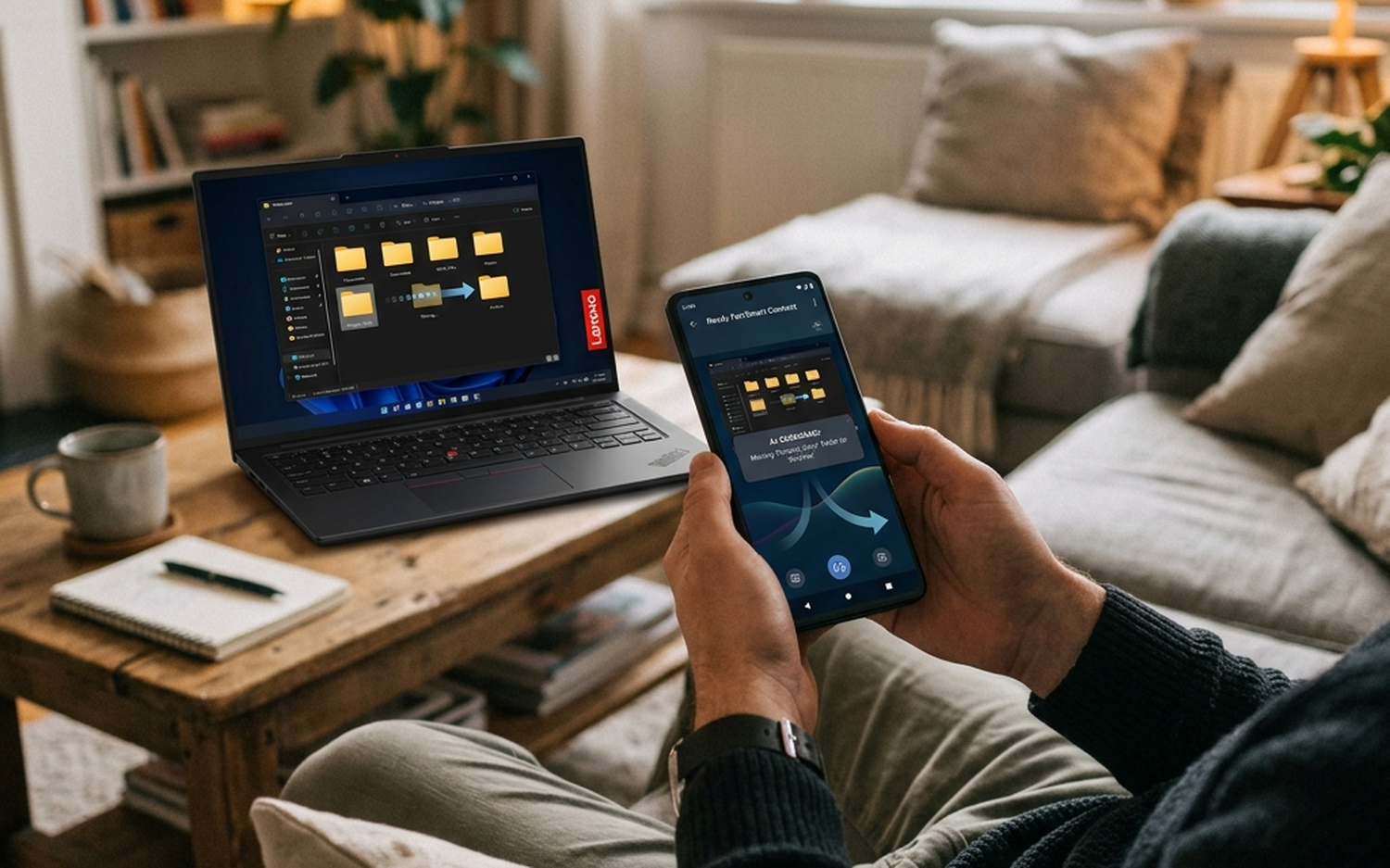
Here is a concrete example from the beta documentation: you are on your Motorola smartphone, away from your desk. You send a command through the Tianxi app to switch your Lenovo PC to dark mode and reduce its display brightness. The PC executes that command as long as it is powered on and connected to the internet. You never touched the PC. You never unlocked it. You never opened a remote desktop session.
The same logic applies in reverse. From a Lenovo PC, you can set an alarm on a Lenovo or Motorola tablet sitting in another room. From a tablet, you can trigger document creation workflows on your PC that will be ready when you sit down.
This is not screen mirroring. This is not a remote desktop tool. It is hardware-native command execution routed through the agent layer, and it works outside your home network as well, provided the target device has an active internet connection.
No competitor currently offers this combination. Microsoft Copilot integrates deeply with Windows 11 but has no native Android hardware control. Google Gemini is strong on Android but has no equivalent PC hardware command layer. Apple Intelligence is seamless within the Apple ecosystem but is architecturally locked to Apple hardware and has no cross-OS reach by design. Samsung Galaxy AI operates within the Galaxy device family only.
Lenovo’s position here is unique precisely because it owns both a major Windows PC line and the Motorola smartphone brand. That dual hardware ownership is what makes the cross-OS command layer technically feasible without relying on third-party APIs.
Preloaded Skills and the ClawHub Extension Model
Out of the box, Tianxi Claw ships with more than 10 preinstalled skills. These cover the core productivity and system management categories a mainstream user would reach for first:
- Document creation: Draft, edit, and format documents through natural language commands
- Image editing: Basic manipulation tasks routed through the agent
- Hardware control: The cross-device brightness, mode, and system setting commands described above
- Entertainment: Media playback control and content recommendations
- Productivity: Calendar management, reminders, task lists
- Web search: Integrated search with results surfaced directly in the chat interface
For users who need capabilities beyond the preloaded set, Tianxi Claw uses a ClawHub extension model. Adding a new skill requires pasting a repository URL directly into the chat interface. The agent handles the rest. There is no manual installation, no package manager, no permissions configuration to navigate manually.
This is the OpenClaw deployment model in practice. Lenovo is positioning Tianxi Claw as the first zero-configuration path to running OpenClaw-based skills for users who would never otherwise attempt it. The developer community builds the skills; Lenovo handles the deployment friction.
For context on how this compares to the broader AI PC category, the Xiaomi Book Pro 14 2026 review covers how competing hardware manufacturers are approaching on-device AI integration, which is a meaningfully different architectural bet than Lenovo’s cloud-first approach here.
Security Model and Sandboxing
The cloud architecture raises an obvious question: what happens to your data?
According to Lenovo’s beta documentation, all data processed through Tianxi Claw stays within the Tianxi app sandbox. The agent does not have unrestricted access to your file system. For any destructive action, including file deletions or irreversible system changes, the agent requires explicit user confirmation before executing.
This confirmation-gate model is the primary safety mechanism. It is a reasonable baseline for a beta product, though it is worth noting that the sandbox approach also creates the most significant current limitation: users cannot modify API keys for skills that require third-party service authentication. Because the agent runs in a cloud container, there is no accessible config file path where a user could manually insert their own API credentials. You use the keys Lenovo has provisioned, or you do not use that skill.
That is a real constraint for power users who want to connect their own OpenAI, Anthropic, or other API accounts to extend the agent’s capabilities.
Known Beta Limitations Worth Flagging
Tianxi Claw is in public beta as of March 30, 2026. Several limitations are documented and should factor into any evaluation:
No LLM model swapping. The base language model is fixed. Users cannot substitute a different model (GPT-4o, Claude 3.5, Gemini 1.5, etc.) as the agent’s reasoning engine. This is a significant constraint for users who have strong preferences about which model handles their tasks.
No personality customization. The agent’s tone, response style, and behavioral defaults cannot be modified. This is table stakes for most competing agent platforms and its absence here is notable.
Context compression in long sessions. Extended conversations trigger an automatic /compress command that summarizes earlier context to manage the context window. The agent may lose specific details from earlier in a session unless the user explicitly issues a “remember this” instruction. For complex, multi-step projects that span long sessions, this requires active context management from the user.
Pricing is unconfirmed. As of the beta launch, Lenovo has not announced a pricing model. Industry speculation points toward a freemium tier with a paid subscription for advanced features or higher usage limits. Anyone evaluating Tianxi Claw for serious workflow integration should factor in that the current free beta experience may not reflect the eventual cost structure.
Competitive Position: Where Tianxi Claw Fits Against Copilot, Gemini, and Apple Intelligence
| Feature | Lenovo Tianxi Claw | Microsoft Copilot | Google Gemini | Apple Intelligence | Samsung Galaxy AI |
|---|---|---|---|---|---|
| Zero-config setup | Yes (4 steps) | Partial (Windows 11 built-in) | Partial (Android built-in) | Yes (iOS/macOS built-in) | Yes (Galaxy built-in) |
| Cross-OS hardware control | Yes (Windows + Android) | No | No | No (Apple-only) | No (Galaxy-only) |
| Local vs. Cloud execution | Cloud-Edge Hybrid | Cloud (M365) + Local | Cloud + Local | On-device + Cloud | On-device + Cloud |
| Custom skill/extension model | ClawHub (URL paste) | Copilot Studio (enterprise) | Extensions (Google ecosystem) | Limited | Limited |
| Supported device families | Lenovo PCs, Lenovo/Motorola tablets, Motorola phones | Any Windows 11 device | Any Android/Chrome device | Apple devices only | Samsung Galaxy devices only |
| LLM model selection | Fixed (no swap) | Fixed (GPT-4 based) | Fixed (Gemini) | Fixed (Apple models) | Fixed (Samsung/Google models) |
| Hardware-native commands | Yes (first-party) | Limited | Limited | Yes (Apple-only) | Yes (Galaxy-only) |
| Pricing (as of April 2026) | Freemium (TBC) | Free tier + M365 Copilot subscription | Free tier + Gemini Advanced | Free with Apple device | Free with Galaxy device |
| Best ecosystem fit | Lenovo + Motorola users | Microsoft 365 power users | Google Workspace users | Apple ecosystem users | Samsung Galaxy users |
| Developer/power user extensibility | Moderate (ClawHub) | High (Copilot Studio) | High (Google AI Studio) | Low | Low |
Comparative Verdict:
Microsoft Copilot wins on enterprise integration depth and extensibility for organizations already inside the Microsoft 365 stack. Google Gemini is the stronger choice for Android-native workflows and Google Workspace users. Apple Intelligence remains the most privacy-forward option and the smoothest experience within a single-vendor hardware ecosystem.
Tianxi Claw’s specific advantage is the one none of the above can currently replicate: genuine cross-OS hardware command execution across a Windows PC and an Android smartphone, with zero configuration required from the user. If you own Lenovo hardware and a Motorola phone, or are considering that combination, no other AI agent currently ships this capability.
The cloud-only execution model is a deliberate trade-off. You gain consistency and device-agnostic performance. You lose offline capability and the privacy assurances that come with fully local processing.
Who Should Use Tianxi Claw:
- Lenovo PC users who also carry a Motorola smartphone and want unified cross-device control without any technical setup
- Mainstream users who have been blocked from using AI agents by the complexity of self-hosted or developer-oriented tools
- Users who want to experiment with OpenClaw-based skills without configuring a local environment
Who Should Skip It (For Now):
- Power users who need to specify their own LLM backend or API keys
- Privacy-sensitive users who require fully on-device processing with no cloud data routing
- Anyone outside the Lenovo/Motorola hardware ecosystem, where the core cross-device value proposition simply does not apply
- Enterprise users who need audit trails, compliance controls, or IT-managed deployment, where Microsoft Copilot Studio remains the more mature option
The OpenClaw Problem Nobody Talks About – And How Lenovo Solved It
What Is OpenClaw and Why Can’t Normal People Use It?
OpenClaw is one of the most capable open-source AI agent frameworks available today. It supports multi-step task planning, tool use, memory persistence, and extensible skill modules that let the agent interact with external services, local files, and hardware APIs. On paper, it is exactly what a personal AI agent should be.
In practice, getting OpenClaw running on a Windows PC is a project, not a product.
The first barrier is WSL2. OpenClaw’s core runtime depends on a Linux environment, which means Windows users must first enable Windows Subsystem for Linux 2, configure a Linux distribution (typically Ubuntu), allocate memory and CPU limits via a .wslconfig file in their user directory, and then install the Python dependencies inside that environment. For a non-technical user, this process involves the command line before they have even touched the agent itself. A single misconfigured [wsl2] block, a missing localhostForwarding=true flag, or a version conflict between Python 3.10 and 3.11 can stall the entire setup indefinitely.
The second barrier is infrastructure. OpenClaw is designed to run as a persistent service. It needs to be “on” to be useful, which means it needs a machine that is always on, always connected, and dedicated enough that it does not compete with other workloads. For most users, that means either leaving their primary PC running 24 hours a day (with all the energy and noise implications that carries) or spinning up a cloud VM and managing that separately. Neither option is acceptable for a mainstream audience.
The third barrier is skill configuration. Adding a new skill to OpenClaw typically requires cloning a repository, editing a JSON configuration file to insert API keys, and in some cases modifying environment variables or adjusting the agent’s orchestration logic to recognize the new tool. Editing a raw JSON config file to paste in an OpenAI or Serper API key is not a complex task for a developer. For someone who has never opened a terminal, it is a hard stop.
These three friction points, taken together, have effectively restricted OpenClaw to developers, researchers, and technically confident enthusiasts. The mainstream user who could benefit most from an always-available, task-capable AI agent has had no viable path in.
Lenovo’s Cloud-Edge Hybrid Architecture Explained
Lenovo’s solution with Tianxi Claw is architectural, not cosmetic. Rather than simplifying the local setup process, they eliminated it entirely by relocating the agent runtime to the cloud.
[YOUTUBE_EMBED: Lenovo Tianxi Claw AI agent review 2026]
The Claw agent itself runs inside a virtual container hosted on Lenovo’s cloud infrastructure. That container holds the OpenClaw runtime, the preinstalled skill modules, the session memory, and the execution environment. The app installed on the user’s device, whether a Lenovo Windows PC, a Lenovo tablet, or a Motorola smartphone, is not running the agent. It is a relay: a chat and command interface that sends instructions to the cloud container and surfaces the results.
This is a meaningfully different architecture from both of the existing models in this category.
Pure cloud AI systems like ChatGPT or standard Gemini operate entirely in the cloud, but they have no persistent connection to the user’s local hardware. They can answer questions and generate content, but they cannot switch your PC to dark mode, adjust your monitor brightness, or set an alarm on a tablet in another room. They are stateless with respect to your physical devices.
Pure local AI systems, such as a self-hosted LLM running via Ollama or a local agent stack, have full hardware access but require the host machine to be powerful enough to run inference, always available, and properly configured. Performance is directly tied to local hardware specs, and the setup burden is identical to the OpenClaw problem described above.
Tianxi Claw occupies a third position. The cloud container handles all compute-heavy agent reasoning and skill execution, so there is zero local resource overhead. The user’s device does not need an NPU, a high-end GPU, or even significant RAM headroom to run the agent. At the same time, because the Tianxi app has first-party OS-level integration on Lenovo and Motorola hardware, the cloud container can issue hardware commands through the local app as an authenticated relay. The agent “thinks” in the cloud but “acts” on the physical device.
This architecture also explains why cross-device control works outside the home network. As long as the target PC is powered on and the Tianxi app is running, the cloud container can reach it through the authenticated session. A user can issue a command from a Motorola phone on a mobile network, and the cloud agent routes that command through the PC’s local app instance to execute the hardware action. No VPN, no port forwarding, no static IP required.
The trade-off is explicit: this model requires a persistent internet connection and places execution trust in Lenovo’s cloud infrastructure. For users considering the broader AI PC category, our review of the Xiaomi Book Pro 14 2026 covers how competing hardware handles on-device AI inference, which provides useful context for evaluating where cloud-edge hybrid approaches gain and lose ground.
The sandboxing model adds one important constraint worth noting. Because the agent runs in a cloud container rather than on the local file system, users cannot directly access or modify the container’s configuration files. That is the root cause of the beta limitation around API key editing for third-party skills. The same isolation that makes the system safe and zero-configuration also makes it opaque to users who want deeper control over the agent’s internals.
Zero-Configuration Deployment: Step-by-Step
The contrast between getting Tianxi Claw running and manually deploying OpenClaw on a standard Windows machine is not a matter of degree. It is a categorical difference in who can actually complete the process.
On a Lenovo YOGA Air 14 running the Tianxi app, the full setup sequence is:
- Power on the device.
- Open the Tianxi app (pre-installed on supported Lenovo hardware).
- Log in with your Lenovo ID (the same account used for warranty registration, Lenovo Vantage, or any Motorola device pairing).
- Start issuing commands. The agent is live. No additional steps exist.
That is the complete process. Four actions, zero terminal commands, zero configuration files, zero dependency resolution.
Compare that against the manual OpenClaw deployment path on a Windows machine without Tianxi. A conservative count of required steps includes: installing WSL2, enabling the Virtual Machine Platform Windows feature, setting WSL2 as the default version, downloading and installing a Linux distribution from the Microsoft Store, initializing the Linux environment, installing Python 3.10 or higher inside that environment, installing pip dependencies, cloning the OpenClaw repository via git, configuring the .env file with API keys, editing the config.yaml for model selection, installing Node.js if browser-use skills are required, verifying PATH variables, running the agent for the first time and resolving any import errors, and then troubleshooting the inevitable first-run failure before the agent becomes functional. Experienced developers routinely report this taking 45 minutes to two hours, with significant variance depending on system state and prior tooling.
For a mainstream user who has never opened a terminal, that path does not exist in any practical sense.
The Tianxi onboarding removes every one of those steps by pre-provisioning the cloud container on Lenovo’s infrastructure. By the time the user logs in with their Lenovo ID, the container is already running, the skills are already loaded, and the authenticated session between the local app and the cloud agent is already established. The user’s first interaction with the system is issuing a command, not configuring an environment.
This matters specifically because the Lenovo ID is not a new account for most users in the Lenovo ecosystem. Anyone who has registered a Lenovo device, used Lenovo Vantage, or paired a Motorola phone already has the credential required. The onboarding friction is, in many cases, effectively zero.
What Is Preloaded by Default? Skills Overview
Tianxi Claw ships with more than 10 pre-installed skill modules active from the first session. These are not demo stubs. Each represents a functional capability category the agent can execute without any additional configuration from the user.
Document Processing: Draft, summarize, reformat, and translate documents. The agent can handle text input directly in the chat or reference files accessible through the Tianxi sandbox.
Image Editing: Basic to intermediate image manipulation tasks, including resizing, background removal, and format conversion, executed through the cloud container’s processing environment.
Hardware Control: This is the category that separates Tianxi Claw from generic AI assistants. The agent can adjust display brightness, toggle dark mode, manage power profiles, and control audio settings on the connected Lenovo device. These commands execute on the physical hardware through the local app relay, without requiring the user to touch the target device.
Web Search: Real-time search queries routed through the agent, with results synthesized and returned in the chat interface rather than opening a browser tab.
Entertainment: Media playback controls and content discovery functions, integrated with the device’s installed applications.
Productivity: Calendar management, reminder setting, and task list operations across connected Lenovo and Motorola devices. Setting an alarm on a tablet from a PC, for example, falls under this skill category.
Coding Assistant: Code generation, debugging suggestions, and syntax explanation. Given that the agent runs in a cloud container rather than locally, this skill does not consume any local compute resources regardless of the complexity of the request.
Third-Party Skill Hub Integration (ClawHub): This is where the system’s extensibility becomes relevant. Users can add any skill published to ClawHub by pasting the repository URL directly into the chat interface. The agent handles the installation into the cloud container automatically. No cloning, no pip install, no environment activation required on the user’s end.
For users evaluating which Lenovo hardware pairs best with this agent layer, the Xiaomi Book Pro 14 2026 review at Reviewstown provides useful comparative context on how AI-adjacent features are being implemented across the broader thin-and-light PC segment in 2026.
The ClawHub integration deserves specific emphasis because it directly addresses one of the most common criticisms of curated AI assistant ecosystems: skill lock-in. A user who needs a specialized workflow, say, a custom data extraction skill or a domain-specific API integration, is not dependent on Lenovo shipping an official update. They paste a URL. The cloud container handles the rest. The practical ceiling for what Tianxi Claw can do is therefore not defined by the 10+ preloaded skills. It is defined by what the ClawHub community publishes, which, given OpenClaw’s existing developer adoption, is already a non-trivial library.
The one caveat worth flagging here: skills that require third-party API keys present a current beta limitation. Because users cannot directly access the cloud container’s file system, there is no straightforward way to edit the configuration files where those keys are stored. Lenovo has not yet shipped a UI-level workaround for this. For skills that function without external API authentication, the paste-and-install flow works exactly as described.
Cross-Device Intelligence: Controlling Everything from One Phone
Remote Control Without the Network Engineering
Anyone who has tried to run an OpenClaw or MCP-based agent setup across devices on different networks knows exactly how quickly it becomes a sysadmin project.
The standard path for accessing a home PC’s agent from a smartphone outside the local network involves at least one of the following: configuring a VPN tunnel (WireGuard or OpenVPN, with port forwarding correctly set on the router), setting up NAT traversal, or running a dynamic DNS service to handle the changing public IP. Each of those steps has its own failure modes. A misconfigured firewall rule, a router firmware update that resets port forwarding, or a carrier-grade NAT on a mobile plan can silently break the entire chain. For a developer comfortable with these tools, it is manageable. For a mainstream user, it is a hard stop.
Tianxi Claw sidesteps this entire problem by routing all commands through Lenovo’s own network client layer. The local Tianxi app on the PC maintains a persistent outbound connection to Lenovo’s cloud infrastructure. When a command arrives from a Motorola phone or Lenovo tablet, it does not need to reach the PC’s local IP directly. It routes through the Tianxi cloud relay, which forwards the instruction to the local app, which then executes it on the hardware.
The practical result: as long as the PC is powered on and has any internet connection, the cross-device control works. The user’s physical location is irrelevant. The phone can be on a cellular network in a different city. The tablet can be on a hotel Wi-Fi. The routing layer handles the traversal transparently, with no configuration required from the user.
This is not a VPN. It is not a remote desktop. It is a command relay architecture where the cloud container acts as the coordination point between devices registered to the same Lenovo account.
Hardware-Level Control Across Your Ecosystem
The cross-device capability becomes concrete when you look at the specific hardware control operations it enables. These are not generic API calls that any cloud AI could theoretically make. They are first-party integration points between the Tianxi agent layer and Lenovo’s device management stack, which means third-party AI assistants (Copilot, Gemini, or any OpenClaw deployment without this hardware bridge) cannot replicate them without equivalent OEM-level access.
Scenario 1 (Phone to PC): A user working from a coffee shop realizes their laptop at home is running with a bright display and light mode active. From the Motorola phone, they issue a single command through the Tianxi chat interface. The PC switches to dark mode and reduces display brightness. No remote desktop session. No VNC lag. The command executes and the state change is confirmed in the chat.
Scenario 2 (PC to Tablet): The user wants a 7am alarm set on a Lenovo tablet sitting in another room. The tablet’s screen is off. From the PC, one command to the Tianxi agent sets the alarm on the tablet without requiring the tablet to be unlocked, picked up, or interacted with in any way.
Scenario 3 (PC to Phone): A file needs to be located on the phone’s storage. The agent can query the phone’s file index and return the path or surface the file, again without requiring the user to physically interact with the phone.
Each of these scenarios depends on the Tianxi app running on each device and maintaining its connection to the Lenovo account. The agent is not accessing these devices through generic Android or Windows APIs available to any app. It is using the same device management layer that Lenovo Vantage and Motorola’s system services use, which gives it permission scopes that a third-party AI assistant cannot obtain through standard app store distribution.
The security architecture here is worth noting: destructive or irreversible actions (file deletions, for example) always trigger a confirmation prompt before execution. The agent does not act unilaterally on high-stakes operations. This confirmation layer applies regardless of which device issued the original command, meaning a mistyped instruction from a phone cannot silently delete files on a PC.
Lenovo Tianxi Claw vs. The Competition
Comparison Table: AI Agents for PC in 2026
| Feature | Lenovo Tianxi Claw | Microsoft Copilot | Apple Intelligence | Google Gemini |
|---|---|---|---|---|
| Deployment Model | Cloud-Edge Hybrid (agent runs in Lenovo cloud container; local app is command interface only) | Cloud (Microsoft Azure); some on-device processing for Copilot+ PCs with NPU | On-device primary (Private Cloud Compute for complex tasks); Apple Silicon required | Cloud primary (Google servers); limited on-device for Pixel devices |
| Setup Complexity | Zero-config: 4 steps, no WSL2, no Linux containers, no API keys required | Low: built into Windows 11; Microsoft account required; M365 subscription for full features | Zero-config within Apple ecosystem; requires Apple ID; hardware-locked to Apple Silicon | Low: Google account required; Android-native; browser extension for desktop |
| Cross-Device OS Support | Windows + Android (Lenovo/Motorola devices); single account bridges both OS families | Windows-primary; limited Android integration via Phone Link; no iOS control layer | Apple-only: macOS + iOS + iPadOS; no Windows, no Android | Android-native; Chrome/web on Windows; no OS-level Windows integration |
| Hardware Control | First-party OEM integration: display settings, alarms, file queries across devices without unlocking target device | Windows system settings via Copilot sidebar; no cross-device hardware control to Android | Continuity features (Handoff, AirDrop, Universal Control) within Apple hardware only | Limited to Android system settings on Pixel; no cross-OS hardware bridge |
| Custom Skill Support | Yes: paste a ClawHub repo URL into chat to install community or custom skills | Yes: Copilot plugins and connectors via Microsoft 365 admin center; enterprise-focused | No public plugin/skill marketplace; Apple controls all capability additions | Yes: Gemini Extensions for Google Workspace apps; third-party integrations via API |
| Privacy Model | Data sandboxed within Tianxi app; cloud container on Lenovo servers; beta pricing TBD; no local processing | Data processed on Microsoft Azure; enterprise tenants get data residency controls; consumer data used for service improvement | Strongest privacy posture: on-device processing default; Private Cloud Compute uses blind signing; Apple cannot read requests | Data processed on Google servers; tied to Google account activity; used to improve Google products |
| Pricing Model | Not announced (beta as of March 2026); speculated freemium/subscription | Free tier (limited); Copilot Pro at $20/month; M365 Copilot (enterprise) at $30/user/month | Included with Apple hardware (iOS 18.1+, macOS Sequoia); no separate subscription | Free tier available; Gemini Advanced at $19.99/month (Google One AI Premium) |
| Target User | Lenovo/Motorola multi-device owners wanting zero-friction cross-OS automation | Microsoft 365 power users; enterprise Windows environments | Users fully committed to Apple hardware across all devices | Google Workspace users; Android-primary users; multimodal task workers |
Competitive Verdict
Microsoft Copilot remains the strongest option for anyone already embedded in the Microsoft 365 stack. Its Windows 11 integration is deep, its enterprise governance controls are mature, and the Copilot+ PC hardware tier adds on-device processing for latency-sensitive tasks. However, it has no meaningful story for cross-device control between a Windows PC and an Android phone. Phone Link is a file-transfer and notification mirror, not a command execution layer.
Apple Intelligence is the most privacy-conservative option in this group, and its on-device processing architecture is technically impressive. The limitation is absolute: it works only if every device in your workflow carries an Apple logo. A single Windows PC or Android phone in the mix and the continuity features stop at the boundary.
Google Gemini is the most capable multimodal assistant for pure information tasks, and its Android integration is genuinely useful for Pixel and broader Android users. On Windows, it operates as a browser-based tool with no OS-level hooks, which means it cannot execute hardware commands or automate system-level operations the way a native agent can.
Lenovo Tianxi Claw occupies a specific and currently uncontested position: it is the only production-ready AI agent that bridges Windows and Android at the hardware control layer, with zero configuration required from the user. For anyone comparing AI PCs in 2026, the Xiaomi Book Pro 14 review illustrates how the broader AI PC segment is pushing OEM-level integration as a differentiator, and Tianxi Claw is the clearest example of that strategy executed end-to-end.
The tradeoff is real: Tianxi Claw requires Lenovo or Motorola hardware on both ends, the pricing model is unconfirmed, and the beta still has meaningful gaps around API key management and LLM customization. But on the specific problem of cross-OS, zero-config device automation, no competitor has shipped an equivalent answer.
Best overall for cross-device automation: Lenovo Tianxi Claw (Lenovo/Motorola ecosystem) Best for enterprise productivity: Microsoft Copilot Best for privacy: Apple Intelligence Best for multimodal information tasks: Google Gemini Best value (included with hardware): Apple Intelligence
Who should use Tianxi Claw: Lenovo laptop plus Motorola phone users who want to automate cross-device tasks without touching network configuration or developer tooling.
Who should skip it: Anyone using non-Lenovo Windows hardware, iPhone users, or anyone who needs to customize the underlying LLM or swap API keys at the skill level. The beta’s current constraints on model selection and config file access make it unsuitable for power users who want full agent customization.
Current Limitations and Beta Caveats
What Doesn’t Work Yet in the Beta
Three specific constraints define the edges of what Tianxi Claw can actually do in its current public beta, and all three trace back to the same architectural decision: the Claw agent runs inside a virtual container on Lenovo’s cloud servers, not on your local machine.
Constraint 1: No config file access for API-dependent skills.
When a ClawHub skill requires a user-supplied API key (a weather service, a third-party calendar, a custom data source), the standard workflow on a self-hosted OpenClaw deployment is to edit a .json config file in the agent’s environment directory. Inside Tianxi Claw’s cloud container, users have no file system access. You cannot navigate to that config, paste your key, and save. The skill simply cannot authenticate. This is not a bug in the skill or a missing feature in the UI. It is a direct consequence of running the agent in a managed, sandboxed container where Lenovo controls the execution environment. Until Lenovo builds a dedicated API key management interface into the Tianxi app itself, any skill requiring user credentials is effectively blocked.
Constraint 2: No LLM swapping, no persona customization.
The base model powering Tianxi Claw is fixed. You cannot point the agent at a different model endpoint, adjust temperature settings, or configure a custom system prompt that persists across sessions. For mainstream users, this is a non-issue. For anyone who has spent time tuning a self-hosted agent, it is a hard ceiling. Lenovo’s decision here is deliberate: a fixed, validated model reduces support complexity and keeps the “four steps to use” promise intact. The tradeoff is that the agent’s reasoning style and capability ceiling are entirely outside the user’s control.
Constraint 3: Context compression degrades long sessions.
Tianxi Claw automatically invokes a /compress operation when a conversation session grows long. The compression summarizes earlier context to stay within the model’s effective window. In practice, this means the agent can forget specific instructions or data points from the beginning of a session unless you explicitly issue a “remember this” command before compression occurs. For short, task-specific interactions, this is invisible. For multi-hour workflows where you build on earlier outputs, it requires active session management from the user, which partially contradicts the zero-friction positioning.
None of these are defects in the conventional sense. They are predictable engineering tradeoffs of a cloud-container deployment model prioritizing accessibility over configurability. The question is whether Lenovo addresses them before the commercial launch or accepts them as permanent constraints of the managed-service architecture.
Pricing Uncertainty and Subscription Concerns
Lenovo has not announced commercial pricing for Tianxi Claw as of the public beta launch on March 30, 2026. The service is currently free to use for registered Lenovo account holders, but Lenovo has made no commitment to keeping it free post-beta.
The most likely commercial structure, based on how comparable hosted OpenClaw services have priced in the Chinese market, is a tiered freemium model: a limited free tier capped by monthly query volume or skill count, with a paid subscription unlocking full skill access, higher usage limits, and priority cloud compute allocation. A figure in the range of ¥30-50/month (roughly $4-7 USD) would align with Lenovo’s existing cloud service pricing in China, though international pricing could differ substantially.
The more strategically plausible path is bundling Tianxi Claw into Lenovo’s existing cloud subscription offerings, potentially as a feature tier within the Lenovo Membership or a future “Lenovo AI+” bundle that also covers cloud storage and device management services. This approach would reduce the friction of a standalone subscription decision and give Lenovo a stronger argument for hardware loyalty across its PC and Motorola phone lines.
The pricing question matters because it directly affects the core value proposition. Right now, Tianxi Claw’s strongest argument is zero friction: no configuration, no developer knowledge, no separate service to set up. If the commercial model requires a monthly subscription on top of owning Lenovo hardware, the value calculation changes. Users comparing it to Microsoft Copilot (which is free at the basic tier and deeply integrated into Windows 11 at no additional cost) or Google Gemini (which has a functional free tier) will need a clear answer on what the paid tier actually delivers beyond the beta experience.
A subscription priced above $10/month would face serious resistance, particularly given that the beta’s current limitations around API key management and LLM customization mean power users are not getting full value. Lenovo’s pricing announcement, expected before or at commercial launch, will be one of the most consequential decisions for Tianxi Claw’s adoption outside its home market.
Final Assessment: Who Should Use Lenovo Tianxi Claw?
Ideal User Profiles
Profile 1: The Lenovo/Motorola Ecosystem User Who Wants AI Without the Setup Tax
This is Tianxi Claw’s clearest target. If you own a Lenovo Windows PC and a Motorola smartphone, the cross-device control layer works immediately after logging into your Lenovo account. No configuration, no third-party middleware, no API keys to source.
A concrete workflow: you leave the office with your PC still running. From your Motorola phone on the commute home, you issue a command to switch the PC to dark mode, reduce display brightness, and start a document summary task on a report you left open. The PC executes all three without you touching it again. No remote desktop client, no VPN tunnel, no scripting knowledge required.
For this user, Tianxi Claw is not competing with self-hosted agents. It is competing with doing nothing, and it wins that comparison easily.
Profile 2: The Remote Worker Who Needs Background Task Execution
Remote workers who regularly leave long-running tasks (document drafts, image batch edits, web research compilations) to run while they step away from their desk get immediate utility here. Because the Claw agent runs in a cloud container rather than locally, it does not depend on the PC staying awake and active. You can queue a task from your phone, close the laptop lid, and retrieve the output later.
A practical example: a marketing coordinator queues a batch of product image edits via the image editing skill from their tablet during a meeting. The task completes in the cloud container. They return to their desk and pull the finished files. No local compute was consumed during the meeting.
Profile 3: The Non-Technical Professional Who Needs Productivity Automation
Accountants, legal assistants, small business owners, and similar professionals who need document creation, formatting, and web research automation but have no interest in managing a local AI stack are well-served here. The 10+ preinstalled skills cover the most common productivity use cases without requiring any skill installation or configuration.
For example, a small business owner can ask Tianxi Claw to draft a supplier inquiry letter, format it to a standard template, and attach a summary of recent pricing research from the web, all within a single chat session. The entire workflow runs without the user knowing or caring what model is executing it.
If you are evaluating AI-native hardware more broadly, the Xiaomi Book Pro 14 2026 review offers useful context on how competing devices in the AI PC segment are approaching on-device versus cloud execution tradeoffs.
Who Should Wait or Look Elsewhere?
Users Who Need Custom or Proprietary LLM Models
If your workflow depends on a fine-tuned model, a domain-specific LLM, or a model endpoint you control (whether for compliance, accuracy, or cost reasons), Tianxi Claw is not the right tool. The base model is fixed. You cannot swap it, point the agent at an alternative API endpoint, or adjust inference parameters. This is a hard architectural constraint, not a beta limitation that will likely change at general availability.
Power Users Who Expect Filesystem-Level Agent Access
Anyone accustomed to editing agent configuration files directly, managing API keys per skill, or building custom tool chains on top of an open agent framework will hit a wall quickly. The cloud container model explicitly prevents filesystem access to the agent’s environment. You cannot modify skill configurations that require API keys, and you cannot inspect or alter the agent’s runtime state. For developers and advanced users, this is a significant capability gap compared to a self-hosted OpenClaw deployment.
Privacy-Maximalists Uncomfortable With Cloud-Hosted Execution
Tianxi Claw’s agent does not run locally. Every command, every task, every document processed through the agent passes through Lenovo’s cloud servers and executes inside a virtual container on Lenovo’s infrastructure. Lenovo states that data stays within the Tianxi app sandbox, but the execution is unambiguously cloud-side. For users handling sensitive client data, proprietary business information, or personal data subject to strict regulatory requirements (GDPR, HIPAA, etc.), this architecture requires careful evaluation before adoption. “Sandbox” is not the same as “on-device” or “air-gapped.”
The Fence-Sitters: Wait for General Availability
If you are a Lenovo ecosystem user who is interested but uncertain, the most rational position right now is to wait. The beta has real limitations: no API key management, no LLM customization, context compression in long sessions, and no confirmed pricing. None of these are disqualifying on their own, but together they mean the product is not yet at the capability level Lenovo is clearly building toward. The commercial launch, and the pricing announcement that accompanies it, will answer the questions the beta cannot. Monitor the GA release before committing to Tianxi Claw as a core workflow tool.
- Zero-configuration setup for mainstream users
- Cross-device hardware control between Windows PCs and Android devices
- Cloud-edge hybrid architecture ensures consistent performance across devices
- Requires Lenovo or Motorola hardware
- No LLM model swapping or personality customization
- Cloud-only execution raises privacy concerns
Frequently Asked Questions
What is Tianxi Claw?
Tianxi Claw is Lenovo’s zero-configuration, cross-platform AI agent designed for mainstream users. It allows users to issue commands and automate tasks across Lenovo PCs, Motorola smartphones, and Lenovo tablets.
How does Tianxi Claw work?
Tianxi Claw uses a cloud-edge hybrid architecture. The AI agent runs in a virtual container hosted on Lenovo’s cloud servers, while a thin client on the user’s device acts as a chat and command interface.
What devices are compatible with Tianxi Claw?
Tianxi Claw is compatible with Lenovo Windows PCs, Lenovo and Motorola tablets, and Motorola smartphones.
What are some of the preloaded skills in Tianxi Claw?
Tianxi Claw ships with over 10 preinstalled skills, including document creation, image editing, hardware control, entertainment, productivity, and web search.
How does Tianxi Claw handle security and data privacy?
All data processed through Tianxi Claw stays within the Tianxi app sandbox. The agent requires explicit user confirmation for any destructive action, such as file deletions or irreversible system changes.
How does Lenovo Tianxi Claw compare to Microsoft Copilot?
Microsoft Copilot is optimized for Microsoft 365 productivity within a Windows environment. Tianxi Claw adds cross-device hardware control across Windows PCs and Android devices, making it better suited for users who want to control and automate tasks across a mixed Lenovo/Motorola device ecosystem rather than just within a suite of productivity apps.

- Lenovo Tianxi Claw: The AI Agent for PC That Actually Ships Without a Setup Guide - April 10, 2026
- Shokz OpenFit Pro Review: The Open-Ear Noise Reduction Paradox Solved? - April 9, 2026
- Google Live Translate: Real-Time Voice Translation - April 8, 2026