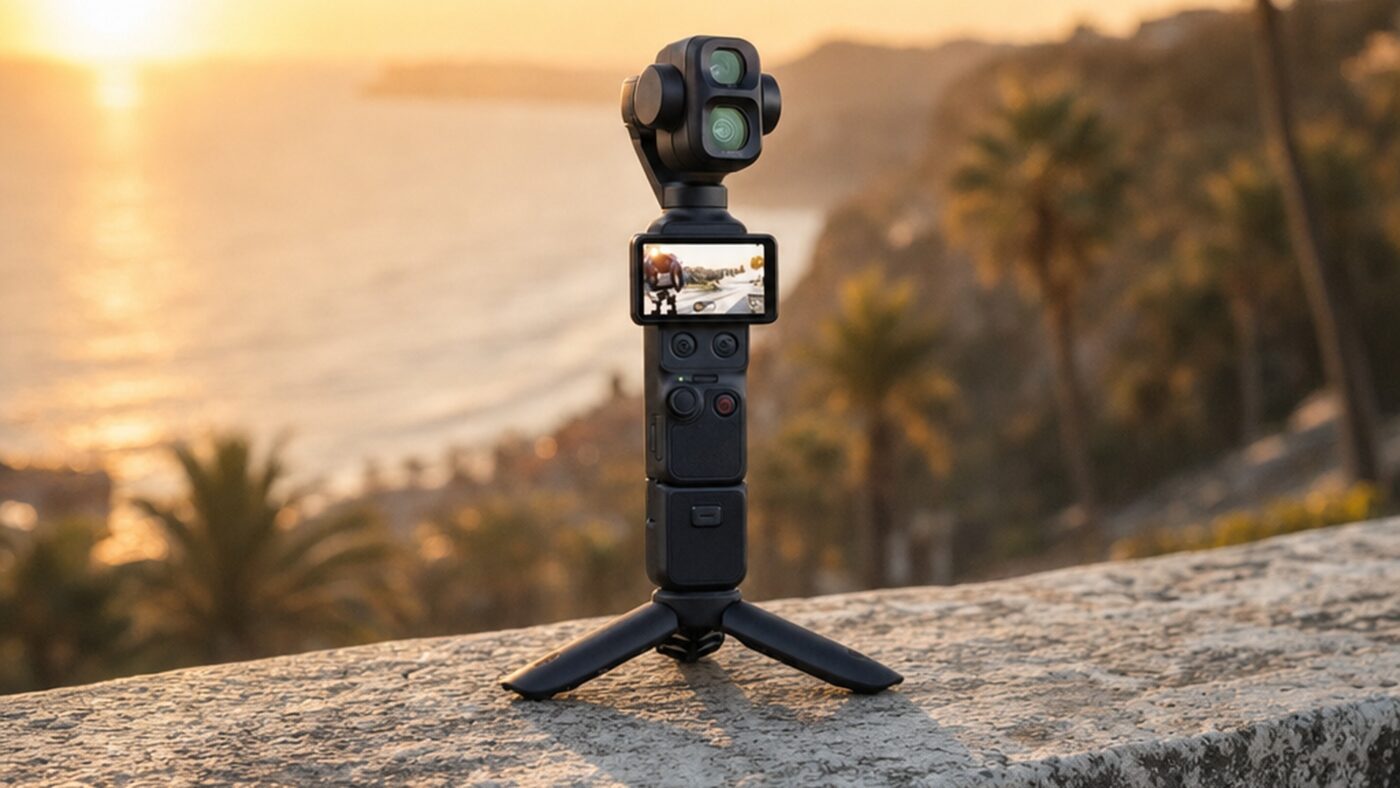
When DJI quietly put the Osmo Pocket 4P on sale in China in mid-June 2026, it did something the Pocket line had never done before: it bolted a second lens onto the gimbal head. For five generations the formula was a single wide lens on a tiny stabilized stick. The 4P breaks that pattern, and in doing so it answers the one complaint that has followed every Pocket model since the original, the lack of any real focal length choice.
This is not a minor refresh. The 4P is a separate, higher tier that sits above the single-lens Osmo Pocket 4, and it is aimed squarely at solo content creators who currently carry a second camera just to get tighter shots. Below is a full review of what the hardware does, where it genuinely improves on the Pocket 3 and Pocket 4, how it compares to the Insta360 Luna Ultra, and who should actually buy it.
What Is the DJI Osmo Pocket 4P?
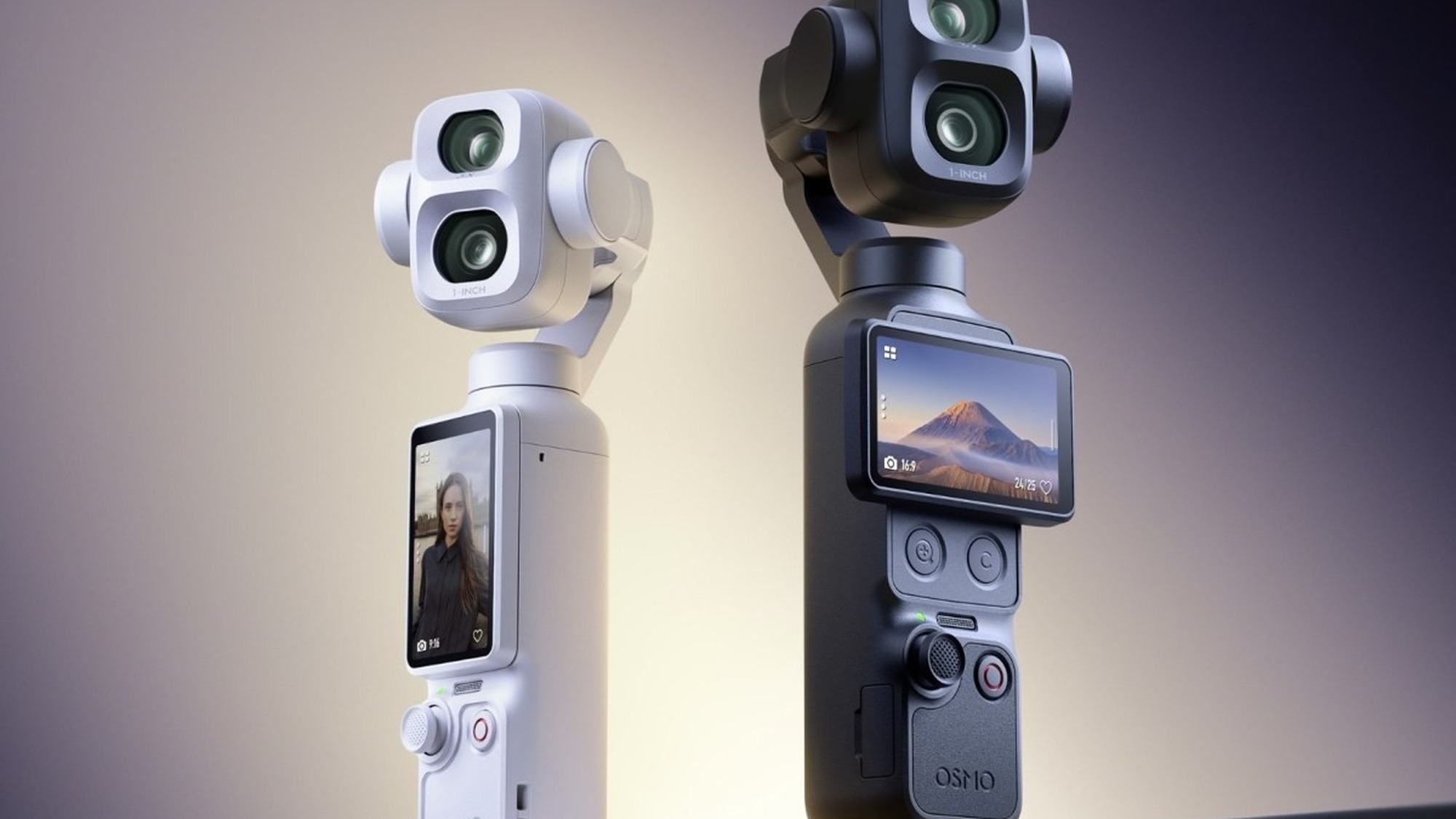
The DJI Osmo Pocket 4P is a handheld gimbal camera with a telephoto lens, the first in the Pocket family to ship with two cameras rather than one. According to GSMArena’s spec breakdown, it launched in China at CNY 3,799 (around USD 560) for the standard kit and CNY 4,299 for the Vlog combo, roughly a month after DJI first teased it at the Cannes Film Festival.
The headline is the dual-camera gimbal for content creators: a 1-inch wide sensor paired with a dedicated 60mm telephoto. Everything else, the 3-axis mechanical stabilization, the flip-up touchscreen, the pocketable form factor, carries over from the Pocket 4 and will feel instantly familiar to anyone who has used a recent model. What changes is creative range, and that deserves a clear explanation before we get into the numbers.
How does the Osmo Pocket 4P dual-camera system actually work?
Two fixed lenses sit on one stabilized gimbal head, so you switch between a wide and a telephoto field of view in software without ever changing glass.
A 1-inch sensor behind a 20mm equivalent f/2.0 lens, the same sensor class DJI used on the Pocket 4 for everyday vlogging.
A tighter 60mm equivalent f/1.8 lens giving 3x optical reach, the part no earlier single-camera Pocket could deliver.
Both lenses share a single 3-axis mechanical gimbal, so footage stays stabilized whichever focal length you pick.
You tap to jump from 20mm to 60mm mid-shot, and digital zoom extends the telephoto to roughly 12x for distant subjects.
The Dual-Camera System: Wide Plus Telephoto in One Body
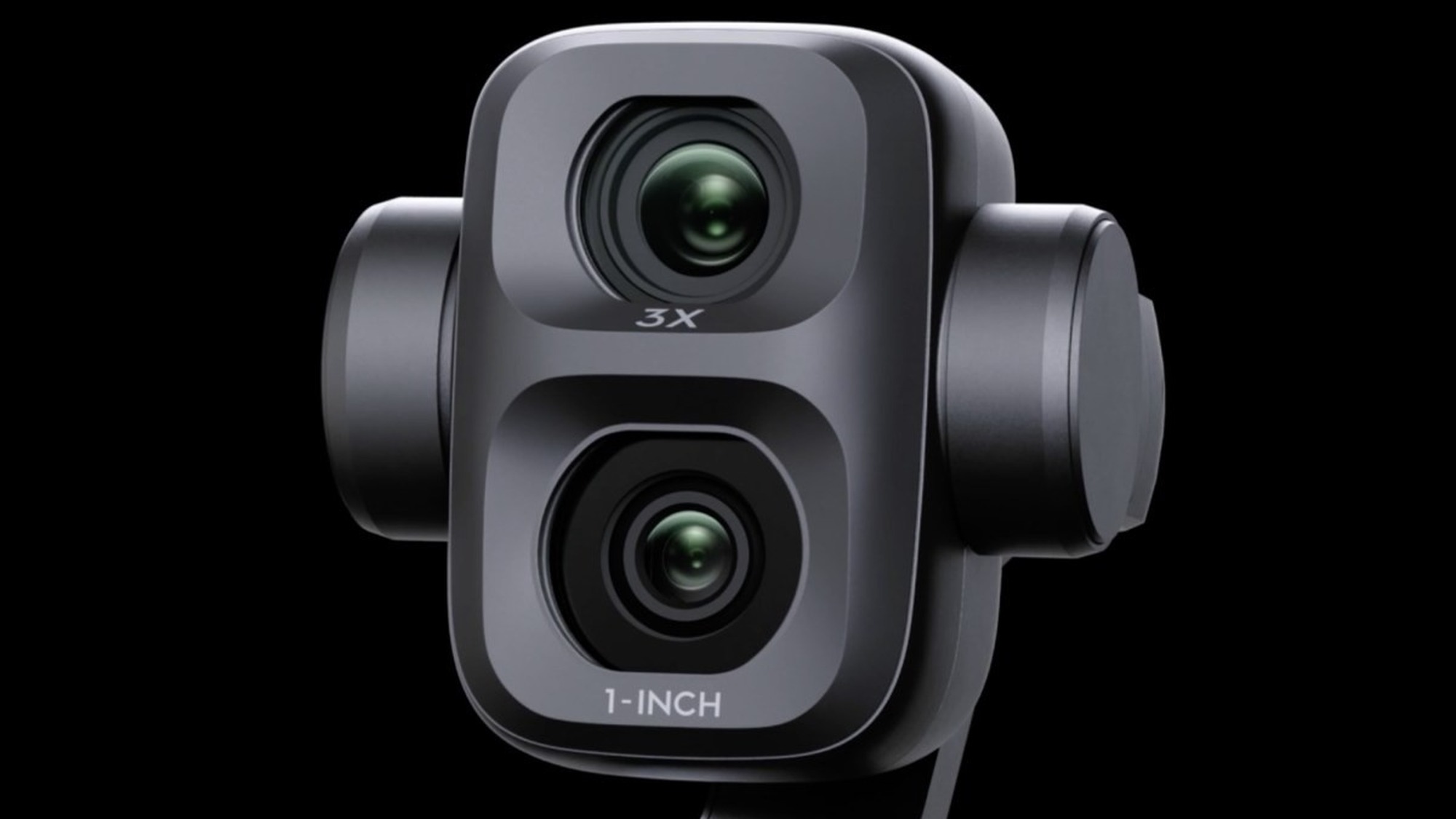
The wide camera uses a 1-inch sensor behind a 20mm equivalent f/2.0 lens, which is effectively the proven Pocket 4 setup. The new piece is the telephoto: a 60mm equivalent f/1.8 lens that DJI rates for 3x optical zoom and up to 12x with digital extension. In practice, that 60mm reach is the single most useful addition, because it covers the focal length most creators reach for when they want a flattering talking-head shot or a compressed background.
Worth noting is the aperture detail that is easy to miss. The telephoto opens to f/1.8, which is actually brighter than the f/2.0 wide. DJI’s official Osmo Pocket 4P product page leans on this as a low-light and subject-separation feature, and on paper it means the long lens is not just a daylight novelty. The telephoto sensor is smaller than the 1-inch wide unit, however, so the two lenses do not match perfectly once light drops, a trade-off we come back to in the night section below.
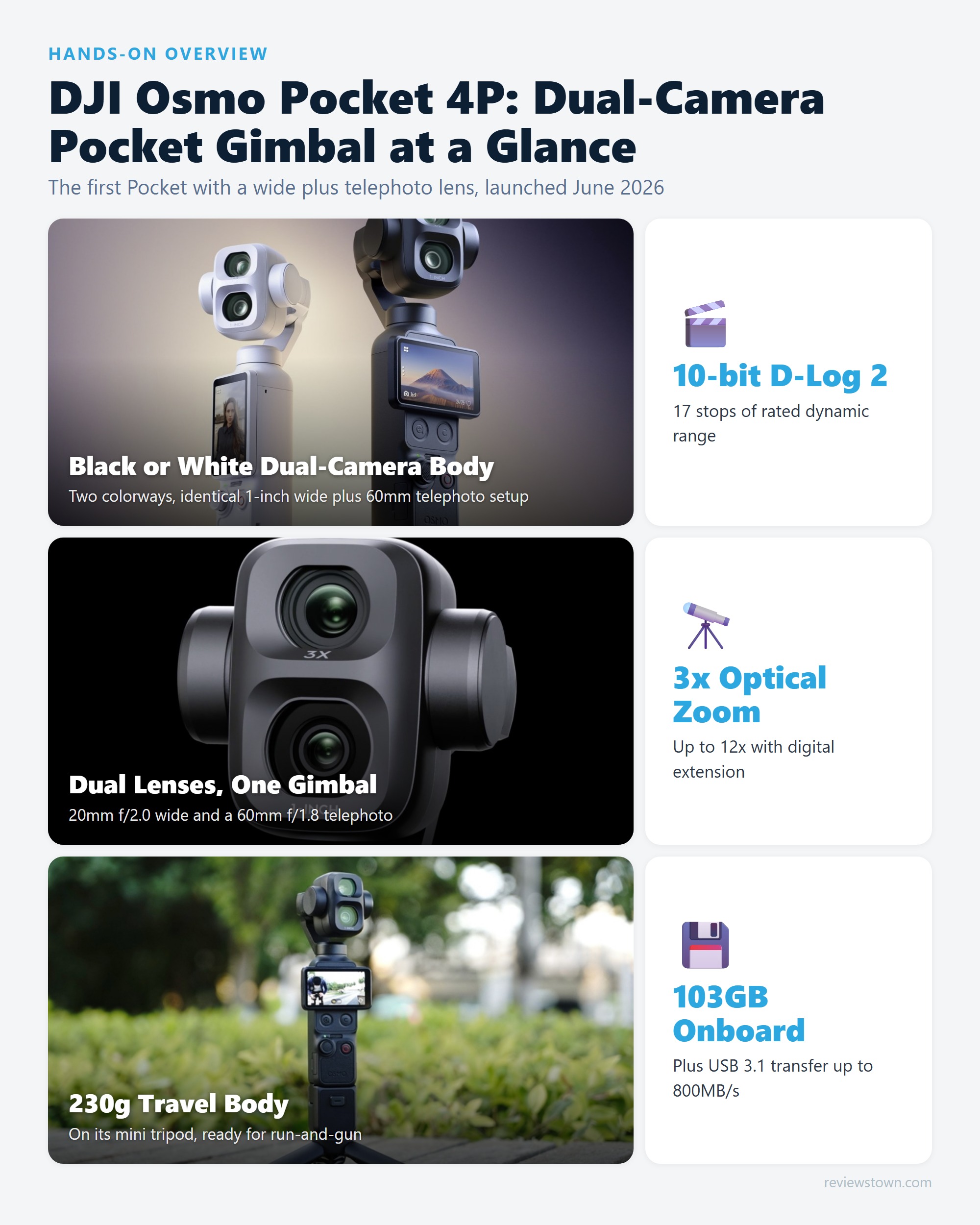
Both lenses record up to 4K. DJI officially rates the wide at 4K/240fps and the telephoto at 4K/200fps, which gives you genuine slow-motion latitude on either field of view. That is a meaningful step beyond what a phone telephoto can do, and it is the clearest sign that DJI built the second lens as a real creative tool rather than a marketing checkbox.
D-Log 2 and 17 Stops: What the Color Pipeline Actually Buys You
The 4P is the first Pocket to use 10-bit D-Log 2, paired with a DJI-claimed 17 stops of dynamic range on the wide sensor. For comparison, the Osmo Pocket 4 was rated at 14 stops with the older D-Log profile, so on paper this is the biggest generational jump in the spec sheet. More dynamic range means cleaner recovery of bright skies and dark interiors in the same frame, which is exactly where small sensors usually fall apart.
The honest caveat is that 17 stops is a manufacturer claim measured on the wide sensor, not an independently verified figure, and real usable latitude in graded footage is almost always lower than the headline number. Still, D-Log 2 color grading for gimbal footage is the feature that separates this from a point-and-shoot, and it is genuinely useful if you are willing to spend time in post.
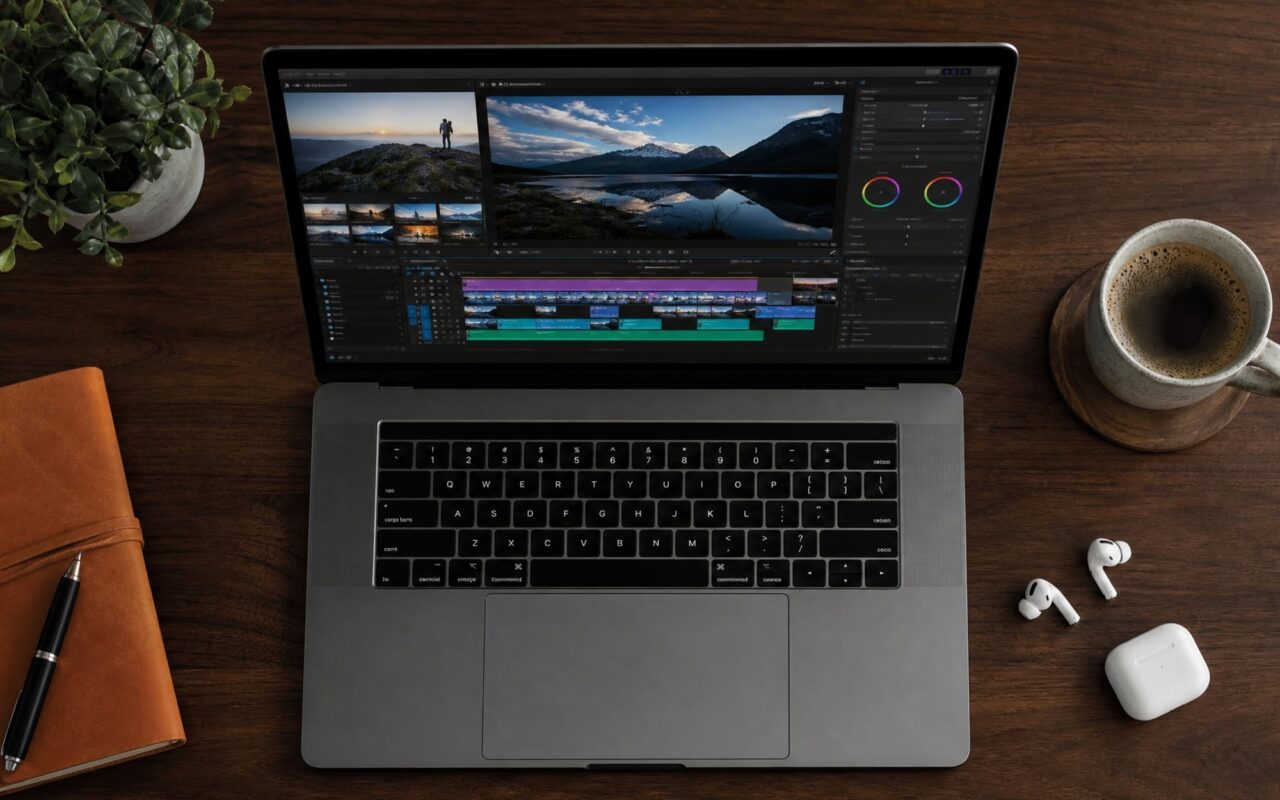
Grading Pocket 4P D-Log 2 footage in DaVinci Resolve
D-Log 2 is a flat, low-contrast capture profile that stores more highlight and shadow detail, so it looks washed out until you convert it to a standard viewing color space.
Add a Color Space Transform node, input DJI D-Log 2, output DaVinci Wide Gamut so the full range is preserved before you touch it.
Correct white balance and set exposure on the flat image first, where the 17 stops of latitude give you room to recover skies and shadows.
Drop DJI official D-Log to Rec.709 LUT as the last node, or use a second transform to Rec.709, so the contrast lands correctly.
Add your creative grade on nodes ahead of the final conversion, keeping skin tones and color decisions in the wide gamut.
DJI publishes its own official D-Log to Rec.709 conversion LUT for exactly this purpose, and a healthy third-party market of one-click cinematic LUT packs already exists for Pocket D-Log footage. The takeaway: D-Log 2 rewards effort. If you never plan to grade, switch to the standard color profile and skip the flat look entirely.
How To Film a Cinematic Travel Vlog, Step by Step
The 4P is built for run-and-gun travel work, and a repeatable workflow gets the most out of it. Here is a practical sequence that uses what the camera does best.
- Set your base look. For graded results, select 10-bit D-Log 2; for fast turnaround clips going straight to social, pick the normal profile so colors are ready out of camera.
- Lock your frame rate to the project. Shoot 4K/60fps for clips you may slow down lightly, and reserve 4K/240fps for true slow-motion hero moments like water, wind, or motion.
- Open wide, then punch in. Use the 20mm wide lens for establishing the location, then tap to the 60mm telephoto for a tighter portrait of yourself or a subject, all without stopping the gimbal.
- Let ActiveTrack hold you. Enable subject tracking so the gimbal keeps you framed while you walk and talk, freeing your hands for the scene.
- Offload fast. With 103GB of internal storage you can shoot a full travel day, then dump footage over USB 3.1 in minutes rather than swapping cards.
The combination of stabilization, two focal lengths, and high frame rates is what makes the single-device travel kit credible. You are no longer choosing between a wide vlogging camera and a separate zoom.
The Telephoto Lens and Bokeh for Portrait-Style Video
The question most creators ask about a compact telephoto is whether it produces real background separation or just a digital crop. The 60mm f/1.8 lens on the 4P is a true optical telephoto, so it compresses the background and throws it out of focus the way a longer lens should, rather than faking blur in software. For portrait-style video, talking-head shots, interviews, and product close-ups, that compression is the look people associate with larger cameras.
In practice, the bokeh quality is constrained by the telephoto sensor being smaller than the 1-inch wide unit, so you will not get the same melt as a mirrorless camera with a fast prime. What you do get is noticeably more flattering framing than any phone or single-lens Pocket, with the subject lifted cleanly off the background. Compared to digitally cropping the wide lens to 60mm, the dedicated telephoto keeps far more detail and avoids the mushy, upscaled texture that crop-zoom produces.
Best Settings for Low-Light and Night Video
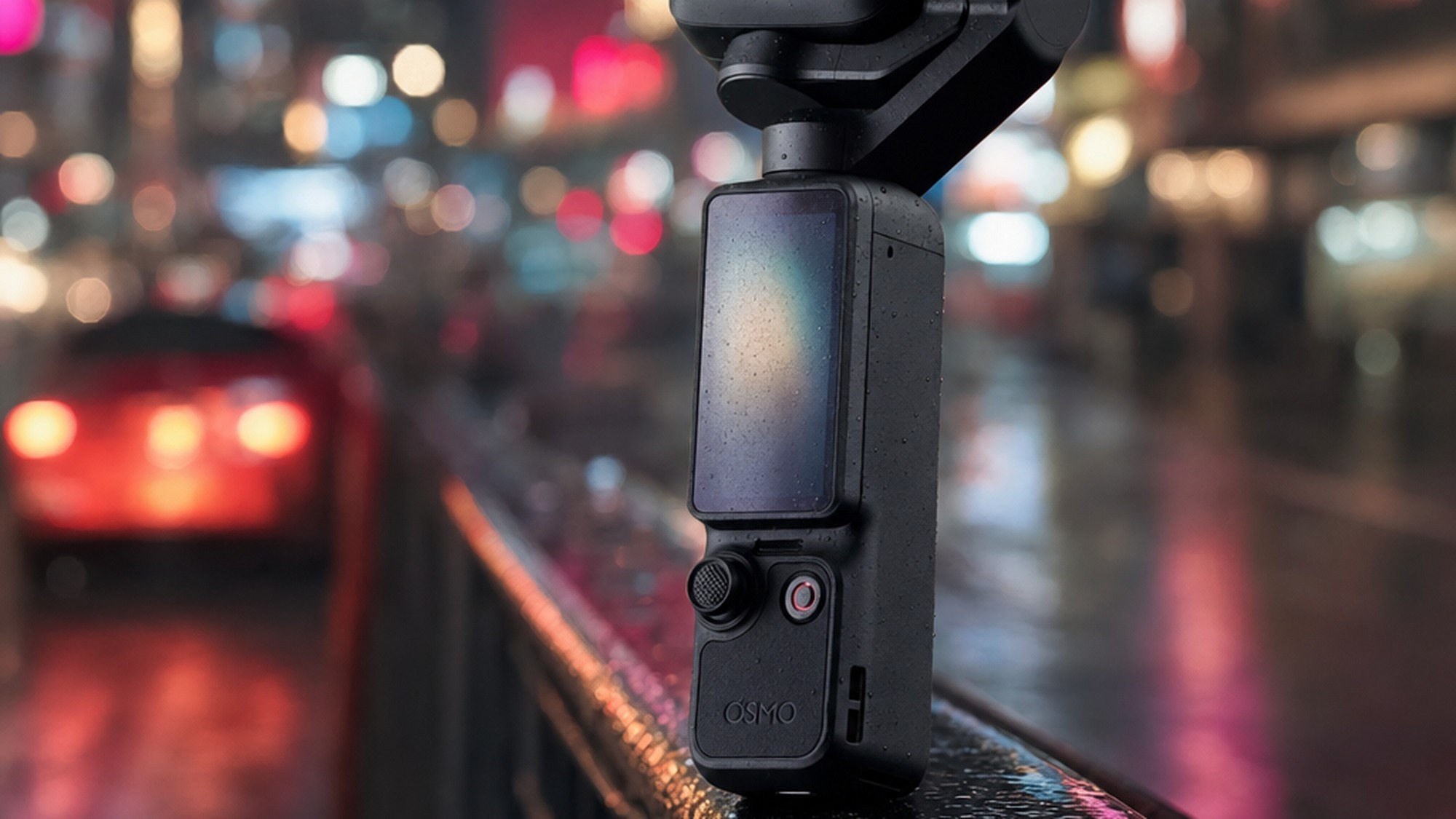
Low light is where small sensors are tested hardest, and the 4P gives you two different tools. For night scenes, the practical advice is to favor the wide 1-inch sensor, which gathers more light than the smaller telephoto unit despite the telephoto’s brighter f/1.8 aperture. Keep the shutter at double your frame rate where possible (1/50 for 25fps, 1/120 for 60fps) so motion stays natural, and lift exposure with ISO rather than dropping the shutter too low.
For the cleanest night results, shoot D-Log 2 to preserve shadow detail, then lift the shadows in post instead of overexposing in camera. The 17 stops of latitude DJI claims is most useful here, in mixed scenes with bright neon signs and dark streets. Worth noting, the telephoto is best saved for well-lit night subjects, since its smaller sensor shows noise sooner. Treat the wide lens as your low-light workhorse and the telephoto as a daylight and well-lit specialist.
ActiveTrack 8.0 in Crowded Scenes
Subject tracking is upgraded to ActiveTrack 8.0, up from 7.0 on the Pocket 4. DJI says the new version adds multi-person recognition and, importantly, telephoto tracking, so the gimbal can follow a subject even when you are zoomed in at 60mm. The multi-person ability is the headline for crowded scenes: the system is designed to keep your chosen subject locked even when other people briefly pass between you and the camera.
How reliable this is in genuinely busy environments will need independent long-term testing to confirm, since DJI’s own demos are staged. Based on how ActiveTrack behaved on the Pocket 3 and Pocket 4, tracking a single clearly-lit subject is highly dependable, while fast crossing motion and similar-looking subjects in a dense crowd are the situations most likely to cause a re-lock. For solo creators filming themselves, which is the core use case, this is the most hands-free the Pocket line has been.
Pocket 4P vs Pocket 4 vs Pocket 3 vs Insta360 Luna: Which To Choose
This is the comparison most buyers care about, so here is how the relevant models line up on the specs that matter.
| Spec | Osmo Pocket 4P | Osmo Pocket 4 | Osmo Pocket 3 | Insta360 Luna Ultra |
|---|---|---|---|---|
| Cameras | Dual (wide + 60mm tele) | Single wide | Single wide | Dual (wide + 60mm tele) |
| Wide sensor | 1-inch, f/2.0 | 1-inch, f/2.0 | 1-inch, f/2.0 | 1-inch, f/1.8 |
| Dynamic range | 17 stops (claimed) | 14 stops | Lower | 14 stops |
| Color | 10-bit D-Log 2 | 10-bit D-Log | 10-bit D-Log | 10-bit I-Log |
| Max video | 4K/240fps | 4K/240fps | 4K/120fps | 8K/30fps |
| Tracking | ActiveTrack 8.0 | ActiveTrack 7.0 | ActiveTrack | AI tracking |
| Storage | 103GB | 107GB | None built-in | microSD |
| Weight | 230g | 190.5g | 179g | Heavier |
| US sales | No (FCC list) | No | No | Yes |
| Price | CNY 3,799 | Lower | Lower | USD 769.99 |
The cleanest way to read this: the Pocket 4P is for creators who specifically want telephoto reach and the best color pipeline, the Pocket 4 remains the value pick for single-lens vloggers, and the Pocket 3 is now the budget entry. The most direct rival is the Insta360 Luna Ultra, which we cover in depth in our Insta360 Luna Ultra review. According to TechRadar’s coverage of the Insta360 Luna, the Luna pushes 8K capture and ships with a detachable OLED monitor, but it claims 14 stops of dynamic range against DJI’s 17. In our view, DJI wins on color latitude and ecosystem while Insta360 wins on resolution ceiling and, crucially for American buyers, actual availability. For a broader look at the category, see our guide to the best gimbal cameras for vlogging in 2026.
Can It Replace a Mirrorless Camera for Professional Work?
For a specific slice of professional video, yes, and for the rest, not quite. Where the 4P genuinely substitutes for a mirrorless is run-and-gun documentary, travel, B-roll, and solo interview work, where stabilization, two focal lengths, and 10-bit log in a 230g package beat hauling a rig you have to gimbal-mount yourself. The footage is broadcast-usable, and the convenience changes how much you actually shoot.
Where it falls short of a mirrorless is the physics a small sensor cannot escape: shallow depth of field control, low-light ceiling, lens interchangeability, and audio inputs are all still better on a dedicated camera with a fast lens. Professionals will most likely use the 4P as a second or pocket unit rather than a primary, and that is the honest framing. It expands what one small device can do, but it does not repeal sensor size.
Storage, Transfer, and Building a Filmmaker Kit
The 4P keeps a generous 103GB of built-in storage, a small step down from the Pocket 4’s 107GB but still enough for a full day of 4K. For offloading, it supports Wi-Fi 6 wireless transfer rated at up to 90MB/s and USB 3.1 wired transfer at up to 800MB/s. The gap is the point: wired transfer is close to nine times faster on paper, so use Wi-Fi for quick proxy clips to your phone and the cable for bulk end-of-day dumps. A complete filmmaker kit usually adds ND filters for controlling shutter in daylight, an external microphone for clean audio, the extended battery handle for longer sessions, and a fast USB 3.1 drive to take advantage of that transfer speed.
What Owners Actually Report
Because the 4P is only days old at the time of writing, long-term ownership reports specific to this model are still thin, so the most useful signal comes from two places: early Cannes hands-on coverage and the recurring themes from Pocket 3 and Pocket 4 owners, since the body and software are shared. Early hands-on impressions consistently single out the telephoto framing flexibility as the standout, the thing that immediately feels different from older Pockets.
From the established Pocket community, two patterns surface consistently. On the positive side, owners praise the one-handed run-and-gun shooting and the rotating touchscreen as genuinely habit-changing for solo creators. The recurring complaint, flagged across multiple long-term ownership threads, is the non-removable battery, which limits all-day shooting without the accessory handle, plus occasional gimbal calibration or lock errors that require a recalibration. Those are the carry-over concerns most likely to apply to the 4P, and the added 230g weight will not help the battery complaint.
Final Verdict: Is It Worth the Upgrade?
If you own a Pocket 3 and have ever wished for a tighter shot, the 4P is the most compelling upgrade DJI has offered, because the second lens and the jump to 17-stop D-Log 2 address the two real limits of older models at once. If you own a Pocket 4, the calculus is tighter: you already have the 1-inch sensor and 4K/240fps, so the upgrade is really about whether telephoto reach and the improved color pipeline justify the higher price and extra 40g.
Our read of the spec sheet is that the 4P is the first Pocket that earns the word versatile, a genuine dual-camera gimbal rather than a wide camera with digital crop. The big asterisk is availability: with DJI on the FCC Covered List, US buyers cannot legally purchase it, which pushes them toward the Insta360 Luna Ultra by default. For everyone who can buy one, the 4P is the new high-water mark for what a pocket gimbal camera can do, provided you are buying it for the telephoto and the grading headroom rather than just the badge.
- Genuine telephoto reach: the 60mm f/1.8 lens gives 3x optical zoom and tighter portrait framing no previous Pocket could match
- 17 stops of rated dynamic range with 10-bit D-Log 2, a real grading advantage over the Pocket 4’s 14-stop D-Log
- 4K at up to 240fps on the wide lens and 200fps on the telephoto for genuine slow-motion flexibility
- ActiveTrack 8.0 adds multi-person and telephoto subject tracking to hold focus in busier scenes
- 103GB of built-in storage plus USB 3.1 transfer at up to 800MB/s keeps end-of-day offloads fast
- Not legally sold in the US: DJI has been on the FCC Covered List since December 2025
- Heavier than the Pocket 4 at 230g versus 190.5g, and the battery is non-removable
- The telephoto sensor is smaller than the 1-inch wide one, so the two lenses do not match in low light
- At CNY 3,799 it costs more than the single-lens Pocket 4 for a feature not every vlogger needs
- Built-in storage actually dropped slightly to 103GB from the Pocket 4’s 107GB
Frequently Asked Questions
Why can’t I buy the DJI Osmo Pocket 4P in the United States?
DJI has been on the US FCC Covered List since December 2025, which blocks the authorization its 2026 hardware needs for legal sale in the American market. As a result the Osmo Pocket 4P launched in China first with no confirmed US release. American buyers who want a dual-lens pocket gimbal currently look to the Insta360 Luna Ultra, which ships in the US without that restriction.
Does the Osmo Pocket 4P use microSD cards or only built-in storage?
It does both. The 4P has 103GB of internal storage built in, which is enough for roughly a full day of 4K shooting, and it also accepts a microSD card for expansion. The built-in capacity is a small step down from the Pocket 4’s 107GB, but the practical benefit is that you can shoot straight out of the box without buying a card first.
Do I have to color grade D-Log 2 footage, or is there a faster option?
You do not have to grade it. D-Log 2 is a flat profile meant for editing, so if you want clips ready to post immediately, switch the camera to its standard color profile instead. If you do shoot D-Log 2, the quickest path is to apply DJI’s official D-Log to Rec.709 LUT as the final node in DaVinci Resolve, which lands correct contrast in one click before any creative grade.
How long does the Osmo Pocket 4P battery last and can I replace it?
The 4P uses a 1545mAh battery that is built in and not user-removable, the same approach as earlier Pockets. For longer shoots DJI sells an extended battery handle that clips on to add runtime, which is the recommended fix for all-day filming. The non-removable design is the most common carry-over complaint from Pocket 3 and Pocket 4 owners, so the accessory handle is worth budgeting for.
Is the Osmo Pocket 4P good for beginners or only for professionals?
It works for both, but it leans toward enthusiasts and pros. Beginners benefit from the automatic stabilization and ActiveTrack, which make smooth, well-framed video almost foolproof in the standard color mode. The features that justify the higher price, the 60mm telephoto and 10-bit D-Log 2 grading, mainly reward users who will edit their footage, so a first-time vlogger may be better served by the cheaper single-lens Pocket 4.
When will the DJI Osmo Pocket 4P launch outside China?
As of mid-June 2026 DJI has only confirmed the China on-sale date and has not announced a global release. Given the FCC Covered List situation, a US launch looks unlikely in the near term, while other regions such as Europe and Asia typically follow a China debut within weeks to a few months for DJI products. Until DJI confirms, treat any international date as unannounced.