
Want free music on your iPhone without paying for a monthly subscription? You have more options than you might think. Three legitimate, legal methods work well in 2026: downloading through your local library via Freegal, using Audiomack’s free offline mode, and taking advantage of Apple Music’s free trial. Each method requires zero piracy and zero ongoing cost if you use it correctly.
This guide walks you through each method with exact steps, so you can pick the one that fits your situation and start listening today.
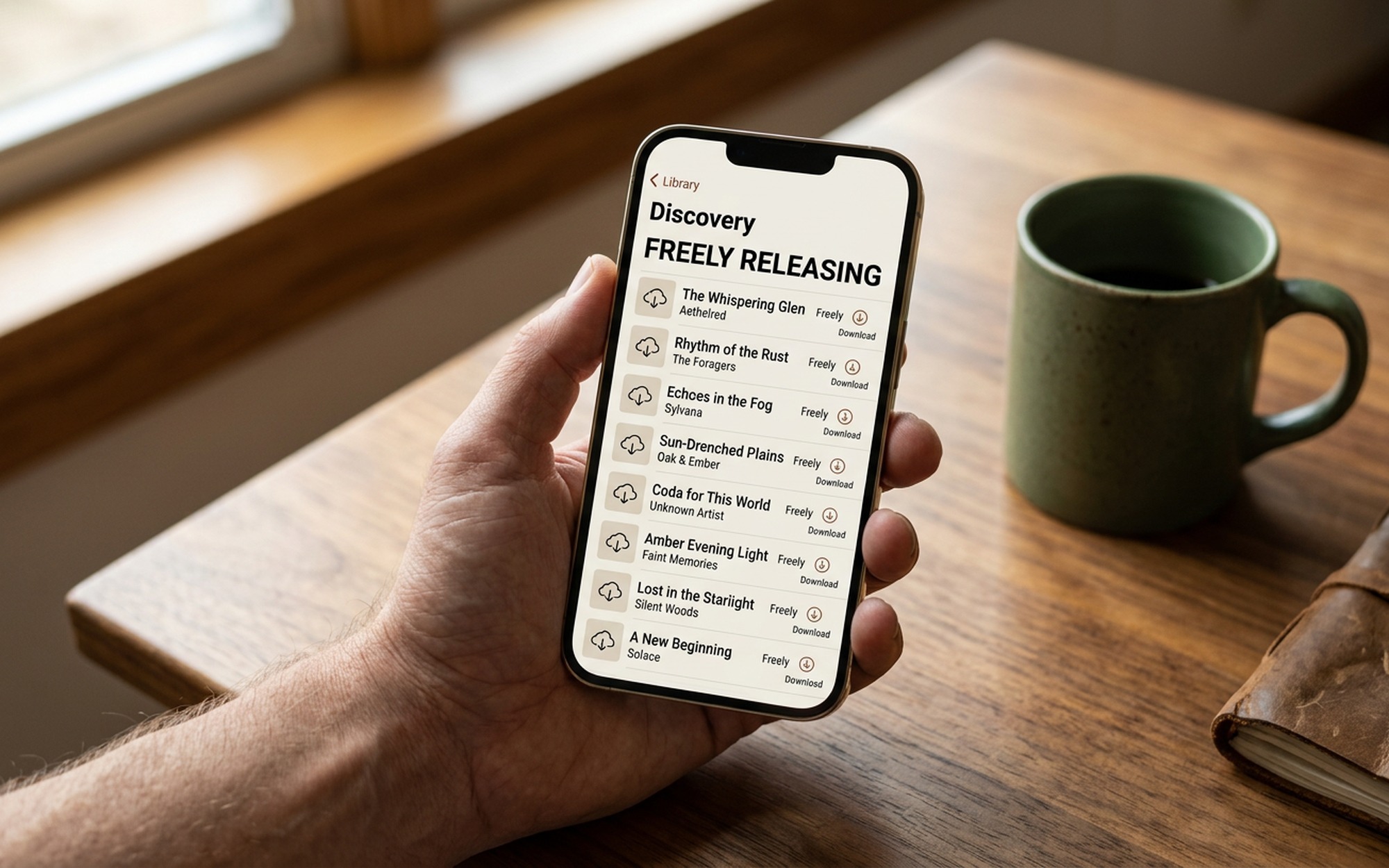
Method 1: Download Free Music via Your Library Card (Freegal)
Freegal Music is one of the best-kept secrets in free iPhone music. It is a licensed music service offered by thousands of US public libraries that lets you download songs permanently as MP3 files, at no cost to you. If your library subscribes, you can download up to five tracks per week and keep them forever. The files are standard MP3s that work in any player, including the built-in Apple Music app on your iPhone.
What you need: A valid library card from a participating US public library.
How to Use Freegal on iPhone: Step by Step
Step 1: Check whether your library participates
Visit freegalmusic.com and enter your library name or zip code in the search field. You can also call your local branch and ask whether they offer Freegal. Most major metropolitan library systems in the US subscribe, including the New York Public Library, Los Angeles Public Library, and Chicago Public Library.
Step 2: Download the Freegal Music app
Open the App Store on your iPhone and search for “Freegal Music.” Download the official app (it is free). Once installed, tap “Get Started.”
Step 3: Sign in with your library card
Select your library from the on-screen list, then enter your library card number and your library PIN. If you have never set a PIN, check your library’s website or call the branch for setup instructions.
Step 4: Search and download songs
Use the search bar to find artists, albums, or tracks you want. Tap the download icon next to any song. Downloaded tracks appear in the “Downloads” section of the app and are saved to your iPhone’s local storage. You can also access them through the Files app or import them into Apple Music via the Music app’s Files Import feature.
Step 5: Manage your weekly download limit
Most library accounts allow three to five downloads per week, and the counter resets every seven days. If you reach your limit, simply return the following week. Over a few months, you can build a solid personal music library at no cost whatsoever.
Pro tip: Freegal also includes free streaming with no weekly cap, separate from downloads. If you just want to listen without saving a file, use the streaming option and save your download slots for songs you want to own permanently.
Method 2: Use Audiomack for Free Offline Music on iPhone
Audiomack is a music streaming platform that has maintained a genuinely free offline listening tier for US users. Unlike Spotify, which requires a paid plan for offline downloads, Audiomack allows free-account users in the United States to save playlists and albums for offline playback at no charge. The catalog focuses heavily on hip-hop, R&B, Afrobeats, and reggae, but it has expanded across genres in recent years and now includes over 30 million tracks.
What you need: A free Audiomack account. No credit card is required.
How to Download Offline Music on Audiomack: Step by Step
Step 1: Download the Audiomack app
Search for “Audiomack” in the App Store and install it. The app is free.
Step 2: Create a free account
Tap “Sign Up” and register with an email address, or connect through Apple ID or Google. The free tier is the default and does not require payment details.
Step 3: Find music you want to save offline
Browse trending playlists on the home screen, search for specific artists, or explore the genre charts. Tap any album, playlist, or mixtape you want to keep.
Step 4: Download for offline listening
Tap the download icon (a downward arrow) on any album or playlist page. Audiomack queues the tracks for download to your device. A green icon appears when the content is saved and ready for offline use.
Step 5: Access your offline library
Swipe to the “Library” tab at the bottom of the app and tap “Downloads.” All your saved content plays without an internet connection. Note that the free tier is ad-supported, so you will hear occasional short ads even offline.

Method 3: Start an Apple Music Free Trial
Apple Music’s free trial is the highest-quality option on this list if you want access to mainstream pop, rock, country, and classical music. New subscribers receive a one-month free trial, and users who recently purchased a new iPhone, AirPods, or HomePod may qualify for an extended trial of up to six months through Apple’s device promotion. During the trial period, you have full access to Apple Music’s library of over 100 million songs and can download any of them for offline playback on iPhone.
What you need: An Apple ID that has not previously had an Apple Music subscription.
How to Start an Apple Music Free Trial: Step by Step
Step 1: Open the Music app
Launch the built-in Music app on your iPhone. If this is your first time, you will see a prompt to try Apple Music free. Tap the trial offer button. Alternatively, go to Settings, tap your name, select Subscriptions, and choose “Add Subscription” to find Apple Music.
Step 2: Sign in and add a payment method
Confirm with your Apple ID. You will need to add a payment method such as a credit card or PayPal, but you will not be charged anything until the free trial period ends. Apple also accepts prepaid gift cards as a payment method.
Step 3: Download songs for offline playback
Search for any artist, album, or playlist. Tap the three-dot menu next to an album or track and select “Download.” Downloaded content shows a checkmark icon in your Library and plays without a connection.
Step 4: Set a reminder to cancel before the trial ends
This step is critical. Go to Settings, tap your Apple ID at the top, select Subscriptions, and find Apple Music. Note the renewal date. Set a calendar alert two to three days before that date so you have time to cancel if you do not want to continue. Canceling is instant and stops any future charge.
Pro tip: Check apple.com/apple-music for current device promotions. New iPhone buyers in particular often qualify for a three or six-month extended trial that does not appear automatically inside the Music app.
Quick Comparison: Which Method Is Right for You?
| Method | Cost | Offline Downloads | Catalog Focus | Best For |
|---|---|---|---|---|
| Freegal | Free (library card required) | Yes, permanent MP3 | 15 million+ tracks | Owning songs permanently |
| Audiomack | Free (ad-supported) | Yes, offline playback | Hip-hop, R&B, Afrobeats | Urban music fans in the US |
| Apple Music Trial | Free (time-limited) | Yes, while subscribed | 100 million+ songs | Mainstream catalog, short-term |
Additional Free Music Sources for iPhone
If the three methods above do not fit your needs, these sources offer legal free music worth exploring:
SoundCloud Free: SoundCloud hosts millions of tracks from independent and emerging artists. Many songs are available for free streaming, and some artists enable a free download button directly on their track page. The free tier does not support offline playback by default, but it is a strong discovery platform.
Free Music Archive and Internet Archive: The Internet Archive hosts a large collection of Creative Commons-licensed music at archive.org. These are legal free MP3 downloads that you can import into your iPhone’s Music app through iCloud Drive or the Files app. The catalog skews toward jazz, classical, folk, and electronic genres.
Bandcamp: Many independent artists on Bandcamp offer pay-what-you-want pricing, including free downloads. If you explore an artist’s page and see “Name Your Price” on an album, you can enter $0 and download the files legally. Bandcamp downloads come as high-quality MP3 or FLAC files that work fine on iPhone.
- Freegal gives you permanent MP3 downloads with no subscription and no expiry
- Audiomack’s free tier includes offline mode for US users at no cost
- Apple Music free trial unlocks 100 million songs including offline downloads
- All three methods are fully legal and safe to use
- Freegal requires a US public library card from a participating library system
- Audiomack free tier is ad-supported and the catalog skews toward hip-hop and R&B
- Apple Music free trial is time-limited and requires a payment method on file
- None of these methods fully replace a paid streaming service for catalog depth
Frequently Asked Questions
Is it legal to download free music on iPhone?
Yes, as long as you use licensed sources. Freegal (through your library card), Audiomack’s free tier, and Apple Music’s free trial are all fully legal. Avoid sites that rip audio from YouTube or offer unauthorized MP3 downloads, as those violate copyright law and can put your device at risk.
Can I download music from YouTube to my iPhone for free?
Downloading audio from YouTube violates YouTube’s Terms of Service and typically infringes copyright, even for personal use. The legal alternative is YouTube Music’s free streaming tier, which lets you listen while the app is open but does not allow offline downloads on the free plan.
Does Freegal work everywhere in the US?
Freegal is available through thousands of US public libraries, but not all of them. Visit freegalmusic.com and search by library name or zip code to check. Most major metro library systems carry it, including the New York Public Library, Los Angeles Public Library, and Chicago Public Library.
What is the best free music app for iPhone in 2026?
For permanent free downloads: Freegal via your library card. For free streaming with offline access: Audiomack (US users). For full-catalog access temporarily: Apple Music free trial. If you only want to stream without downloading, Spotify’s free tier remains the most popular option globally.
Can I download music on Spotify for free on iPhone?
No. Spotify’s free tier does not support offline downloads on iPhone. You need Spotify Premium to download tracks for offline playback. The free tier is streaming-only and requires an active internet connection at all times.