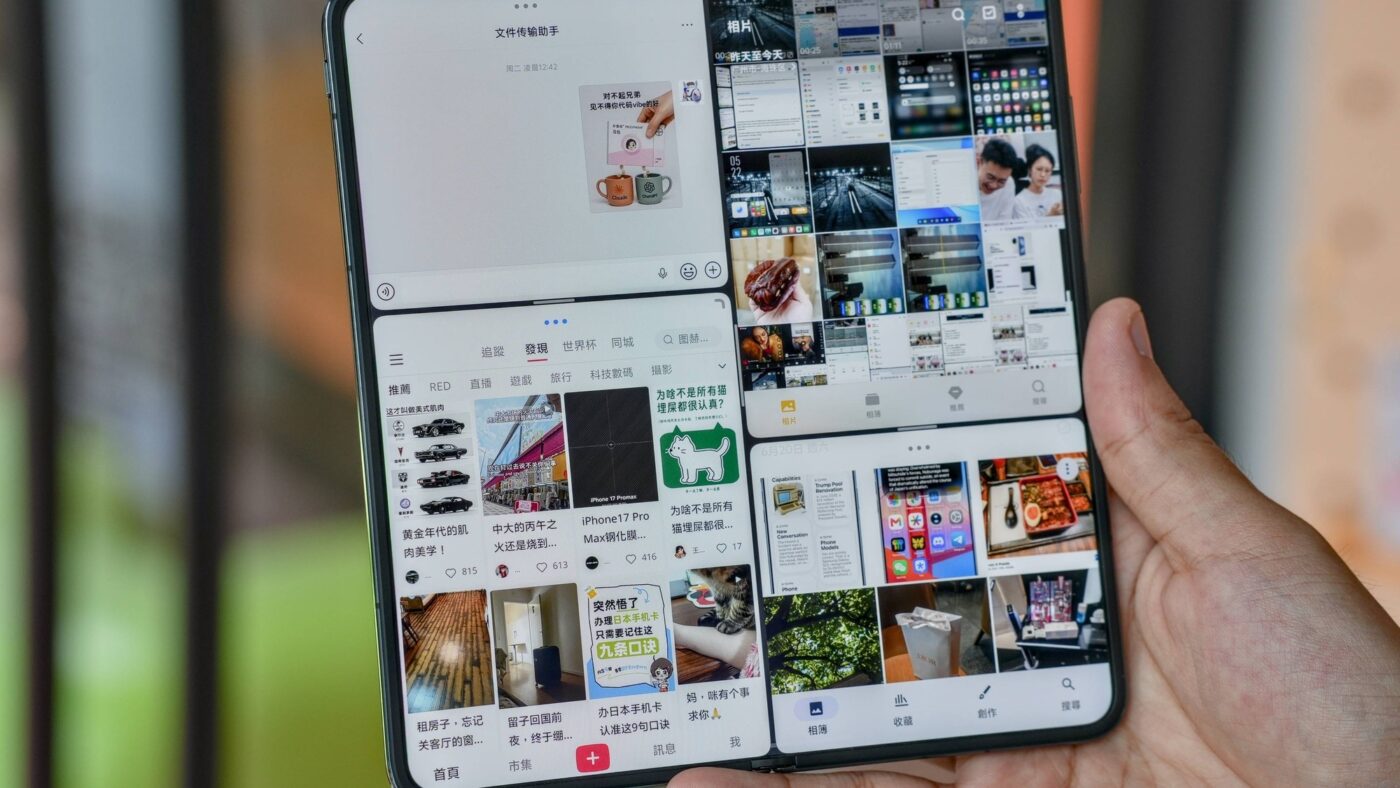
Foldable phones have spent seven years promising productivity and mostly delivering bigger video screens. The vivo X Fold6, launched in China on June 26, 2026 and confirmed for a global release, is the first one where the multitasking system, not the hinge or the camera, is the headline. Its Atomic Workbench software runs four full apps in equal windows at once, splits the screen at any ratio you drag, and saves whole app layouts for one-tap recall. The hands-on that inspired this review, published by Chinese outlet ifanr three days after launch, put it bluntly: the reviewer had never used multitasking this good on a phone. That is a strong claim, so this vivo X Fold6 review focuses on the question that actually matters in 2026: is this finally a foldable you can work on?
What Is the vivo X Fold6?
What is the vivo X Fold6?
The vivo X Fold6 is vivo’s 2026 book-style flagship foldable: an 8.02-inch inner display folding to a 6.51-inch cover screen, powered by MediaTek’s Dimensity 9500 Super chip and a 7,000mAh battery, running OriginOS 6 Fold with the Atomic Workbench multitasking system. It launched in China on June 26, 2026 from CNY 7,999 (about $1,100), with a global version confirmed but not yet dated.
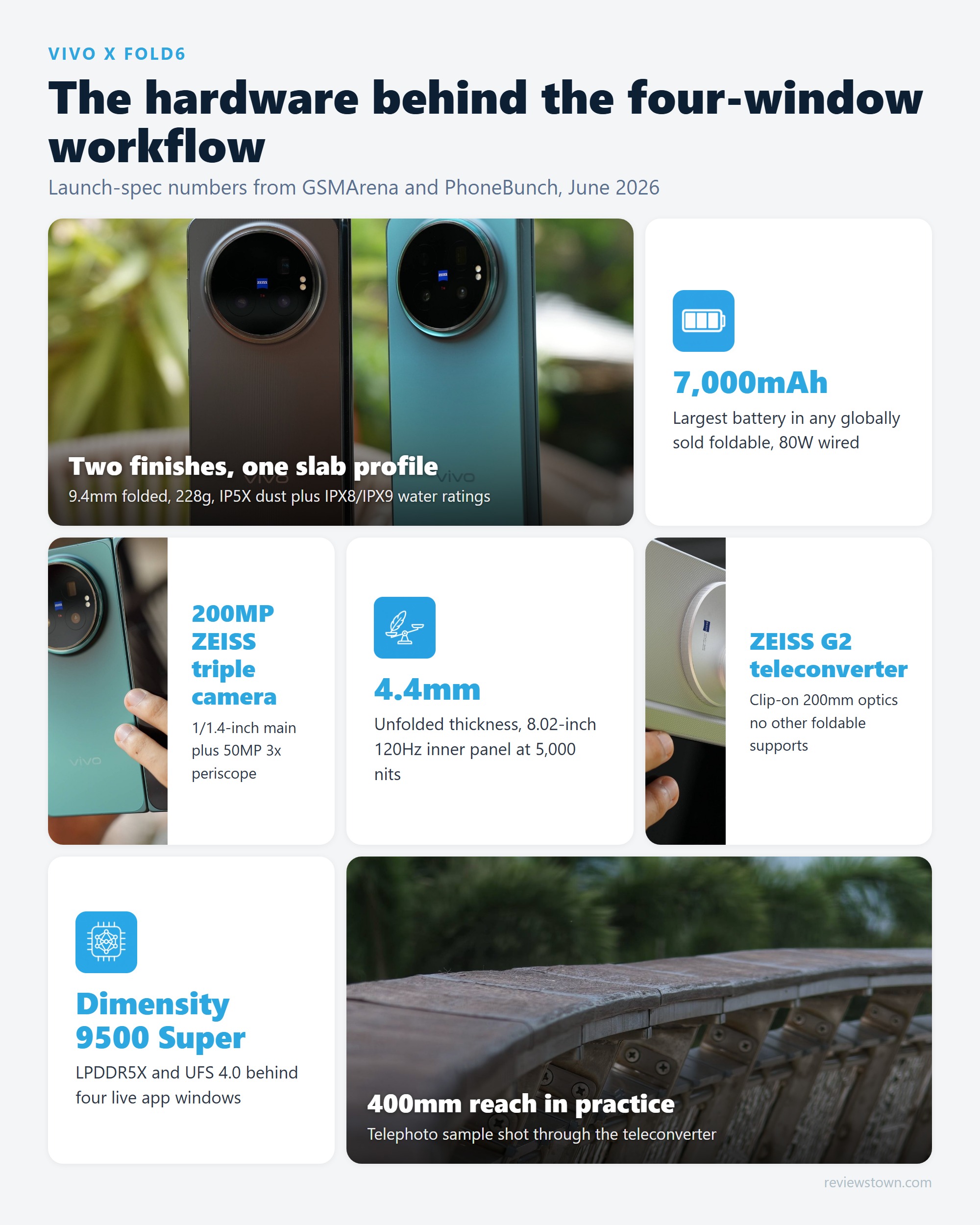
The spec sheet reads like vivo decided every category leader needed beating at once. Per the official vivo X Fold6 page and launch coverage from PhoneBunch, the phone measures 4.4mm unfolded and 9.4mm folded, weighs 228g, and still packs a 7,000mAh silicon-carbon battery with 80W wired and 40W wireless charging. Android Authority notes that only the Honor Magic V6’s China-only 1TB variant carries a bigger cell, at 7,150mAh, which makes the X Fold6 the largest-battery foldable you will actually be able to buy globally.
However, specs are not why this phone is interesting. Every 2026 flagship foldable is thin, bright, and fast. What separates the X Fold6 is that vivo spent its software budget on the one thing a foldable’s shape is genuinely for: running several apps at once on a screen shaped like a small tablet.
What Is vivo Atomic Workbench and How Does It Work?
Atomic Workbench is the multitasking layer inside OriginOS 6 Fold, and the X Fold6 version is a significant rebuild rather than a rename. Based on ifanr’s hands-on testing, it now works through two core modes plus a set of workflow glue features that matter more than they sound.
Atomic Workbench: the four building blocks
Atomic Workbench treats apps as movable tiles on the 8.02-inch canvas instead of fixed split-screen slots. Four features do the heavy lifting.
Split screen where you drag the divider to any ratio: a 70/30 document-plus-chat layout is as valid as 50/50.
Four equal full app windows at once, opened by dragging apps in or a four-finger outward swipe.
Any window arrangement can be saved and relaunched as a group, so your morning triage layout is one tap away.
Text, images and files drag between windows, with window rotation to cycle which app has focus.
The design insight underneath is worth spelling out. Traditional foldable split screen makes you rebuild your workspace every session. Atomic Workbench makes the workspace persistent: ifanr’s reviewer describes planning a trip with maps, notes, browser, and chat open simultaneously, then recalling that exact arrangement days later. The gain is not that four apps fit on screen. It is that you stop paying the setup tax every time you sit down.
That continuity argument is also why in our view the wide book-style shape still matters. A 5-like comment under the biggest English-language X Fold6 review video made the point owners keep making: they do not buy foldables to watch video, they buy them to multitask. The X Fold6’s near-square inner panel is exactly the geometry that makes four readable windows possible.
How Do You Actually Use Multitasking on the X Fold6?
The honest answer to “how do I use multitasking on the vivo X Fold6” is: mostly by dragging. Open one app fullscreen, pull a second in from the dock or sidebar, and you are in Parallel Mode with a divider you can slide freely. Drag a third and fourth app in, or make a four-finger outward swipe, and the screen reorganizes into Focus Mode’s four equal windows. Pinch a layout you like into a saved combo and it appears on your home screen like an app icon.
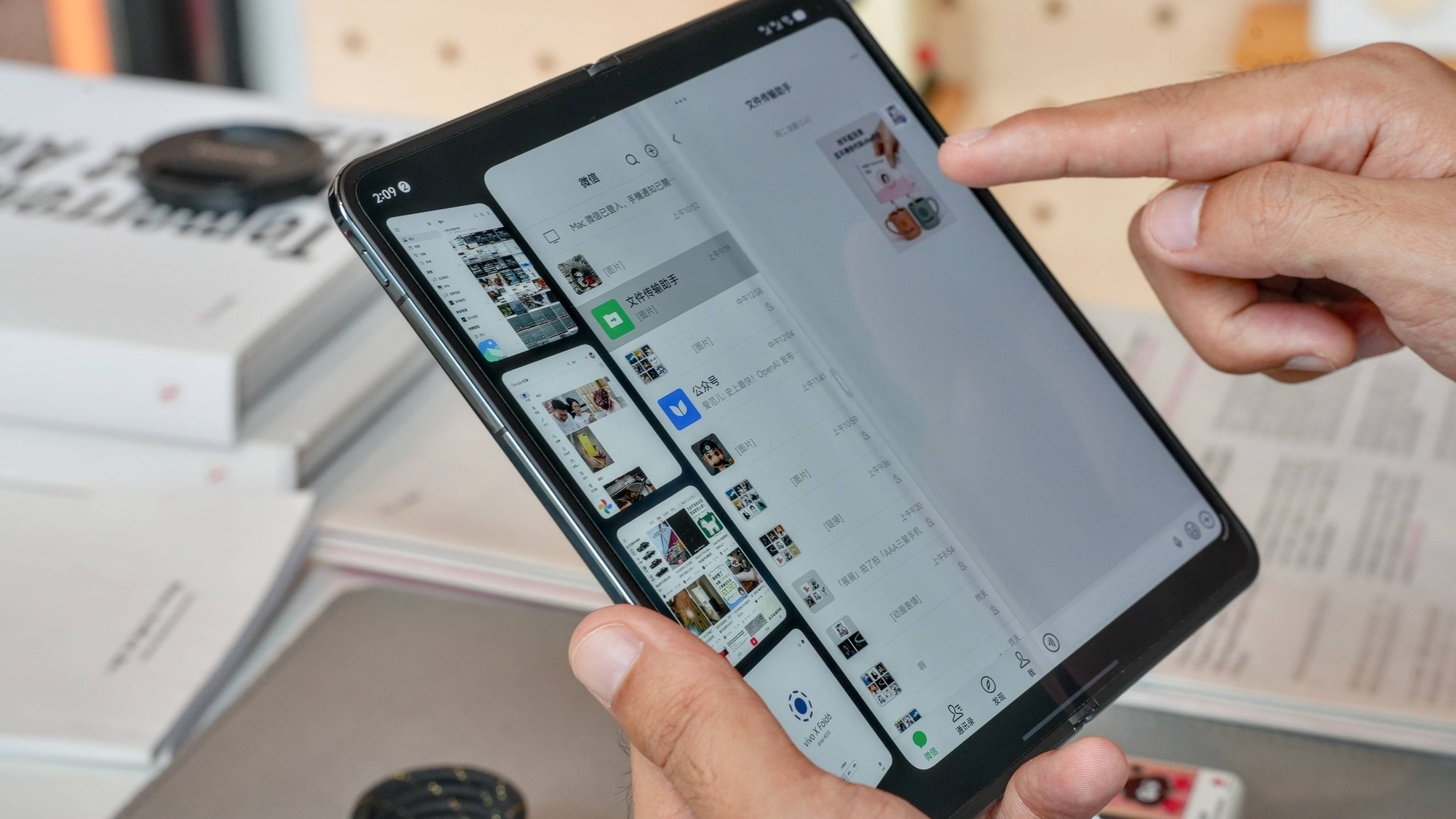
In practice, ifanr’s testing found the ceiling of what four windows is good for: monitoring four live video feeds at once worked, and a news-editing workflow with source, notes, translation, and chat ran without forced app reloads. Each window in Focus Mode is a real, fully interactive app instance, not a frozen thumbnail, which is what makes the feature usable rather than a demo.
The friction points are equally concrete. Cross-window drag depends on per-app support, and ifanr found Chrome simply refuses to let content drag out of it. Sustained multi-window sessions also produce noticeable warmth around the chassis and occasional dropped animation frames. Neither killed the workflow in their testing, but both are the kind of rough edge that separates a version-one system from Samsung’s decade-polished One UI.
The Hardware That Makes Four Windows Possible
Multitasking software is only as good as the panel and silicon under it, and here the X Fold6’s numbers pull their weight. According to GSMArena’s full spec sheet, the inner display is an 8.02-inch Samsung M14 LTPO AMOLED at 2504 x 2312 and 120Hz, with the 6.51-inch BOE cover screen also running 120Hz; both are rated at 5,000 nits peak. A 2504 x 2312 canvas means each Focus Mode window gets roughly a 1250 x 1150 quadrant, comfortably above the resolution of many budget phones’ entire displays.
The Dimensity 9500 Super chipset with LPDDR5X memory and UFS 4.0 storage handles four live app instances, and the manufacturer claims the 7,000mAh silicon-carbon battery keeps its full capacity down to minus 20 degrees Celsius. The thermal warmth under multi-window load noted above is the trade-off for squeezing that battery and chip into a 4.4mm-unfolded frame; physics did not take the year off.
Durability is the quiet spec worth noting for a work device: IP5X dust resistance plus IPX8 and IPX9 water ratings, per PhoneBunch’s launch breakdown. Owners of the previous X Fold5 report the displays work surprisingly well in wet conditions, which matches the rating on paper.
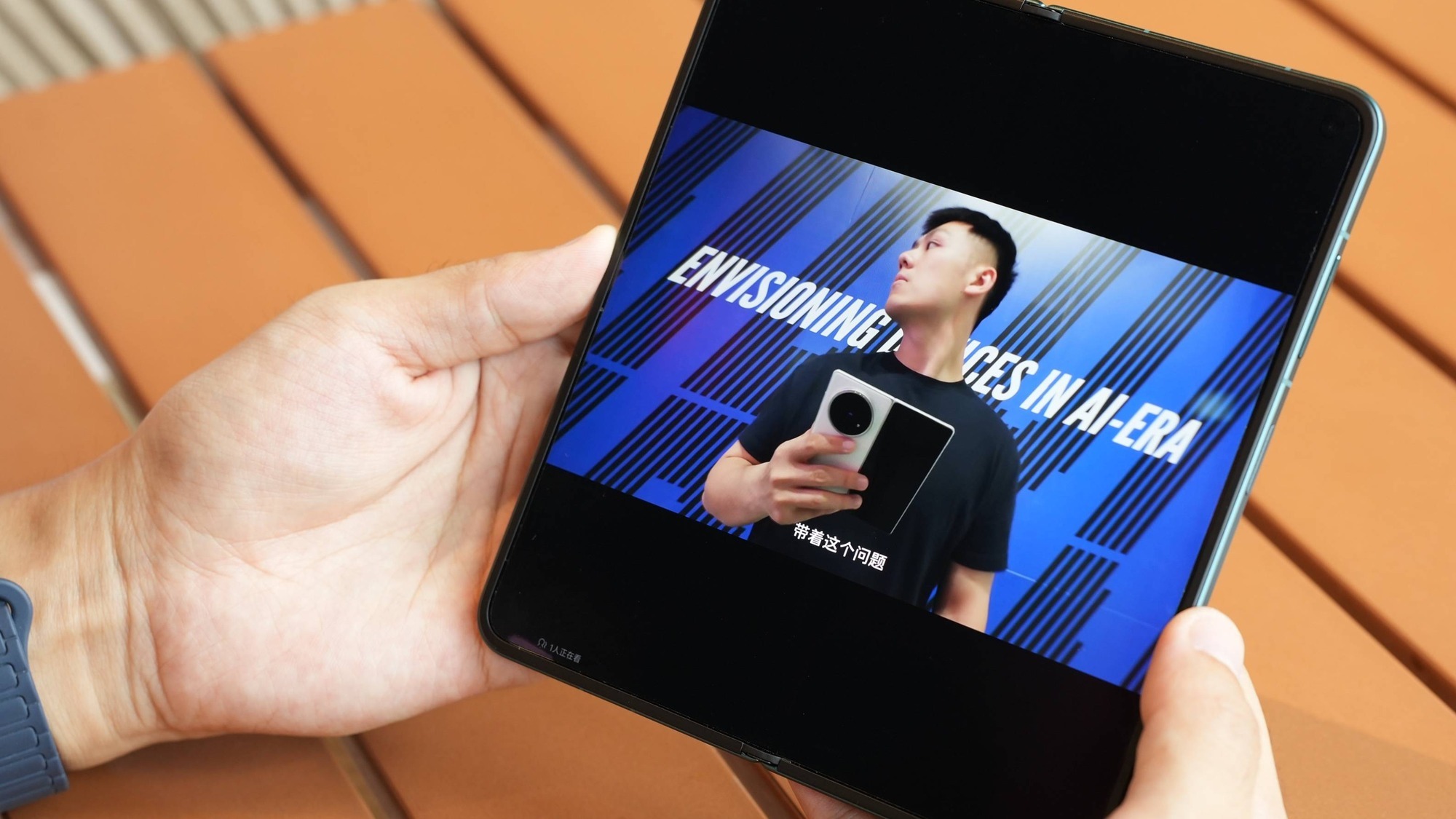
For a full walkthrough of the hardware in motion, the most-watched English hands-on so far is worth your time:
vivo X Fold6 vs. Samsung Galaxy Z Fold7: The Multitasking Gap
The comparison every buyer actually wants is with Samsung, so here is how the two systems stack up on the things that matter for foldable phone productivity.
| Feature | vivo X Fold6 | Samsung Galaxy Z Fold7 |
|---|---|---|
| Inner display | 8.02-inch LTPO AMOLED, 2504 x 2312, 120Hz | 8.0-inch LTPO AMOLED, 120Hz |
| Max simultaneous full windows | 4 equal windows (Focus Mode) | 3 split panes plus pop-up windows |
| Split-screen ratio | Freely draggable divider | Preset resizable panes |
| Saved app layouts | Combo save, relaunch as group | App pairs (two to three apps) |
| Desktop mode | PC Mode, up to 2559 x 1439 output | DeX, mature multi-window desktop |
| Battery | 7,000mAh Si/C, 80W wired | 4,400mAh, 25W wired |
| Folded thickness | 9.4mm | 8.9mm |
| Weight | 228g | 215g |
| Launch price | CNY 7,999 (about $1,100) | $1,999 |
Sources: GSMArena spec sheets, PhoneBunch launch coverage, ifanr hands-on testing.
The verdict on this table splits cleanly by layer. On-device multitasking: vivo wins, and it is not close. Four equal interactive windows with saveable layouts is a generation ahead of Samsung’s three-pane split, and even Samsung loyalists concede the gap; TechRadar wrote of the previous X Fold 5 that its Workbench feature was the one thing a Galaxy Z Fold 7 owner wished their phone had. Desktop mode: Samsung wins on maturity. ifanr calls vivo’s PC Mode relatively complete, with WPS Office, keyboard and mouse support, and window snapping, but it cannot adjust display scaling on an external monitor, a basic control DeX solved years ago. Ecosystem and firmware polish: Samsung wins today, though at nearly double the launch price.
Battery, Camera, and the Everyday Trade-offs
The 7,000mAh battery deserves its own paragraph because it changes how you use the multitasking. Running four apps on an 8-inch panel is exactly the workload that murders a 4,400mAh cell, and vivo’s answer was to fit the biggest battery in any globally sold foldable, with 80W wired charging per PhoneBunch’s launch figures. If you want the deeper context on how silicon-carbon cells rewrote foldable battery expectations this year, our Honor Magic V6 vs Galaxy Z Fold 7 analysis covers the same battery arms race from the other side.
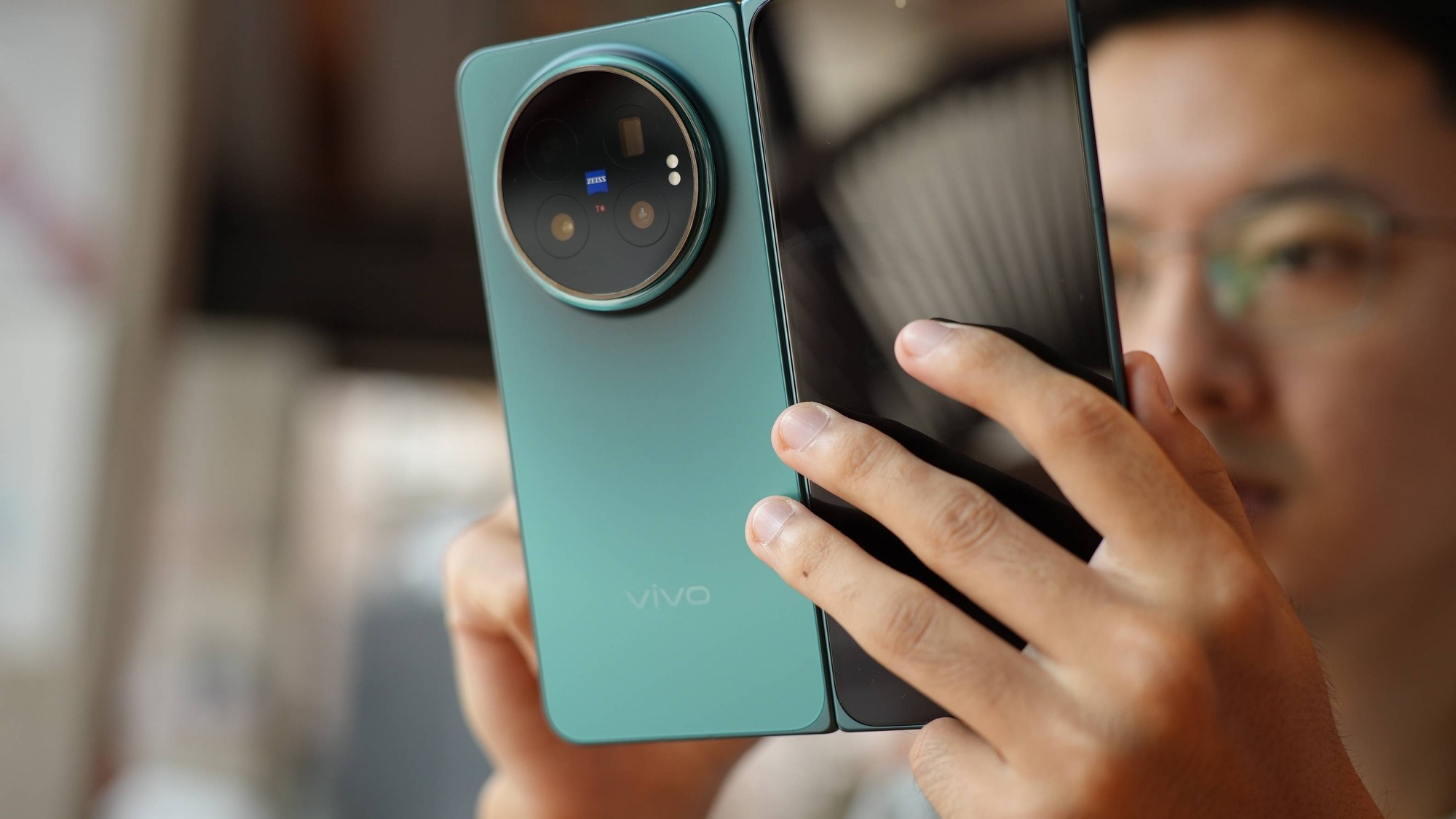
The camera is genuinely good and honestly second-tier, and vivo seems fine with that. You get a 200MP Samsung HPB main sensor at 1/1.4 inches, a 50MP ultrawide, and a 50MP Sony LYT-602 periscope at 3x (70mm), plus support for the ZEISS G2 200mm teleconverter that vivo introduced on its slab flagships. That teleconverter compatibility is a standout no other foldable offers. Still, ifanr’s assessment is that image quality trails vivo’s own imaging flagships, and our vivo X300 Ultra hands-on shows what the same brand does when the camera is the whole point. Buy the X Fold6 for the screen and the workflow, not the sensor rankings.
The software rough edges cluster in two places. ifanr flags that OriginOS’s visual design feels dated, neither clean nor rich in their words, which is a strange pairing with multitasking engineering this ambitious. And the launch build shipped without the filter color palette in the camera app, which vivo has since restored via OTA update: a small thing, but a signal of a rushed release cycle.
Are Foldable Phones Actually Ready for Work in 2026?
The honest category answer: closer than ever, with two asterisks.
What owners say tracks the optimism. The r/Android discussion around the biggest English X Fold6 review drew 32 comments, and the top comment on the video itself, with 20 likes, agreed that wide book-style foldables are the best form factor available. A recurring theme in those threads is not photography or video but exactly the use case this phone targets: several readable windows on one pocketable screen. Real-world feedback from earlier vivo fold owners adds the caveat that matters for import buyers, though: Chinese-ROM units have a documented pattern of missed notifications and app misbehavior, a complaint that shows up across multiple r/Vivo ownership threads. Until the global version ships, that is the single biggest reason for most readers to wait.
The second asterisk is the laptop question. Will a foldable replace your laptop in 2026? No, and the X Fold6 is the clearest proof because it tries hardest. PC Mode drives an external monitor at up to 2559 x 1439 with keyboard, mouse, and window snapping, but it cannot adjust display scaling, and ifanr judges it well behind Samsung DeX, which has had nearly a decade of iteration. A foldable in 2026 replaces the tablet you stopped carrying and covers the between-meetings work a laptop is too heavy for: reading and annotating, email beside calendar, a video call beside notes. Typing anything longer than a paragraph still wants a keyboard.
Our verdict on the category question: the X Fold6 moves foldable phone productivity from marketing slide to daily habit, but it complements a laptop rather than retiring it.
Verdict: Who Should Buy the vivo X Fold6?
The vivo X Fold6 is the best multitasking phone you can buy in mid-2026, full stop. Atomic Workbench’s four-window Focus Mode, freely adjustable Parallel Mode, and saveable app combos are a real workflow upgrade, not a spec-sheet bullet, and the 7,000mAh battery and 8.02-inch 120Hz panel give that software the hardware it needs. At CNY 7,999, it undercuts the Galaxy Z Fold7’s launch price by roughly $900 while beating it at the foldable’s core job.
Choose the vivo X Fold6 if you live in a market where it officially ships (or accept import-firmware quirks), you spend your day juggling chat, documents, browser, and feeds, and you want the largest battery in any foldable sold globally.
Avoid it (or wait) if you need Google-services-first firmware today, your workflow depends on desktop-grade external monitor support where DeX remains ahead, or camera quality is your first priority, in which case a slab imaging flagship serves you better.
The bigger takeaway from this review is about the category. With brands reportedly chasing Apple toward narrower foldables, the X Fold6’s wide inner screen, the very thing that makes four windows readable, may become rare. If multitasking is why you want a foldable, this is the most complete version of that idea anyone has shipped.
- Atomic Workbench Focus Mode runs four equal app windows at once, triggered by a four-finger gesture
- Parallel Mode splits the screen with freely adjustable window ratios, not fixed 50/50 panes
- 7,000mAh silicon-carbon battery is the largest in any globally sold foldable (Android Authority)
- 4.4mm unfolded and 228g, thinner and lighter than rivals with smaller batteries
- ZEISS G2 200mm teleconverter support gives it a photography ceiling no other foldable has
- Cross-window drag and drop has app compatibility gaps: Chrome refuses drag-out (ifanr)
- Multi-window sessions produce noticeable warmth and occasional dropped frames (ifanr)
- PC Mode lacks display scaling and trails Samsung DeX in maturity
- China-only at launch; global availability confirmed but not dated
- OriginOS visual design feels dated next to its own multitasking engineering
Frequently Asked Questions
Can the vivo X Fold6 run four apps at the same time?
Yes. Focus Mode inside Atomic Workbench displays four equal-size app windows simultaneously on the 8.02-inch inner screen. You trigger it by dragging apps into position or with a four-finger outward swipe, and window layouts can be saved as combos and reopened later.
What is vivo Atomic Workbench?
Atomic Workbench is the multitasking layer in OriginOS 6 Fold. It bundles Parallel Mode split screen with adjustable window ratios, the four-window Focus Mode, saved app combinations, cross-window drag and drop, and window rotation into one system for working across several apps on the foldable’s inner display.
How does vivo X Fold6 multitasking compare to Samsung Galaxy Z Fold?
vivo allows four equal full app windows natively, while Samsung’s One UI splits the screen into three resizable panes plus pop-up windows. Samsung DeX remains the more mature desktop mode after nearly a decade of updates, but on-device multitasking is where the X Fold6 pulls ahead.
Is a foldable phone really worth it for productivity?
For reading, referencing two documents, triaging email beside a calendar, or monitoring feeds, a book-style foldable genuinely replaces a small tablet. It will not replace a laptop for heavy typing or specialized desktop software, so treat it as a between-meetings work device, not a workstation.
When will the vivo X Fold6 be available globally?
vivo has confirmed a global launch, according to Android Authority, but has not announced dates or pricing. At launch the phone is sold in China only, starting at CNY 7,999 (about $1,100). Import units run Chinese firmware, which earlier vivo fold owners report can miss notifications.
What are the downsides of the vivo X Fold6?
The main trade-offs are software polish rather than hardware: cross-window drag fails in some apps including Chrome, sustained multi-window use warms the chassis and occasionally drops animation frames, PC Mode lacks display scaling, and OriginOS ships on Chinese firmware until the global release arrives.