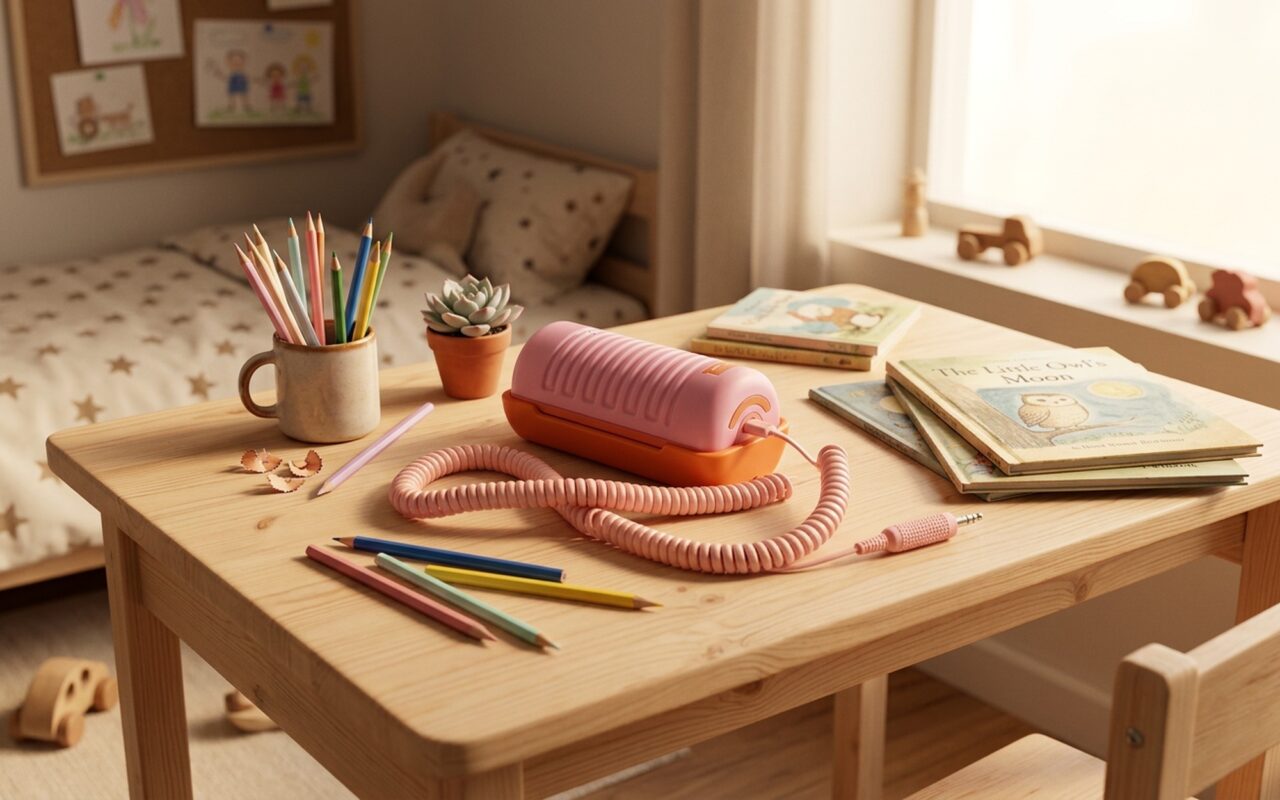
The debate over when to give kids a smartphone has been raging for years. But a small, pastel-colored, cord-trailing device from an American startup is quietly offering a third option: don’t.
Tin Can is not a smartphone. It’s not a smartwatch. It’s not a dumb phone with parental controls. It’s closer to the landline that sat on your parents’ kitchen counter in 1994 – except it connects over WiFi, lets parents curate exactly who their child can call, and comes in soft pinks and oranges designed to look like nothing a teenager would ever want.
That sounds simple. In 2025, simple is the point.
The Screen Problem That No Parental Control App Can Solve
Every family with school-age children has run the same experiment: install parental controls, set screen time limits, block the apps. Three weeks later, the kids have found a workaround – or they’re watching YouTube through the browser because you forgot to block that too.
The problem isn’t the settings. The problem is that a smartphone is fundamentally engineered to maximize the amount of time a user spends on it. The product teams at Meta, TikTok, and YouTube have spent billions of dollars understanding what makes human brains release dopamine, and they’ve built those triggers into every scroll, every notification, every autoplay. When you hand a 9-year-old a smartphone and ask them to “be responsible,” you’re asking a developing prefrontal cortex – which won’t fully mature until the mid-20s – to out-compete that engineering.
French child psychiatrist Serge Tisseron popularized the 3-6-9-12 rule: no screens before age 3, no video games before 6, no unsupervised internet before 9, no social media before 12. The American Academy of Pediatrics has issued similar guidelines, recommending no more than one hour of high-quality screen time per day for children aged 2–5, and consistent limits with active parental involvement for older children.
Those guidelines expose a practical gap: your 8-year-old walks home from school alone. You’re still at work. They need to be able to call you. A landline would solve this perfectly – but nobody has a landline anymore.
What Is Tin Can? A WiFi Landline Designed for the Screen-Free Generation
Tin Can (sold at tincan.kids) is a corded, WiFi-enabled phone designed specifically for children who are too young for a smartphone but old enough to be home alone or to need a way to reach family without help.
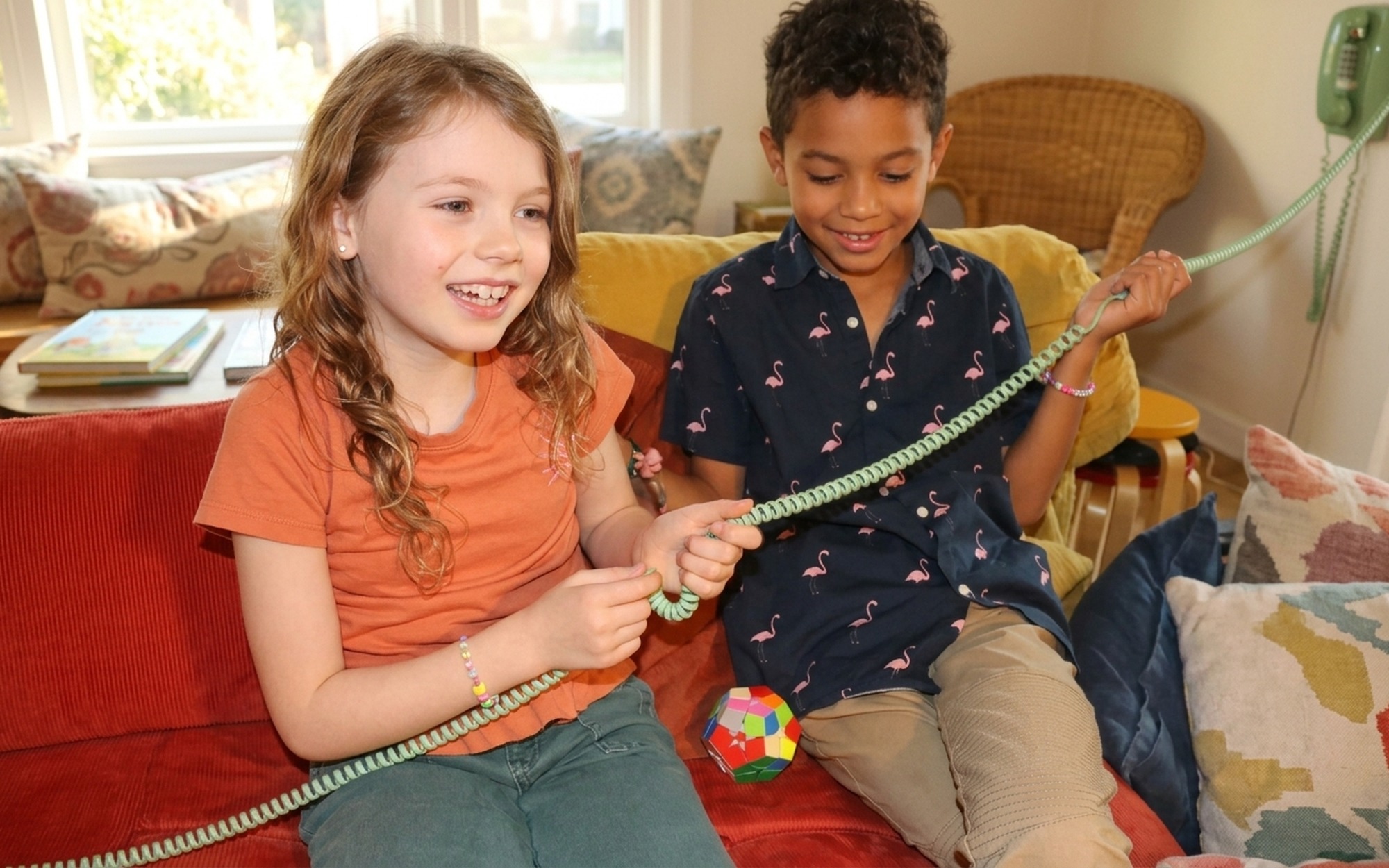
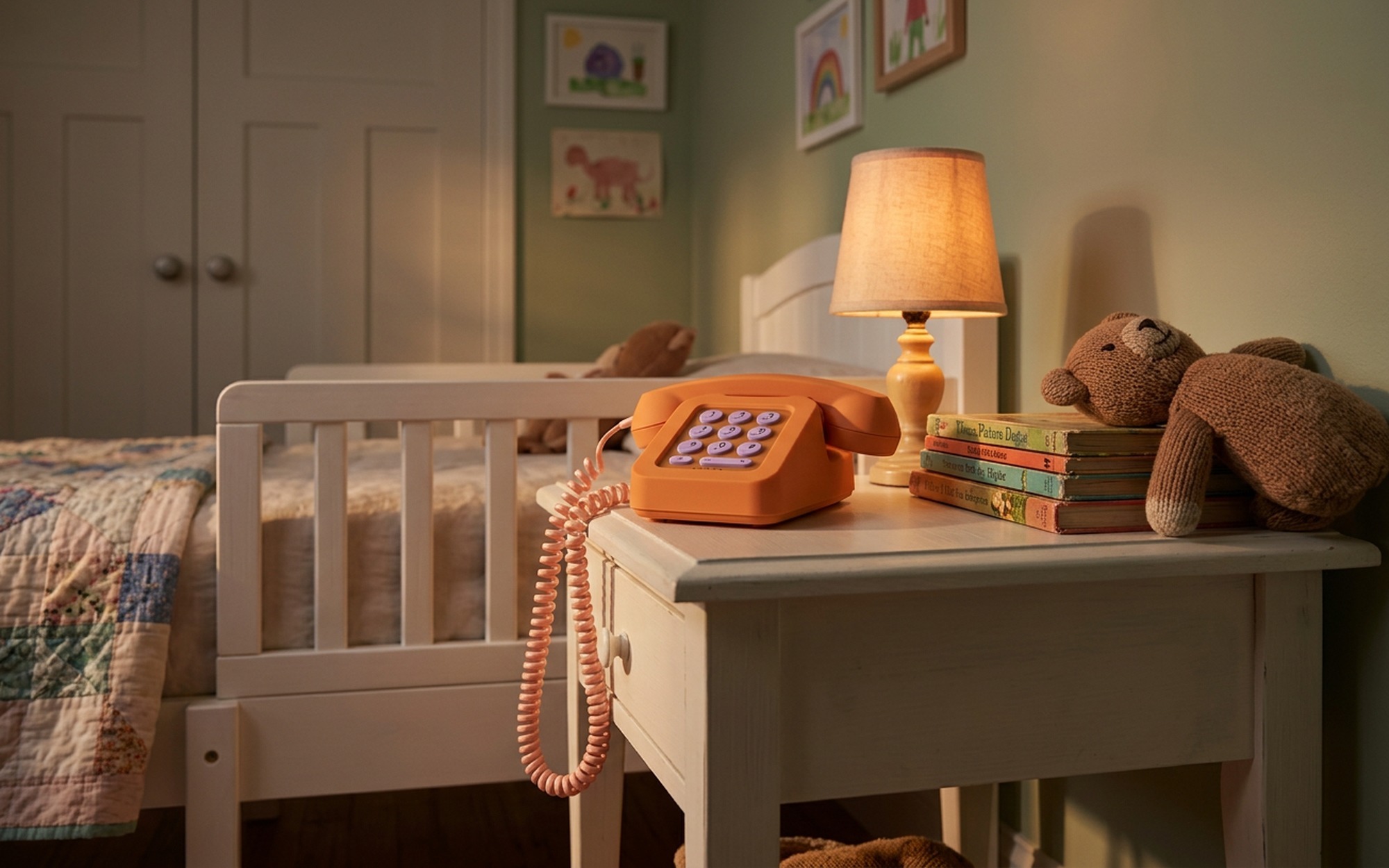
The hardware is deliberately retro. A handset connects to a base unit by a coiled cord – the same design language as a 1990s kitchen phone, reimagined in rounded curves and kid-friendly pastels. There’s no display. There are no apps. There is no way to browse the internet, watch videos, or download anything, because the device doesn’t support any of those functions at the hardware level – not restricted, just absent.
What it does: connect to your home WiFi, link to a parent-controlled contact list, and let your child make and receive voice calls to approved numbers. That’s the complete feature set.
The base unit plugs into a standard wall outlet – not a phone jack. This is a VoIP device running over your internet connection, not a traditional telephone line. Setup is handled entirely through a companion parent app. Kids never interact with the app, and the app is never accessible from the Tin Can device itself. The device the child uses has no screen and no menu to navigate.
How Tin Can Works: Calls, Contacts, and the Secret Parent App
Setup takes about 10 minutes. The parent downloads the Tin Can app, creates an account, connects the device to home WiFi, and builds the approved contact list. Contacts are stored as names – Mom, Dad, Grandma, Soccer Coach – and the child scrolls to them using physical buttons on the base unit. There is no keypad for dialing unknown numbers.
When someone calls the Tin Can, the device rings. The child picks up the handset. If someone not on the approved list tries to call the number (which is unlikely since the number isn’t publicly listed), the call doesn’t go through.
This architecture – closed by design, not by restriction – is the defining difference between Tin Can and every other “kids phone” on the market. There’s no browser to accidentally wander into. There’s no contact search that could surface a stranger. The device is not a restricted smartphone; it’s a different class of object entirely.
From the parent side, the app provides:
– Add or remove contacts at any time, from anywhere
– A full call log showing who called, when, and for how long
– Scheduled quiet hours – calls muted during school or bedtime automatically
– Subscription management and device settings
Parents can also call the Tin Can from any phone, anywhere in the world. It rings like a normal landline. The device appears to callers as a standard local phone number.
Tin Can vs. The Competition: How It Stacks Up Against Other Screen-Free Options
Tin Can isn’t the only device targeting this space, but it occupies a very specific niche. Here’s an honest comparison with the main alternatives:
| Tin Can | Gabb Phone | Relay | Pinwheel | |
|---|---|---|---|---|
| Screen | None | Small display | None | Full Android screen |
| Internet access | None | None | None | Restricted |
| Portability | Home only (WiFi) | Yes (cellular) | Yes (cellular) | Yes (cellular) |
| Monthly cost | $9.99/month | ~$20 (cellular plan) | ~$6.99/month | ~$13/month |
| Device cost | $99 | $99–$149 | $49 | $149 |
| Best for | At-home calls, ages 5–10 | On-the-go, ages 8–12 | Active kids, outdoors | Gradual intro, ages 10+ |
Gabb Phone is the most direct comparison for families who need their child reachable anywhere – school, sports practice, a friend’s house. Gabb uses a real cellular plan, has a small screen, and supports calls and SMS with no internet or app access. The trade-off: it requires a carrier plan, which costs significantly more per year than Tin Can’s WiFi model, and the presence of a screen (even a basic one) means there’s something to stare at.
Relay is a push-to-talk walkie-talkie style device with cellular connectivity and no screen. It’s more rugged and portable than Tin Can, but the interaction model is fundamentally different – it’s designed for short two-way communication, not traditional phone conversations.
Pinwheel is a managed Android phone with a restricted launcher. It’s designed for gradual introduction to smartphone features, not elimination of them – better suited to a 10- or 11-year-old who’s starting to need more capability.
Tin Can’s niche is clear: the child who is home alone and needs to reach a parent, but who doesn’t yet need – or shouldn’t have – any portable connected device. Think: a 7-year-old with a working parent, or a household committed to keeping screens entirely out of the bedroom.
What Parents and Kids Are Actually Saying
The New York Times Wirecutter captured the mood with its headline: “Parents Are Lining Up to Pay $100 for Tin Can’s Screen-Free Kids Phone.” That framing is telling – it signals not just demand, but a kind of desperation from parents who have tried every other approach.
The most consistent theme in parent feedback is surprise at how much children actually enjoy using Tin Can. The tactile feedback of a physical handset, the coiled cord, the satisfying click of the hook – these are genuinely novel to kids who have grown up with touchscreen everything. Several parents report that children who refused to call Grandma on an iPad will volunteer to call from the Tin Can because the object itself is interesting to interact with.
The Wait Until 8th movement – which encourages parents to delay smartphones until eighth grade – has pointed to devices like Tin Can as exactly the kind of intermediate solution that makes the wait feasible. If a child has a way to reach family from home, the “but what if there’s an emergency?” argument against waiting largely evaporates, at least for the hours spent at home.
Critics note the obvious limitation: the device can’t follow a child out of the house. If your child walks to school, attends after-school activities, or spends time at a friend’s house, Tin Can provides no coverage for those hours. For those use cases, Gabb or a basic cellular dumb phone remains the more practical solution.
Tin Can’s Limitations – What to Know Before You Buy
WiFi-only is a hard boundary. If your internet connection goes down, the Tin Can goes dark. During a power outage, it won’t work (the base unit requires electricity). This is the single most critical limitation to understand before purchasing. The flip side: no cellular plan, no SIM card, no carrier – which keeps ongoing costs lower than any mobile alternative.
The subscription math adds up. At $9.99/month, you’re paying $120 per year after the $99 hardware cost. Over three years of use, that’s $459 total. Families should factor this against a prepaid dumb phone on a $5–10/month cellular plan, which could cover the same communication need for less money – though without the closed contact system and parental controls that distinguish Tin Can.
No GPS, no location sharing. Tin Can doesn’t know where your child is, and it doesn’t tell you. For families where location awareness is a priority, a separate solution (Apple AirTag, kids GPS watch) would need to run in parallel.
Voice calls only. There is no text messaging capability. This is intentional and fine for ages 5–9, but an older child (10+) whose peers are communicating by text may find it limiting as a primary communication tool.
Pricing, Plans, and Availability
The Tin Can device costs $99 and is sold directly through tincan.kids. The required subscription is $9.99/month with no long-term contract – cancel anytime. The device supports both 2.4GHz and 5GHz WiFi networks and requires no phone jack, landline infrastructure, or cellular carrier.
As of 2025, Tin Can ships within the United States. Multiple colorways are available – including pink, orange, and green – all designed to read visually as a “kid’s object” rather than a downgraded adult device. That distinction matters more than it sounds: kids are less likely to feel stigmatized by carrying something clearly designed for them, rather than a hand-me-down phone stripped of features.
For families navigating the smartphone question with elementary school children, Tin Can doesn’t pretend to be a complete solution. It’s a narrowly scoped tool that solves one specific problem – home-based reachability – without creating the problems that come with giving a young child internet access. For that specific use case, it’s exceptionally good at what it does.
- No screen, no internet — completely eliminates app and social media risk by design
- Simple enough for children as young as 5 to use independently
- Works over WiFi — no cellular plan, no SIM card, no carrier contract required
- Parent controls the approved contact list through a separate dedicated app
- Retro corded design is tactile, distinctive, and clearly not a smartphone
- Incoming calls ring just like a real landline — from any phone, anywhere
- WiFi-only — won’t work away from home or during internet outages
- Monthly subscription adds ~$120/year on top of the $99 upfront device cost
- No GPS tracking or location sharing for child safety outside the home
- Voice calls only — no text messaging, no emergency SOS feature
- Not portable — can’t replace a phone when kids are out of the house
Frequently Asked Questions
Which device is a screenless phone for kids?
Tin Can is the most popular dedicated screenless phone for young children — it works over home WiFi like a modern landline, with no display or internet access. Other screen-free options include Relay (a cellular walkie-talkie style device) and older “dumb phones” like the Light Phone. For slightly older kids who need portability, Gabb offers a small-screen phone with no internet.
Is there a phone that only texts and calls for kids?
Yes. Gabb Phone is the most widely used option for kids who need both calling and texting — it has a small screen and uses a cellular plan but blocks all internet access and apps. Tin Can offers calls only (no texts) over home WiFi. For pure voice calls at home, Tin Can is the simplest solution; for on-the-go calls and texts, Gabb is the better fit.
What is the 3-6-9-12 rule for kids and screens?
The 3-6-9-12 rule, developed by French child psychiatrist Serge Tisseron, recommends: no screens before age 3, no video games before age 6, no unsupervised internet before age 9, and no social media before age 12. It’s a developmental guideline widely cited by pediatricians as a framework for age-appropriate technology introduction.
How long does it take a kid to detox from screen time?
Research suggests that children who significantly reduce screen time typically show behavioral improvements within 2–4 weeks, with sleep quality often improving within the first week. Dopamine sensitivity — which gets desensitized by the constant stimulation of social media and games — takes longer to recalibrate, often 4–6 weeks of consistent reduction before children naturally gravitate toward lower-stimulation activities like reading and outdoor play.
How do I reset my child’s dopamine after too much screen time?
The most evidence-supported approaches are: consistent outdoor physical activity (which naturally regulates dopamine without overstimulation), a firm and enforced sleep schedule (since sleep deprivation amplifies dopamine-seeking behavior), and replacing screen time with high-engagement, low-stimulation activities like LEGOs, drawing, or reading aloud together. Abrupt cold-turkey removal often causes significant behavioral regression; a gradual 2–3 week step-down tends to produce better long-term results.