Google used its biggest developer event of the year to deliver the most sweeping set of Android changes in recent memory. At The Android Show: I/O Edition 2026, the company announced Gemini Intelligence, rebranded Chromebooks as Googlebooks, shipped a complete 4,000-emoji overhaul as part of Android 17, and confirmed that Quick Share would work across every major Android manufacturer. Here is a complete breakdown of every major announcement and what it means for everyday Android users.
What Is Gemini Intelligence – and How It Changes Android
Gemini Intelligence is Google’s on-device AI layer that operates across Android phones, Wear OS watches, cars, connected glasses, and Googlebook laptops. Unlike a chatbot you invoke by pressing a button, Gemini Intelligence functions as an operating system co-pilot – it observes context, anticipates tasks, and executes multi-step actions across apps with your explicit confirmation at every sensitive step.
The most compelling demo shown at I/O 2026: a user photographs a travel brochure, asks Gemini to find similar experiences on Expedia, and Gemini surfaces booking options without the user manually opening a browser or navigating an app. Another example showed Gemini taking a shopping list and automatically populating items into a retailer’s cart. For every action involving purchases, personal data, or irreversible changes, Gemini requests human confirmation – the guardrails are built into the system architecture from the start, not retrofitted as an afterthought.

Gemini Intelligence launches first on Samsung Galaxy and Google Pixel devices in summer 2026. The rollout then expands to Wear OS watches, cars, glasses, and Googlebook laptops later in the year. Not all Android phones will receive it simultaneously – the first wave targets current flagship hardware where the on-device compute requirements can be met without cloud dependency.
Worth noting: Gemini’s screen awareness – the ability to observe what is on your display and offer contextually relevant suggestions – has existed in limited form since Google replaced Assistant. Gemini Intelligence formalizes this into a system-level feature with a developer API, meaning third-party apps can eventually tap into the same automation pipeline without building separate integrations from scratch.
Googlebook: Google Retires the Chromebook Brand
After 15 years on the market, the Chromebook brand is officially retired. Google is replacing it with Googlebook – and this is not merely a rename. Where Chromebook was defined by simplicity and the browser, Googlebook is defined by Gemini Intelligence as its core differentiating feature.
The headlining feature is Magic Pointer: hovering your cursor over any on-screen content triggers a Gemini suggestion overlay passively, without any hotkey or explicit invocation. Hover over an email that mentions a date and Gemini offers to create a calendar event. Select two images and Gemini offers to merge or compare them. This passive-hover model is a meaningfully different approach to AI integration compared to Microsoft Copilot, which requires clicking a dedicated button – Gemini on Googlebook reads intent from cursor position rather than waiting to be called.
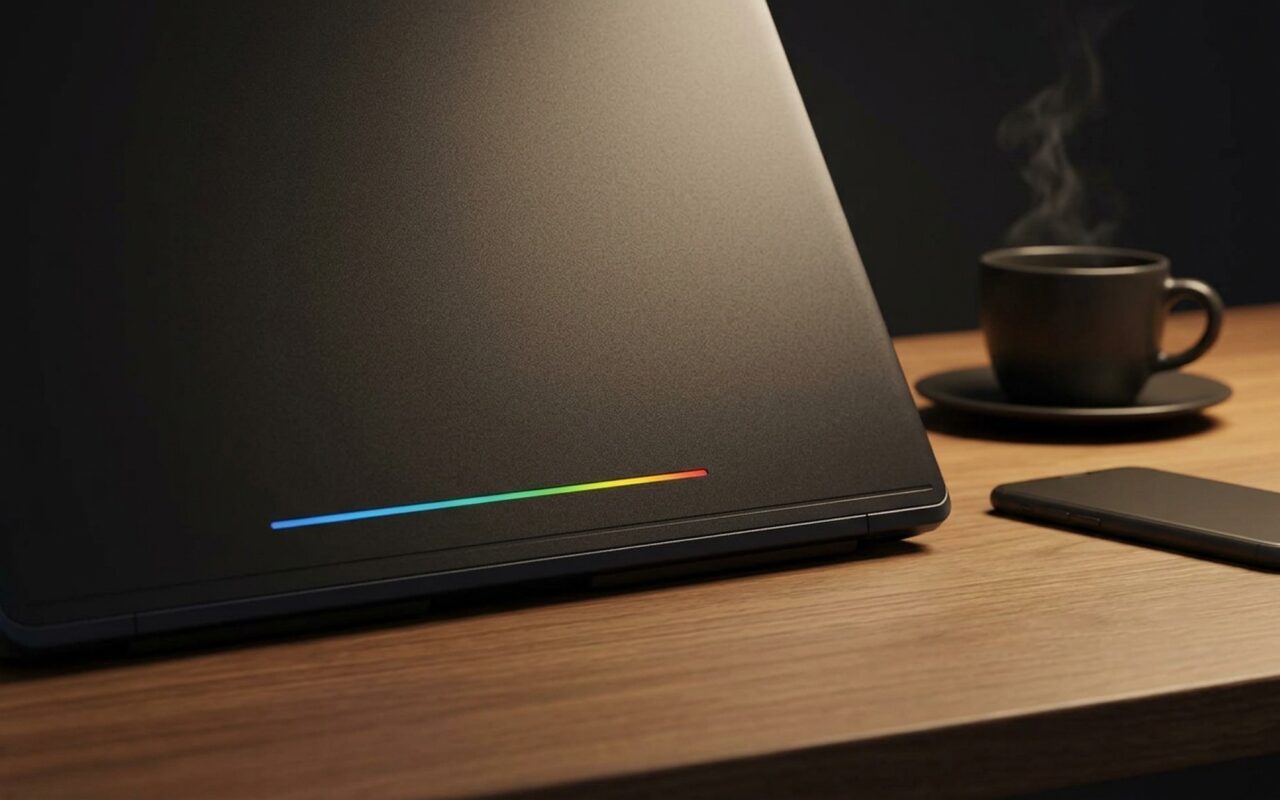
Googlebooks also inherit the cross-device Android phone integration that has been building for years, allowing users to access their phone’s running apps directly on the laptop display without physically switching devices. The distinctive hardware signature is a rainbow LED light strip on the laptop lid – a callback to the Google-colored LED on the original Pixel C tablet, and an easy visual shorthand for “this is an AI-first laptop.”
The first Googlebook devices will ship from Acer, ASUS, Dell, HP, and Lenovo in autumn 2026. There is no single reference hardware design – each OEM builds their own machine to Google’s software and design specification. The clearest way to understand Googlebook vs Chromebook differences: the OS foundation is identical, the brand has changed, and Gemini Intelligence is the defining addition that justifies the shift.
Android 17: Redesigned Emoji, Pause Point, and Smarter Sharing
Android 17 delivers three headline changes: the first comprehensive emoji overhaul in years, a new digital wellness intervention, and the broadest Quick Share expansion to date.
The Android emoji redesign 2026 covers approximately 4,000 characters, each hand-refined with consistent 3D lighting effects aligned with Google’s current Material You design language. This matters more than it sounds – Android emoji sets have accumulated visual inconsistency over time, with newer additions looking polished while older ones look flat or mismatched. The 2026 redesign standardizes the entire library in a single pass. Redesigned emoji roll out first on Pixel devices and appear simultaneously across Gboard, YouTube, and Gmail.

Pause Point is Android 17’s answer to compulsive scrolling. When you open a short-video or social media app that the system has flagged as attention-draining, a 10-second reflection screen appears before the content loads. You can set a personal photo, a motivational phrase, or a substitute app as the interstitial – the design intent is behavioral: a 10-second pause breaks the unconscious “unlock and scroll” habit before it completes. An extreme mode takes this further – once activated, the only way to disable it is to restart your phone. That is a more aggressive intervention than Apple’s Screen Time, and it signals that Google is willing to make digital wellness genuinely difficult to bypass when you ask it to be.
On the connectivity front, Quick Share – Google’s AirDrop equivalent – is finally becoming the universal Android file transfer standard it was always intended to be. It is expanding to work natively with devices from Samsung, OPPO, OnePlus, Vivo, Xiaomi, and Honor, covering the large majority of Android smartphones shipped globally. QR code-based sharing now lets iOS users receive files sent from Android. The iOS-to-Android migration tool also gets a significant upgrade: it now handles passwords, photos, messages, apps, contacts, home screen layouts, and eSIM profile transfers wirelessly in a single session – no cable required.
Gboard Rambler and Smart Autofill: AI Learns to Type for You
Two of the most practically useful Android 2026 upgrades are keyboard-level features that reduce text input friction in everyday tasks.
Gboard Rambler is an enhanced voice-to-text mode that goes beyond transcription – it structures and cleans the output. Dictate a grocery list, a meeting recap, or a stream of ideas, and Rambler organizes the content into a formatted note, removes filler words and verbal habits like “um” and “you know,” and supports multilingual input within a single voice session. This directly solves the biggest friction point with voice typing: the raw transcript that reads like a stream-of-consciousness recording rather than usable text.
Google auto-fill smart form filling on Android reaches a new capability level with the passport autofill feature. When you hit a passport or government ID field in a booking form, Android pulls the relevant data from a document photo stored in Google Photos – extracting name, passport number, expiry date, and nationality without any manual input. This extends to other authorized apps, which can supply field data to forms with user permission. For anyone booking international travel or completing bureaucratic forms on mobile, this removes one of the most tedious multi-step entry tasks in the process.
The Create My Widget feature rounds out this group: rather than navigating an app drawer to find and install a widget, you describe the widget you want in plain language – “show today’s tasks and the weather at 7am” – and Gemini generates it on the spot. It is a small quality-of-life change, but it points clearly toward natural language as the primary interface for Android personalization going forward.
Chrome for Android Goes Agentic: What Auto Browse Actually Does
Chrome on Android receives a major Gemini upgrade in June 2026 with auto browse – a mode where the browser navigates multi-step web tasks without the user manually tapping through each screen. Demonstrated tasks included making a parking reservation and modifying an existing online order, with the AI handling the full flow on the user’s behalf.
This lands Chrome in the same territory as standalone AI browser agents, but with a key advantage: it runs inside your existing browser session with your saved passwords and login history already available. Auto browse is powered by Gemini 3.1 and requires Android 12 or later with a minimum of 4 GB of RAM. The current launch scope is English, US region only.
Alongside auto browse, Chrome gains Gemini-powered webpage summarization and cross-app query access – asking questions about your email, calendar events, or Google Keep notes from within a browser tab without switching apps. The net result is that your browser becomes a general-purpose AI workspace rather than a passive content viewer.
Android Auto and Google Maps: First Major Redesign in a Decade
Android Auto moves to Material 3 Expressive, Google’s latest design system featuring large typography, dynamic color, and gesture-forward navigation. The more significant change is in Google Maps, which receives its first major redesign in over ten years: 3D building and terrain rendering replaces flat tile layers, road hierarchy is communicated through visual weight rather than color alone, and the overall map reads as a spatially oriented navigational object rather than a data diagram.
Gemini integrates into Android Auto following the same model as on phones – with a voice-first interaction design that suits eyes-on-road usage. The ability to handle multi-step requests (find a fuel station, reroute around traffic, queue a podcast) through a single voice command is the most compelling argument for agentic AI in the car, where hands-free genuinely matters.
Availability: What’s Coming to Your Phone and When
| Feature | Launch Window | Region |
|---|---|---|
| Gemini Intelligence (phones) | Summer 2026 | US, English only |
| Chrome auto browse | June 2026 | US, English only |
| Android 17 (emoji, Pause Point, Quick Share) | Late 2026 | Global |
| Googlebook devices | Autumn 2026 | Global |
| Gemini Intelligence (Wear OS, Auto, Googlebook) | Late 2026 | US, English only |
One critical caveat: China and Chinese-language Android users are excluded from most GMS-dependent features, including the Quick Share cross-OEM expansion and Gemini Intelligence. Xiaomi and Honor appear on the Quick Share partner list, but their China-market devices ship without Google Mobile Services and will not receive these capabilities.
For the global Android user base outside the US, the clearest near-term wins are the emoji redesign, Pause Point, Gboard Rambler, and the Quick Share OEM expansion – all arriving as Android 17 software updates with no new hardware required. Gemini Intelligence automation is the headline feature of I/O 2026, but it also has the strictest conditions attached. Check the official Android features page for device-specific rollout updates as launch windows are confirmed, and visit Google I/O 2026 for the complete session recordings and technical deep-dives.
- Gemini Intelligence automates complex multi-step tasks across Android apps with explicit user confirmation at each step
- Googlebook brings desktop-grade Gemini AI to five major OEM laptop makers launching autumn 2026
- Android 17 redesigns all 4,000+ emoji with consistent 3D lighting — first full overhaul in years
- Smart autofill reads passport data directly from Google Photos, eliminating manual form entry
- Quick Share now works natively across Samsung, OPPO, OnePlus, Vivo, Xiaomi, and Honor
- Gemini Intelligence limited to Pixel and Samsung Galaxy at summer 2026 launch — most phones wait
- Almost all AI features are US-only and English-only at launch with no global rollout timeline confirmed
- Chrome auto browse requires Android 12 or later and a minimum of 4 GB RAM
- Pause Point extreme mode can only be disabled by restarting the phone — intentionally hard to bypass
- Chinese Android users are excluded from Quick Share cross-OEM expansion and all GMS-dependent AI features
Frequently Asked Questions
What is Gemini Intelligence on Android?
Gemini Intelligence is Google’s on-device AI layer that executes multi-step tasks across Android apps with your confirmation at every sensitive step. It can read a travel brochure and find matching bookings on Expedia, fill in passport data pulled from Google Photos, or turn a shopping list into a cart order. It launches on Samsung Galaxy and Pixel phones in summer 2026 before expanding to Wear OS, Android Auto, and Googlebooks.
Is Google replacing Chromebook with Googlebook?
Yes. Google retired the Chromebook brand at I/O 2026 and replaced it with Googlebook. The underlying OS is the same, but Googlebook adds Gemini Intelligence and a Magic Pointer feature that surfaces AI suggestions whenever you hover over any on-screen content — no hotkey required. First devices from Acer, ASUS, Dell, HP, and Lenovo launch in autumn 2026.
What are the biggest new features in Android 17?
Android 17 delivers three headline changes: a redesign of approximately 4,000 emoji with consistent 3D lighting effects, Pause Point — a 10-second reflection screen that interrupts addictive apps before they load — and Quick Share expanding to work natively across Samsung, OPPO, OnePlus, Vivo, Xiaomi, and Honor devices globally.
Has Gemini replaced Google Assistant on Android?
Yes. Google Assistant was replaced by Gemini as the default AI on Android phones before I/O 2026. Gemini Intelligence, announced at I/O 2026, is the next evolution — it moves beyond conversation to an agent that takes actions across apps. There is no standalone Google Assistant on new Android devices going forward.
What can Gemini AI do on Android phones in 2026?
With Gemini Intelligence, Android’s AI can execute multi-step tasks across apps, extract passport or ID data from photos to auto-fill booking forms, clean up and organize voice-dictated notes via Gboard Rambler, generate custom home screen widgets from a plain-language description, and — through Chrome — automate multi-step web tasks like making reservations or modifying online orders.
Are the new Google I/O 2026 Android features available worldwide?
Most Gemini Intelligence and AI-automation features launch in the US in English only, with no confirmed global timeline. The emoji redesign, Pause Point, and Quick Share OEM expansion are expected globally with Android 17. Users in mainland China are excluded from Quick Share cross-OEM support and all GMS-dependent AI features, as those devices ship without Google Mobile Services.